1:57

Introducing ElevenLabs Conversational Agents
ElevenLabs · AI · Dec 2024
Lottielab’s 1:56 launch film runs 74 scenes, about 1.6 s each. The product shows up at 0:14 and 6 features are revealed, with social proof. The call to action lands at 1:49 (94% in), over a voiceover. The video is built as a feature montage that cuts between 3D-tilted, shallow-focus interface shots and quick live-action beats, using a consistent tilt-and-blur language to make UI feel cinematic. Pacing is fast at about 38 cuts per minute on a 108 BPM track, with each feature block announced by bold gradient caption cards and tied together by recurring glossy orbs, a paper plane and the green owl.
Is this your launch? to your site or press kit.
Films whose music sounds like this one, voice left out
Kino · Electronic dance, funk/disco, breakbeat
Berachain · Modern electronic
Locked-off extreme close-up of a person's eyes behind round black glasses, warm amber glow on the left against a dark right. Reflections of a screen with horizontal lines of text shimmer in the lenses as the eyes shift and focus eases onto the iris.
On-screen text: “VE”
Camera: Static
A video editing timeline, tilted in 3D perspective with shallow depth of field, fills the frame. Colored clip bars run horizontally with keyframe diamonds, a blue playhead sweeps left to right, and a blurred mixer panel sits at the right edge.
On-screen text: “VE”
Techniques: 3D mockup
Camera: Static
A dark code editor fills the frame at a slight angle, showing CSS keyframes for a parallax animation. The shot holds on the lower lines while a text caret sits in the transform value and the code updates.
Techniques: 3D mockup
Camera: Static
In a sunlit home office, a person in a light t-shirt sits at a desk with a monitor, then swings out in the mesh office chair, legs extended and body motion-blurred. The wide static shot holds the blue sofa, plants and patterned wallpaper in frame.
Camera: Static
A person sits at a desk facing a monitor in a home office, then spins the office chair and walks out of frame to the right. A blue sofa, patterned wallpaper and warm window light fill the room.
Camera: Static
A close-up of a dark motion-graphics software timeline, slightly tilted, with a purple glow on the left edge. The layer list scrolls fast, ghosting rows of text and parameter values, while a white arrow cursor drifts down the left column.
Techniques: Cursor demo, Speed ramp
Camera: Static
A white email compose window and file-browser sidebar sit in a tilted 3D perspective against a black background. The view drifts gently while a hand cursor hovers the file list, and a large-files notice rises at the bottom.
Techniques: 3D mockup, Cursor demo
Camera: Push in
Extreme close-up of a laptop keyboard under cool blue light. The shallow focus holds on the middle row of keys while the front and back rows blur into soft bokeh, and the focus drifts subtly across the surface.
Camera: Static
Lines of syntax-highlighted code fill a dark editor, then blur and tilt back as a vector editor with red, green and blue bezier curves and a properties panel rotates into the foreground in 3D space.
Techniques: 3D mockup
Camera: Static
A row of tilted interface panels, a mail client, a bezier graph and a properties panel, recedes into 3D space against a black background as the view glides past them with heavy motion blur.
Techniques: 3D mockup, Speed ramp
Camera: Push in
A person lies face down on the floor of a home office, arms stretched forward, in front of an empty desk chair and a monitor on the desk. A blue sofa and patterned wallpaper frame the room. The camera drifts slowly to the right.
Camera: Static
A person lies face down on a rug in a sunlit home office, then rises behind the desk with arms raised in a quick stretch. The camera holds a low static frame across the sofa, chair, and desk.
Camera: Static
A row of colorful app icons sits in a dock rendered in 3D perspective on a pale lavender surface, the right end blurred. A white cursor arrow slides from the Figma icon to the Chrome icon, and a tooltip labeled Google Chrome pops in above it.
Techniques: 3D mockup, Cursor demo
Camera: Pull out
A close-up of a hand typing on a white keyboard in dim, warm light. The fingers press the keys while the locked camera holds a shallow focus on the hands.
On-screen text: “Google Chrome”
Camera: Pull out
A close-up of a Google search page with shallow depth of field, the colorful Google logo blurred at the top right. The white search box holds the typed query “Lottielab” with a blinking caret, above two autocomplete rows, framed by black letterbox bars.
Techniques: Cursor demo
Camera: Static
A soft-focus view of the editor's green timeline pushes in to a sharp close-up of a 3D map pin asset inside a selection box, its name labeled below, with a layers panel on the left.
Techniques: UI zoom
Camera: Static
A 3D close-up glides across the corner of a pastel interface panel set on a white grid floor. Rounded 3D tiles with an orange eye, red equals, green check and blue hash sit on the surface, its edge a pink-to-blue gradient.
Techniques: 3D mockup
Camera: Pan
A design tool interface floats in 3D perspective over a lavender gradient. On the central canvas, a black X icon morphs into three horizontal bars, then the canvas clears to white.
Techniques: 3D mockup, Morph
Camera: Static
A tilted, soft-focus view of the Lottielab editor floats over a purple gradient. The canvas plays a welcome animation: isometric puzzle modules fade as a blue logo with expanding rings and a welcome headline appear, joined by green and orange cursors. The shot tightens and sharpens onto the logo.
Techniques: 3D mockup, UI zoom
Camera: Pull out
A close-up of a design tool interface shows a dark rounded canvas with a multicolor flower of overlapping translucent petals and blend-mode labels beneath it. A white arrow cursor drifts on the right while the side panels stay blurred.
Techniques: Cursor demo
Camera: Static
A tilted close-up of a design app screen. A colorful squiggle illustration rests on a white canvas as a green playhead glides right along the bottom timeline ruler. A document colors panel lists five swatches on the right.
Camera: Static
A dark comments panel, tilted in 3D perspective over a blurred orange circle, shows a chat thread. A reply types itself letter by letter into the input field, then posts, and two new comments appear below the original message.
Techniques: 3D mockup, Cursor demo
Camera: Static
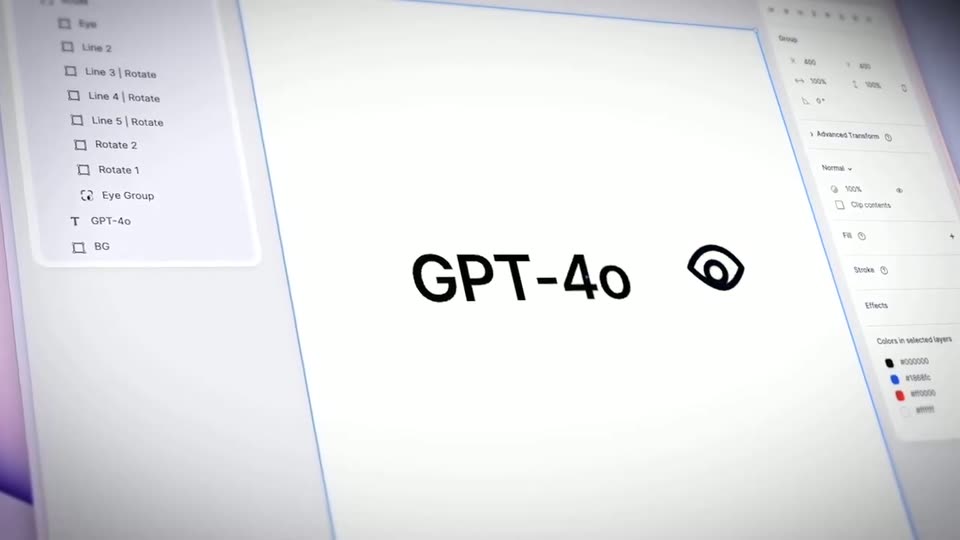
A vector editor interface is shown in tilted 3D perspective with soft depth of field. The white canvas holds the black text GPT-4o beside a blue-and-black eye icon that subtly shifts shape, while layer and property panels sit at the left and right edges.
Techniques: 3D mockup
Camera: Static
A documentation grid of colored tiles tilts in 3D perspective against a dark vignetted background. The camera drifts slowly, while inside the tiles a square travels a dashed curve, an icon morphs from letters to an apple, and wave lines ripple.
Techniques: 3D mockup, Parallax, Morph
Camera: Static
A tilted 3D view of an animation editor canvas: a blue paper-plane sticker travels along a dashed loop toward a blue circle while a cursor drags its handles. The camera pushes in on the canvas as the caption Telegram Stickers appears at the bottom.
On-screen text: “Telegram Stickers”
Techniques: 3D mockup, Cursor demo, UI zoom
Camera: Static
A slightly tilted close-up of a design tool canvas shows the Arc Browser Lottie animations grid, nine icon cards with labels such as Media, Spaces, Smiley and Dark. The left layer list and right properties panel frame the grid. Icons animate gently in place.
Camera: Static
An angled, tilted view of a design-tool canvas shows character cards, a row of coins and a layer panel. The frame eases into focus while the blue selection box stays on the hooded-face card.
Techniques: 3D mockup
Camera: Static
A tilted 3D view of a design app fills the frame, a green gradient color picker centered between blurred icon cards on the left and a white properties panel on the right. The camera drifts slowly across the angled interface as the green swatch shifts.
Techniques: 3D mockup
Camera: Pull out
A design app interface floats at a 3D angle on a lavender background. A cursor travels down an open shape menu, highlighting Rectangle, Star and Polygon in turn, while a multicolored orb fades onto the right canvas.
Techniques: 3D mockup, Cursor demo
Camera: Static
A tilted design-tool interface shows two selected gradient blobs on a light canvas, with a properties panel and a floating effect-settings card on the right. The blobs and hex value shift as the selection handles move.
Techniques: 3D mockup
Camera: Static
A design-tool canvas centers the line Make [Apple logo] yours; the Apple mark and the blue word yours draw on as vector paths, the mark snapping from a blue outline to solid black inside a selection box. Layer and property panels frame the edges.
Techniques: Masking
Camera: Static
A design tool interface sits in 3D perspective on a light gray canvas, showing three gradient panels titled “The pulse” and a color picker on the right. A thin vertical line with a black square handle travels down the first panel.
Techniques: 3D mockup
Camera: Static
A close-up follows a hand resting on a white mouse, fingers tapping the surface as the device glides slightly across a wooden desk. Warm, soft-focus lighting blurs the background into a gentle bokeh.
Camera: Static
On a light gray gradient background, the word HELLO in black bold sans sits centered. The final O slides in from the lower right with motion blur and snaps into place, completing the word. Locked-off frame.
On-screen text: “HELLO”
Techniques: Kinetic type
Camera: Static
A rounded card, tilted in 3D perspective on a dark blue field, glows around a cyan padlock icon. Below it the headline and two lines of body copy scale in, briefly doubling as they settle while the card shifts slightly.
On-screen text: “HELLO”, “Lock In Confidence”, “Seamless protection, scalable solutions. Empower”, “your systems with Security-as-a-Service for peace”, “of mind in a connected world”
Techniques: 3D mockup, Kinetic type
Camera: Static
On a warm cream background, a red-orange circle and an orange circle drift apart while a glossy amber sphere between them morphs into a rounded square. The orange caption 'Payment in progress' stays fixed below the shapes.
On-screen text: “Payment in progress”
Techniques: Morph
Camera: Static
A rounded pill bar with a glowing magenta-to-orange neon outline sits in 3D perspective on black. A glossy pink-and-yellow sphere rests at its left end beside gray text that reads 'What's on you' and is cropped at the right edge. The frame is locked off and the elements hold still.
On-screen text: “Payment in progress”, “What's on you”
Techniques: 3D mockup
Camera: Static
A tablet in 3D perspective floats over a blurred room with plants, showing a photo app. The single large portrait dissolves into a 4x3 grid of photos while the bottom filter pill switches from Months to All Photos.
On-screen text: “What's on you”
Techniques: 3D mockup, Morph, UI zoom
Camera: Static
A dark ChatGPT home screen sits on a tilted monitor in 3D perspective against a soft lavender background. The greeting, four suggestion tiles and the message bar hold a locked-off view, with a cursor resting on the input field.
Techniques: 3D mockup
Camera: Static
A white demo card floats in a soft purple 3D space. The States list on the left highlights Open portal, and a purple 3D button morphs into a ring of stone blocks around a glowing purple portal. A cursor hovers over the button under the caption TRY HOVERING THE BUTTON.
On-screen text: “TRY HOVERING THE BUTTON”, “Hovering...”
Techniques: 3D mockup, Cursor demo, Morph
Camera: Static
A green rounded-square owl app icon sits centered on a plain light gray background. The icon rocks gently from a slight left tilt to a right tilt, its eyes and orange beak staying fixed while the whole mark wobbles in place.
Camera: Static
A grid of six gradient feature cards on a white background, each pairing a product interface or line icon with a white caption. The camera pulls back from a tight top-row crop to reveal the full grid. The yellow center card shows three line icons above its caption.
On-screen text: “Complete with design tools”, “Design, animate, and interactivity”, “Interactive animations”, “Simple interface”, “Simple and complex animations”, “Animate with ease”
Camera: Pull out
A design app screen at a slight angle shows three colored artboards with 3D NOISE lettering and a properties panel on the right. The view zooms in on the central blue artboard as its selection box disappears.
Techniques: 3D mockup, UI zoom
Camera: Static
A low-angle 3D perspective of a white grid of colorful icon tiles, locked-off. The pink gift tile carries a blue selection frame with corner handles while its white line icon draws itself in. A small dark code panel sits at the top right edge.
Techniques: 3D mockup
Camera: Static
Locked-off angled close-up of a design app canvas showing a grid of cartoon logo tiles, including React and GitHub. On the yellow Discord tile, a small mascot icon grows into the full Discord wordmark with a white outline. A properties panel sits at the right edge.
Techniques: Morph
Camera: Static
A grid of colorful line-icon tiles fills a screen, the orange globe tile selected with corner handles. A dark comment tooltip slides out beside it as the camera pulls back from a tight macro to reveal the tilted display and a phone on the desk.
Techniques: UI zoom, 3D mockup
Camera: Pull out
Over-the-shoulder view of a person in a yellow shirt at a desk, facing a monitor filled with a grid of colorful square cards bearing white line icons. A chat window hovers over the grid. The tiles shuffle as the camera slowly pushes in; the office behind stays blurred.
Camera: Push in
A 3D-tilted tablet screen shows a blue app with a white globe logo. A dark comment card floats in front, and a cursor hovers over its top menu to open a Resolve thread option. A green panel with a white thumbs-up icon sits to the right.
Techniques: 3D mockup, Cursor demo
Camera: Static
A white chat bubble types out a message on a light gray background. The view pulls back as a blue reply bubble pops in at the lower right, completing a short two-person exchange.
Techniques: Kinetic type, UI zoom
Camera: Static
A person in a tan coat extends a smartphone toward the camera, the screen showing a chat thread with two round avatars and messages appearing one after another. The frame stays locked on the outstretched hand above a tiled floor.
Camera: Pull out
A dark grid canvas tilts in 3D perspective as the title Blend Modes holds center, its o a glowing green orb. The title fades out, the orb expands and drifts right while two wireframe pointer shapes rotate on the side.
On-screen text: “Blend”, “Modes”, “Lottielab”
Techniques: 3D mockup
Camera: Push in
A man in a red patterned sweater and beanie sits in profile at a wooden desk beside a dark lake at night, typing on a laptop. Tree branches frame the top against a deep blue sky and a silhouetted hill. The shot holds steady.
On-screen text: “Lottielab”
Camera: Static
A tablet tilted at an angle in a dark room displays a white app screen with a list of experiment cards, one showing a flame thumbnail. The camera slowly pulls back as the tablet eases slightly in 3D space against blurred red lights.
Techniques: 3D mockup
Camera: Pull out
A two-by-three grid of gradient feature cards fills the frame. White captions sit over translucent color panels while blurred footage of people, an icon grid and a comment thread fades in behind them.
On-screen text: “Multi Artboards”, “Work together from anywhere”, “Experiment and organise ideas with team”, “Realtime Collaboration, Comments, and Multi Artboards”, “Comments”, “Realtime Collaboration”, “Glow Experiments”
Camera: Pull out
A laptop sits on a desk in 3D perspective, its screen showing the Lottielab website with a centered headline and a row of illustration cards. The camera slowly pushes in toward the screen while the page content stays still.
Techniques: 3D mockup
Camera: Push in
A hand holds a phone upright in front of a blurred desk with a monitor, the screen showing a feedback form with emoji ratings and a green Submit button. The hand stays steady while the background shifts slightly, keeping the phone interface in sharp focus.
On-screen text: “Animations for all scenarios”, “Browse more examples”, “contact”
Camera: Pull out
A grid of panels drifts across a locked frame. The center black card holds the word BLUR in glowing gradient letters beneath a small EFFECTS label, flanked by a white headline card, a glowing pink orb, and short interface clips.
On-screen text: “EFFECTS”, “BLUR”, “HELL”
Techniques: Kinetic type, Split screen
Camera: Static
On a dark background, the yellow jr logo shrinks away as the gold “Design tool” slides in above the white “of the year”, flanked by laurel branches, with a small “RUNNER UP” tag below.
On-screen text: “GOLDEN KITTY AWARDS 2023”, “Design tool”, “of the year”, “RUNNER UP”
Techniques: Kinetic type
Camera: Static
A grid of six gradient feature cards fills the frame, each pairing a small icon or Lottie logo with a short caption such as Export 4K Videos, Export GIFs and Export Telegram Stickers. The whole grid eases slightly outward so white gutters open between the panels.
On-screen text: “4K”, “Share your work anywhere websites, apps, and social media”, “4K”, “Export 4K Videos”, “Optimize and publish”, “Lightest Lottie file size”, “Share anywhere”, “Export GIFs”, “Export”, “Export Telegram Stickers”
Camera: Pull out
A design tool interface shows a canvas with a repeating pattern of orange, layered shapes on a black background. A properties panel is visible on the right as the view slowly pulls back.
Camera: Static
An isometric diagram of labeled module tiles scrolls vertically on the left while a tilted code editor stays static on the right, the two panels splitting the frame.
Techniques: Split screen, 3D mockup
Camera: Static
A blue and white geometric logo, an abstract R shape, tilts in 3D perspective, rotating from a near-frontal view to a steep diagonal with motion blur on the edges. A thin square outline holding a small blue curved mark sits at the left of the letterform.
Camera: Pull out
A dark social app screen is shown at a 3D angle. Inside, a data overview card animates: a green square logo pulses, lines link to small icons, and a stats panel ticks upward. A cursor hovers at the card's corner.
Techniques: 3D mockup, Cursor demo
Camera: Static
A 3D-angled view of a design tool interface set inside a social media feed. On the central blue tile, a white logo morphs from a stylized letter A into a smiley face. The left sidebar menu and the bottom timeline remain static.
Techniques: 3D mockup, Morph
Camera: Static
A tilted screen in 3D perspective displays an X post in Japanese recommending Lottielab, with an embedded editor preview showing a green shape sliding along a timeline. The screen leans against a soft purple gradient, the framing shifting slightly.
Techniques: 3D mockup
Camera: Static
A dark chat view on a locked-off frame. A teal avatar labeled You sits above the prompt Show me something epic, which types out letter by letter. Below, the DALL·E name and a purple status chip reading Creating image hold still.
Techniques: Kinetic type
Camera: Static
A 3D-angled view of a motion design app on a screen. An orange canvas holds a yellow winged bird that swaps from sunglasses to a star belly while a layers panel scrolls on the right. The framing holds steady in perspective.
Techniques: 3D mockup
Camera: Static
A design tool interface fills the frame, locked off, with an orange artboard at center. On it, an orange mascot wearing dark sunglasses bobs inside a yellow spiky outline while the timeline playhead advances along the bottom ruler. Side panels show layers and rectangle properties.
Camera: Static
A pink cartoon octopus in a design app's canvas morphs from a wide, low pose with splayed tentacles into a compact, round-headed shape. The surrounding panels, layer list and timeline remain static.
Techniques: Morph
Camera: Static
A white grid of company logos (Google, Microsoft, Amazon, TikTok, OpenAI, Miro, Grammarly, Duolingo, Revolut, Monzo, Cuvera, Tidal, Plaid, Tray.io, Octopus Energy, KFC, Pizza Hut, DoorDash, Kahoot) sits under a purple “Used by teams at” headline. The frame slowly pans down to reveal the bottom row, edges softly blurred.
On-screen text: “Used by teams at”
Camera: Static
A blue rounded icon with a white cursive l hovers above the centered title Lottielab 1.0, white with a yellow version number, on a dark purple grid. The shot zooms out, the lockup blurring, until white panels edge into the frame.
On-screen text: “Lottielab 1.0”
Camera: Pull out
A dark purple grid canvas centers the blue LottieLab icon above a white “Lottielab” title and orange “1.0”, with “Now available” below. The camera pulls back and the focus sharpens, revealing the surrounding design-tool panels, top toolbar and bottom timeline around the centered title.
On-screen text: “Lottielab 1.0”, “Now available”
Techniques: UI zoom
Camera: Pull out
The LottieLab editor opens as a floating window on a purple gradient, scaling back to reveal its drop shadow. Inside the dark canvas, the logo and title sit above a row of app tiles that slide up into place.
On-screen text: “Lottielab 1.0”, “Now available”
Techniques: 3D mockup
Camera: Pull out
A design-tool editor window settles from a curved 3D tilt into a flat front view. Its dark canvas shows the LottieLab 1.0 logo and title above four project cards, the timeline playhead advances, then the screen fades to black.
Techniques: 3D mockup
Camera: Static