
1:44
Explore
00:00:00 / 01:30:26
- Length
- 1:30
- Scenes
- 40 · 2.3 s avg
- Product on screen
- 0:23
- Features shown
- 3
- Call to action
- 1:26 · 96%
- Voiceover
- Yes
- Views
- 465 on YouTube
as of November 24, 2026
Lakonia’s 1:30 launch film runs 40 scenes, about 2.3 s each. The product shows up at 0:23 and 3 features are revealed. The call to action lands at 1:26 (96% in), over a voiceover. The video opens with raw bodycam and dispatch footage to frame the stakes, then names Lakonia and walks through three named features (Echo, Pantheon, Titan) as a numbered list of dark UI demos, each introduced by a black chapter card. The style is a high-contrast dark theme with white outlined captions, a single blue accent, and a steady 120 bpm pace driven by quick cuts and live-typing interface animations.
Footage neededEstimated needs: 5 capture groups — your screens or recordings · 1 official logo — reused across the film · 12 filmed passages — shoot, supply or replace · 1 3D passage — build or supply
Is this your launch? to your site or press kit.
More like this



Similar soundtrack
Films whose music sounds like this one, voice left out
0:46

Introducing Ask Attio
Attio · Electronic, cinematic
1:08

Kanopy - Spatial Intelligence for Physical Infrastructure
Kanopy · Electronic, Corporate
0:26

Pablo Palafox - Every enterprise wants to automate its processes. Almost none can tel
HappyRobot · Electronic
Introducing: Lakonia, scene by scene
· 40 scenes as text
01 · Hook · 0:00–0:00
A body-camera view of a sunlit parking lot fades in from black. A brick building stands at left, cars fill the rows, and yellow diagonal stripes mark the asphalt. A POLICE ACTIVITY watermark with a dog icon sits in the lower right corner.
On-screen text: “POLICE ACTIVITY”
Camera: Pan
02 · Hook · 0:00–0:04
Body-cam footage of a sunny parking lot, the camera panning right past a white pickup and a brick building. A centered caption fades in and out over the moving shot.
On-screen text: “Keeping track of every detail is hard”
Camera: Push in
03 · Hook · 0:04–0:05
Handheld body-cam footage of a sunny gas-station lot, dissolving in from a prior truck shot. The shaky camera whips left past a white pickup and a pump island where a man in a white shirt stands, with an audio waveform and a POLICE ACTIVITY badge pinned to the lower corners.
On-screen text: “Keeping a truck of every detail is hard”, “POLICE ACTIVITY”
Camera: Pan
04 · Hook · 0:05–0:06
A wide-angle body camera view at a gas station pans right across the fuel pumps and concrete canopy. A white SUV with flashing red and blue lights waits in the background. An audio waveform pulses at the lower left and a Police Activity label sits at the lower right.
On-screen text: “POLICE ACTIVITY”
Camera: Pan
05 · Hook · 0:06–0:07
Body-camera footage of a gas station cross-dissolves with horizontal ghosting as a white van idles at a pump and a sedan waits left. A yellow audio waveform pulses along the bottom edge and a source caption sits lower left.
On-screen text: “Modesto PD Fleet Camera”
Camera: Static
06 · Hook · 0:07–0:08
A layered crossfade of bodycam and fleet feeds collapses into a single forward dashcam view driving down a quiet suburban street. Houses and parked cars line both sides. A white serif caption and a police-activity logo sit at the bottom over a yellow audio waveform.
On-screen text: “Modesto PD Fleet Camera”, “POLICE ACTIVITY”
Techniques: Split screen
Camera: Static
07 · Hook · 0:08–0:09
A three-panel dashboard shows a police fleet camera driving down a residential street, a body-cam strip on top and a yellow audio waveform below. A white caption fades in across the center of the driving view.
On-screen text: “But when it's life or death”
Techniques: Split screen
Camera: Static
08 · Hook · 0:09–0:12
A dashboard camera rolls down a residential street, houses and parked cars passing under a flat sky. The view sits in a three-band layout: a thin secondary feed on top, an audio waveform below. A white caption 'But when it's life or death' holds center.
On-screen text: “But when it's life or death”, “Modesto PD Fleet Camera”
Camera: Push in
09 · Hook · 0:12–0:13
A split screen stacks two camera feeds. The top sliver shows a brick building corner under blue sky; the larger lower feed looks over a car hood onto a residential street with a white SUV and red pickup parked right. A caption and logo sit at the bottom.
On-screen text: “Modesto PD Fleet Camera”, “Police Activity”
Techniques: Split screen
Camera: Static
10 · Problem · 0:13–0:14
A dim close-up follows two hands typing on a laptop keyboard, a gold ring on one finger as the fingers strike the keys in low light.
Camera: Static
11 · Problem · 0:14–0:16
A dim close-up frames the back of a man's head as he faces a blurred monitor. He wears glasses and a headset with a thin boom mic resting near his cheek. The camera holds steady on his ear and temple while his head shifts slightly.
Camera: Pull out
12 · Problem · 0:16–0:17
A dim dispatch room with rows of desks, monitors and seated operators under overhead screens, then a cut to a close-up of a monitor showing queue tables.
Camera: Static
13 · Problem · 0:17–0:22
A tilted monitor fills the frame, showing a call-center queue dashboard whose wait times and clock tick up in real time. A white caption with a black outline, “Every detail matters,” fades in across the center of the screen.
On-screen text: “Every detail matters”
Camera: Static
14 · Problem · 0:22–0:23
An angled monitor in a dark room displays a dimmed queue dashboard with tables of names and wait times. A white caption 'Every detail matters' is centered over the screen. The interface timers tick upward while the framing stays fixed.
On-screen text: “Every detail matters”
Techniques: 3D mockup
Camera: Static
15 · Product intro · 0:23–0:24
A dim dashboard table set in 3D perspective fades out to black on the right while the white title completes to the left, ending with a small blue triangle mark beside the name.
On-screen text: “Introducing: Lakonia”
Techniques: 3D mockup, Kinetic type
Camera: Static
16 · Product intro · 0:24–0:28
A black title card centers the headline Introducing: Lakonia beside a blue triangular mark. The name shifts from gray to white and a smaller subtitle line fades in beneath it.
On-screen text: “Introducing: Lakonia”, “AI-powered Command and Control”
Camera: Static
17 · Feature reveal · 0:28–0:30
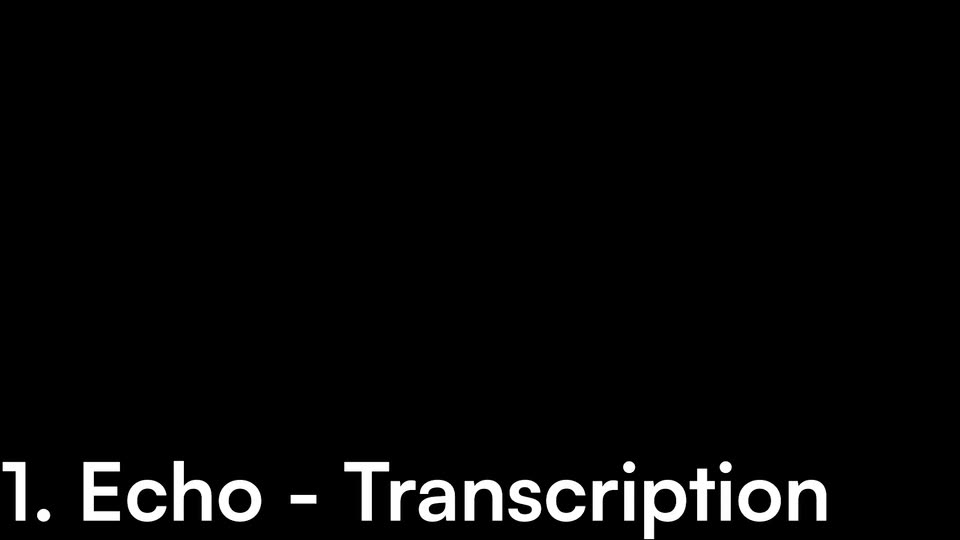
A plain black frame holds a single white caption, '1. Echo - Transcription', pinned to the bottom edge. The label stays locked and static for the whole clip, with the upper frame left empty.
On-screen text: “1. Echo - Transcription”
Camera: Static
18 · Feature reveal · 0:30–0:35
A dark transcription dashboard shows two live police radio columns; the view pans right to reveal a third column while messages type in, then cuts to a collapsed category list and fades to black.
On-screen text: “Echo transcribes multiple different talk groups simultaneously in real time”, “Fine tuned for radio squelch and effects, Echo picks up 10 codes and callsigns accurately”
Techniques: Cursor demo
Camera: Pan
19 · Feature reveal · 0:35–0:40
A dark dashboard shows collapsed channel rows; the cursor clicks Fire Services, which expands into two side-by-side talk-group panels where messages type out live. A white caption appears bottom right, then the section collapses and a gray caption fades in centered.
On-screen text: “Echo also listens in on fire and medical channels, enabling multi-department coordination at incidents”, “AI-powered diarization determines who says what and an LLM-checker corrects any transcription errors for near perfect accuracy”
Techniques: Cursor demo
Camera: Static
20 · Feature reveal · 0:40–0:44
A dark dispatch screen shows three columns of live radio transcriptions that type out letter by letter, with a green Live dot and a ticking clock in the header. A white caption sits centered at the bottom.
On-screen text: “AI-powered diarization determines who says what and an LLM-checker corrects any transcription errors for near perfect accuracy”
Camera: Static
21 · Feature reveal · 0:44–0:46
A black frame holding a large white chapter title cuts to a dark analytics dashboard. Three incident cards fill the left and center, an update feed lists on the right, while the title stays locked at the bottom.
On-screen text: “2. Pantheon - Analysis”
Camera: Static
22 · Feature reveal · 0:46–0:51
A dark dispatch dashboard fills the frame, showing three incident cards and a live update feed. A white headline fades in at the top, then a second caption fades in at the bottom before both fade out.
On-screen text: “2. Pantheon - Analysis”, “Pantheon analyzes radio communications and pieces together an operational image for dispatchers and commanders”, “It determines incident severity, synthesizes information, and automatically handles clarifications, status updates, and more”
Camera: Static
23 · Feature reveal · 0:51–0:53
A dimmed dark dashboard sits behind a modal panel. The panel, headed INCIDENT DETAILS, slides in from the right edge and settles at center, showing a fire incident with field rows and a timestamped timeline list.
Camera: Push in
24 · Feature reveal · 0:53–0:58
A dark incident-details panel fills the center, listing timestamped entries with colored priority tags. A white cursor hovers over the rows. White captions fade in at the left and right edges, then fade out.
On-screen text: “Pantheon keeps track of operational timelines and enables AAR creation”, “Pantheon also crafts active recommendations based on available resources and agency protocol”
Techniques: Cursor demo
Camera: Push in
25 · Feature reveal · 0:58–0:59
A dark dashboard interface reveals a grid of unit status cards and a right-hand update feed panel. A large text block overlays the top left, describing the platform's operator tracking.
On-screen text: “Pantheon keeps track of each and every available operator, enabling more informed response and action”
Camera: Static
26 · Feature reveal · 0:59–1:02
A dark command dashboard fills the frame. A white headline sits above a grid of unit status cards that scroll upward to reveal new rows, while an update feed runs down the right edge.
On-screen text: “Pantheon keeps track of each and every available operator, enabling more informed response and action”
Camera: Static
27 · Feature reveal · 1:02–1:03
The dark Pantheon dashboard, with operator status cards and a right-hand update feed, holds for a beat, then clears to black. The white chapter title 3. Titan - Action stays locked at the lower left throughout.
On-screen text: “3. Titan - Action”
Camera: Static
28 · Feature reveal · 1:03–1:04
A black frame fades in to a dark tactical map interface with unit markers and a bottom list. The white title stays locked at the lower left, a caption line runs across the top. Locked-off frame, no camera move.
On-screen text: “3. Titan - Action”, “Titan is a graphical user interface for both commanders and operators to see synthesized information”
Camera: Static
29 · Feature reveal · 1:04–1:06
A dark map interface with a row of unit cards along the bottom. A details panel for a domestic violence case opens on the right, and a tooltip pops up over a red marker near the center.
On-screen text: “Titan is a graphical user interface for both commanders and operators to see synthesized information”
Camera: Static
30 · Feature reveal · 1:06–1:08
A dark command-and-control dashboard fills the frame: a city map with incident and unit markers in the center, a domestic-violence details panel on the right, and a strip of unit cards along the bottom. The map zooms and pans while a white headline stays locked at the top.
On-screen text: “Titan is a graphical user interface for both commanders and operators to see synthesized information”
Techniques: UI zoom
Camera: Static
31 · Feature reveal · 1:08–1:11
A dark command and control dashboard displays a city map with colored unit markers moving across the grid. A white cursor hovers over a marker near the top, while a details panel on the right and a unit list at the bottom remain static. A headline sits above the interface.
On-screen text: “Keep track of unit positions, draw patrol beats, and follow updates with a notification system”
Techniques: Cursor demo
Camera: Static
32 · Feature reveal · 1:11–1:12
A dark command and control dashboard shows a satellite map of Stanford with colored unit markers. The map zooms in toward the campus while a blue patrol beat polygon, a right-side unit details panel and a bottom row of active unit cards stay fixed.
On-screen text: “Keep track of unit positions, draw patrol beats, and follow updates with a notification system”
Techniques: UI zoom
Camera: Static
33 · Feature reveal · 1:12–1:15
A dimmed city map fills the background behind a centered pin dialog. A white headline fades in at the top while a cursor types a title into the dialog and clicks the blue Add Marker button.
On-screen text: “Human-in-the-loop functionality allows manual entering of information”
Techniques: Cursor demo
Camera: Static
34 · Feature reveal · 1:15–1:16
A dark map of the Stanford campus fills the frame, dotted with colored markers and street labels. A white cursor glides to a purple square marker, popping a small dark tooltip card beside it.
On-screen text: “Human-in-the-loop functionality allows manual entering of information”
Techniques: Cursor demo
Camera: Static
35 · Feature reveal · 1:16–1:17
A dark street map with colored incident markers fills the frame under a white headline, then the view cuts to the full TITAN command dashboard with a satellite map and a row of unit cards, as a second headline appears above.
On-screen text: “Human-in-the-loop functionality allows manual entering of information”, “Built with satellite and traffic map layers for visual command”
Camera: Static
36 · Feature reveal · 1:17–1:21
A satellite map dashboard of a command and control app fills the frame, with a top status bar and a row of unit cards along the bottom. The map zooms in toward Stanford University while a white headline fades in across the top.
On-screen text: “Built with satellite and traffic map layers for visual command”
Techniques: UI zoom
Camera: Push in
37 · Feature reveal · 1:21–1:22
The TITAN terminal shows a dim satellite map beside a License Lookup panel. The map brightens to a full traffic view, then a vertical slice of a street-level camera view wipes across the frame. White headlines hold at top and bottom.
On-screen text: “Built with satellite and traffic map layers for visual command”, “All information live-synced with field platforms and mobile app”
Techniques: Masking
Camera: Static
38 · Feature reveal · 1:22–1:25
A locked-off three-panel split screen: a dark TITAN map on the left, a night street with a hand holding a phone showing the same map in the center, and a license lookup form on the right. A white caption sits along the bottom.
On-screen text: “All information live-synced with field platforms and mobile app”
Techniques: Split screen
Camera: Static
39 · Outro · 1:25–1:26
On a black field, the gray Lakonia wordmark and a blue triangle logo fade and scale up from the center, then lock off as the sign-off.
Camera: Static
40 · CTA · 1:26–1:30
A black end card holds the Lakonia wordmark and blue triangle mark, which brighten and scale slightly. The contact line and URL fade in below, centered, then hold as a static sign-off.
On-screen text: “Lakonia”, “Information and Contact at:”, “lakonia.us.com”
Techniques: Kinetic type
Camera: Static