1:30

Introducing: Lakonia
Lakonia · Government · Nov 2025
Clicks Health · Oct 2025 · 1:09 · AI-annotated
Clicks Health’s 1:09 launch film runs 31 scenes, about 2.2 s each. The product shows up at 0:09 and 3 features are revealed. The call to action lands at 1:06 (96% in), over a voiceover. The video is built as a red-lit problem block that flips to a bright, sunlit product block, with each feature announced by a task pill and demoed on a 3D iMac. Pacing is steady at roughly 127 BPM with locked-off frames, hard cuts between red and white worlds, and a signature move of pixel/terminal text resolving into clean sans-serif captions and a tiled grid of monitors for the scale payoff.
Is this your launch? to your site or press kit.
Films whose music sounds like this one, voice left out
Pika · Electronic, synth-pop, ambient
Prana · Electronic, cinematic orchestral
Vojtěch Peták · Lo-fi hip-hop, ambient electronic, and retro game-style music
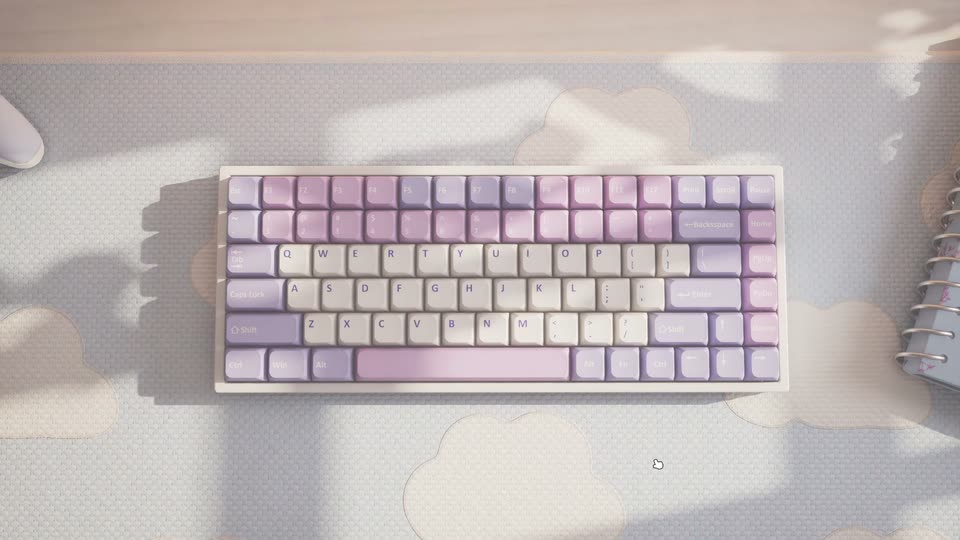
Filmed hands type on a keyboard bathed in red light. Huge white text types itself across the frame line by line, a blinking underscore trailing the end.
On-screen text: “RECRUITERS”, “HAVE A”, “PROBLEM”
Techniques: Kinetic type
Camera: Push in
A red-bezeled monitor sits centered on black. The dark screen flashes bright red and pixelated white text fills it, reading MANUAL TASK OVERFLOW in three lines. The frame stays locked off while the text holds.
On-screen text: “MANUAL TASK OVERFLOW”
Camera: Static
A red CRT monitor on a dark set shows a noisy red screen with large pixelated white text MANUAL TASK OVERFLOW over a small form panel; the screen then cuts to a black field of tiling white wireframe forms. The monitor holds a locked-off frame.
On-screen text: “MANUAL TASK OVERFLOW”
Camera: Static
A red-framed monitor on a dark background shows a black screen packed with white wireframe form fields. The labels scroll and reposition across the screen while the camera holds a locked-off frontal view.
Techniques: 3D mockup
Camera: Static
A close-up of hands on a keyboard and mouse, lit in red, as the fingers tap keys and click. The caption holds over the center of the frame in a locked-off shot.
On-screen text: “Hours of clicking”
Camera: Static
A dark candidate form with glowing white field outlines sits on black. The Last name field types out letter by letter, settling on Dough with a block caret, while the other fields stay empty. A large still caption reads Hours of clicking over the locked-off frame.
On-screen text: “Hours of clicking”
Camera: Static
A hand rests on a white wired mouse under red light on a black background, fingers tapping the buttons with slight motion blur. The phrase sits centered in white over the frame. Locked-off shot.
On-screen text: “Every. Single. Day.”
Camera: Static
A tilted 3D perspective close-up of a dark job-filter UI. A white cursor arrow clicks the checkbox beside the USD 100,000 to 150,000 salary range, filling the box white as the voiceover says every single day.
Techniques: Cursor demo, 3D mockup
Camera: Static
A tilted job-form interface in 3D perspective. A cursor clicks a salary-range checkbox, then the view cuts to a wider angle as a glowing red dollar icon fades in at the center of the form.
Techniques: 3D mockup, UI zoom, Cursor demo
Camera: Pull out
A red-bezeled monitor fills the frame, its black screen packed with white wireframe data forms labeled with fields like FIRST NAME, SALARY and JOB DESCRIPTION. A red square with a pixelated sad face sits dead center while the forms drift slowly. A white pill button reading search task to tag with a right arrow slides in from the left edge.
Camera: Static
A red monitor fills the frame, its black screen scrolling white wireframe form fields behind a gray pill that types out an email address with a return arrow. A red caption bar sits at the bottom, then the monitor is revealed on a desk in a blurred garden.
On-screen text: “Now you can just forward your tasks to Clicks”
Techniques: Kinetic type, 3D mockup
Camera: Static
A silver iMac sits centered on a desk before a sunlit window opening onto a Japanese rock garden. Its screen holds a translucent search field reading chatgpt.ai, then clears to a plain white display while the room and garden stay still.
Camera: Push in
A front-facing iMac sits on a wooden desk before a blurred garden window. Its white screen fills with a gray radial asterisk icon, then the word Clicks slides in beside it, settling into a centered logo lockup.
On-screen text: “Clicks”
Techniques: 3D mockup, Kinetic type
Camera: Push in
On a white tablet screen set against a blurred outdoor backdrop, the dark gray Clicks asterisk logo and wordmark sit centered, then slide up and fade as two rounded task rows reading New Task Researching Candidates fade in below, forming a list.
Camera: Pan
A white interface card expands from an inset frame to full screen, covering a thin strip of live-action footage at the left edge. Inside, a rounded pill holds a spoke-mark logo, thin gray “New Task” label, and bold gray “Researching Candidates” text, all locked off and centered.
On-screen text: “Clicks”
Techniques: Masking
Camera: Static
A gray task pill with a spark icon and the words New Task Researching Candidates holds center on white. A white keyboard on a bright desk fades in behind it, the pill turning translucent, while a white caption appears below.
On-screen text: “Automate away manual work with agents_”
Techniques: 3D mockup
Camera: Static
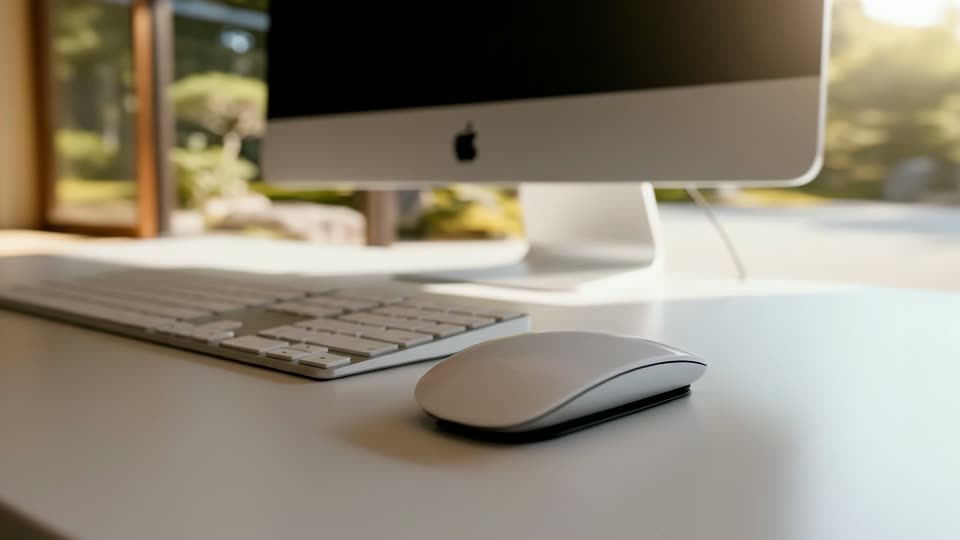
Top-down shot of a white keyboard on a pale desk, white caption with a blinking underscore at the bottom. Cut to a low side angle of a white iMac with keyboard and mouse, blurred plants behind, the caption now without the underscore.
On-screen text: “Automate away manual work with agents”
Camera: Static
A low-angle shot of a white desk holds a keyboard and mouse in front of an out-of-focus iMac, sunlit through a window. It cuts to a front view of the iMac on a white desk, its screen showing a profile interface with two cards.
Camera: Static
On a 3D-rendered iMac before a window onto a zen garden, three candidate profile cards float in layered perspective and take turns sliding to the front, each swap softened by a blur and a blue highlight bar. A white outlined caption sits along the bottom edge.
On-screen text: “Clicks does tasks like researching candidates”
Techniques: 3D mockup
Camera: Pan
An iMac on a desk before a windowed hillside shows a white screen. A New Task row slides in, then a candidate form and website thumbnails appear as a blue cursor moves and fields fill with dots. A profile card pops up, then the shot blurs out.
On-screen text: “Or adding candidates to your internal systems”
Techniques: 3D mockup, Cursor demo
Camera: Pan
An iMac sits on a desk before a window with a forest. On its screen a task pill with a spinner gives way to PDF icons that pop in and settle into a grid, then a candidate card fades in on the right and counts up from 1 to 3.
On-screen text: “Or creating candidate one pagers for you”
Techniques: 3D mockup
Camera: Pull out
On a plain white background, a blurred photo of a desk monitor on the left resolves into sharp focus while a bold gray headline fades in word by word along the bottom.
On-screen text: “Automate as many tasks as you want”
Techniques: Kinetic type
Camera: Static
Three rounded cards sit side by side on a white background, each showing an iMac on a desk with a different interface on its screen. The cards resolve from blur to sharp left to right, with the headline fixed below.
On-screen text: “Automate as many tasks as you want”
Techniques: Split screen
Camera: Static
Three iMac mockups line up on a white background, each showing a different app view. They duplicate outward into a checkerboard grid that fills the frame, while the caption stays fixed at the bottom.
On-screen text: “Automate as many tasks as you want”, “with as many agents as you need”
Camera: Pull out
A tiled grid of desktop monitors fills the frame, each screen showing a different app view. A white outlined caption sits along the bottom edge. A soft pink glow blooms across the central tiles.
On-screen text: “with as many agents as you need”
Camera: Static
A grid of dim iMac monitors fills the frame, a red-bordered wireframe form with field labels floats in the center, and a red-lit keyboard and mouse rest in the foreground. The red glow intensifies across the lower half.
Camera: Static
A desk setup under red light: monitor, keyboard, mouse, with blurred shelves and plants behind. The screen cuts from a white form grid to a black terminal displaying a green checkmark and '86 TASKS AUTOMATED' in a bordered box. The camera stays locked off.
On-screen text: “86 TASKS AUTOMATED”
Camera: Static
A 3D-rendered desk with a monitor; the screen shows a green terminal line reading 86 TASKS AUTOMATED, then switches to a soft blue abstract wallpaper. The whole scene blurs out as a white two-line headline fades in over it, then fades away.
On-screen text: “So Your Teams Can”, “Focus on What Matters”
Techniques: 3D mockup
Camera: Static
On a plain off-white background, the Clicks lockup wipes in from left to right: the eight-spoke asterisk mark, then the wordmark, then the tagline beneath it. The completed logo holds centered as the sign-off.
On-screen text: “So Your Teams Can”, “Focus on What Matters”, “AI Recruiting Back-Office Automation”, “Clicks”
Techniques: Masking
Camera: Static
The lowercase wordmark goclicks.ai sits centered on a plain background as a sign-off. The backdrop shifts from white to light gray while the wordmark settles into a uniform dark gray, then holds still.
On-screen text: “goclicks.ai”
Camera: Static
A dark, solid background displays the URL goclicks.ai centered in the frame. The text remains completely static and locked-off for the duration of the clip.
On-screen text: “goclicks.ai”
Camera: Static