
0:24
Explore
00:00:00 / 01:32:26
- Length
- 1:32
- Scenes
- 27 · 3.4 s avg
- Product on screen
- 0:00
- Features shown
- 4
- Call to action
- 1:24 · 91%
- Voiceover
- Yes
- Views
- 14 on YouTube
as of November 23, 2026
Juicebox’s 1:32 launch film runs 27 scenes, about 3.4 s each. The product is on screen from the first frame and 4 features are revealed. The call to action lands at 1:24 (91% in), over a voiceover. The video is built as a logo sting, a one-line problem, a purple launch banner, then four short location demos (car, pool, hike, beach) where sliding white UI cards and rotating 3D phone mockups overlay live action, closing with an office wrap-up and a logo lockup. Pacing runs about 13 cuts per minute at 102 BPM, with whip pans, scale-in caption pills and pop-in notification cards as the signature moves, all tied together by the purple palette and the waving juice box mascot.
Footage neededEstimated needs: 3 capture groups — your screens or recordings · 1 official logo — reused across the film · 19 filmed passages — shoot, supply or replace · 2 3D passages — build or supply
Is this your launch? to your site or press kit.
More like this
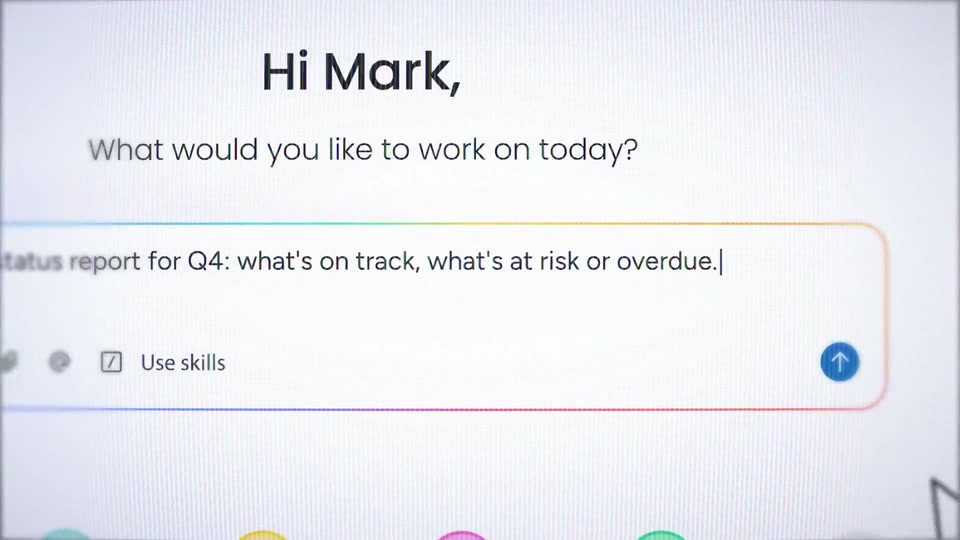
1:10
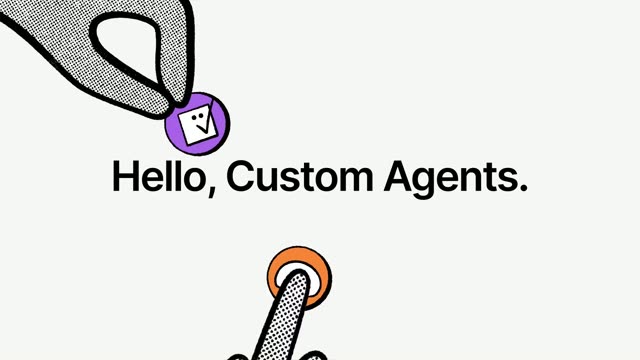

Meet Custom Agents: Your 24/7 AI Team
Notion · Productivity · Feb 2026
2:05

Fully Automate Your Product Videos | Clueso Agents
Clueso · B2B · Jul 2026
Similar soundtrack
Films whose music sounds like this one, voice left out
2:48
Flowtica - Introducing Flowtica Verso, the world’s 1st MagSafe AI note taker wit
Flowtica · Upbeat, modern electronic
1:11

Y Combinator - .@celltypeinc is building the agentic drug company. AI agents + foun
CellType · Modern electronic, corporate/tech
1:08
Nick Bushak - Laptops weren’t built for parallel agents. Introducing @boxesdotdev
Boxes.dev · Modern electronic
Introducing Juicebox for Mobile, scene by scene
· 27 scenes as text
01 · Product intro · 0:00–0:02
A man in a white hoodie and backpack faces the camera inside a metal elevator, the frame defocused; the white Juicebox cube logo and wordmark scale in at center, then the image racks into focus on him.
Techniques: Kinetic type
Camera: Push in
02 · Problem · 0:02–0:06
A blond man in a cream hoodie and backpack stands in a mirrored elevator holding a small device, then the doors open and he steps out onto a city street. Two gray caption pills appear on the left.
On-screen text: “Recruiting doesn't stop”, “when you leave your desk.”
Camera: Push in
03 · Product intro · 0:06–0:09
A blond man in a cream hoodie walks toward the camera down a narrow city street, holding a small dark device and a suitcase handle. The camera tracks backward to keep him centered while a white caption fades in at the lower left.
On-screen text: “Today, we're launching”, “when you leave your desk.”
Camera: Static
04 · Product intro · 0:09–0:10
A blurred street scene shows a person in a white shirt walking while holding a phone. A purple rounded banner with the white text “Juicebox for Mobile”, a box icon and a waving 3D juice box mascot scales in at the center over the defocused background.
On-screen text: “Juicebox for Mobile”
Camera: Static
05 · Product intro · 0:10–0:14
A man in a cream hoodie stands on a sidewalk holding a small device and a purple rolling suitcase. A white caption appears left, emoji pill labels stack in on the right, then 'even on vacation.' lands at the bottom as he bends to the case.
On-screen text: “So you can source from any”, “Commute”, “Pool”, “Airport”, “Hike”, “Happy hour”, “even on vacation.”
Techniques: Kinetic type
Camera: Push in
06 · Product intro · 0:14–0:15
A person in a cream hoodie bends over a purple suitcase on a city sidewalk beside a tiled wall and parked SUV, then the camera whips right, smearing the street, pole and buildings into horizontal motion blur.
Techniques: Speed ramp
Camera: Pan
07 · Feature reveal · 0:15–0:20
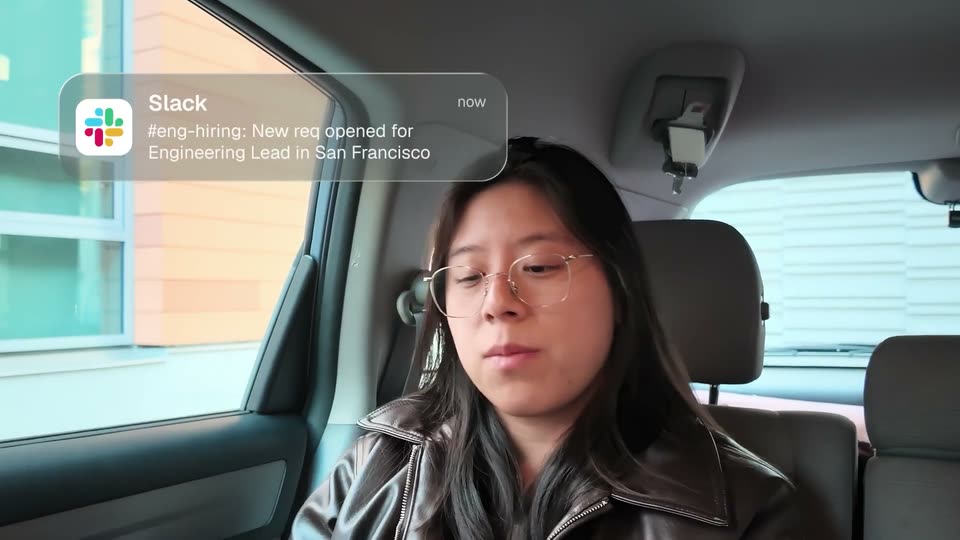
A woman with glasses and a leather jacket sits in a car back seat, holding a phone and talking. Top left, the label “Vicky, Kickoff an Agent” and a pill “On the way to the airport” fade in, then give way to a Slack notification card that slides in and out.
On-screen text: “Vicky”, “Kickoff an Agent”, “On the way to the airport”, “Slack”, “now”, “#eng-hiring: New req opened for”, “Engineering Lead in San Francisco”
Camera: Push in
08 · Feature reveal · 0:20–0:25
A woman in a brown leather jacket sits in a car's back seat, typing on her phone. A white chat bubble fades in over the left window, showing a prompt to set up an agent for a job role with green checkmarks, then fades out. The camera is locked off.
Camera: Static
09 · Feature reveal · 0:25–0:27
A purple 3D phone mockup rotates from a tilted angle to face the camera, revealing a chat interface with a task list, while a second screen slides up from below and a small waving purple mascot bobs on the left.
Techniques: 3D mockup
Camera: Static
10 · Feature reveal · 0:27–0:34
A woman in a leather jacket sits in the back seat of a car, looking at her phone. A white setup card slides in over the window, then slides out; a grid of purple squares fills in with a percentage counting up, ending with a large Done! caption.
On-screen text: “Done!”
Camera: Pull out
11 · Feature reveal · 0:34–0:38
A woman in sunglasses sits by a resort pool, tapping her phone among lounge chairs and palms. A white name label and caption scale in at right, a dark “Poolside” pill appears below, then a translucent Gmail notification banner slides in from the right.
On-screen text: “Pran”, “Review your leads”, “Poolside”, “Gmail”, “now”, “Juicebox”, “Your 25 daily leads are ready to review”
Camera: Push in
12 · Feature reveal · 0:38–0:40
A woman in sunglasses sits by a resort pool, scrolling a phone. A white profile card for Jordan Reyes slides in from the right and settles, briefly doubling as it lands. The camera holds a locked-off medium shot.
On-screen text: “Gmail”, “Juicebox”, “now”, “Your 25 daily leads are ready to review”
Techniques: Masking
Camera: Static
13 · Feature reveal · 0:40–0:41
A white rounded card with three buttons, red Reject, green Approve & send email, and white Skip, eases into place over a blurred phone screen on a purple gradient. The green button widens and its label wraps onto a second line.
Camera: Push in
14 · Feature reveal · 0:41–0:46
A woman in sunglasses sits poolside at a resort, glances at her phone, then stows it and slings her bag over her shoulder to leave. A dark rounded caption with a green dot, 25 leads shortlisted, slides in on the right and holds before exiting. Static camera.
On-screen text: “25 leads shortlisted”
Camera: Static
15 · Feature reveal · 0:46–0:53
A blonde woman stands in a green mountain valley, looking down at a phone in her hands. White overlay text reads “Sophia” with “Edit your sequence” beside it, top right, while dark pill chips (“Mid-hike”, “Update sequence”, “Step 2 from CEO”, “Series B article”) pop in one by one down the right side.
On-screen text: “Sophia”, “Edit your sequence”
Camera: Push in
16 · Feature reveal · 0:53–0:58
A blonde woman stands in a green mountain valley, head down on her phone. A frosted rounded card on the left populates row by row: a numbered list of short labels slides in, the last row landing on a green dot.
Camera: Static
17 · Feature reveal · 0:58–0:59
A 3D purple phone mockup scales into focus at center on a violet gradient, while a small waving cube mascot floats at left. The screen shows a chat message requesting follow-up steps and a working list of actions below.
Techniques: 3D mockup
Camera: Static
18 · Feature reveal · 0:59–1:01
A white rounded panel with a task list sits on a purple gradient. The panel scales up and slides upward, revealing rows: a spinner labeled Working, an open-book icon with Loaded the sequence-copy playbook, a list icon with List Sequences, and a globe icon with a web search row.
Camera: Pan
19 · Feature reveal · 1:01–1:02
A white notification card pops into the center of a phone screen on a purple gradient, its title scaling in and the role line sliding in. A white tap dot ripples on the purple Open button, then the card slides up to reveal an approved contact row at the top.
Techniques: Cursor demo
Camera: Static
20 · Feature reveal · 1:02–1:02
A white project panel slides up from the bottom over a purple gradient, revealing a New Project header, the title Engineering Lead - Juicebox (San Francisco), and an email card with an AI command and Network mention toolbar. A Sequence created toast scales in.
Camera: Static
21 · Feature reveal · 1:02–1:05
A blonde woman stands on a grassy ridge with mountains behind, looking down at her phone, then looks up and smiles. On the left, a large white “Sent!” headline and a pill badge “Sequence live · 4 steps” sit over the footage, the badge scaling in.
On-screen text: “Sent!”, “Sequence live · 4 steps”
Techniques: Kinetic type
Camera: Static
22 · Feature reveal · 1:05–1:09
A woman in a white top stands on a beach, frowning at her phone, while white captions read 'Rupal Check your search status' and a dark badge reads 'At the beach'. At the end, a 3D chat interface panel slides in from the right, partly covering the captions.
On-screen text: “Rupal Check your search status”, “At the beach”
Techniques: 3D mockup
Camera: Static
23 · Feature reveal · 1:09–1:10
A woman walks along a beach looking down at her phone, framed left of center. A rounded chat panel floats on the right, showing a status update request and a working counter ticking from 1s to 2s.
Camera: Static
24 · Feature reveal · 1:10–1:15
A phone on a purple gradient shows a sourcing chat scrolling upward, a waving 3D cube mascot at left fading out; the frame then zooms into a bottom line summary card and cuts to a woman using her phone on a beach.
Techniques: UI zoom
Camera: Pan
25 · Feature reveal · 1:15–1:24
A woman in a white top walks the beach, eyes on her phone. A white shortlist card slides in on the right, listing three candidates with Reject and Approve buttons above a purple Send to Mike button. The card fades out and the word Awesome appears on the right.
On-screen text: “Awesome.”
Camera: Pull out
26 · CTA · 1:24–1:30
A blond man in an olive sweater walks into a white office, sits at a white table, and holds a small dark puck while talking to camera. Two framed cartoon posters hang on the wall behind him. Translucent pill captions scale in at top right and bottom.
On-screen text: “Back at the office”, “Awesome.”, “Now you can get back to work”, “without missing a beat.”
Camera: Pull out
27 · Outro · 1:30–1:32
A white line-art box outline spins at the center of a purple dotted world map, then resolves into the isometric Juicebox cube icon as the wordmark appears beside it. The lockup holds centered on the gradient.
On-screen text: “Juicebox”
Techniques: Morph
Camera: Static