
0:57
Explore
00:00:00 / 02:05:25
- Length
- 2:05
- Scenes
- 44 · 2.9 s avg
- Product on screen
- 0:27
- Features shown
- 4
- Call to action
- 1:56 · 92%
- Voiceover
- Yes
- Views
- 2.7K on YouTube
as of November 22, 2026
Clueso’s 2:05 launch film runs 44 scenes, about 2.9 s each. The product shows up at 0:27 and 4 features are revealed. The call to action lands at 1:56 (92% in), over a voiceover. The video interleaves a direct-to-camera presenter in warm beige sets with dark grid motion-graphics that tilt UI panels and 3D folders into frame, cutting on a fast 152 bpm beat. Its signature moves are the recurring magenta puzzle mark, the play-triangle video cards and the dashed connector lines that link icons into a pipeline, all set against the near-black grid with magenta accents.
Footage neededEstimated needs: 2 capture groups — your screens or recordings · 1 official logo — reused across the film · 17 filmed passages — shoot, supply or replace · 4 graphic passages — draw or supply · 6 3D passages — build or supply
Is this your launch? to your site or press kit.
More like this
1:22

Introducing Aside
Aside · Consumer · Oct 2025
0:53

Loom - 🚨 Sales & customer-facing teams — unlock more revenue with Loom!
Loom · Productivity · Jan 2024
Similar soundtrack
Films whose music sounds like this one, voice left out
3:25
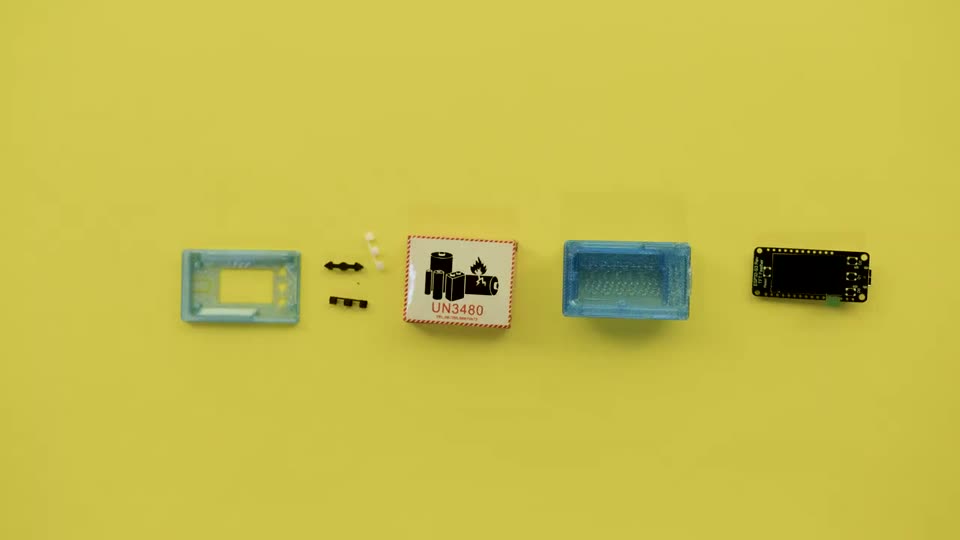

PostHog - Introducing... DeskHog! DeskHog is an open-source, 3D printed, pal
Posthog · Upbeat electronic
0:55

monday sidekick: a IA que realmente trabalha
monday sidekick · Modern electronic
1:37


Y Combinator - .@Samora_AI's voice agents speak local dialects, complete tasks, lear
Samora AI · Corporate tech advertisement
Fully Automate Your Product Videos | Clueso Agents, scene by scene
· 44 scenes as text
01 · Problem · 0:00–0:03
A man in a maroon zip-up sweater and glasses stands in a home interior, gesturing with both hands as he speaks. The camera tracks him against a backdrop of lit shelves holding framed photos, small figurines and a red character figure.
On-screen text: “Videos of your product are made like this today.”
Camera: Pull out
02 · Problem · 0:03–0:04
A close-up of two hands plays a keyboard, the near hand blurred by shallow depth of field, the player in a black shirt with a gold emblem. White subtitles sit at the bottom of the locked-off frame.
On-screen text: “Videos of your product are made like this today.”, “You need to write a script for your video first,”
Camera: Static
03 · Problem · 0:04–0:05
On a black background, the word Script types out letter by letter behind a thin blinking cursor. A white subtitle line stays fixed at the bottom of the frame.
On-screen text: “Script”, “You need to write a script for your video first,”
Techniques: Kinetic type
Camera: Static
04 · Problem · 0:05–0:05
Close-up of a hand in a black Argentina jersey gripping a black mouse on a white desk, clicking and nudging it slightly. The office background stays softly blurred in a locked-off shot. A white caption sits at the bottom, then the word Script appears larger.
On-screen text: “You need to write a script for your video first,”, “Script”
Camera: Static
05 · Problem · 0:05–0:07
An Airbnb search interface, framed by a dashed border, slides up into view on a white background. The screen displays a row of property cards and a map with price pins. A caption sits at the bottom center of the frame.
On-screen text: “record your product screen”
Techniques: Kinetic type
Camera: Pull out
06 · Problem · 0:07–0:08
A man in glasses and a red quarter-zip sweater faces the camera, speaking and gesturing with both hands in a warm, softly lit room with a backlit shelf behind him. A white caption reads at the bottom of the locked-off frame.
On-screen text: “with a voiceover,”
Camera: Static
07 · Problem · 0:08–0:09
A close-up of a dark video-editing timeline scrolls right past orange clip blocks and a white playhead; clip thumbnails labeled Aqua Breeze sit at the lower right; a small white caption reads edit the video, at the bottom.
On-screen text: “with a voiceover,”, “edit the video,”
Camera: Push in
08 · Problem · 0:09–0:10
A dark grid of effect thumbnails scrolls upward as a cursor moves across the tiles, then the grid morphs into a purple panel crossed by a green curved path with control points. A white caption sits at the bottom.
On-screen text: “edit the video,”, “add visual effects,”
Techniques: Cursor demo, Morph
Camera: Push in
09 · Problem · 0:10–0:11
A red-to-blue gradient fills the frame while a thin curved line with two control handles drifts upward. A small cursor rests on the lower orange point. The caption sits locked at the bottom center.
On-screen text: “animations,”
Techniques: Cursor demo
Camera: Static
10 · Problem · 0:11–0:12
A man with glasses in a maroon zip sweater speaks to camera in a warm, plant-filled home, gesturing with both hands. A white caption line runs along the bottom edge of the frame while he talks.
On-screen text: “animations,”, “captions, music, follow all your brand guidelines,”
Camera: Static
11 · Problem · 0:12–0:13
A dark audio waveform strip fills the middle of the frame, a thin white playhead line sweeping right across the peaks. The track label on the left slides out as the view pans, while a white caption sits fixed at the bottom.
On-screen text: “captions, music, follow all your brand guidelines,”
Camera: Static
12 · Problem · 0:13–0:13
A dark file browser in 3D perspective shows a blue Assets folder. A cursor glides onto it and selects it, highlighting the label in blue. A small subtitle runs along the bottom edge.
On-screen text: “captions, music, follow all your brand guidelines,”
Techniques: 3D mockup, Cursor demo
Camera: Static
13 · Problem · 0:13–0:14
A dark asset manager screen, tilted in perspective, shows three blue folders labeled Colors, Fonts and Logo. A white cursor hovers over the Colors folder, which gains a blue selection box around its label.
On-screen text: “captions, music, follow all your brand guidelines,”
Techniques: 3D mockup, Cursor demo
Camera: Static
14 · Problem · 0:14–0:14
A tilted close-up of a dark file browser shows a blue folder labeled Primary Colors with a cursor resting on it; the label then gains a blue selection highlight. A small white caption sits at the bottom.
On-screen text: “captions, music, follow all your brand guidelines,”
Techniques: 3D mockup, Cursor demo
Camera: Static
15 · Problem · 0:14–0:15
A masked person sits at a desk, their hand resting on a dark mouse beside a keyboard with purple keycaps. The frame stays locked on the hand as white subtitles appear at the bottom, the second line scaling in.
On-screen text: “captions, music, follow all your brand guidelines,”, “and then-”
Camera: Static
16 · Problem · 0:15–0:16
A man in a maroon zip-up sweater and glasses stands in a warm, softly lit room with arched shelves behind him. He holds his hands on his hips and speaks with an open mouth, head turning slightly. White subtitles appear at the bottom of the locked-off frame.
On-screen text: “and then-”, “finally export your video.”
Camera: Static
17 · Problem · 0:16–0:18
A glowing green Export button with a white line icon is centered on black, a white cursor rests at its lower-right corner. The shot is locked off. A small white caption scales in at the bottom edge.
On-screen text: “finally export your video.”
Camera: Static
18 · Problem · 0:18–0:27
A man in glasses and a maroon zip-up sweater sits on a gray couch against a beige wall with a vertical light strip, gesturing with both hands as he speaks to camera. White subtitles run along the bottom; a large word and tagline close the shot. Static locked-off framing.
On-screen text: “All of this, but your videos”, “are still created slower than features get shipped.”, “It's impossible to catch up to the product team”, “without”, “Export”, “finally export your video.”
Camera: Static
19 · Product intro · 0:27–0:28
A dark near-black frame holds the Clueso lockup centered: a magenta puzzle-piece mark with diagonal cut lines beside the white wordmark. The lockup fades up from dim to full brightness over the short clip, then holds still.
On-screen text: “without”, “Clueso”
Camera: Static
20 · Product intro · 0:28–0:39
A man in a red zip-up sweater and glasses walks through a bright cafe-like room holding a laptop, then sits in a beige armchair and opens it on his lap. The camera tracks him and settles into a locked-off medium shot.
On-screen text: “Clueso agents are the fastest possible”, “way to create high quality product videos”, “fully autonomously.”, “Clueso needs only two things to make your videos-”
Camera: Push in
21 · Feature reveal · 0:39–0:43
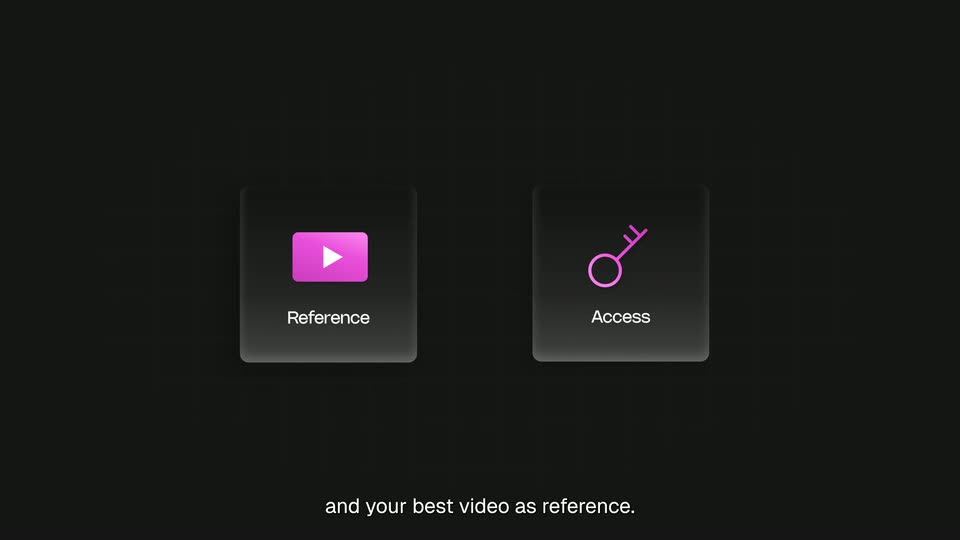
A dark grid background holds a glassy tile with a pink key icon and the label Access. A second tile with a pink play icon and the label Reference slides in from the left to sit beside it, as the bottom caption changes to and your best video as reference.
On-screen text: “Access”, “access to your product,”, “Reference”, “and your best video as reference.”
Camera: Static
22 · Feature reveal · 0:43–0:44
A dark interface view over a faint grid: a pink chat-bubble icon with a sparkle and the greeting “How can I help you today?” hold center as an input field with an “Ask Permission” dropdown and send button fades in beneath. A white caption sits at the bottom.
On-screen text: “Then, with a simple prompt,”
Camera: Static
23 · Feature reveal · 0:44–0:47
A dark chat interface with a pink logo and greeting; the view zooms into the input box as the prompt 'Make a product demo video on my new account settings page' is typed, with a caption at the bottom.
On-screen text: “Then, with a simple prompt,”, “Clueso understands what you want to show,”
Techniques: UI zoom
Camera: Push in
24 · Feature reveal · 0:47–0:49
A dark screen shows a puzzle-slash logo with a Thinking status centered over a faint grid. The frame pulls back to reveal a rounded dark UI panel with the logo in the top-left corner, while the bottom caption swaps to the next line.
On-screen text: “Clueso understands what you want to show,”, “refines your idea into a script,”
Techniques: UI zoom
Camera: Static
25 · Feature reveal · 0:49–0:50
On a dark panel, a puzzle logo and 'Scripting...' scale in at top left, 'Reading your brand kit for tone and pacing.' slides in beneath, then a new line 'Scripting a walkthrough: open settings, edit profile, save' slides in from the right as the text shifts up.
On-screen text: “refines your idea into a script,”
Techniques: Kinetic type
Camera: Static
26 · Feature reveal · 0:50–0:53
A screen recording of an account settings page framed by a red rounded border. The view zooms in toward the profile photo row as a black cursor drifts down past the Jordan Blake field. A white caption sits at the bottom.
On-screen text: “refines your idea into a script,”, “Scripting...”, “Reading your brand kit for tone and pacing.”, “:ing a walkthrough: open settings, edit profile, save”, “captures screen recordings of your product,”
Techniques: UI zoom, Cursor demo, Kinetic type
Camera: Push in
27 · Feature reveal · 0:53–0:55
A warm cream-to-peach gradient slide holds a large two-line headline, “Set up your” in black and “New Account” in orange, on the left. A flat white Account settings panel with a profile form sits on the right. The whole slide eases out of a slight zoom, then holds still under a rolling caption.
On-screen text: “Set up your”, “New Account”, “designs beautiful slides, creates animations, adds”
Camera: Static
28 · Feature reveal · 0:55–0:56
A dark editor timeline is shown at a tilted angle, with an orange Callout clip and blue Clip blocks on stacked tracks above a green audio bar. A white caption sits at the bottom edge. The frame stays locked while the orange clip drifts slightly right.
On-screen text: “creates animations,”
Techniques: 3D mockup
Camera: Static
29 · Feature reveal · 0:56–0:57
A light settings list is tilted in 3D perspective. A magenta stroke draws the rounded outline around the Change password button, while the word authentication scales up at the bottom edge.
On-screen text: “creates animations,”
Techniques: 3D mockup
Camera: Static
30 · Feature reveal · 0:57–0:58
A dark voice-library list, set in 3D perspective, scrolls upward row by row, each entry pairing a colored play button with a name and trait tags. A small white caption sits at the bottom edge.
On-screen text: “adds a voiceover, music, captions”
Techniques: 3D mockup
Camera: Pan
31 · Feature reveal · 0:58–0:59
A green audio track with a light waveform fills the middle of a black frame, a thin white playhead line fixed at center. The waveform bars shift in height between frames. A small caption sits at the bottom.
On-screen text: “adds a voiceover, music, captions”
Camera: Static
32 · Feature reveal · 0:59–0:59
A black rounded chip carrying the white label 'Music, Captions and' sits in 3D perspective on a cream panel, scaling up slightly while a dark bar anchors the bottom edge and blurred interface text fades at the top.
On-screen text: “adds a voiceover, music, captions”
Techniques: 3D mockup
Camera: Static
33 · Feature reveal · 0:59–1:02
A dark rounded export panel slides left across a black screen, its Exporting label and percentage counting from 8% to 100% as it exits; a small white subtitle sits at the bottom.
On-screen text: “Music, Captions and”, “captions, and exports a finished video.”
Techniques: Kinetic type
Camera: Static
34 · Feature reveal · 1:02–1:05
A bespectacled man in a maroon zip-up sits in a beige armchair with a laptop on his lap, gesturing while he speaks in a plant-lined home office. A large white two-line “Fully Automated” headline cuts in at the left over the locked-off shot.
On-screen text: “The entire video production pipeline is fully automated.”, “Fully Automated”
Camera: Push in
35 · Feature reveal · 1:05–1:10
A man in a red quarter-zip and glasses sits in a beige recliner with a silver laptop on his lap, talking and gesturing. He presses the armrest button and the footrest rises, lifting his legs as he smiles. White captions sit at the bottom.
On-screen text: “If that wasn't good enough,”, “let's take this automation one step further.”
Camera: Static
36 · Feature reveal · 1:10–1:21
A man in a red zip-up sits in a beige armchair holding a laptop, speaking to camera. On the left, a GitHub logo links by dashed line to a puzzle piece; a person icon and a pink play button then join with dotted connectors. Subtitles run along the bottom.
On-screen text: “let's take this automation one step further.”, “If you connect your GitHub to Clueso,”, “every time an engineer ships an update,”, “Clueso's agent understands”, “what got released”, “and creates videos for the new features right away.”, “It can even identify”
Camera: Static
37 · Feature reveal · 1:21–1:26
On a dark grid, a blue highlight spreads across four video cards with play triangles. The Out of date headline scales in above as the cards turn gray, then curved white lines draw from each card, converging on a slashed puzzle icon as the layout reframes to center it.
On-screen text: “It can even identify”, “which videos from your library went out of date,”, “Out of date”, “and update all of them automatically.”
Techniques: Kinetic type, Masking
Camera: Pan
38 · Feature reveal · 1:26–1:27
On a dark grid, a white logo connects via curved lines to four rounded video cards with play icons. The cards and lines light up from dark purple and gray to vivid magenta and white, while the caption stays still at the bottom.
On-screen text: “and update all of them automatically.”
Camera: Static
39 · Feature reveal · 1:27–1:33
Close-up of a hand sliding a white mug under a coffee machine spout, then a cut to a man in a maroon fleece and black glasses who sips and looks up, smiling at the camera. Subtitles run along the bottom.
On-screen text: “So you ship your code in the morning,”, “and your videos are ready by the evening.”
Camera: Pull out
40 · Feature reveal · 1:33–1:46
Medium shot of a man in a maroon sweater and glasses speaking at a white desk. As he lists teams, tilted blue, red, green, and orange cards labeled Marketing, Customer Education, Support, and Sales pop in around him, then language pills fade in over his chest.
On-screen text: “All your teams benefit from this.”, “Marketing has their feature releases,”, “Marketing”, “Feature Releases”, “Customer Education has videos for their academy,”, “Customer Education”, “Academy Videos”, “Support has updated tutorials,”, “Support”, “How-to Tutorials Sales has fresh demos. Sales Product Demos Every single team gets their video in every language Spanish German Dutch Hindi Chinese Greek andyou”
Camera: Static
41 · Feature reveal · 1:46–1:49
A man in a red sweater and glasses sits at a white desk and speaks to camera. A dark rounded panel with eight flag-and-language chips slides in over his chest with a brief blue and green glow, then holds while captions run along the bottom.
On-screen text: “Every single team gets their video in every language”, “that your product UI exists in.”, “And the best part?”
Camera: Static
42 · Feature reveal · 1:49–1:56
A man in a red zip-up sweater sits at a white table, speaking to camera with hands clasped. A red starburst icon and a white puzzle icon pop in on either side, joined by a dashed line. The shot cuts to a side angle against a curved paneled wall.
On-screen text: “And the best part?”, “All of this can run directly inside Claude”, “using the Clueso MCP.”, “If you want your product videos created at the speed”
Camera: Pull out
43 · CTA · 1:56–2:02
A man in a red zip sweater and glasses sits at a white table against a beige paneled wall, talking to camera and gesturing. A white search bar with a magnifier icon slides in over his chest and the URL types out letter by letter. Subtitles run along the bottom.
On-screen text: “If you want your product videos created at the speed”, “your product moves,”, “clueso.io/agents”
Techniques: Kinetic type
Camera: Static
44 · Outro · 2:02–2:05
On black, the white Clueso logo, a puzzle-piece mark beside the wordmark, holds center. The wordmark exits and the mark scales down to a small centered icon for the sign-off.
On-screen text: “clueso.io/agents”
Camera: Static