
0:57
Explore
00:00:00 / 01:22:05
- Length
- 1:22
- Scenes
- 22 · 3.7 s avg
- Product on screen
- 0:00
- Features shown
- 4
- Call to action
- 1:06 · 81%
- Voiceover
- Yes
- Views
- 6.5K on YouTube
as of November 22, 2026
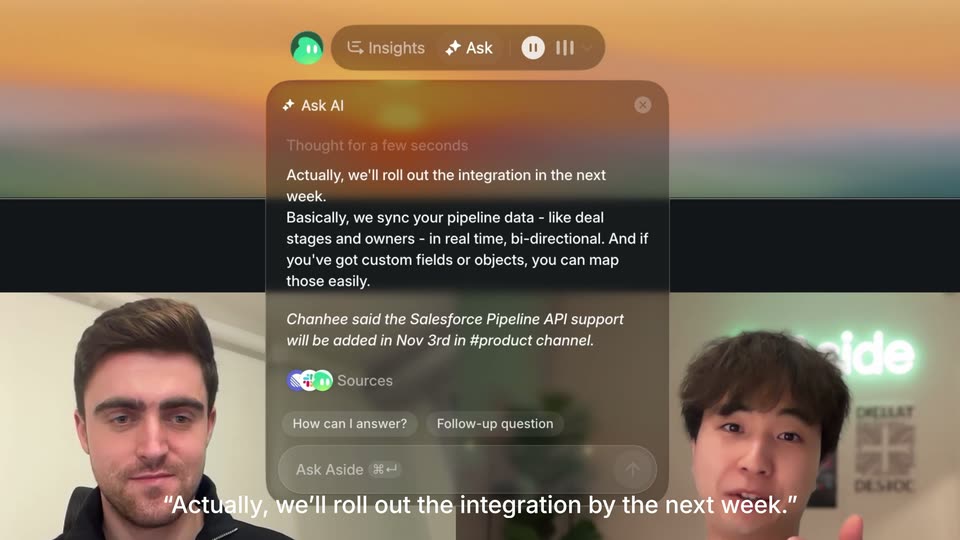
Aside’s 1:22 launch film runs 22 scenes, about 3.7 s each. The product is on screen from the first frame and 4 features are revealed. The call to action lands at 1:06 (81% in), over a voiceover. The video alternates a talking-head presenter in a warm office with cutaway demos of the app over blurred sunset gradients, moving through four feature beats (Ask AI, suggestion card, live coaching, playbook) before a URL call to action and a logo card. Signature moves include word-by-word headline builds, oversized stat type, frosted-glass suggestion cards, and the green blob mascot that bridges live and UI segments.
Footage neededEstimated needs: 5 capture groups — your screens or recordings · 1 official logo — reused across the film · 5 filmed passages — shoot, supply or replace · 1 graphic passage — draw or supply · 1 3D passage — build or supply
Is this your launch? to your site or press kit.
More like this
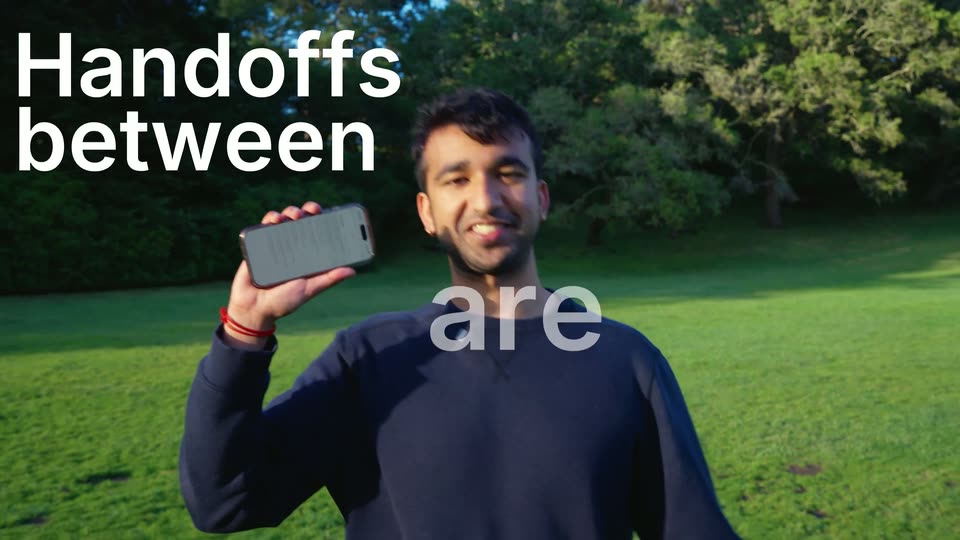


Similar soundtrack
Films whose music sounds like this one, voice left out
1:57

Nim Ravid - Introducing Aidan, your newest AI employee Aidan is the first comput
Sable · Upbeat electronic
1:52
Ravi Mishra - Today we're launching Ample on YC. Ample is the one-stop cloud provi
Ample Computer · Upbeat electronic
1:43

Introducing Vexo
Vexo · Upbeat electronic
Introducing Aside, scene by scene
· 22 scenes as text
01 · Product intro · 0:00–0:05
A man in a gray sweatshirt sits on a stool in a warm-lit room and speaks to camera as a large white headline builds word by word across the frame. A green Aside logo and tagline then pop in over his chest while bottom captions track his speech.
On-screen text: “Cheating is legal in sales calls.”, “Aside gives a real-time suggestion”, “Aside”, “Real-time suggestion during sales calls”, “during sales calls.”
Techniques: Kinetic type
Camera: Static
02 · Product intro · 0:05–0:07
A dark green gradient background. The word Introducing fades in at center, then a green rounded icon with two white eyes and the white wordmark Aside appear below it, held on a locked-off frame.
On-screen text: “Introducing”
Camera: Static
03 · Problem · 0:07–0:11
A dark video-call window with two participants sits over a blurred sunset landscape, with small AI chips above it. A white caption states the setup line, then the frame zooms into the left participant as the caption becomes his quoted question.
On-screen text: “When a prospect throws a hard technical question,”, “How do you integrate with Salesforce pipeline API?”
Techniques: UI zoom
Camera: Push in
04 · Problem · 0:11–0:16
A video call grid shows two participants, the host on the left and Jun Kim on the right in front of a green Aside neon sign. Bottom captions change from a narrator line to the rep's quote, and the footage desaturates to grayscale near the end.
On-screen text: “Before Aside, you'd say”, ““Ah.. Let me talk with my engineer and get back to you.””
Camera: Static
05 · Feature reveal · 0:16–0:23
A close-up of the AI assistant pill over a blurred video call; a cursor clicks the How can I answer? button and the Ask AI panel types out an answer. The view then pulls back to reveal the full call window with two participants.
On-screen text: ““Ah.. Let me talk with my engineer and get back to you.””, “Now, you just click the button.”, ““Actually, we'll roll out the integration by the next week.””, ““Oh, wow! That's great.””
Techniques: Cursor demo, UI zoom
Camera: Pull out
06 · Feature reveal · 0:23–0:25
A dark video-call window with two participants sits centered on a blurred green-and-orange backdrop, an Ask AI panel floating over its top edge. A white caption reads at the bottom while the participants shift and smile.
On-screen text: ““Oh, wow! That's great.””
Camera: Static
07 · Feature reveal · 0:25–0:31
A green blob mascot with two white eyes sits left on a dark green field. Dashed teal lines draw out and branch, linking three dark pills that slide in: a docs URL, a Slack channel, and a chat message with a red X. Captions swap below.
On-screen text: “Aside pulls the answer straight from your product docs”, “docs.aside.at”, “and Slack thread.”, “#product”, “No need to ping your engineer.”, “Hey @Chanhee! Got this how do we integrate with”
Camera: Static
08 · Feature reveal · 0:31–0:34
A man in a gray sweatshirt sits in a warm-lit office, speaking to camera while a white caption holds at the bottom. A giant white 0.8s scales up over his chest as he talks. The camera stays locked off on the medium shot.
On-screen text: “The answer lands in 0.8 seconds.”, “0.8s”
Techniques: Kinetic type
Camera: Static
09 · Feature reveal · 0:34–0:38
A 3x2 grid of six headset-wearing participants fades up from black as subtitles roll. The man in the center tile adjusts his headset, then the grid cuts to the call interface, showing him full frame with two smaller participant tiles at the sides.
On-screen text: “The answer lands in 0.8 seconds.”, “Then comes the classic question”, “you've heard a hundred times.”, “Make something people want.”
Techniques: Split screen, Masking
Camera: Static
10 · Feature reveal · 0:38–0:40
A video-call window in a browser mockup eases from a tilted 3D angle to a flat front view over a blurred green backdrop. Two participants fill side-by-side tiles, a man in a black jacket left, a man by a plant right, under a static caption.
On-screen text: “you've heard a hundred times.”, “How's this different from Gong or Fireflies?”
Techniques: 3D mockup
Camera: Push in
11 · Feature reveal · 0:40–0:42
A video call with two blurred participants fills the lower half while the product card, holding Insights and Ask controls plus two follow-up pills, sits above. The card racks from soft focus to sharp as an answer line types in, and the bottom caption swaps from the question to a short statement.
On-screen text: ““How's this different from Gong or Fireflies?””, “Aside recognizes it instantly,”
Camera: Push in
12 · Feature reveal · 0:42–0:48
A frosted suggestion card with a Q&A on Gong and two pill buttons floats over a blurred sunset video call. Its text resolves from a brief overlap at the start, then holds while bottom captions cycle through three lines.
On-screen text: “Aside recognizes it instantly,”, “and surfaces a live suggestion card,”, “so every rep nails the same story, every time.”
Camera: Static
13 · Feature reveal · 0:48–0:50
A dark video-call window with two participants sits centered on a blurred sunset gradient, with a floating pill toolbar above it. White captions run along the bottom. The window holds still, then zooms in and blurs out at the end.
On-screen text: “When you miss a prospect's pain points”, “Aside flexes it live”
Techniques: UI zoom
Camera: Push in
14 · Feature reveal · 0:50–0:53
A frosted-glass coaching card with a green mascot badge eases in over a blurred video call of two people against a sunset sky. Two pill buttons sit below the card, and white captions read across the bottom edge.
On-screen text: “Aside flags it live,”, “and nudges you on what to dig into next.”
Camera: Static
15 · Feature reveal · 0:53–0:56
A man in a grey sweatshirt sits on a stool in a warm office, gesturing while speaking, with two colleagues working at desks behind him. Large white bold words mistake and playbook pop in at the top, linked by a drawn arrow.
On-screen text: “If your team keeps missing a question,”, “mistake”, “playbook”, “turn it into a playbook.”
Techniques: Kinetic type
Camera: Static
16 · Feature reveal · 0:56–1:01
A dark app window sits on a blurred green desktop. The Feedback tab activates on the call page, then the list scrolls down past 'What went well' and 'Areas for improvement' quote cards with short commentary.
On-screen text: “After the call, Aside gives playback”, “After the call, Aside gives coaching feedback”, “on what worked and what didn't.”
Camera: Pan
17 · Feature reveal · 1:01–1:02
A dark Aside app window fills the frame over a blurred green and orange desktop. It shows a call transcript with timestamped feedback notes and green suggestion boxes. A white caption is centered along the bottom edge.
On-screen text: “Let Aside remembers it,”
Camera: Static
18 · Feature reveal · 1:02–1:04
A dark app window floats over a blurred green and orange background. A modal dialog fills the center, its title and body text brightening as a small spinner clears. A white caption sits at the bottom edge.
On-screen text: “so you never repeat the mistake.”
Camera: Static
19 · Feature reveal · 1:04–1:05
A dark Aside window floats over a blurred green and orange backdrop. A modal titled “We use Cluely right now” closes to reveal a feedback list that scrolls through timestamped entries, while a white caption stays fixed at the bottom.
On-screen text: “Every miss becomes a weapon.”
Camera: Static
20 · Feature reveal · 1:05–1:06
A dark Aside transcript window floats centered over a blurred orange-to-green gradient, showing a call log with green “Try saying” suggestion chips. The interface stays static while a white caption reads along the bottom edge.
On-screen text: “Every miss becomes a weapon.”
Camera: Static
21 · CTA · 1:06–1:17
A man in a gray sweatshirt sits on a stool in a warm-lit office, gesturing as he speaks to camera, a colleague working at a desk behind. White headline text fades in word by word, blurs out, then a green pill badge with the URL scales in over his chest.
On-screen text: “Our vision is to close the knowledge gap in sales.”, “Knowledge gap in sales”, “Let AI handle the rational work.”, “Let AI handle the rational work,”, “While human build relationship.”, “Human build relationship.”, “Go to AsideHQ.com,”, “AsideHQ.com”, “and let AI to back your sales call.”
Techniques: Kinetic type
Camera: Static
22 · Outro · 1:17–1:22
A green gradient rounded mark with two white dots sits left of the white wordmark Aside, centered on black, with the gray URL AsideHQ.com below; the lockup holds static on a locked-off frame.
On-screen text: “AsideHQ.com”
Camera: Static