
0:31
Explore
Introducing Jeevy Fabrication
Jeevy Fabrication · May 2025 · 4:52 · AI-annotated
- Length
- 4:52
- Scenes
- 45 · 6.5 s avg
- Product on screen
- 2:56
- Features shown
- 4
- Voiceover
- Yes
- Views
- 887 on YouTube
as of November 23, 2026
00:00:00 / 04:52:17
- Length
- 4:52
- Scenes
- 45 · 6.5 s avg
- Product on screen
- 2:56
- Features shown
- 4
- Voiceover
- Yes
- Views
- 887 on YouTube
as of November 23, 2026
Jeevy Fabrication’s 4:52 launch film runs 45 scenes, about 6.5 s each. The product shows up at 2:56 and 4 features are revealed. There is no explicit call to action; a voiceover carries the film. A founder-led case study built on a slow, long takes opening (a man at a workbench) that hands off to a screen-recording tour of a dark project portal, then a light Smartsheet sheet, and ends on a brand mark. Pacing is deliberate and information-dense, with the signature moves being continuous scroll and zoom through dense engineering PDFs and the cursor gliding across tabbed dashboards to trigger each generation button.
Footage neededEstimated needs: 7 capture groups — your screens or recordings · 1 official logo — reused across the film · 1 filmed passage — shoot, supply or replace
Is this your launch? to your site or press kit.
More like this
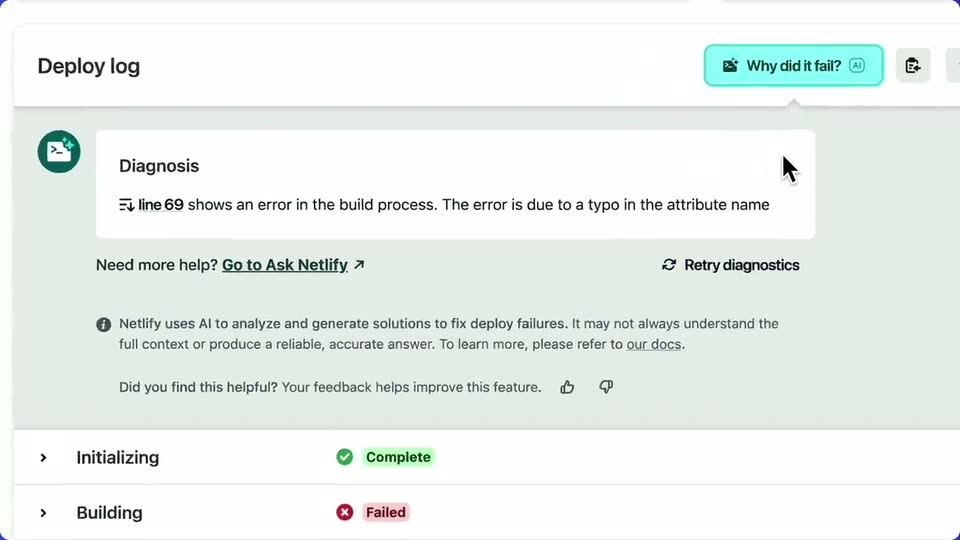

3:03
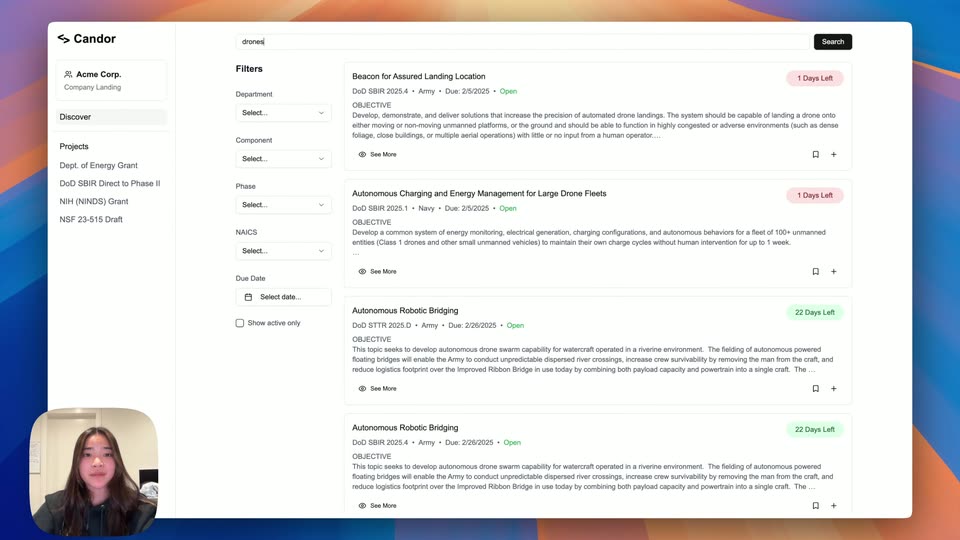
Candor (YC W25) Demo || Win Government Funding With AI
Candor · Government · Feb 2025
3:26


Cedar Demo 🌲
Cedar · B2B · Feb 2025
Introducing Jeevy Fabrication, scene by scene
· 45 scenes as text
01 · Hook · 0:00–1:34
A man in a brown suede jacket sits at a workbench in a workshop, talking to camera and gesturing. A phone and a white mug rest on the table; a welder and tools sit on a shelf behind. A red-and-blue elephant seal logo pops into the lower-left corner.
Camera: Static
02 · Problem · 1:34–1:35
A PDF viewer window shows a white document page fading in from black. The page holds a pipe-line CPF logo above the title WELL 20, 21, AND 22 PFAS TREATMENT SYSTEMS and a contractor address block. The top toolbar reads 1 / 50 at 100% zoom.
Camera: Static
03 · Problem · 1:35–1:38
A PDF viewer window shows a white title page with a line-drawn CPF logo and project text. The view scrolls down to reveal the next page of specification tables. A pointer cursor hovers over the page.
Camera: Static
04 · Problem · 1:38–1:39
A PDF viewer displays a technical engineering drawing with tables for linings, flanges and weld procedures. The sheet scrolls from page 2 to 3 as a cursor rests over the table; the dark top toolbar with page count and zoom stays fixed.
Techniques: Cursor demo
Camera: Pan
05 · Problem · 1:39–1:40
A full-screen document viewer shows a dense black-and-white engineering blueprint with sectioned piping diagrams and a title block. The view scrolls down to reveal a parts list table on the next page.
Camera: Pan
06 · Problem · 1:40–1:43
A document viewer shows an engineering blueprint at 100% zoom. The page scrolls vertically downward through tables and dimensioned drawings while the page counter steps from 10 to 12. A small black cursor rests near the center of the frame.
Camera: Pan
07 · Problem · 1:43–1:44
A PDF viewer displays technical pipe fabrication drawings on a dark background. The page scrolls vertically downward, moving from one blueprint sheet to the next, while a cursor rests near the center. Title blocks and dimensioned line drawings pass through the frame.
Camera: Pan
08 · Problem · 1:44–1:50
A document viewer scrolls continuously upward through stacked pages of black-and-white isometric pipe drawings, the page counter at the top ticking from 19 to 44 of 50. A mouse cursor hovers near the center of the frame.
Camera: Pan
09 · Problem · 1:50–2:00
A pipe spool technical drawing fills a document viewer. The view zooms into the materials table and title block on the right edge, a cursor drifts to the rows, then the view zooms back out to the full sheet.
Techniques: UI zoom, Cursor demo
Camera: Static
10 · Problem · 2:00–2:20
A PDF viewer displays a black-and-white engineering blueprint of a pipe assembly. The view zooms in on the lower isometric elbow detail, the cursor moves across the drawing, then the view zooms back out to the full page and holds.
Techniques: UI zoom, Cursor demo
Camera: Static
11 · Problem · 2:20–2:22
A full-screen document viewer shows a black-and-white engineering blueprint of a pipe assembly, with a numbered parts list and title block along the right edge. A mouse cursor hovers over the drawing while the page stays still.
Camera: Static
12 · Problem · 2:22–2:24
A 2D pipe spool blueprint fills the frame, line art with dimensions and a parts table. The view zooms into the lower note box reading ALL WELDS TO BE DYE PENETRANT TESTED, then settles on the title block.
Techniques: UI zoom
Camera: Push in
13 · Problem · 2:24–2:24
A CAD blueprint fills the frame, title block at right. A yellow highlight box overlays a note reading 'ALL WELDS TO BE DYE PENETRANT TESTED.' The box clears, leaving the note in the table as a cursor arrow drifts down.
Techniques: Cursor demo
Camera: Static
14 · Problem · 2:24–2:40
A tight crop of a pipe fabrication drawing, showing dimension lines and the note about dye penetrant testing, zooms out over two seconds to frame the full sheet inside a PDF viewer with a top toolbar. The frame then holds still with a cursor resting near the bottom note.
Techniques: UI zoom
Camera: Pull out
15 · Problem · 2:40–2:56
A document viewer window displays a black-and-white pipe fabrication drawing with dimensioned views and a right-hand parts list. The frame holds still, then a cursor glides to the top data table and highlights one cell in yellow.
Techniques: Cursor demo
Camera: Static
16 · Demo · 2:56–3:00
A dark project manager portal shows a summary card with bid and delivery dates, labor hours and a $300,000 proposed bid, above a shop assignment section. The cursor drifts from the tab bar across the card and hovers near the delivery deadline field.
Techniques: Cursor demo
Camera: Static
17 · Demo · 3:00–3:00
A static view of a project management interface displaying a project summary with deadlines, labor hours, and bid amounts, with a cursor moving down the page.
Techniques: Cursor demo
Camera: Static
18 · Feature reveal · 3:00–3:03
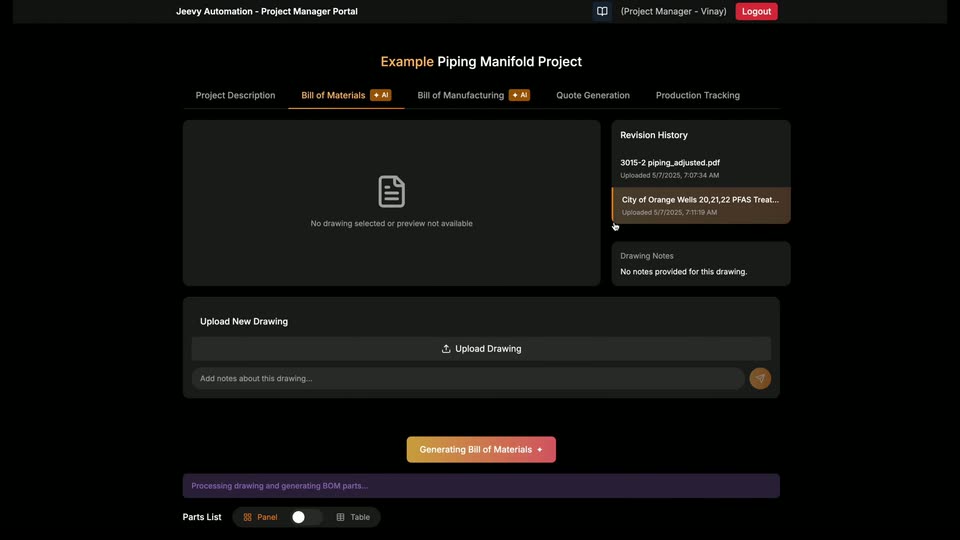
A dark project portal screen sits on the Bill of Materials tab, showing an empty drawing preview, a revision history list, and a gradient generating button. A cursor drifts across the layout while a purple status bar reports the drawing is being processed.
Techniques: Cursor demo
Camera: Static
19 · Feature reveal · 3:03–3:04
A dark project manager portal screen holds still. The Bill of Materials tab is active in orange above a large blank white canvas. A revision history panel sits to the right, its second row outlined in orange.
Camera: Static
20 · Feature reveal · 3:04–3:05
A dark project portal screen shows the Bill of Materials tab active. A blue progress line grows across the top of the left drawing panel while a cursor moves between the highlighted revision entry and the notes field at the bottom.
Techniques: Cursor demo
Camera: Static
21 · Feature reveal · 3:05–3:07
A dark project dashboard shows a PDF drawing of a pipe manifold with a revision history panel on the right. The cursor selects a file entry, then the view zooms into the document as an orange button appears below.
Techniques: Cursor demo, UI zoom
Camera: Static
22 · Feature reveal · 3:07–3:11
A dark drawing-review interface shows a PDF title block, a revision history panel, and an upload section, with a cursor hovering over the Generating Bill of Materials button. The caption (3 minutes processing time) fades in at the bottom, then the view zooms out to reveal the top tabs.
On-screen text: “(3 minutes processing time)”
Techniques: Cursor demo, UI zoom
Camera: Static
23 · Feature reveal · 3:11–3:16
The dark product interface scrolls vertically, moving past a drawing viewer and revision history panel to land on a parts grid filled with identical coupling cards.
Camera: Pan
24 · Feature reveal · 3:16–3:20
A dark interface shows a three column grid of part cards, each listing a coupling with price, vendor and a green See More Details button. The view scrolls down past repeated rows to a pagination bar, with an orange Export to Excel button at the top right.
Camera: Pan
25 · Feature reveal · 3:20–3:23
A dark catalog grid of coupling part cards with prices and vendor rows holds still. A mouse cursor drops from the right edge down to the pagination bar, then slides along the numbered page circles toward the Next button.
Techniques: Cursor demo
Camera: Static
26 · Feature reveal · 3:23–3:26
A dark grid of six part cards fills the frame, each listing a coupling with price, vendor and a green See More Details button. A pagination row of numbered circles sits below. A cursor moves along it from page 12 toward page 10.
Techniques: Cursor demo
Camera: Static
27 · Feature reveal · 3:26–3:27
A dark interface grid of flange part cards, each with an orange x1 badge, price and a green See More Details button, sits above a numbered pagination bar. A white cursor drifts down onto the middle button.
Techniques: Cursor demo
Camera: Static
28 · Feature reveal · 3:27–3:31
A dark interface shows a grid of flange part cards, each listing a dropdown, price, vendor and a green See More Details button, with page numbers at the bottom. A cursor hovers a dropdown to pop a price tooltip, then slides down to a button.
Techniques: Cursor demo
Camera: Static
29 · Feature reveal · 3:31–3:35
A dark product interface shows a grid of flange data cards above a pagination bar. A cursor hovers over the center card, opening a tooltip with price and vendor details, then the tooltip closes and the card's fields populate with the same values.
Techniques: Cursor demo
Camera: Static
30 · Feature reveal · 3:35–3:39
A dark interface displays a grid of flange product cards, each listing part details, prices, vendor, and a green See More Details button. The list scrolls upward to reveal more cards, while a cursor hovers over the middle column.
Camera: Static
31 · Feature reveal · 3:39–3:40
A dark product screen opens zoomed into a grid of flange part cards, then pulls back to reveal the full production tracking page: a PDF drawing viewer at top, a revision history list on the right, and a parts grid below. A cursor rests near the center.
Techniques: UI zoom
Camera: Pan
32 · Feature reveal · 3:40–3:42
A dark project portal shows the Bill of Materials view with a PDF drawing and a revision history panel. A cursor glides from the document up to the Production Tracking tab.
Techniques: Cursor demo
Camera: Static
33 · Feature reveal · 3:42–3:43
A dark project portal shows the Production Tracking tab of a piping manifold project. A part order schedule table loads, a spinner resolves to a price, and a cursor hovers to reveal a Quotes tooltip before moving on.
Techniques: Cursor demo
Camera: Static
34 · Feature reveal · 3:43–3:47
A dark project dashboard shows a part order schedule table under a row of tabs. A cursor clicks the orange Generate Part Ordering Sheet button, a spinner with Loading part ordering data text fills the table, then the rows refresh and a pagination footer appears.
Techniques: Cursor demo
Camera: Static
35 · Feature reveal · 3:47–3:51
A dark project interface displays a Part Order Schedule table with pipe components, quantities, prices, and vendor fields. The cursor moves to the pagination control and selects page 2, replacing the list with new rows.
Techniques: Cursor demo
Camera: Static
36 · Feature reveal · 3:51–3:55
A dark project dashboard shows a Part Order Schedule table with rows of piping parts, prices, and vendor names. A cursor glides across the table, pausing over the description, price, and vendor columns. The Production Tracking tab stays highlighted in orange at the top.
Techniques: Cursor demo
Camera: Static
37 · Feature reveal · 3:55–4:00
A dark dashboard displays a Part Order Schedule table under the Production Tracking tab. A cursor moves down the Latest Vendor column, pausing over rows that read Texas Pipe.
Techniques: Cursor demo
Camera: Static
38 · Feature reveal · 4:00–4:01
A dark Part Order Schedule table fills the screen beneath a row of project tabs, with two orange action buttons at the top right. A white cursor arrow drifts from the price column up to the Bill of Manufacturing tab.
Techniques: Cursor demo
Camera: Static
39 · Feature reveal · 4:01–4:03
A dark project-manager portal shows the Bill of Manufacturing tab active beneath the title Example Piping Manifold Project. A cursor glides down from the heading and rests on the amber-to-red Generate Bill of Manufacturing button.
Techniques: Cursor demo
Camera: Static
40 · Feature reveal · 4:03–4:04
On a dark project portal, a cursor hovers over a gradient button labeled Generate Bill of Manufacturing beneath a row of tabs. The cursor clicks it and the button turns gray, reading Generating...
Techniques: Cursor demo
Camera: Static
41 · Feature reveal · 4:04–4:05
A flat dark brown screen holds a single white cursor arrow near the center, motionless across the clip. No interface, menu or text is visible.
Camera: Static
42 · Feature reveal · 4:05–4:08
On a dark navy background, the white Smartsheet logo fades in at the center, holds briefly, then fades out. A small white cursor arrow hovers just above the mark throughout.
Camera: Static
43 · Feature reveal · 4:08–4:18
A flat product interface shows a blue sidebar and an empty canvas. A workspace panel opens on the left listing files, a badge appears on Notifications, then the cursor moves to the 3015 Piping file and clicks it, and a loading spinner fades in on the canvas.
Techniques: Cursor demo
Camera: Static
44 · Feature reveal · 4:18–4:40
The Gantt schedule table zooms in and scrolls down through numbered task rows with dates and resources, then zooms back out to the full app window with the left sidebar. Row 13 is highlighted in the final static view.
Techniques: UI zoom
Camera: Pan
45 · Outro · 4:40–4:52
A static view of a project schedule table holds a red starburst logo with a dark blue bird mark in the center. Near the end a dark rounded box carrying the white text Thank you! fades in over the mark, then the whole screen fades to black.
On-screen text: “Thank you!”
Camera: Static