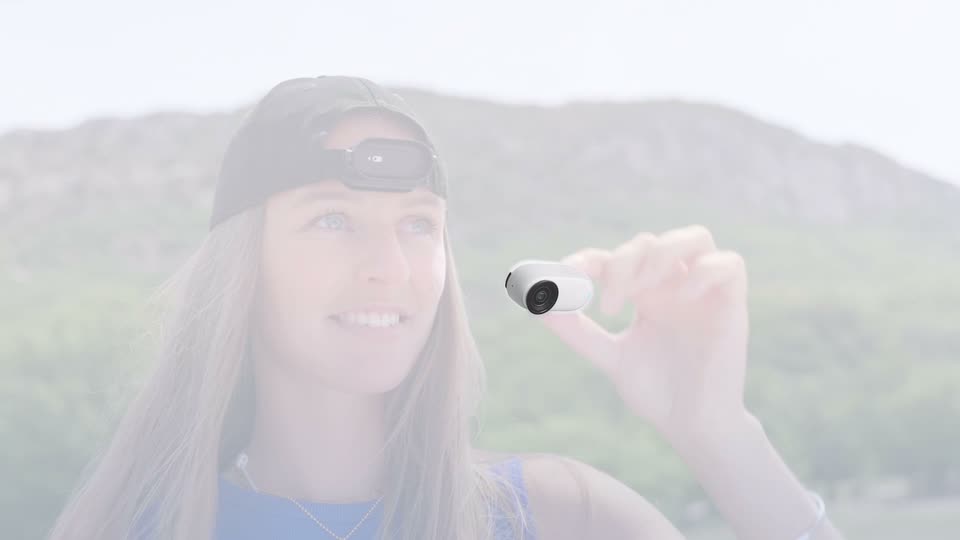
1:13
Explore
Buy Insta360 GO 3S - 4K Small Camera
Insta360 · Jun 2024 · 2:43 · AI-annotated
- Length
- 2:43
- Scenes
- 116 · 1.4 s avg
- Product on screen
- 0:00
- Features shown
- 26
- Voiceover
- Yes
00:00:00 / 02:43:05
- Length
- 2:43
- Scenes
- 116 · 1.4 s avg
- Product on screen
- 0:00
- Features shown
- 26
- Voiceover
- Yes
Insta360’s 2:43 launch film runs 116 scenes, about 1.4 s each. The product is on screen from the first frame and 26 features are revealed. There is no explicit call to action; a voiceover carries the film. A feature-tour launch film for the Insta360 GO 3S that opens with a 3D product reveal, then marches through roughly two dozen named capabilities (clip/wear/combine mounting, 4K imaging, interval video, Find My, Action Pod, remote control, stabilization, waterproofing, hyperlapse, sports data) as a rapid cut between clean 3D renders on pale gradients and saturated first-person lifestyle footage, each feature announced by a single centered white or blue caption that scales in over the demo. The 3D
Footage neededEstimated needs: 2 capture groups — your screens or recordings · 1 official logo — reused across the film · 87 filmed passages — shoot, supply or replace · 1 graphic passage — draw or supply · 25 3D passages — build or supply
Is this your launch? to your site or press kit.
More like this





Similar soundtrack
Films whose music sounds like this one, voice left out
2:13

Aman - We’ve raised a $7.5M seed round led by Felicis so AI can read documen
Unsiloed · Electronic
1:21

Google DeepMind - Genie 4 is now available in Project Genie. It brings native audio, r
Google · Electronic, cinematic
1:13


StoreTrack – Simplify Store Discovery & Location Management
StoreTrack · Upbeat electronic
Buy Insta360 GO 3S - 4K Small Camera, scene by scene
· 116 scenes as text
01 · Product intro · 0:00–0:00
A black Insta360 wordmark sits centered on a pale gray field, then gives way to a small black action camera in 3D perspective. Large light-blue GO 3S lettering blurs in behind the device as it settles into frame.
On-screen text: “Insta360”, “GO 3S”
Techniques: 3D mockup
Camera: Static
02 · Product intro · 0:00–0:01
A black pill-shaped action camera floats in 3D on a pale gray field, spinning from upright to horizontal while sliding right. It passes in front of a large light-blue word, leaving the letters fully visible as it exits.
On-screen text: “GO3B”
Techniques: 3D mockup
Camera: Pull out
03 · Product intro · 0:01–0:02
A dark security camera floats in 3D perspective on a plain background, then shrinks to a tiny white camera hovering above an open palm, with the blurred blue word tiny behind it.
On-screen text: “tiny”
Techniques: 3D mockup
Camera: Static
04 · Product intro · 0:02–0:03
A dark-skinned hand tosses a small white device with a metal button upward against a plain light background, the device tumbling mid-air, while a large light blue word mighty holds static behind.
On-screen text: “mighty”
Camera: Static
05 · Product intro · 0:03–0:04
A white bullet-style security camera with a black lens tilts and rotates in 3D against a white-to-blue gradient, flanked by light blue 3D text reading 4K cam on the left and a weight figure that rolls from 91 g to 399 g on the right.
On-screen text: “4K cam”, “91 g”, “399 g”
Techniques: 3D mockup
Camera: Static
06 · Feature reveal · 0:04–0:05
A woman in a black cap and blue top stands outdoors against green hills. She holds a small white camera module, then clips it onto a black headband at her forehead. The white words “Clip it” sit split on either side of the module, locked in place.
On-screen text: “Clip it”
Camera: Static
07 · Feature reveal · 0:05–0:06
A man in a beige cap holds a small white action camera up to his brow against a pale sky. The white words “Clip” and “it” sit on either side of the device, static in a locked-off frame.
On-screen text: “Clip”, “it”
Camera: Static
08 · Feature reveal · 0:06–0:06
A cyclist in a white helmet and mirrored sunglasses lifts his hand to adjust a small black action camera clipped to the front of the helmet. White text 'Clip it' overlays the frame, with 'it' scaling in as his hand moves.
On-screen text: “Clip”, “it”
Techniques: Kinetic type
Camera: Static
09 · Feature reveal · 0:06–0:08
A pill-shaped camera spins in 3D on a pale background, its shell shifting from black to white, as the tilted blue words Wear it orbit behind it. The shot then cuts to a person in a white tee wearing the white unit on a lanyard at chest height, the same words laid flat across the torso.
On-screen text: “Wear it”
Techniques: Kinetic type, 3D mockup, Morph
Camera: Static
10 · Feature reveal · 0:08–0:09
A person in a tan T-shirt stands against a blurred beach; a small white camera with a black lens hangs on a white cord at chest height, ringed by a thin circle. Wear and it flank the device, then fade as the cord vanishes and the shot fades to white.
On-screen text: “Wear”, “it”
Techniques: Kinetic type
Camera: Static
11 · Feature reveal · 0:09–0:10
A white pill-shaped camera floats on a white-to-blue gradient, then splits into an exploded stack of white, black and white layers, while the blue words Combine and it slide in on either side and gain color.
On-screen text: “Combine”, “it”
Techniques: Kinetic type, 3D mockup
Camera: Static
12 · Feature reveal · 0:10–0:11
A white-and-black camera on a black mount hangs from a cable on a white background, turning as it rotates. The words Combine and it slide away from the sides while Get the best angles scales in beneath the device.
On-screen text: “Combine”, “it”, “Get the best angles”
Techniques: Kinetic type, 3D mockup
Camera: Static
13 · Feature reveal · 0:11–0:13
A person in a blue tank top wears a small white clip-on camera on the chest, with a caption below. A hand reaches up and presses the camera. A blue circle bearing a VLOG logo wipes in over the frame.
On-screen text: “Get the best angles”
Techniques: Kinetic type, Masking
Camera: Static
14 · Feature reveal · 0:13–0:16
First-person view from a yellow kayak on a turquoise lake, following a second paddler between steep green cliffs. Large white captions scale in and swap over the footage: 'Get the best angles', '4K Video', then 'Better clarity'.
On-screen text: “Get the best angles”, “4K Video”, “Better clarity”
Techniques: Kinetic type
Camera: Push in
15 · Feature reveal · 0:16–0:18
First-person view over a glass table set in an infinity pool, laden with pastries, fruit and coffee. A right hand lifts a glass of orange juice toward the camera as the white headline wipes in from the left across the sky.
On-screen text: “Better colors”
Techniques: Masking
Camera: Static
16 · Feature reveal · 0:18–0:19
A helmeted woman rides a teal bicycle toward a locked-off front camera through a corrugated metal tunnel, daylight flaring at the far end. The headline “Better colors” overlays the shot, with a small disclaimer line at the bottom.
On-screen text: “Better colors”, “*Export and view via the Insta360 app (iOS only).”
Camera: Pull out
17 · Feature reveal · 0:19–0:21
An oval mask expands to a full frame as a woman rides a turquoise bicycle toward the camera out of a corrugated tunnel, palm trees and blue sky beyond. White text sits centered over her, with a small caption along the bottom edge.
On-screen text: “Now with Dolby Vision”, “*Export and view via the Insta360 app (iOS only).”
Techniques: Masking
Camera: Pull out
18 · Feature reveal · 0:21–0:24
A red-haired person in a brown jacket and green pants walks toward a locked-off wide-angle camera between rows of gray lamp posts, then jumps with arms raised. “MegaView FOV” scales over them, then “Less distortion” holds as they dance.
On-screen text: “MegaView FOV”, “Less distortion”, “Now with Dolby Vision”, “*Export and view via the Insta36”, “(iOS only).”
Techniques: Kinetic type
Camera: Push in
19 · Feature reveal · 0:24–0:25
Two hands part a sheer white curtain, revealing a sunlit canal with gondolas and moored boats. The hands push the curtain to the edges and exit, leaving the open water view.
On-screen text: “Less distortion”
Camera: Static
20 · Feature reveal · 0:25–0:25
First-person hands wave over a Venice canal lined with docked gondolas, then the view drops to a jumper mid-air beneath a paraglider wing, city rooftops and a safety net below. White text reads “Hands-free POV”.
On-screen text: “Hands-free POV”
Camera: Static
21 · Feature reveal · 0:25–0:26
A first-person beach volleyball shot: two hands reach up and release a ball into a blue sky. The view tilts down to show the net, two players on the sand and the ocean. The white caption Hands-free POV sits center frame and shrinks as the scene opens up.
On-screen text: “Hands-free POV”
Camera: Pull out
22 · Feature reveal · 0:26–0:27
First-person POV from a person perched on a grassy cliff, legs dangling in white sneakers, both hands gesturing toward a turquoise cove and rocky islet below. The caption “Hands-free POV” scales up over the scene.
On-screen text: “Hands-free POV”
Techniques: Kinetic type
Camera: Static
23 · Feature reveal · 0:27–0:28
A first-person view shows two hands placing round black glasses onto a white fluffy dog sitting on a grassy field. The hands adjust the frames over the dog's eyes. A stone wall and trees fill the background under a bright sky.
Camera: Static
24 · Feature reveal · 0:28–0:29
First-person shot: two raised hands frame a white gull wearing black sunglasses on a grassy field, a stone wall and trees behind. The hands clap once while the bird stays still, head tilted.
Camera: Static
25 · Feature reveal · 0:29–0:30
Close-up of a laughing girl in a straw hat and pink polka-dot dress on a swing, a small white action cam clipped to her chest. The view pulls back to a wide playground shot as a second child swings in the background.
Camera: Push in
26 · Feature reveal · 0:30–0:32
A small black clip-on camera is attached to the chest of a person in an olive sweater. A hand presses the camera, then the shot tightens to a close-up of the lens. The white label Quick Switch slides in and holds.
On-screen text: “Quick Switch”
Techniques: Kinetic type
Camera: Static
27 · Feature reveal · 0:32–0:33
Handheld first-person view: an arm clinks a glass of orange drink with a woman at a sunlit canal-side café, pizza on the table. The shot dissolves in from the previous scene, then the caption scales up at center over the toast.
On-screen text: “Quick Switch”, “From horizontal”
Techniques: Kinetic type
Camera: Pull out
28 · Feature reveal · 0:33–0:36
A vertical clip of a woman toasting with a drink at an outdoor cafe sits centered over a blurred, widened copy of the same shot. White text From horizontal scales in across the frame, then gives way to to 4K on the left and vertical on the right.
On-screen text: “From horizontal”, “to 4K”, “vertical”
Techniques: Kinetic type
Camera: Pull out
29 · Feature reveal · 0:36–0:38
A white bullet camera on a pale blue gradient rotates as a dark settings card beside it cycles through activity icons and duration values. The card fades out, the camera faces front at center, and a pale blue 'Interval Video' label fades in to its left.
On-screen text: “Interval Video”
Techniques: 3D mockup
Camera: Pull out
30 · Feature reveal · 0:38–0:39
A white security camera with a black lens floats on the right and turns to reveal its side, while the light blue headline “Auto Interval Video” with a small orange camera icon tilts and spins in 3D on the left against a pale gradient.
On-screen text: “Auto Interval Video”
Techniques: 3D mockup, Kinetic type
Camera: Static
31 · Feature reveal · 0:39–0:41
A child in a sticker-covered helmet rides a bike past an adult, tracked by a moving camera under a blue sky. A large white time overlay reads 01:30 PM at left, then a small 00:01 counter slides in over the child's chest as the ride continues.
On-screen text: “01:30 PM”, “00:01”, “Interval”, “Auto”
Techniques: Kinetic type
Camera: Push in
32 · Feature reveal · 0:41–0:42
A girl in a bike helmet and pale blue tee leans over a bicycle outdoors, palms and blue sky behind. A large white clock sits top left while a small timer with an orange dot ticks up in the center.
On-screen text: “01:30PM”, “00:01”
Techniques: Kinetic type
Camera: Static
33 · Feature reveal · 0:42–0:45
A mother and child play in the sand on a beach as a small camera sits on the child's cap. The frame pushes in to a tight, blurred close-up of the camera while the time scales to 02:00 PM and 'Automatically' appears below.
On-screen text: “01:30 PM”, “00:00”, “02:00 PM”, “Automatically”, “00:01”
Camera: Static
34 · Feature reveal · 0:45–0:47
Point-of-view shot over a sandy beach: two hands fold a yellow toy crane over an open yellow case. A white headline reads 'capture your day' across the center with a small 'Automatically' caption at lower left. The frame stays locked off.
On-screen text: “Automatically”, “capture your day”
Camera: Push in
35 · Feature reveal · 0:47–0:48
First-person POV on a sunny beach: a curly-haired man in sunglasses holds an open box of donuts with a printed space-themed card. The camera dives from his face to the box, hands grab a glazed donut, and the shot settles on the held donut against the blurred beach, all framed by viewfinder corner brackets and a recording timer.
On-screen text: “00:02 02:00PM”
Camera: Push in
36 · Feature reveal · 0:48–0:51
Six beach clips sit in a two-by-three grid inside white viewfinder brackets on a dark field that brightens to light blue. A center headline crossfades from Combine the best moments to with AI Editing as blue wave masks with white dots slide up each clip's bottom edge.
On-screen text: “Combine the best moments”, “with AI Editing”
Techniques: Kinetic type, Masking
Camera: Static
37 · Feature reveal · 0:51–0:52
Six rounded video clips sit in a two-by-three grid on a pale blue gradient, each holding a white selection frame with a blue wave and dot marker. The centered caption fades out while the top-right clip drifts upward.
On-screen text: “with AI Editing”
Camera: Static
38 · Feature reveal · 0:52–0:54
A video-editing timeline sits in 3D perspective, its tracks of time-labeled clips angled across the frame. The camera glides along the ruler, then pushes into a clip of a smiling girl on a beach.
On-screen text: “with AI Editing”
Techniques: 3D mockup, Parallax, UI zoom
Camera: Push in
39 · Feature reveal · 0:54–0:57
On a white gradient background, the blue headline “Lost your camera?” scales up, then “Apple Find My” scales up and shifts right as a hand holding an iPhone with a blurred Find My screen slides in from the left.
On-screen text: “Lost your camera?”, “Apple Find My”
Techniques: Kinetic type
Camera: Pull out
40 · Feature reveal · 0:57–0:59
A hand holds an iPhone showing the Find My map of Philadelphia with a location pin. Blue text flanks the phone, with the right side scaling up, then the scene cuts to a close-up aerial map with the pin.
On-screen text: “Locate with”, “Apple Find My”
Techniques: Kinetic type, UI zoom
Camera: Push in
41 · Feature reveal · 0:59–1:00
A top-down shot of a white Insta360 GO 3S camera in a round case on a weathered concrete ledge, cut from an aerial beach view. A hand reaches in and lifts the case as caption text labels the Find My feature.
On-screen text: “Apple Find My”, “Locate with”, “Insta360 GO 3S”, “Add Person”
Camera: Push in
42 · Feature reveal · 1:00–1:00
A hand lowers a small white camera with a black lens onto pale sand and sets it down, as a thin white ring pulses around the device and fades.
Camera: Static
43 · Feature reveal · 1:00–1:02
A curly-haired woman and a man hold a small white action camera against a blue sky, then the frame cuts to a hand holding the device as a 3D lens element rises above it and the product name fades in.
On-screen text: “Insta360 GO 3D”
Techniques: 3D mockup
Camera: Pan
44 · Feature reveal · 1:02–1:03
A white action camera spins in place on a pale blue gradient, its lens turning toward the viewer. The light blue headline Action Pod holds on the left, the word Pod sliding in.
On-screen text: “Action Pod”
Techniques: 3D mockup, Kinetic type
Camera: Static
45 · Feature reveal · 1:03–1:04
A white action camera with its top flip screen extended sits in 3D perspective on a pale gradient background, the screen playing a beach clip. The label 2.2'' Flip Screen holds on the right as the whole assembly scales down toward the center.
On-screen text: “2.2'' Flip Screen”
Techniques: 3D mockup
Camera: Pull out
46 · Feature reveal · 1:04–1:05
A white action camera on a monopod racks from blur to sharp focus against a soft palm-tree sky, its flip screen playing a beach clip. A white caption scales in to the right of the device.
On-screen text: “2.2'' Flip Screen”
Camera: Static
47 · Feature reveal · 1:05–1:06
A white Insta360 GO 3 camera on a pole holds its flip screen open, showing a beach clip, against blurred palm trees and blue sky. A white two-line caption reading 2.2 inch Flip Screen scales in to the right of the device.
On-screen text: “2.2'' Flip Screen”
Camera: Static
48 · Feature reveal · 1:06–1:07
A family of four poses on a sunny beach for a selfie: a man with sunglasses holds a selfie stick with a small white camera, a girl on his shoulders, a woman holding a toddler. The camera's flip screen is open as overlay text scales in.
On-screen text: “2.2” Flip”, “Screen”, “Insta360 GO 30”
Techniques: Kinetic type
Camera: Static
49 · Feature reveal · 1:07–1:08
A hand holds a small white camera against a rusty outdoor railing, blurred stone pillar behind. The words Mount and anywhere slide in from the left and right edges, flanking the device on a locked-off frame.
On-screen text: “Mount”, “anywhere”
Techniques: Kinetic type
Camera: Static
50 · Feature reveal · 1:08–1:08
A hand holds a small white camera with a green indicator light and lowers it toward a black magnetic mount on a tan watering can. The garden background stays soft and out of focus while the text Mount anywhere slides in over the locked-off frame.
On-screen text: “Mount”, “anywhere”
Techniques: Kinetic type
Camera: Static
51 · Feature reveal · 1:08–1:10
A hand taps a small white camera on a suction mount on a skateboard, then the camera floats on a plain white background, tilting in 3D as the words any and way scale in on either side.
On-screen text: “any”, “way”
Techniques: Kinetic type, 3D mockup
Camera: Static
52 · Feature reveal · 1:10–1:11
A white Insta360 GO 3D action camera on a black flexible mount floats centered, splitting the large light blue word “anyway” into “any” and “way” behind it. The whole 3D group tilts and rotates on a plain light gradient background.
On-screen text: “any”, “way”
Techniques: 3D mockup, Kinetic type
Camera: Static
53 · Feature reveal · 1:11–1:12
A hand with a wristwatch sets a white action camera onto the teal frame of a scooter on a sandy beach, then pulls away. The white caption spans the frame with the camera sitting in the gap between the two words, the shot locked off.
On-screen text: “any way”
Techniques: Kinetic type
Camera: Static
54 · Demo · 1:12–1:13
Low locked-off shot from behind a teal electric skateboard with yellow wheels, rolling over wet sand at sunset. The board fills the left foreground, the sun glows on the horizon. Big words scale in over the frame with a small caption below.
On-screen text: “way”, “any”, “Unleash your creativity”
Techniques: Kinetic type
Camera: Static
55 · Demo · 1:13–1:14
A wide-angle action camera spins fast around a man in a cap holding a green bow on a sunny lawn, the frame rolling from horizon to sky to grass. The white headline stays fixed at center through the rotation.
On-screen text: “Unleash your creativity”
Camera: Pull out
56 · Demo · 1:14–1:14
A top-down aerial shot glides over a green lawn beside a body of water. A white cushion printed with a concentric-circle target sits on the grass. The white caption stays fixed at center as the camera tracks past it.
On-screen text: “Unleash your creativity”
Camera: Push in
57 · Demo · 1:14–1:15
Low close-up of two rows of frosted cupcakes with rainbow sprinkles on a wooden counter, sparklers burning above them. The camera pulls back slightly in a kitchen with a green tile backsplash as the sparklers throw off sparks.
On-screen text: “Unleash your creativity”
Camera: Pull out
58 · Demo · 1:15–1:17
First-person view from a bicycle, the rider's hands grip the handlebars in the foreground. The camera follows a woman and a child on bikes along a coastal path, while a dog runs past on the right.
Camera: Push in
59 · Feature reveal · 1:17–1:18
A golden retriever stands on a grassy field with a hill behind it, wearing a black harness that holds a small white camera on an arm. White arc lines pulse beside the camera, then the dog lowers its head and pants.
Camera: Static
60 · Feature reveal · 1:18–1:19
A golden retriever sits in profile on the left with a small camera clipped to its collar. A hand holds a white remote with a live screen on the right. A dotted line and a connection icon link the two. White text scales in above.
On-screen text: “Remote Control”
Camera: Push in
61 · Feature reveal · 1:19–1:21
A hand holds a small white action camera against a blue sky, an out-of-focus dog in the foreground; its screen shows a man in a field. The shot zooms into the screen until the live view fills the frame, the man waves and the timer counts up.
On-screen text: “Remote Control”
Techniques: Kinetic type, UI zoom
Camera: Pull out
62 · Feature reveal · 1:21–1:22
A man in glasses and a white T-shirt sits on a sunny field, smiling and gesturing toward a golden retriever whose fur fills the blurred foreground. A white “Live Preview” label and a red-dot timer counting from 00:02 overlay the footage while a “Remote Control” title scales in.
On-screen text: “Remote Control”, “Live Preview”, “00:02”
Techniques: Kinetic type
Camera: Static
63 · Feature reveal · 1:22–1:23
A camera live preview shows a red carpet from behind a black and white dog's head. A figure in black walks up the carpet toward the stairs while photographers line both sides. A recording timer and a Live Preview label sit on the frame.
On-screen text: “00:02”, “Live Preview”
Camera: Push in
64 · Feature reveal · 1:23–1:25
A white handheld camera rotates in 3D, turning from its back pin connector to its front lens, then exits frame as the blue words Quick Reader scale up from behind it into a centered horizontal lockup on white. A small *Sold separately caption stays at the bottom.
On-screen text: “Quick Reader”, “*Sold separately”
Techniques: 3D mockup, Kinetic type
Camera: Pull out
65 · Feature reveal · 1:25–1:28
Close-up on the dark lens of the white clip-on camera at the phone's lower edge, then the shot pulls back to a front view of the phone showing a photo grid app. Light blue words Instant and access slide in from the left and right of the device.
On-screen text: “Instant”, “access”
Camera: Pull out
66 · Feature reveal · 1:28–1:30
A white action camera rotates in 3D above a white battery module as a microSD card floats in from the right. Spec cards and the words Instant access and Swap files fade in at the bottom.
On-screen text: “Instant access”, “GO 3S”, “128 GB/128GB”, “SD Card”, “39GB/256GB”, “Swap files”
Techniques: 3D mockup
Camera: Static
67 · Feature reveal · 1:30–1:31
A white security camera on a cube base with a lightning bolt stands left. On the right, a blue GO 3S bar and a green SD Card bar fill up as a blue arrow points between them, above light-blue 3D text reading Back up files.
On-screen text: “GO 3S”, “124 GB/128GB”, “SD Card”, “47 GB/256GB”, “Back up files”
Techniques: 3D mockup
Camera: Static
68 · Feature reveal · 1:31–1:32
A white pill-shaped action camera spins into focus at center on a plain white background. Large blue text reads 30 min battery life above it, sliding in, with a small gray footnote at the bottom.
On-screen text: “30 min battery life”, “*Tested in 25°C (77°F) lab environment at 1080p30fps.”
Techniques: Kinetic type, 3D mockup
Camera: Static
69 · Feature reveal · 1:32–1:33
A white and gray action camera floats on a pale blue gradient, tilting from its lens side to its back panel. A blue italic label reading 38 min battery life hovers above it, with a small gray footnote at the base.
On-screen text: “38”, “min battery life”, “*Tested in 25°C (77°F) lab environment at 1080p30fps.”
Techniques: 3D mockup
Camera: Static
70 · Feature reveal · 1:33–1:35
A white Insta360 GO 3 360 camera floats in 3D on a dark background. The glowing battery figure counts up from 112 to 140 min while a large AI label appears beneath the device, with a small test footnote at the bottom.
On-screen text: “112 min”, “*Tested in 25°C (77°F) lab environment at 1080p30fps.”, “140 min”, “AI”
Techniques: 3D mockup, Kinetic type
Camera: Static
71 · Feature reveal · 1:35–1:36
A family of four crouches on a sunlit terrace before a multicolored glass building, the woman on the left waving while a phone on a stick blurs the right foreground. White text reads AI, then settles into the full phrase AI Gesture Control across the lower frame.
On-screen text: “AI Gesture Control”
Techniques: Kinetic type
Camera: Static
72 · Feature reveal · 1:36–1:39
A family of four crouches on a sunlit plaza in front of a multicolored glass pavilion, waving and throwing playful poses at a locked-off wide camera. A white title sits at the lower center with a small timer counting up beneath it.
On-screen text: “AI Gesture Control”, “00:00”
Camera: Static
73 · Feature reveal · 1:39–1:40
A blonde woman in a pink swimsuit stands in shallow surf holding a turquoise board with a small action camera mounted on it. A white speech bubble beside her face types out a voice command while a white brush headline reads Voice Control at the bottom.
On-screen text: “Voice Control”, “.... Start recording!”
Camera: Static
74 · Feature reveal · 1:40–1:41
Handheld beach footage: a woman in a pink swimsuit pushes off a turquoise surfboard in shallow water, palm trees behind, a red dot and 00:01 timer at the bottom. It cuts to a woman in a white dress walking a green path holding a selfie stick, captioned with the stabilization claim.
On-screen text: “00:01”, “Super smooth shots”, “No Stabilization”
Camera: Static
75 · Feature reveal · 1:41–1:43
A first-person hand leads a woman in a blue denim jacket along a gravel path between trimmed hedges, toward a green-domed pavilion under a blue sky. The camera tracks forward behind her. White text reads 'Super smooth shots' across the center and 'No Stabilization' in a black pill below.
On-screen text: “Super smooth shots”, “No Stabilization”
Camera: Push in
76 · Feature reveal · 1:43–1:45
A woman in a denim dress walks away down a hedge-lined gravel path toward a green-domed pavilion, the camera tracking behind her. The frame opens split down the middle comparing the shaky and stabilized takes, then closes to the smooth full shot as the badge label changes.
On-screen text: “Super smooth shots”, “No Stabilization”, “FlowState Stabilization”
Techniques: Split screen
Camera: Push in
77 · Feature reveal · 1:45–1:46
A woman in a denim jacket walks away down a hedge-lined gravel path toward a green-domed pavilion while the camera tracks smoothly behind her. White text sits centered over the frame with a light blue pill label near the bottom.
On-screen text: “Super smooth shots”, “FlowState Stabilization”
Camera: Push in
78 · Feature reveal · 1:46–1:48
A flock of seagulls scatters across a sandy beach under a clear blue sky, wings mid-flap in slow motion. White centered text states the frame rate. The birds land and take off while the caption holds still.
On-screen text: “Slow motion up to 200fps”
Camera: Push in
79 · Feature reveal · 1:48–1:49
A flock of seagulls flaps and dives in slow motion against a clear blue sky above a sandy beach. The white caption “Slow motion up to 200fps” holds centered in the frame throughout.
On-screen text: “Slow motion up to 200fps”
Camera: Static
80 · Feature reveal · 1:49–1:50
A man in a blue life vest rides a jet ski, shot from a camera fixed on the handlebars facing him. He smiles toward the lens as the craft glides across the water, white spray rising and shoreline houses drifting past behind him.
Camera: Static
81 · Feature reveal · 1:50–1:51
A white action camera sits centered on a pale blue gradient as water droplets splash across its body and screen, which plays a jet ski clip. “Water resistant” scales in on the left and “Pod” appears on the right.
On-screen text: “Water resistant”, “Pod”
Techniques: Particles, Kinetic type
Camera: Pull out
82 · Feature reveal · 1:51–1:52
A black action camera floats center frame on white, scaling up and turning to face the lens while water splash particles scatter around it. Light blue text reads behind the device as it grows.
On-screen text: “Waterproof camera”
Techniques: 3D mockup, Particles
Camera: Static
83 · Feature reveal · 1:52–1:52
A swimmer in a black wetsuit floats at the surface under a bright cloudy sky, then the view cuts underwater as they sink through a trail of bubbles. A white caption reads down to 33ft over the descending shot.
On-screen text: “Water”, “camera”, “down”, “to 33ft”
Techniques: Kinetic type
Camera: Static
84 · Feature reveal · 1:52–1:53
An underwater diver in a black wetsuit and mask sinks toward the camera, bubbles swirling around them, holding a small dive device. A patterned fin drifts in at the right. White text overlays the center of the frame.
On-screen text: “down to 33ft”
Camera: Static
85 · Feature reveal · 1:53–1:54
A diver in a red wetsuit and white mask swims underwater beside a sea turtle, feet and fins pointed up, a coral formation at the right edge and a sandy reef floor below.
On-screen text: “down”, “to 33ft”
Camera: Static
86 · Feature reveal · 1:54–1:55
A man in a blue shirt walks toward the camera down a narrow brick alley, pointing at a small black clip-on camera on his chest. The shot pushes in as the white label Hyperlapse-ready scales across the frame.
On-screen text: “Hyperlapse-ready”
Techniques: Kinetic type
Camera: Push in
87 · Feature reveal · 1:55–1:57
A man in a denim shirt stands against a weathered brick wall, fading in from a double exposure. The shot cuts to a hand holding a phone, its screen showing a camera viewfinder with a grid over the wall. The word Hyperlapse-ready scales into frame.
On-screen text: “Hyperlapse-ready”
Techniques: Kinetic type
Camera: Pan
88 · Feature reveal · 1:57–1:59
A sunlit European square spins past in a fast whip pan, the frame tilting as a stone statue on a pedestal sweeps across the center. White buildings with red tile roofs and a blue sky fill the edges, all smeared by heavy motion blur.
Camera: Push in
89 · Feature reveal · 1:59–1:59
A fast-moving camera whips through a sunlit European town, blurring past a corner of shuttered buildings, then down a narrow alley where a pedestrian walks. The shot stays in heavy motion blur the whole time.
Camera: Push in
90 · Feature reveal · 1:59–2:02
A cyclist rides a road bike past sunlit trees while a glowing blue line links her wristwatch to the handlebars. The headline slides across the center, then the shot dissolves into a close-up of the handlebar computer labeled Garmin Device.
On-screen text: “Add your sports data”, “Garmin Device”
Techniques: Kinetic type
Camera: Push in
91 · Feature reveal · 2:02–2:03
A close-up of a cyclist's hands on drop handlebars, a Garmin computer on the stem. The frame splits down the middle, revealing a wrist with an Apple Watch on the right. White labels sit above each half.
On-screen text: “Garmin Device”, “Apple Watch”, “Add your sports data”
Techniques: Split screen
Camera: Static
92 · Feature reveal · 2:03–2:04
A split screen compares two cycling computers: on the left a Garmin head unit mounted on bike handlebars, on the right an Apple Watch on a wrist, both displaying live ride metrics. White labels name each device above its panel.
On-screen text: “Garmin Device”, “Apple Watch”
Techniques: Split screen
Camera: Static
93 · Feature reveal · 2:04–2:05
Split screen shows a Garmin bike computer on handlebars left and an Apple Watch on a wrist right, both labeled. A quick cut swaps the panels to a 3D cycling app view and a first-person riding shot, with a centered tagline.
On-screen text: “Garmin Device”, “Apple Watch”, “Show off your stats”
Techniques: Split screen, 3D mockup
Camera: Static
94 · Feature reveal · 2:05–2:09
First-person view from a cyclist on a coastal road, red drop bars in the foreground and a rider ahead. A white headline reads Show off your stats at center while cycling data widgets (speed gauge, calories, elevation, route map) rearrange and restyle into a red-and-white layout.
On-screen text: “Show off your stats”
Techniques: Morph
Camera: Static
95 · Feature reveal · 2:09–2:10
A hand holds an iPhone at an angle against a blurred room. A finger taps thumbnails in the photo grid, yellow checkmarks pop in one by one, and the selection count in the top bar updates from 1 to 6 items.
Camera: Static
96 · Feature reveal · 2:10–2:11
Close-up of two hands holding a smartphone in a bright room. A finger taps a video thumbnail in a grid gallery, a black icon menu pops up, and the finger taps the trash icon.
Camera: Pull out
97 · Feature reveal · 2:11–2:12
A hand holds a phone upright in a blurred living room, the home screen of app icons filling the lower frame. A dark notification banner drops from the top edge, showing a download progress bar for camera files, then settles.
Camera: Static
98 · Feature reveal · 2:12–2:16
A hand holds a phone in a blurred living room. The screen crossfades from the home screen to a group chat while a download bar at the top fills from 61% to 100%. A white headline stays fixed above the device.
On-screen text: “Download in background”
Techniques: 3D mockup
Camera: Push in
99 · Demo · 2:16–2:17
A woman in sunglasses leans out the window of a moving green van, her hair blowing in the wind, while a white ring logo centered on the frame gives way to the bold white text “Go free”.
On-screen text: “Go free”
Camera: Static
100 · Demo · 2:17–2:18
A smiling man in a green shirt rides a teal electric skateboard across wet sand, holding a selfie stick toward the camera. The white headline “Go free” stays centered over him as the low-angle shot moves forward along the beach.
On-screen text: “Go free”
Camera: Static
101 · Demo · 2:18–2:19
A man in a white shirt runs toward the camera on a dirt trail, holding a selfie stick, while a boy and a woman follow behind. The wide-angle action shot captures a green hillside and distant mountains under a cloudy sky, with motion blur on the grass.
Camera: Pull out
102 · Demo · 2:19–2:20
A camera inside a rough concrete tube looks up as four people and a white dog lean over the circular opening against a blue sky, smiling and opening their mouths. The group shifts slightly around the rim.
Camera: Static
103 · Demo · 2:20–2:23
A first-person view tilts down at white sneakers stepping along a narrow rocky cliff path, turquoise sea on the right. The white headline sits centered over the shot, then vanishes as the walk reaches the cliff edge with a raised hand.
On-screen text: “Go anywhere”
Camera: Push in
104 · Demo · 2:23–2:25
First-person view in a blue-tiled pool: an adult's hands reach in from the bottom of the frame and grab a young child in a blue rash guard and swim trunks. Water splashes around the child's face as the child is lifted up and out of the water.
Camera: Pull out
105 · Demo · 2:25–2:25
A low wide-angle shot looks up at a laughing toddler in a mustard puffer jacket and white beanie, held aloft by two arms in gray jackets. The child's arms fling wide as the frame tilts and shakes against a cloudy sky and bare trees.
Camera: Pull out
106 · Demo · 2:25–2:26
First-person view of a hand stroking a large elephant's wrinkled head, then the arm lifts as the animal shifts, with a wooded enclosure behind. Centered white text scales in and a second word joins to complete the phrase.
On-screen text: “Go”, “Go wild”
Techniques: Kinetic type
Camera: Pull out
107 · Demo · 2:26–2:27
A top-down aerial shot looks onto a desert test range as a rocket lifts off, throwing up a billowing white smoke plume and a bright orange flame. The camera pulls back to reveal the launch pad and steel structures. White text Go wild holds centered over the action.
On-screen text: “Go wild”
Camera: Pull out
108 · Demo · 2:27–2:28
A brown and white terrier licks a metal bowl held low in frame on a cobblestone patio, tongue stretched out, head tilted. Handheld close-up with a slight tilt; a static “Go wild” overlay sits over the shot.
On-screen text: “Go wild”
Camera: Static
109 · Demo · 2:28–2:29
First-person view from a horse's back, a hand resting on the dark mane, following a helmeted rider on a chestnut horse across a sunlit green field with a wire fence. Large white text scales up over the center of the frame as the camera moves forward.
On-screen text: “In 4K”
Techniques: Kinetic type
Camera: Push in
110 · Demo · 2:29–2:31
A woman in a sun hat films a selfie-style shot from a kayak on turquoise water, grinning and flashing a peace sign. Behind her, a man in a yellow kayak lowers a red paddle from overhead. Rocky canyon walls line the background.
On-screen text: “4K”, “In”
Camera: Static
111 · Demo · 2:31–2:32
A woman in an orange tank top and a man in a green jacket stand close together on a grassy coastal ridge, smiling at the camera. The woman raises her arm and points off to the left as the sea and a winding path stretch behind them.
Camera: Pull out
112 · Demo · 2:32–2:33
A bearded man in a striped shirt sits on a boat on a Venetian canal while two hands with watches raise in front of the lens. He then throws both arms up and shouts, the camera held wide and slightly fisheye.
Camera: Pull out
113 · Demo · 2:33–2:34
A hand brings a small white peephole camera into a close-up of a dark wooden door, aligns it with the ornate metal handle, then lets go so the device stays mounted on the handle.
Camera: Pull out
114 · Demo · 2:34–2:34
A white peephole camera sits on a weathered brown wooden door as a finger taps its lower button, then the shot cuts to the same device mounted on a teal wooden door.
Camera: Static
115 · Outro · 2:34–2:39
A white action camera clipped to a rusty door latch cuts to a plain light-gray stage. The device spins as a blue line loops around it, a black unit joins, the flip screen lifts open, and blue strokes form a 4K behind them as the title fades in.
On-screen text: “Insta360 GO 3S”, “Your tiny mighty 4K cam.”
Techniques: 3D mockup, Kinetic type
Camera: Static
116 · Outro · 2:39–2:43
On a plain white background, the tagline “Think bold.” fades in at center, then the black Insta360 wordmark fades in above it, completing the closing lockup.
On-screen text: “Think bold.”, “Insta360”
Techniques: Kinetic type
Camera: Static