0:35

Canva - Yep, you heard it right. No watermarks, no paywalls, no awkward expor
Canva · Design · Oct 2025
HyperFrames · Oct 2026 · 0:57 · Full motion · AI-annotated
HyperFrames’s 0:57 launch film runs 32 scenes, about 1.8 s each. The product shows up at 0:02 and 1 feature is revealed. There is no explicit call to action. The video is built as one continuous Storyboard workflow: a blurred teaser of the finished render, then the prompt, the frame grid, the notes, the AI edits and the build, all staged on the same mint-to-cyan gradient with floating dark panels. Signature moves are 3D-tilted tablet mockups, fast zooms from the full grid to a single frame, and the pink triangle mascot that carries the building gag at a steady 120 bpm.
Is this your launch? to your site or press kit.
Canva · Design · Oct 2025
The Browser Company · Productivity · May 2023
Oversized black sans-serif letters drift horizontally across a white field, held heavily out of focus, while a mint-to-cyan gradient band rises along the bottom edge.
Techniques: Kinetic type
Camera: Pan
A fast horizontal scroll across a wide layout: a large, blurred lowercase wordmark in dark gradient letters on white, then a two-by-four grid of dark blue app screens. A green-to-blue gradient strip runs along the bottom throughout the pan.
Camera: Pan
A 2x2 grid of dark interface cards on a white-to-teal gradient shows dashboards and label chips. The panels blur and dissolve toward the end, leaving the gradient. Inside, the ACME wordmark slides and Q4 is on track. scales.
On-screen text: “everywhere.”, “ACME”, “Q4 is on track.”
Techniques: Kinetic type
Camera: Static
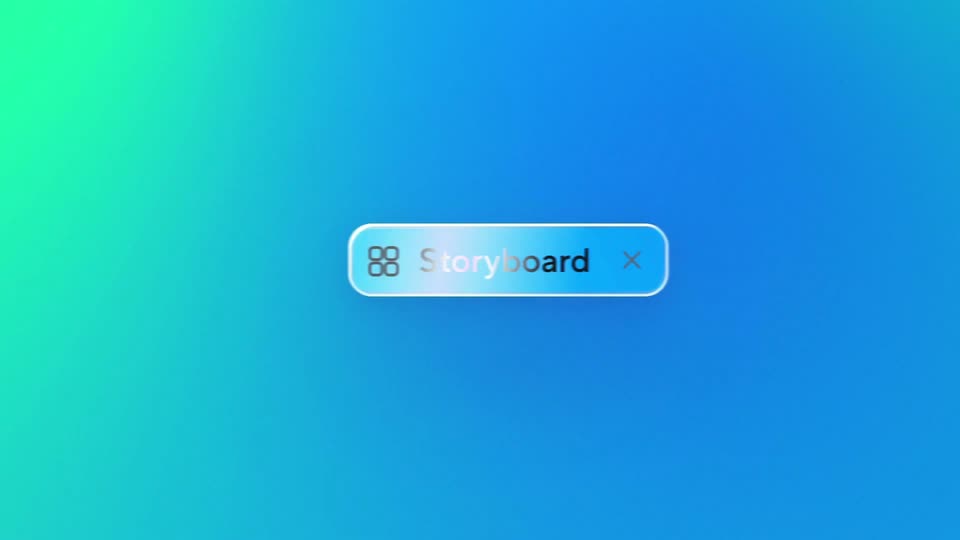
A green-to-blue gradient fills the frame as a rounded Storyboard chip with a grid icon scales in at center, its X sliding in. Below it a blurred card sharpens into focus, revealing a prompt field and a scene list, while the chip settles above the card.
Camera: Static
A glassy prompt box floats on a green-to-blue gradient. A cursor selects Storyboard from a tools dropdown, the tag drops into the field, the frame zooms in as the prompt types itself, pulls back, and a black video panel with a pink logo fades in.
Techniques: Cursor demo, UI zoom
Camera: Pan
A dark monitor on a green-blue gradient holds a single card in the lower right. Cards fly up into a top row, a pagination bar slides in, and a 3D stack of labeled cards with a cyan play button appears, next to a pink logo badge.
Techniques: 3D mockup
Camera: Static
A tilted tablet mockup on a green-blue gradient shows a grid of dark slide thumbnails that populate row by row, while a white cursor hovers over the first tile and cyan triangles spin near a pink pin logo at the corner.
Techniques: 3D mockup, Cursor demo
Camera: Static
A dark panel on a teal-to-white gradient holds a deep blue field with the centered white serif question. A white cursor arrow glides from the top left corner down to the pagination controls at the bottom right.
On-screen text: “Where did that deal go?”
Techniques: Cursor demo
Camera: Static
A blue presentation slide shows five feature chips around the word everywhere. The cursor clicks the pen tool in the bottom bar, then a green hand-drawn line loops around the chips while the view zooms onto the slide.
On-screen text: “Spreadsheets”, “Chat threads”, “Inboxes”, “everywhere.”, “Sticky notes”, “Calendars”
Techniques: Cursor demo, UI zoom
Camera: Push in
A close-up of a slide canvas shows pills labeled Sticky notes and Calendars joined by a green hand-drawn line, while a cursor taps a send button and a note types out. The frame then pulls back to reveal the slide on a laptop in 3D perspective against a teal gradient.
Techniques: Cursor demo, UI zoom, 3D mockup
Camera: Pull out
A dark tablet in 3D perspective shows a Kanban pipeline on a green-blue gradient. A white cursor grabs the Globex card and drags it into the Won column. The view then zooms into the interface as a comment modal opens and text is typed.
On-screen text: “6 Drag to Won”, “The cursor drags Globex into Won.”, “7.5 to 9.0s”
Techniques: 3D mockup, Cursor demo, UI zoom
Camera: Push in
A dark pipeline board with columns of deal cards sits behind a white comment modal that fades out, while a tilted deal card with a hand cursor hovers over the Closed drop zone.
Techniques: Cursor demo
Camera: Static
A dark laptop in 3D perspective displays a 12-cell storyboard grid of launch video frames. A white Claude Code panel slides in from the left as the device tilts slightly.
Techniques: 3D mockup
Camera: Pull out
Two UI panels float in 3D perspective over a green-to-blue gradient. The left white card shows a Claude Code chat with a pending-edits list; the right dark window holds a twelve-frame storyboard grid. The composition holds with a slow, subtle drift.
Techniques: 3D mockup
Camera: Push in
A white rounded panel on a green-to-blue gradient lists two pending video edits above a green send button, with a cursor resting at the button's lower edge. A dark side panel peeks in along the right edge.
Techniques: Cursor demo
Camera: Push in
A light chat window on a green-to-blue gradient shows a beige message bubble scaling in at the top right above a Thinking line and an empty input field, with a dark panel peeking in from the right edge and a cursor resting below the field.
Camera: Pull out
A dark feature panel angled in 3D spins to face the camera while a white chat window slides off to the left. Five glass pills with icons float around the centered word everywhere, and a pink marker icon with a cyan arrow pops in at the top left.
On-screen text: “Spreadsheets”, “Chat threads”, “Inboxes”, “everywhere.”, “Calendars”, “Sticky notes”
Techniques: 3D mockup, Parallax
Camera: Push in
Floating pill labels orbit a dark blue panel with concentric rings as the headline swaps from everywhere. to slipping. A pink blob mascot with a cyan arrow zips around the panel, motion-blurred, over a teal-to-blue gradient.
On-screen text: “everywhere.”, “slipping.”
Techniques: Kinetic type
Camera: Static
A 3D laptop on a green-blue gradient shows a dark screen with the word slipping. and a notification pill; a pink triangle character with cyan accents sits right. The frame blurs and reframes into a columned data list as the character drifts to the top corner.
On-screen text: “slipping.”
Techniques: 3D mockup, UI zoom
Camera: Push in
A dark CRM pipeline board on a 3D-tilted tablet scrolls left to reveal the Won column. A pink triangular mascot with a simple face bounces down the top edge while small cyan triangles drift across the screen, all over a green-to-blue gradient.
Techniques: 3D mockup
Camera: Static
A white chat panel and a dark tablet holding a twelve-frame storyboard grid float on a green-to-blue gradient. The left panel slides in from a soft blur into sharp focus while the tablet keeps the grid steady.
Techniques: 3D mockup
Camera: Static
A white Claude Code chat card on the left streams in a reply while a tilted dark tablet on the right holds a twelve-frame storyboard grid; the camera then pulls back to reveal both floating on a desk beside a laptop and a phone.
Techniques: 3D mockup, Split screen
Camera: Push in
A white chat panel on a green-to-blue gradient shows a typed command with a cursor on the send button, then the panel slides left off frame, leaving the blurred gradient and a faint dark panel on the right.
Techniques: Cursor demo
Camera: Push in
A black tablet in 3D perspective displays a grid of video thumbnails. In front, a pink triangular mascot with a yellow hard hat sits still as a paintbrush and a red toolbox animate in at the right.
Techniques: 3D mockup
Camera: Static
A tablet tilted in 3D perspective displays a stack of presentation slides fanned out and rotating. A cartoon worker in a yellow hard hat, a hammer and a red toolbox sit at the right edge, beside a floating progress toast.
Techniques: 3D mockup
Camera: Static
A stack of dark video frames sits beside a pink robot mascot in a yellow hard hat, who swings a hammer as a “Building your video” progress bar fills. A red toolbox sits below. The view zooms into the front frame, revealing faint “ACME” letters in blue ripple rings.
On-screen text: “Building your video”, “Where did that deal go?”
Techniques: UI zoom
Camera: Push in
A dark blue field of glowing concentric rings frames three phone mockups in 3D perspective showing a CRM pipeline. The serif wordmark ACME sharpens from a blur at the top while the tagline brings every deal together. fades in beneath it.
On-screen text: “ACME”, “brings every deal together.”
Techniques: Kinetic type, 3D mockup
Camera: Static
A dark Kanban board fills the frame. A Globex deal card, held by a hand cursor, glides from the Proposal column into the Won column, dropping into an empty slot while a green +$48,000 badge appears in the Won header.
Techniques: Cursor demo
Camera: Static
Two dark CRM dashboard panels rotate from a 3D angle to face the camera as the headline builds word by word, then the shot cuts to a purple pin-shaped logo with a teal circle on a white background.
On-screen text: “Every deal in one place.”
Techniques: Kinetic type, 3D mockup
Camera: Pull out
A pink rounded-triangle logo with a white face circle and cyan side wings hovers over a blurred dark interface. The interface fades out as the logo drops and the wings fold in, leaving the mark centered on a white-to-teal gradient.
Techniques: Morph
Camera: Static
A green and cyan logo and the text HyperFrames zoom out and sharpen into the center of a blue and green gradient background.
On-screen text: “HyperFrames”
Camera: Static
Centered on a white-to-teal gradient, the HyperFrames wordmark and green play icon hold still. A green selection box with a caret draws around the word, then 'Studio' appears in green. A 'Storyboard' pill fades in below while a pink round-triangle mascot slides in from the right and settles beside the lockup.
On-screen text: “HyperFrames Studio”, “Storyboard”
Techniques: Kinetic type
Camera: Static