0:42

Boosts by Arc | Meet Your New Internet
The Browser Company · Productivity · May 2023
Canva · Oct 2025 · 0:35 · AI-annotated
Canva’s 0:35 launch film runs 24 scenes, about 1.5 s each. The product shows up at 0:02 and 4 features are revealed. There is no explicit call to action. The video alternates kinetic magenta title cards with UI and 3D demos, moving from a live-action hook through generation, templates, editing and sharing before closing on the Canva Video lock-up. Its signature moves are tilted phone cards fanning across the frame, hopping name-tag bubbles, and sparkles that punctuate each generate moment, all cut on a steady ~100 bpm beat.
Is this your launch? to your site or press kit.
The Browser Company · Productivity · May 2023
Spline · Design · Dec 2024
A man in a striped cardigan stands in a furnished living room, both hands raised as he speaks, a ring light with a phone mounted beside him. A blue name tag reading Dom and a speech bubble pop in at the lower right with small arrow accents.
On-screen text: “Dom”
Camera: Static
A man in a living room with a ring light shrinks into the left half of a split screen, framed by a magenta border, as a second angle of a man in headphones appears on the right. Blue and orange name tags mark each panel.
On-screen text: “Dom”, “Evie”
Techniques: Split screen
Camera: Pull out
A purple “Video” headline and a cyan text-tool bar with an orange “Evie” tag sit above two side-by-side clips: a gesturing man and a man on a phone, with a blue “Dom” tag between them. A purple waveform bar with a “Keely” tag rests above a pink band reading “reimagined”.
On-screen text: “Video”, “reimagined”
Camera: Pull out
A purple gradient fills the frame as white text builds line by line, scaling up into place, while tilted rounded video clips of a man in various rooms drift and rotate around the text, passing off the edges.
On-screen text: “From clips”, “to your feed”
Techniques: Kinetic type
Camera: Push in
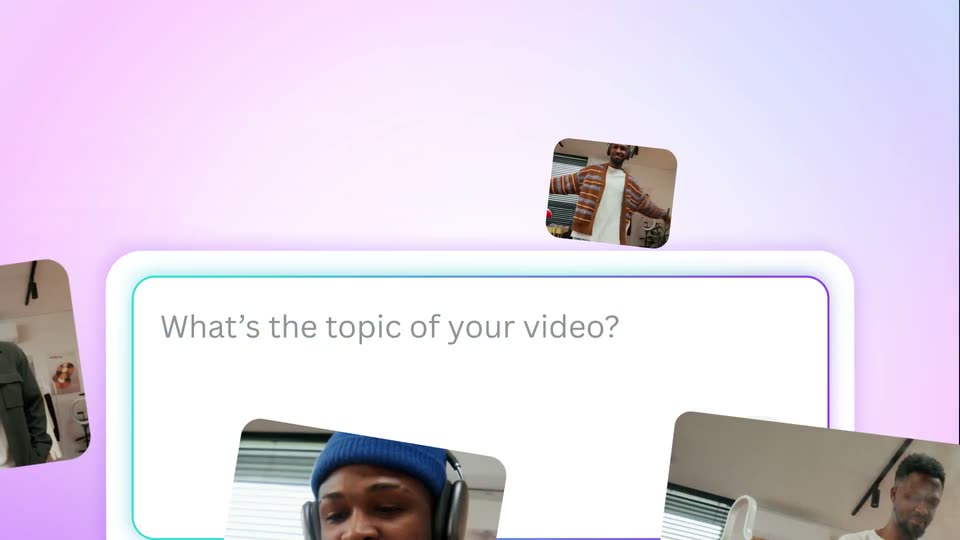
A white prompt card sits on a pink gradient as four video clips fly in from the edges and snap into a thumbnail row, while text types into the field and a purple arrow button pops in.
On-screen text: “in”, “seconds”
Camera: Static
On a pink gradient, a white editing card with video thumbnails, a Jamie tag and a send button sits above the word seconds. The card shrinks left as the Jamie tag and button zoom out to the right, and a large purple cursor appears.
On-screen text: “seconds”
Techniques: UI zoom, Cursor demo
Camera: Push in
A purple circle with a white right arrow holds center-left while a blue cursor rests on its lower edge. A blue pill reading Jamie scales in at the bottom right, framed by thin purple lines and a soft pink gradient panel.
On-screen text: “Jamie”
Techniques: Kinetic type
Camera: Static
A soft pastel gradient background shifts between pale pink and pale cyan across the frame. A purple four-point sparkle icon and the centered purple text hold perfectly still in the middle, locked off with no movement.
On-screen text: “Creating your video...”
Camera: Static
A flat white phone mockup fades in at center on a pink-to-magenta gradient, its screen showing the app with a man in headphones and orange title text. Purple four-point stars drift around the device while the bottom bar holds editor and download buttons.
On-screen text: “Creating your video...”
Camera: Static
A phone mockup floats on a pink gradient, its screen playing a vertical clip of a man who dances and changes outfit. An orange 'Day in the life' title and a pill caption overlay the footage, and a circular magnifier briefly zooms the top corner.
Techniques: 3D mockup, UI zoom
Camera: Static
A horizontal carousel of smartphone mockups slides left across a purple gradient background. The phones display various video templates, with the center phone in focus and the others receding in depth.
Techniques: 3D mockup, Parallax
Camera: Pull out
A horizontal fan of phone-shaped cards fills a pink gradient backdrop under the white headline “Scroll-stopping templates.” The fan rotates into a diagonal arrangement and the headline is swapped for “Made for” top-left and “every trend” bottom-right as the cards drift.
On-screen text: “Scroll-stopping templates”, “Made for”, “every trend”
Techniques: 3D mockup, Parallax
Camera: Push in
A diagonal row of tilted phone-screen cards, filled with lifestyle photos, slides right across a pink gradient. White text reads Made for at top left and magenta every trend at bottom right, both static.
On-screen text: “Made for”, “every trend”
Camera: Pull out
A white-to-magenta gradient fills the frame as the magenta headline Edit grows into Edit like a pro. Two rounded video clips of people in a studio slide in from the left and right edges; a blue chat bubble labeled Dom with a cursor pointer slides in beside the right clip.
On-screen text: “Edit like a pro”
Techniques: Kinetic type
Camera: Pull out
A video editor timeline fills the frame. The top ruler with second markers slides right while a teal text track reading 'New product boxing' slides left; a rounded preview clip of a man in a cream sweater plays in the center. A purple waveform strip runs along the bottom.
Techniques: Parallax
Camera: Pan
A video editor timeline shows two clips, a man packing a box and a man lying on an orange rug, above a purple audio waveform. A teal text layer reading New product boxing slides right across the tracks while the Dom and Evie speech bubbles shift position.
Camera: Pull out
The Canva editor screen shows a video of a man taping a cardboard box, with orange script text “New product boxing” over it. Name tags “Dom” and “Evie” slide to new spots on the canvas as the timeline playhead moves from 0:02 to 0:05.
Camera: Pull out
The Canva editor zooms from a wide view into a prompt field as “Unpacking blue beanies from a cardboard box” types out. A blue “Dom” tag slides to the Generate video button, then a clip of a person in a blue beanie holding a box appears below.
Techniques: UI zoom
Camera: Push in
Top-down live shot of hands lifting a blue puffer jacket from an open cardboard box against a brick wall. A tilted duplicate of the same shot slides in as a 3D card over the right side, carrying a blue “Dom” speech-bubble tag and a cursor icon.
On-screen text: “Dom”
Techniques: 3D mockup
Camera: Static
The Canva editor interface displays a video project. A cursor labeled 'Dom' moves from the right side of the video preview down to the timeline, pointing at a clip. Blue sparkle shapes animate on the right.
On-screen text: “Dom”
Techniques: Cursor demo
Camera: Pull out
A vertical column of social media app icons (Facebook, Instagram, TikTok, YouTube) stacks and shuffles in the center of a pink-to-white gradient, while the magenta words Share and everywhere sit static on either side.
On-screen text: “Share”, “everywhere”
Camera: Static
A magenta lowercase wordmark, watermark free, scales in place on a white field with soft pink corners. A small 3D blue microphone and a yellow hand glide across the gap between the two words as the text grows.
On-screen text: “watermark free”
Techniques: Kinetic type
Camera: Static
A magenta wordmark reading “watermark free” with a waving hand and party popper emoji sits on a white field with pink corners. A pink-purple gradient wipes in from the edges, hiding the wordmark, then white script text “on video” fades in at center.
On-screen text: “watermark free”, “on video”
Techniques: Kinetic type, Masking
Camera: Static
A purple-to-teal gradient fills the frame as the white Canva Video wordmark settles in the center, the script Canva and sans Video sharpening from a soft offset into a clean lock-up.
On-screen text: “Canva Video”
Camera: Static