1:19
Explore
00:00:00 / 00:48:14
- Length
- 0:48
- Scenes
- 20 · 2.4 s avg
- Product on screen
- 0:00
- Features shown
- 2
- Call to action
- 0:40 · 84%
- Voiceover
- Yes
- Views
- 477K on X
as of November 15, 2026
HeyGen’s 0:48 launch film runs 20 scenes, about 2.4 s each. The product is on screen from the first frame and 2 features are revealed. The call to action lands at 0:40 (84% in), over a voiceover. The video is built as a rapid chain of title cards and 3D-tilted UI mockups over a pastel gradient field, cutting about four times a minute to a bouncy 123 bpm groove. Its signature moves are blur-in and blur-out text swaps, cards that shatter into motion-blurred fragments, and the same presenter re-styled through arcade, finance and minimal frames to demonstrate the style feature.
Footage neededEstimated needs: 4 capture groups — your screens or recordings · 1 official logo — reused across the film · 1 filmed passage — shoot, supply or replace · 2 graphic passages — draw or supply · 3 3D passages — build or supply
Is this your launch? to your site or press kit.
More like this

3:40


Fish Audio MCP Now Supports Image & Video Generation
Fish Audio · Sep 2026
1:38

The Pika x ChatGPT Plugin Extension is here
Pika · AI · Oct 2026
HeyGen - Most videos fail in the first 3 seconds. They all look the same. Tod, scene by scene
· 20 scenes as text
01 · Product intro · 0:00–0:00
A browser window mockup on a green and lavender striped background shows a pixel Pac-Man maze with four ghosts and the HeyGen logo. The window scales in from a blur, and a blue hand cursor slides up from the bottom right toward the tagline.
On-screen text: “HeyGen”, “TOUCH SCREEN TO STOP”, “MAKING BORING VIDEOS”
Techniques: Cursor demo
Camera: Push in
02 · Product intro · 0:00–0:02
A product screen shows a white pixel-art card with a cyan dotted border on a white background with green and pink corner shapes. A pink HeyGen wordmark tops a Pac-Man maze where a blue play button and colored ghosts move. The card scales down through the shot.
On-screen text: “HeyGen”, “TOUCH SCREEN TO STOP”, “MAKING BORING VIDEOS”
Camera: Pull out
03 · Feature reveal · 0:02–0:05
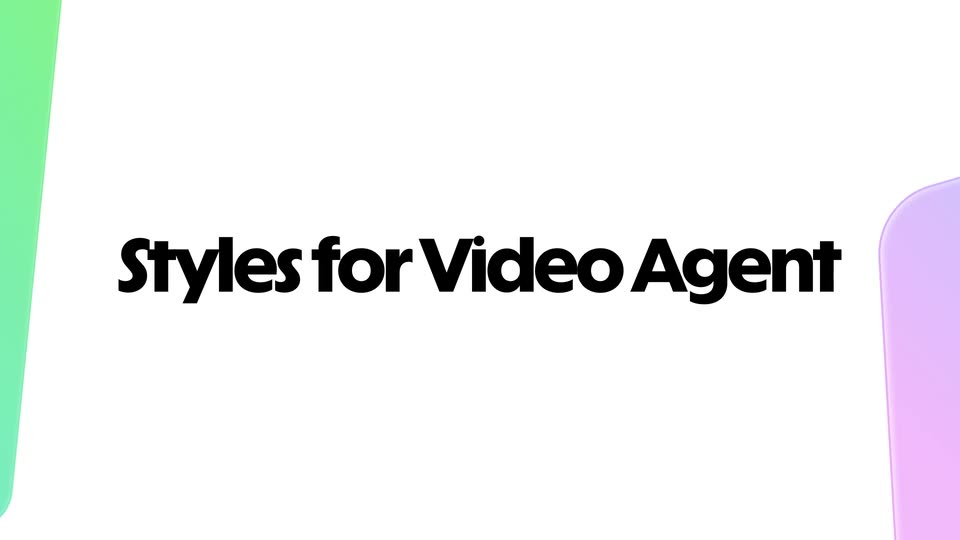
A white card with soft green and lavender shapes at the edges. Centered black text “Introducing” sharpens out of a blur, then is swapped for the bolder line “Styles for Video Agent.” The frame stays locked off.
On-screen text: “Introducing”, “Styles for Video Agent”
Techniques: Kinetic type
Camera: Static
04 · Feature reveal · 0:05–0:06
Black title text sits on white while green and purple rounded shapes frame the edges. The title blurs away as two tilted 3D video-call cards spin into the center between blue shapes.
On-screen text: “Styles for Video Agent”
Techniques: 3D mockup
Camera: Static
05 · Feature reveal · 0:06–0:07
A fan of rounded thumbnail cards of the same man in different outfits flies in with motion blur and settles into an arc. The headline “Choose your style.” pops in at center, then the cards rotate and spread wider.
On-screen text: “Choose your style.”
Techniques: Speed ramp, Kinetic type
Camera: Static
06 · Feature reveal · 0:07–0:09
A white rounded card on a cyan background holds the bold black headline Choose your style. The headline blurs and dissolves as a grid of video clips fades in, each showing a person speaking.
On-screen text: “Choose your style.”
Techniques: Split screen
Camera: Static
07 · Feature reveal · 0:09–0:10
A 2x2 grid of podcast video clips sits on a white rounded card over a pastel blue and pink gradient. The four tiles reflow and resize in a staggered motion, the bottom row growing larger as the top row shrinks.
Techniques: Split screen
Camera: Push in
08 · Feature reveal · 0:10–0:13
As a note card with a blue drop slides off left, a man in a red blazer talks to a mic on a split cyan and lavender background, while a blue dot grid with red tiles overlays the right and a ball bounces into the 45% column.
On-screen text: “THE ANCHORING GAME”, “You're the next contestant on the Anchoring”, “Even when the anchor is clearly irrelevant,”, “STICKY MENTAL GLUE”, “15% 45% 85% 25%”, “45%”
Camera: Push in
09 · Demo · 0:13–0:15
Two rounded panels, a white card with a soft purple-blue gradient blob and a flat cyan card, hold a blurred news-anchor clip with a small caption that fades out. Then the bold black line Generate the video. slides in across the center and holds.
On-screen text: “Even when the anchor is clearly irrelevant,”, “MENTAL”, “Generate the video.”
Techniques: Kinetic type
Camera: Pull out
10 · Demo · 0:15–0:16
A tilted 3D mockup of the interface rests on a pink-to-cyan gradient. The view zooms in on the left sidebar and the open Avatar videos menu, where a hand cursor hovers over the Video icon.
On-screen text: “Generate the video.”
Techniques: 3D mockup, UI zoom
Camera: Push in
11 · Demo · 0:16–0:20
A 3D interface mockup scales up, zooming into a grid of video style thumbnails. A cursor hovers over a Game Boy style card, revealing a Use Style tooltip before the grid fills the frame.
Techniques: 3D mockup, Cursor demo, UI zoom
Camera: Push in
12 · Demo · 0:20–0:22
A white screen holds a bold dark headline above a rounded prompt card. A caret types the prompt into the field, then the whole card shatters into motion-blurred fragments that fly outward from the center as a fast transition.
On-screen text: “Turn your ideas into production-ready video”
Camera: Pull out
13 · Demo · 0:22–0:23
The Video Agent interface sits on a white card over a green gradient, its prompt box and community style grid fully visible. The whole panel then blurs and breaks apart, falling into fragments as it drops out of frame.
Camera: Push in
14 · Feature reveal · 0:23–0:26
A flat browser window shows a man at a desk talking into a microphone, framed by a retro arcade HUD with a counting score and view counter. White captions swap at the bottom while green dots above the HOOK, STORY, CTA, PACING, EDIT labels pulse in sequence.
On-screen text: “YOUR SCRIPT CAN BE”, “PERFECT AND YOUR VIDEO”, “STILL GETS SCROLLED PAST.”
Camera: Push in
15 · Feature reveal · 0:26–0:33
A product window floats on a green and teal gradient, opening blurred then resolving into a two-panel layout. The white left panel reveals a serif title and gray subtitle while the right panel plays a man in a white shirt speaking at a desk with a microphone and laptop. Word-level captions with red highlight boxes advance along the bottom, then the whole window tilts into 3D perspective.
On-screen text: “Because the videos that”, “earn attention today have”, “a visual identity -”, “a look that pulls”, “you in before you've”, “heard a word”
Techniques: Kinetic type, 3D mockup
Camera: Pan
16 · Feature reveal · 0:33–0:39
A flat browser window frames a green STYLE SELECT menu over a man speaking into a mic. A cursor arrow steps down the list and highlights FINANCE in green, while white captions appear at the bottom of the video.
On-screen text: “WITH VIDEO AGENT STYLES,”, “ONE CLICK AND YOUR”, “ANY STYLE YOU WANT.”
Techniques: Cursor demo
Camera: Pan
17 · Feature reveal · 0:39–0:40
A man in a green polo sits at a desk with a boom mic, framed inside a browser window with a Generate button. A stock ticker scrolls across the top and bottom edges while index columns line the sides. Bold captions read ANY STYLE YOU WANT. then INSTANTLY.
On-screen text: “ANY STYLE YOU WANT.”, “INSTANTLY.”
Techniques: Kinetic type
Camera: Static
18 · Feature reveal · 0:40–0:40
A browser window on a green and teal gradient shows a man in a green polo speaking into a desk microphone, framed by scrolling green stock-ticker tapes. The window scales down and blurs toward the right as the clip ends.
Camera: Pull out
19 · CTA · 0:40–0:42
A rounded gradient card in soft green and white tilts in 3D, exposing blue and teal edges behind it. Bold black text reads “Video Agent Styles”, then swaps to “Available Now” at the center.
On-screen text: “Video Agent Styles”, “Available Now”
Camera: Static
20 · Outro · 0:42–0:48
A glossy iridescent 3D mark of four rounded facets spins on a white field, then flattens and shrinks to sit at the upper right of the black two-line 'Hey Gen' wordmark, which settles into place.
On-screen text: “Hey”, “Gen”, “Available Now”
Techniques: Morph
Camera: Static