1:21

Meet Adobe Spark | Adobe
Adobe · May 2016
HeyClicky’s 1:05 launch film runs 40 scenes, about 1.6 s each. The product shows up at 0:21, with social proof. The call to action lands at 1:02 (95% in), over a voiceover. The video is built as a nostalgic first-person story: a typed note opens, a montage of old web artifacts sets the pain, then the app is introduced through its icon, build screen and naming before a long run of tight screen demos closes on a date and URL. Its style is defined by shallow-focus live shots of a laptop on a warm desk intercut with locked-off UI close-ups, a teal-and-cream palette, lowercase sans-serif type, and a single recurring red cursor orb that ties the interface together.
Is this your launch? to your site or press kit.
Adobe · May 2016
Pilot Protocol · Jul 2026
Films whose music sounds like this one, voice left out
Clicky · Lo-fi electronic
Wondering · Electronic, Ambient
Pika · Cinematic electronic, ambient, and orchestral score with UI sound effects
Close-up of a note app on a pale green screen. A blue caret blinks beside the gray placeholder “Pick a thought and go”; when typing starts, the placeholder vanishes and “i miss that era of computers” is typed letter by letter. A blurred header band runs along the top.
Techniques: Kinetic type
Camera: Static
A white laptop sits on a desk before a blurred blue-and-cream background. On its screen, a line of small gray lowercase text types itself word by word into a blank document, a blinking caret trailing the last word.
On-screen text: “i miss that era of computers and the internet where everything felt really light and new.”
Techniques: Kinetic type
Camera: Static
Close-up of a pale gray-green screen with a comment line reading “i miss that era of computers and the internet wl,” cut off at the right edge. Below it, “new...” types out behind a blinking teal caret while the frame stays locked off.
Techniques: Kinetic type
Camera: Static
A laptop screen displays a Newgrounds forum thread with pixel-art characters filling the page background. The thread scrolls downward, moving past a 'THIS WILL BE GRAPHICS IN 2013' post to reveal user comments.
Camera: Pan
A laptop sits on a wooden desk against a blurred office background, its screen filling the frame. The browser window shows a flat red Mars scene: a dome at the base emits a dotted particle trail that arcs up to a ring target, while thin clouds drift.
Techniques: Particles
Camera: Static
A laptop on a wooden desk plays a hand-drawn cartoon: a white horse walks in from the left across a green meadow toward a white unicorn lying on the grass, under a blue sky with clouds. The desk and a vase of flowers stay softly blurred behind it.
Camera: Static
A close-up of a tablet in 3D perspective shows the old Reddit homepage, with the Reddit robot logo and a welcome headline. The screen sits against a softly blurred warm background, held static.
Camera: Static
A laptop on a desk displays the Reddit front page, its list of posts and the Snoo logo filling the screen. The camera holds still on the display while blurred hands rest at the edges of the frame.
Camera: Static
A close-up of a Windows Vista taskbar on a black background. A white cursor moves to the Start orb and clicks it, triggering a brief glow.
Techniques: Cursor demo
Camera: Static
A close-up of a laptop screen shows a row of 3D desktop icons on a starry purple background. The icons slide left across a locked-off frame, revealing more of the shelf, while white labels fade in above them.
Camera: Static
Locked-off close-up of a MacBook desktop with a purple nebula wallpaper and a full dock. The cursor glides along the dock, raising tooltips for the LEGO Digital Designer app and Documents, then the screen fades to black.
Techniques: Cursor demo
Camera: Static
A man in a white sweater and green cap sits on a low concrete wall, looking down at a bag on his lap while his hands move inside it. A picket fence, flowering shrubs and a teal car fill the background in dappled sunlight. Static wide shot.
Camera: Static
A man in a green cap and light sweater sits on a stool inside a glass office pod, typing on a laptop that glows warm. The static shot frames him through the pod's glass against a brick wall, with an empty pod at left. Dim, moody lighting.
Camera: Static
A shallow-focus close-up of a laptop screen shows the dock on a blue desktop; a teal icon with a diagonal light-blue shape animates into the dock between the terminal and trash icons. A white cursor hovers above; the keyboard is blurred in the foreground.
Camera: Static
A close-up of a monitor shows a terminal window running Claude Code, with typed commands and a blinking prompt cursor; a blurred warm-toned object frames the left edge and a Finder window with a blue hammer icon sits behind. The shot stays static with shallow depth of field.
Camera: Static
A laptop screen at a slight angle shows the Xcode interface, with its menu bar, project tree and package list. The on-screen UI gradually fades to near-invisible while the shot holds on a blurred desk background.
Camera: Static
A laptop screen shows the Hey Clicky app: a hammer icon and Build Succeeded label center the view beside a right-hand log of error lines. The interface then updates to a tweet from Farza and a Waiting 1 notification card over a blurred street photo. The camera stays locked off.
Camera: Static
A soft-focus close-up of a monitor displays a Twitter feed. A cursor hovers over a video thumbnail, then the thumbnail plays a camera viewfinder as the feed scrolls up to reveal a second post above.
Techniques: Cursor demo
Camera: Pull out
A close-up of a laptop screen shows a social media post with a headline and body text. An embedded video plays a man in a cap and glasses holding a phone to his ear, inside a camera interface with shutter and zoom readouts. The screen stays still.
Camera: Pull out
A laptop screen shows a social media post with a short video embed that cuts from a dark interface to a teal group shot. The frame stays locked off while the embedded video changes.
On-screen text: “BFarzaTV - May 4”, “It's the simplest interface in the world to talk to Al + spawn agents.”, “Available to all today, enjoy.”, “P.S: Big ty to our friends at @trycua for helping us ship computer use.”
Camera: Pull out
A laptop rests on a wooden desk in a warm, softly blurred room. Its screen shows a social post with a band photo and a short caption, centered on a pale background.
Camera: Static
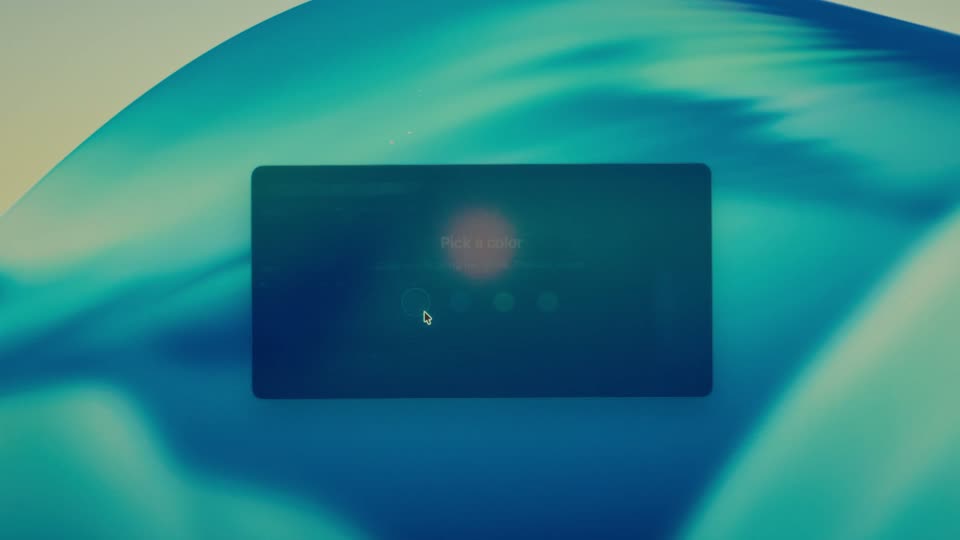
A dark rounded panel sits centered on a blurred teal background, showing a color picker titled Pick a color with five colored dots. A white cursor moves to the red dot and clicks; the panel content fades and a soft red glowing orb expands in its place.
Techniques: Cursor demo, Morph
Camera: Static
Front view of a MacBook on a wooden desk, plant blurred behind. The screen shows a blue desktop with a dark rounded card holding a red circular logo. A cursor drifts down to a button as the greeting text slides in below the logo.
Techniques: Cursor demo
Camera: Static
On a MacBook screen filmed at a low angle, a dark rounded dialog card slides from the center up into the top notch, its text changing from a greeting to a confirmation. The blue wave wallpaper fills the rest of the frame, edges softly out of focus, frame locked off.
Camera: Static
A locked-off close-up of a laptop screen shows a blue macOS desktop and menu bar, with a small cursor drifting down near the notch. The blurred office background, with a plant and a second monitor, stays static.
Techniques: Cursor demo
Camera: Static
A tight, softly focused close-up of a laptop screen shows a dark settings panel with a Cursor color row of four arrow swatches, the red one outlined. The frame stays locked and static against a teal desktop gradient.
Camera: Static
A hand enters from the upper right and a finger taps the trackpad of a dark laptop, shot in close-up with shallow focus and warm light. The keyboard keys blur toward the left edge as the tap lands.
Camera: Static
Locked-off close-up of a laptop screen showing a teal gradient with a blue curved horizon. A white cursor arrow hovers mid-frame as a small red play triangle pops in beside it, while a dark Listening pill with a mic icon sits along the top edge.
Camera: Static
A locked-off shot of a laptop screen showing the Node.js download page in a browser, with two terminal windows overlaid. The left terminal streams a configuration script while the right lists upgrade options and a green button. The frame holds still with no motion.
Camera: Static
Tight close-up on the top-right corner of a laptop screen. A cursor taps a blue circular icon and a dark task card pops in, showing a Running badge and a progress bar, then the cursor drifts to the close button.
Techniques: Cursor demo
Camera: Static
Locked-off close-up of a laptop on a desk, blurred plant at right. The Blender start splash, with logo and character art, closes to reveal the 3D viewport, where a cube rests on the grid and a cursor hovers over it.
Techniques: Cursor demo
Camera: Static
A laptop screen runs Blender, soft and out of focus, then snaps sharp as a red arrow cursor taps the Object menu with a red 'this one!' bubble. The shot cuts to a dark settings panel where the same cursor hovers over a color swatch.
On-screen text: “this one!”
Techniques: Cursor demo
Camera: Static
A locked-off close-up of a laptop screen shows a dark settings panel. A white cursor glides along the Cursor color row, highlighting the blue, yellow and green swatches in sequence, then hovers on the Dock Clicky button. A soft blurred desk fills the background.
Techniques: Cursor demo
Camera: Static
Two arrow cursors drift slowly across a soft, out-of-focus teal gradient. Their fills pulse through white, green, red and yellow as they glide apart and back toward each other.
Camera: Static
A close-up of a laptop screen shows a dark assistant panel expanding over a PDF document. The panel reveals two task cards with file thumbnails, and a cursor moves to hover over a more tile, popping a Finder tooltip.
Techniques: Cursor demo
Camera: Static
A tablet screen is filmed at an angle on a teal gradient background. A white cursor glides to the yellow triangle button on the right, and a translucent tooltip labeled Compressor fades in over the notification card.
Techniques: Cursor demo
Camera: Static
A close-up of a tablet screen at a slight angle shows a dark task card titled Researching Y Combinator with a Running badge and a filling progress bar. A white cursor hovers at the card's top right corner while the screen sits against a soft beige background.
Techniques: 3D mockup, Cursor demo
Camera: Static
On a desk, a laptop screen shows a blue macOS desktop. A small video-call tile in the middle grows larger over two seconds, sharpening into a man in a dark shirt who raises a hand to his face. The dock and a blurred plant remain static.
Camera: Static
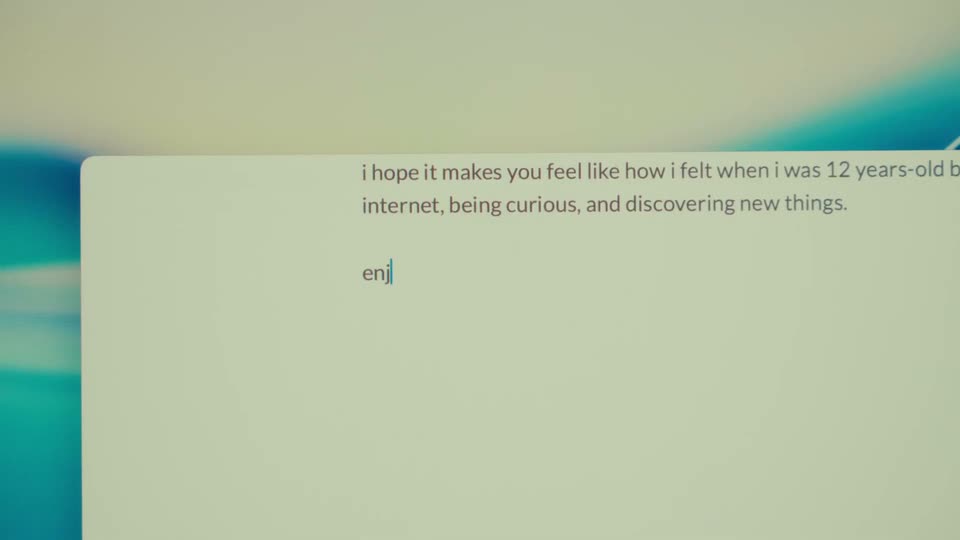
A close-up of a pale note card on a blurred blue background. Two lines of lowercase text sit at the top; below them the word enjoy. is typed letter by letter behind a blinking caret.
Camera: Static
On a black background, white centered text shows the launch date, holds, then is replaced by the URL heyclicky.com/new. The frame stays locked off throughout.
On-screen text: “wed, may 13 at 12 pm pt”, “heyclicky.com/new”
Camera: Static