1:47


Luca IQ (YC S26) Launch
Luca IQ · B2B · Jul 2026
Clicky · May 2026 · 1:06 · AI-annotated
Clicky’s 1:06 launch film runs 38 scenes, about 1.7 s each. The product shows up at 0:21 and 6 features are revealed. The call to action lands at 1:02 (95% in), over a voiceover. The video opens with a typed, lowercase confession and a rapid nostalgia montage of early-2000s web artifacts, then cuts to a personal pitch for a Mac app, Hey Clicky. It then runs a fast, locked-off screen-capture montage of the app in use, punctuated by live-action shots of the maker, and closes on a black card with the launch date and URL.
Is this your launch? to your site or press kit.
Luca IQ · B2B · Jul 2026
HillStar · B2B · Oct 2026
DataVendor · Oct 2026
A close-up of a pale text field on a locked-off frame; a teal caret blinks beside the placeholder Pick a thought and go, then the sentence i miss that era of computers types out centered in gray lowercase sans.
Techniques: Kinetic type
Camera: Static
Locked-off close-up of a white note panel over a blurred teal desktop wallpaper. A single line of lowercase gray text types itself out letter by letter with a thin caret, filling the sentence across the card.
On-screen text: “i miss that era of computers and the internet where everything felt really light and new.”
Techniques: Kinetic type
Camera: Static
A close-up of a pale green text field under a cream top bar with a soft teal blur in the corner. A gray lowercase comment types out letter by letter with a blinking teal caret, reading “i miss that era of computers and the internet when it was new...”. The frame stays locked and the pace is slow.
Techniques: Kinetic type
Camera: Static
A laptop on a wooden desk fills the frame, its screen showing a retro forum bordered by a collage of cartoon characters. The thread page scrolls down, the 2013 graphics post sliding out as a column of replies and avatars scrolls into view against a blurred background.
Camera: Pan
A laptop on a blurred desk shows a browser window with a red-toned illustration: a dome on flat ground, drifting clouds, and a dark circle above. Pale dots rise from the dome and scatter across the frame.
Techniques: Particles
Camera: Static
In a static close-up, a laptop on a wooden desk shows a cartoon: a white unicorn lies on green grass as a second unicorn walks in from the left, beneath a flat blue sky with white clouds and two trees. The office behind stays blurred.
Camera: Static
A close-up of a tablet screen, angled toward the camera, shows the Reddit homepage with its logo, sort tabs and a welcome headline. The warm background stays softly blurred and the shot holds still.
Camera: Static
A laptop rests on a wooden desk, its screen filling the frame with the old Reddit front page, the snoo logo and a column of post links. The shot is static and slightly tilted, with shallow focus softening the warm background.
Camera: Static
A teal desktop interface is cropped into the upper right against black. A white cursor drops onto the circular Start button, which glows as it hovers, beside a blue browser icon and a beige folder.
Techniques: Cursor demo
Camera: Static
A laptop screen at an angle, against a blurred warm background, shows a starry purple desktop. The dock slides left along the bottom, carrying app icons and labels like Finder, Dashboard and Dictionary across the frame.
Camera: Static
A MacBook on a wooden desk, background softly blurred with a green plant, displays a purple aurora desktop and a dock of icons. A small 'LEGO Digital Designer' tooltip hovers over the dock. The frame dims and fades to black.
Camera: Static
A man in a cream sweater, green cap and red sneakers sits on a low concrete ledge, head bowed, hands resting in his lap. A picket fence and flowering shrubs fill the background in a sunlit yard. The camera holds a static wide shot.
Camera: Static
A man in a green cap and pale sweater sits in a glass office pod before a red brick wall. He gestures at a glowing screen, then rests both hands on the desk and watches it. A second empty pod sits dark to the left.
Camera: Static
A low-angle close-up of a laptop screen shows the macOS dock over a blue gradient desktop, the keyboard blurred in the foreground. A new app icon animates into the dock between the terminal and the trash bin while a cursor hovers above.
Camera: Static
A terminal window runs a Claude Code session in sharp focus over a blurred desktop with a teal hammer icon. The window title updates while a typed command settles above a blinking block cursor on the prompt line.
Camera: Static
A close-up of a laptop screen showing the Xcode project view, filmed at a slight angle with shallow focus against a warm, blurred wooden background. The interface stays static through the short clip.
Camera: Static
A laptop screen fills the frame, keyboard blurred below. A macOS app shows a hammer icon above Build Succeeded with a log panel at right. The view then changes to a Waiting card that scales in beside a cursor arrow, over a chat thread and an Oak St card.
Camera: Static
A locked-off close-up of a laptop screen showing a social media post. The embedded video plays a camera viewfinder of a man's face while a cursor drifts over it; the post text updates from a short teaser to a longer description.
On-screen text: “arc.net”
Techniques: Cursor demo
Camera: Pull out
A laptop on a desk in a blurred room displays a social media post announcing the app, the screen filling the frame. The post's embedded media plays, switching from a UI screenshot of a clicking hand to a teal-tinted clip of a group of people.
Camera: Pull out
A laptop sits on a desk against a blurred room, its screen showing a social post card from clicky with a group photo. A teal shape wipes diagonally across the screen, settling into a rounded card that reveals the line Click once to turn a video into a story.
Techniques: Masking
Camera: Static
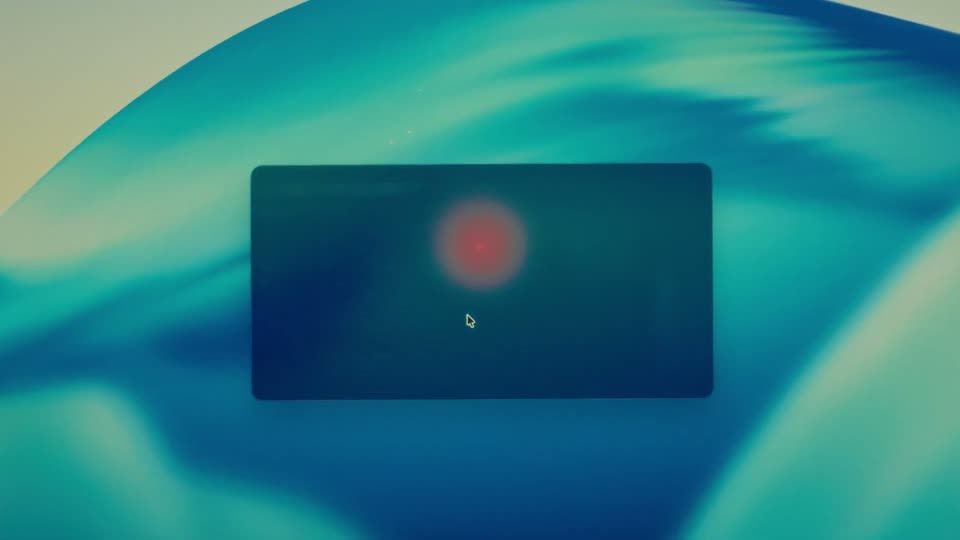
A dark rounded panel on a soft blue-green gradient displays the prompt 'Pick a color' with five colored dots. A white cursor clicks the red dot; the panel vanishes and a red glowing orb with a small triangle appears in the card's center.
Techniques: Cursor demo
Camera: Static
Locked-off shot of a MacBook on a wooden desk, blurred office behind. On the teal desktop, a dark card with a glowing red orb sits center; the orb reveals a play icon and a greeting with a pill button, and the cursor slides down to hover over the button.
Techniques: Cursor demo
Camera: Static
Low-angle locked-off shot of a MacBook screen. A dark card reading “Hi, Vikrant. I'm your Clicky.” with a “Give Clicky a home” button and cursor slides up into the notch, becoming a smaller card reading “I live in your notch now.” with a “Final Setup” button.
Camera: Static
A close-up of a MacBook screen shows the macOS desktop with a teal wave wallpaper, the black notch centered on the top bezel. A cursor moves down the middle of the display against a softly blurred office background.
Techniques: Cursor demo
Camera: Static
A locked-off close-up of a MacBook screen shows a dark Clicky settings panel: the Home tab, a control-plus-option shortcut hint, four cursor color swatches with the red one outlined, and a Dock Clicky button. The laptop notch and a blurred desk sit above the teal wallpaper.
Camera: Static
A close-up, shallow-focus shot of a dark laptop keyboard and trackpad. A hand enters from the top right and lowers a finger to tap the trackpad. Warm side light, locked-off frame.
Camera: Static
A locked-off close-up of a laptop screen's top edge shows the dark notch and a pill reading 'Listening...', an orange microphone icon fading in at its right. A cursor hovers over a teal gradient field with a curved horizon below.
Camera: Static
A static shot of a laptop screen displaying a web browser on the Node.js download page alongside two terminal windows showing code output.
Camera: Static
A close-up of a tablet screen corner against a warm blurred background. A dark task panel expands in the center with a running label, the cursor rests on its close button, then the panel collapses back to a small icon and a red play marker.
Techniques: Cursor demo
Camera: Static
A laptop on a wooden desk shows the Blender interface. The splash screen with the logo and a cartoon character disappears, revealing the grey 3D viewport with a cube and a wireframe camera. The frame is locked off against a blurred background of plants and a person.
Camera: Static
A close-up of a laptop screen racks from blur to focus on Blender's dark viewport, a red triangle cursor moving along the menu bar as a red tooltip pops up. The shot cuts to a rounded settings panel, the cursor hovering over colored swatches.
Techniques: Cursor demo
Camera: Static
Close-up of a dark settings panel on a laptop screen. A pointer glides across the cursor color swatches, highlighting blue, then yellow and green, before resting at the Dock Clicky button.
On-screen text: “Layout Modeling”, “Select Add Object”, “this one!”, “5.1.1”
Techniques: Cursor demo
Camera: Static
A defocused teal gradient fills the frame like a macro shot of a screen surface. Two white cursor arrows and two small triangles, one blue and one orange, drift slowly apart across the center.
Camera: Static
A close-up of a laptop screen shows a dark agent dashboard with two task cards. The cursor travels down from the top menu, a red glow pulses on a file tile, then the cursor hovers the more tile, popping a Finder tooltip.
Techniques: Cursor demo
Camera: Static
A close-up of a tablet screen shows a dark notification card on a teal gradient desktop. The card title switches from Sony headphones to Y Combinator as a cursor hovers at its corner and a column of colored triangle icons shifts vertically.
Techniques: Cursor demo
Camera: Static
A laptop rests on a wooden desk with a blurred plant to the right. On its macOS desktop, a small FaceTime window containing a man in a cap and dark shirt fades in at the center and settles.
Camera: Static
A locked-off close-up of a pale green document over a blurred teal background. A blinking teal caret types the word enjoy. letter by letter beneath a short paragraph about browsing the internet as a 12-year-old.
Techniques: Kinetic type
Camera: Static
A centered white line reading “wed, may 13 at 12 pm pt” holds on a black field, then fades out and is replaced by “heyclicky.com/new” in the same position.
On-screen text: “wed, may 13 at 12 pm pt”, “heyclicky.com/new”
Camera: Static