0:32
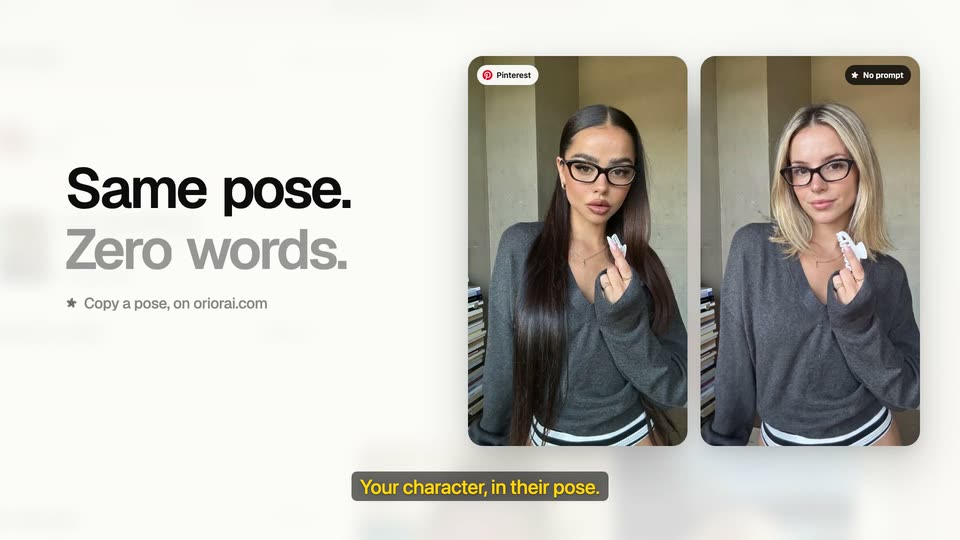

Orior - Introducing the shortest prompt ever written. Zero letters. Drop any
Orior AI · AI · Oct 2026
AgentGrid’s 0:52 launch film runs 19 scenes, about 2.7 s each. The product shows up at 0:09 and 4 features are revealed. The call to action lands at 0:46 (89% in), over a voiceover. The video opens with a problem statement on grid paper, names the product, then walks through four numbered steps (Create, Refine, Real code, Ship) as UI demos, and closes on a benefits trio and a URL card. Signature moves: flat browser mockups that tilt into 3D, type-on headlines with blue italic accents, and scattered pale blue squares that punctuate every transition.
Is this your launch? to your site or press kit.
Orior AI · AI · Oct 2026
ContextQA · Oct 2026
Superhuman · Productivity · Jul 2026
A white window mockup tilts into 3D perspective on the right over a pale grid background, while a gray headline types in on the left, its closing phrase set in blue italics.
On-screen text: “AI designs for you, but you need a visual way to collaborate.”
Techniques: Kinetic type, 3D mockup
Camera: Static
On a light grid-paper background, a black headline with a blue italic phrase sits left of a tilted 3D browser mockup that fades in. A row of AI tool logos settles below the headline, then a second Prompts panel slides in front of the mockup.
On-screen text: “AI designs for you, but you need a visual way to collaborate.”, “ChatGPT”, “Codex”, “Claude Code”, “Cursor”
Techniques: 3D mockup
Camera: Static
A light grid background holds a large left-aligned headline that swaps from one sentence to another, while a flat browser mockup of a Kestrel Labs site and a Prompts chat panel sit on the right, a dark message bubble dropping into the chat. A row of small tool logos lines the lower left.
On-screen text: “AI designs for you, but you need a visual way to collaborate.”, “Getting it right needs twenty more prompts”
Techniques: Kinetic type
Camera: Static
A browser mockup and a prompt card sit on a grid background above a scrolling row of AI logos, while a counter ticks from 3 to 20 and black bars stack up. The headline swaps, the card slides off, and a cursor selects two research cards on the page.
On-screen text: “Getting it right needs twenty more prompts.”, “Sometimes, it's easier to drag than to prompt.”
Techniques: Cursor demo
Camera: Static
A light grid background holds a large left-aligned headline with the words to drag in blue, a row of partner logos beneath it, and a flat browser window on the right. The whole composition fades out to near white as a small centered label appears.
On-screen text: “Sometimes, it's easier to drag than to prompt.”, “INTRODUCES”, “Agentic Canvas”
Camera: Static
A faint light grid fills the frame with small blue squares in the corners. The headline Agentic Canvas settles in at center with a brief blur, framed by a small blue INTRODUCING line above and a gray by AgentGrid.io byline below.
On-screen text: “INTRODUCING”, “Agentic Canvas”, “by AgentGrid.io”
Techniques: Kinetic type
Camera: Static
A light grid backdrop holds the locked black title Agentic Canvas with a small AgentGrid.io mark. A row of ten colored agent badges slides in left to right along the bottom, while the tagline finishes with with AI. in blue italic.
On-screen text: “INTRODUCING”, “Agentic Canvas”, “by AgentGrid.io”, “A visual way to collaborate with AI.”
Camera: Static
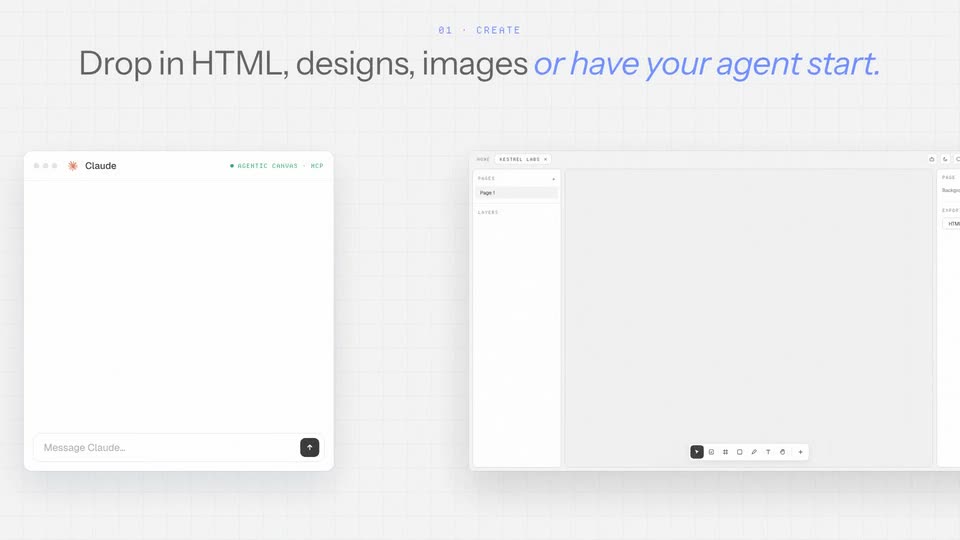
A light grid title card holds the headline Agentic Canvas by AgentGrid.io above a row of colored agent cards, then cuts to a two-panel interface: a Claude chat window on the left and the Agentic Canvas editor on the right, under the label 01 · CREATE.
On-screen text: “INTRODUCING”, “Agentic Canvas”, “by AgentGrid.io”, “A visual way to collaborate with AI.”, “01 · CREATE”, “Drop in HTML, designs, images or have your agent start.”
Camera: Static
A chat panel and a canvas panel sit side by side under a serif headline. Text types into the chat input, then the canvas builds a webpage section by section: nav, hero with a blue globe, and three chart cards. The view then reframes onto the finished canvas.
On-screen text: “01 · CREATE”, “Drop in HTML, designs, images or have your agent start.”
Techniques: UI zoom
Camera: Push in
A web design editor shows a Kestrel Labs page in the center canvas. A cursor selects the headline, opens a color popover to recolor the button orange, then selects a research card and moves it to the first slot. The scene ends with a fade to white.
On-screen text: “02 · REFINE”, “Tweak by hand. Every edit is real code.”
Techniques: Cursor demo
Camera: Static
A white research page mockup on a grid background tilts into 3D perspective, then flips into a dark card of HTML and CSS code while blue squares drift around it. A headline stays fixed above.
On-screen text: “03 · REAL CODE”, “Underneath, it's real HTML and CSS.”
Techniques: 3D mockup, Particles, Morph
Camera: Static
A dark code editor window sits centered on a white grid background, with a black-and-blue headline above and scattered pale blue squares. The code lines shift and a white export panel with HTML and PNG buttons slides in from the left.
On-screen text: “03 · REAL CODE”, “Underneath, it's real HTML and CSS.”
Camera: Pull out
On a light grid, a dark code panel slides left off an export card, exposing HTML, PNG, SVG, PDF buttons and a cursor. Two agent cards, Claude Code and Cursor, fade in on the right under a gray caption. The headline sits top center.
On-screen text: “04 · SHIP”, “Export, publish or share.”, “HAND IT TO YOUR CODING AGENT”
Techniques: Cursor demo
Camera: Static
On a light grid, a white export card sits left with a cursor over the HTML button, while a dotted line arcs to three tilted agent cards that settle into place; the Claude Code card then gains a blue outline and a green check badge. A headline reads above.
On-screen text: “04 · SHIP”, “Export, publish or share.”
Techniques: 3D mockup, Cursor demo
Camera: Static
On a white grid, a cursor clicks the black Share button inside a centered toolbar pill. A dropdown menu drops in below it listing four actions, and the cursor glides down to highlight the last row. A large headline sits above the toolbar.
On-screen text: “04 · SHIP”, “Export, publish or share.”
Techniques: Cursor demo
Camera: Static
A light gray screen holds a large headline and a white share dialog with a URL field. A cursor sits on the green Copy link button and clicks it, which flips to a Copied state with a checkmark.
On-screen text: “04 · SHIP”, “Export, publish or share.”
Techniques: Cursor demo
Camera: Static
A faint gray grid fills the frame as a small blue tag and a dark feature card with a white laptop line drawing fade in on the left. The headline “Free & local. Agent-first. Code-based.” and the small blue label “WHY AGENTIC CANVAS” appear above, while blue squares pop into the corners.
On-screen text: “WHY AGENTIC CANVAS”, “Free & local. Agent-first. Code-based.”, “01”, “Free & local”, “Runs in your browser. No account. Your files stay on your machine.”
Techniques: Kinetic type
Camera: Static
On a light grid background, a headline sits above three feature cards. The black card shows a laptop with file icons, the blue card spins a ring of agent logos around an app icon, and the orange card types out HTML code. The cards assemble and the icon ring rotates.
On-screen text: “WHY AGENTIC CANVAS”, “Free & local. Agent-first. Code-based.”
Camera: Static
A white grid title card: the gray headline 'Agentic Canvas' darkens, then byline, blue italic tagline, URL pill and a row of ten agent icons drop in. On the right, a blue panel streams white code into a hand-shaped silhouette, then the frame holds.
On-screen text: “MADE FOR AGENTS & HUMANS”, “Agentic Canvas”, “by AgentGrid.io”, “Design with your AI agents.”, “canvas.agentgrid.io”
Techniques: Kinetic type, Particles
Camera: Static