1:26
Wix Harmony: The new way to create
Wix Harmony · Jan 2026
Heraw’s 2:28 launch film runs 75 scenes, about 2.0 s each. The product shows up at 0:02 and 4 features are revealed. There is no explicit call to action; a voiceover carries the film. The video opens on a light-flare sting and the HERAW logo, then runs four feature chapters (Share, Review, Manage, Plan), each announced by a 3D metallic title card and followed by a flythrough of tilted interface panels, before closing on an integrations grid, phone mockups and a logo reprise. Its signature moves are camera pushes through extruded letters into 3D UI, magenta and orange light flares, and motion-blur whip cuts kept to a steady 140 bpm.
Is this your launch? to your site or press kit.
Wix Harmony · Jan 2026
Teamble · Jan 2026
Films whose music sounds like this one, voice left out
Apple · Cinematic electronic trailer music
Sony · Electronic, cinematic trailer music, and pop
DJI · Cinematic trailer music and electronic dance music
On a dark field, two translucent glass discs float while a bright point of light emits a rainbow beam. The background shifts to a magenta glow, then the light blooms into a cluster of overlapping spheres around a white core as the beam turns pink.
Camera: Static
On a dark navy field, a bright orange flare blooms and resolves into a four-petal mark of overlapping orange, pink and red circles. The white serif wordmark HERAW scales in beside it with a soft glow, then the whole lockup fades to black.
On-screen text: “HERAW”
Techniques: Light sweep, Kinetic type
Camera: Static
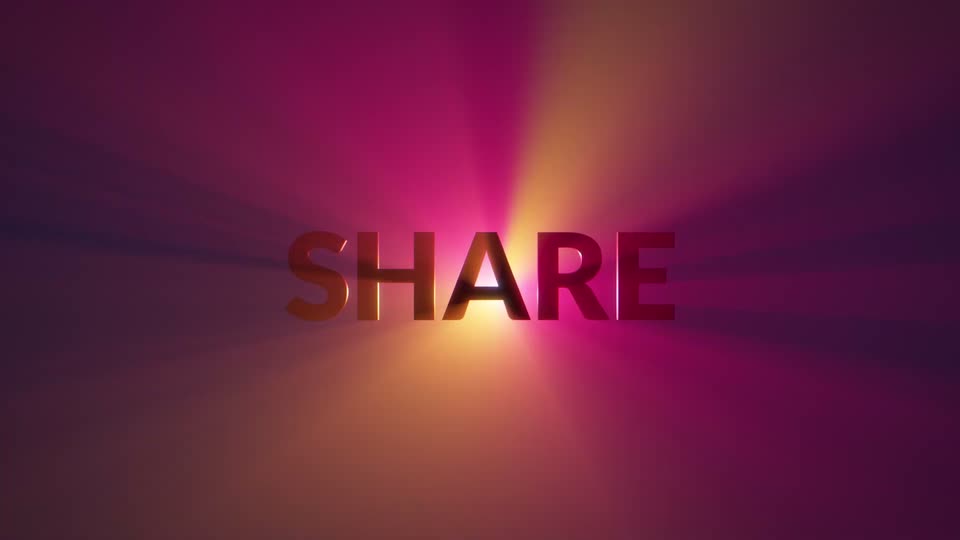
A bright light flares up behind the word SHARE in metallic 3D letters, pushing the view from a low angled room to a centered frontal frame. The background shifts from a pink and blue gradient to a magenta burst with radial light streaks as the glow peaks.
On-screen text: “SHARE”
Techniques: Light sweep
Camera: Static
The word SHARE in heavy dark metallic type sits over a burst of pink and orange radial light. The camera pushes forward through the letters, which blur and drift left, revealing a 3D interface panel and two phone mockups in perspective.
On-screen text: “SHARE”
Techniques: 3D mockup, Parallax
Camera: Static
A dark file-management interface sits in 3D perspective at an angle, lit by a magenta glow on the left. The angled view holds as two video thumbnails, a wave and a surfer, slide into the list with filenames and durations.
Techniques: 3D mockup
Camera: Push in
A dark media-library interface sits tilted in 3D perspective against a magenta-lit backdrop. The list scrolls down, revealing video thumbnails, photo cards and document icons.
Techniques: 3D mockup
Camera: Pull out
A dark file manager interface is shown in 3D perspective, its rows of media thumbnails stacked in depth; the view zooms onto a row of surf video cards as a cursor hovers over the center thumbnail.
Techniques: 3D mockup, UI zoom, Cursor demo
Camera: Push in
A grid of video file cards, each with a thumbnail, filename and a black duration pill, sits in a tilted 3D perspective that levels to a flat front view. A white cursor drifts across the dark interface beneath a top bar with Add and Share via Cast buttons.
Techniques: 3D mockup, Cursor demo
Camera: Pan
A dark file-management interface fills the frame, a sunset surfer banner above a grid of video and photo thumbnails. The view pulls back from a tight crop to reveal the full grid and a right-hand info panel with a pink Save button.
Techniques: UI zoom
Camera: Static
A 3D-angled cloud file panel sits against a dark backdrop. The camera pushes in on the General info section while the description box types out a blurb for a Haiti surfing documentary, ending on a pink Save button.
Techniques: 3D mockup, UI zoom
Camera: Pan
A dark metadata panel, tilted in 3D perspective, holds a pink Save bar above Labels and Tags sections. Tag chips pop in row by row while the input field types out “Surl” then “Community”.
Techniques: 3D mockup
Camera: Static
A tilted 3D screen shows a video file manager. The right panel dissolves from an Informations view to a Settings view as the camera zooms in, and two green toggles for Encrypt videos and Add watermark switch on.
Techniques: 3D mockup, UI zoom
Camera: Push in
A 'New cast' dialog scales open over a dark file app, the background blurring to isolate it. A background-image picker appears, a sunset surfer thumbnail is selected, then it closes and the image fills the Background field.
Techniques: UI zoom
Camera: Push in
A dark file-browser screen whips in from heavy motion blur and eases to a sharp stop, revealing a surfing-logo banner above rows of video and image thumbnails. The frame then tightens slightly on the thumbnail grid.
Techniques: Speed ramp, UI zoom
Camera: Pull out
The word REVIEW sits centered in black on a dark navy field, scaling up slowly. A pink light cone sweeps in from the top left, its bright core flaring at the center and illuminating the letters.
On-screen text: “./ Rushes / Day 16”, “REVIEW”
Techniques: Kinetic type, Light sweep
Camera: Static
Centered 3D metallic letters spell REVIEW in an orange-to-red gradient on a magenta backdrop. The word scales up while a bright orange glow with radiating rays blooms behind it, intensifying through the shot.
On-screen text: “REVIEW”
Techniques: Kinetic type, Light sweep
Camera: Static
The word REVIEW in gold 3D letters flashes with a central light burst on a pink radial background, then darkens and vanishes. A flat video-player panel showing a woman's face rotates into the frame in 3D, faces front, then spins away to the left.
On-screen text: “REVIEW”
Techniques: Kinetic type, 3D mockup
Camera: Static
A video editor window sits tilted in 3D perspective on a dark background, its preview showing a beauty ad of a woman's face. The camera pushes in toward the preview, cropping the top of the window and bringing the right-hand panel into view.
Techniques: 3D mockup, UI zoom
Camera: Push in
A video-review interface sits on a screen tilted in 3D against a dark backdrop with a magenta glow on the right. A beauty video of a woman's face plays beside a comments panel; the screen drifts in perspective as a new comment box slides in at the bottom.
Techniques: 3D mockup
Camera: Static
A dark comment card with Task and Comment tabs floats over a video editing timeline on the left. The message body types out line by line, ending with a red pencil button glowing in the corner. The panel drifts slightly upward.
Camera: Static
A dark review interface is cropped tight on a single blue-bordered task card. The camera pulls back and shifts right to reveal a second identical card beside it, while a 3D skin render sits in the white panel to the left.
Camera: Push in
Close-up of a woman's face, both hands resting on her cheeks, as a red line animates across her cheek into a loose oval loop. A blurred dark interface panel on the right edge fades away during the first half.
Camera: Push in
Close-up of a woman with both hands resting on her cheeks against a pale background. A red hand-drawn oval traces around her left cheek, marking the skin area.
Camera: Static
A 3D-angled close-up of a video-review screen zooms out, settling on two side-by-side clips of a woman cupping her face; the brighter right clip carries an active-version tag.
Techniques: 3D mockup, UI zoom
Camera: Pull out
A tilted 3D view of a dark subtitle editor panel, timestamped caption lines on the right and a video preview with action buttons on the left. The frame drifts slowly leftward across the angled interface against a dark purple gradient.
Techniques: 3D mockup
Camera: Push in
A dark interface panel angled in 3D perspective holds a numbered list of skincare lines with timestamps, scrolling slowly upward. A white card with a pale hand sits to the left, the right side fading into a dark gradient.
Techniques: 3D mockup
Camera: Static
A close-up of a video editor screen: a preview window shows a woman resting her hands on her cheeks while subtitle text changes, and a dark right panel lists numbered clip entries above a timeline with colored markers.
Camera: Static
A dark editing panel in 3D perspective against a white and black split. An expanded cue shows a blue timecode pill, a formatting toolbar, and an editable caption with a blinking caret, above Cancel and Edit buttons. The camera drifts across the tilted panel.
Techniques: 3D mockup
Camera: Push in
A video editor's preview window shows a close-up of a smiling woman, hands cradling her cheeks, with a white two-line caption over her face. Below, the player's black bar holds a timecode and pause controls. The footage plays as her hands shift slightly.
On-screen text: “Infused with natural ingredients for a fresh, glowing complexion”
Camera: Push in
A video review interface shows a woman's face in the player and a notes panel on the right. The view reframes onto the top bar as a dropdown menu opens under the Download button, listing Source file and Video with subtitles.
Techniques: UI zoom
Camera: Push in
A video editing interface, tilted in 3D perspective against a dark purple gradient, shows a beauty clip of a smiling woman touching her face in the preview window. A timeline of labeled thumbnails runs along the bottom. The frame stays locked-off.
Techniques: 3D mockup
Camera: Static
A dark review interface shows a close-up beauty photo on the left and a black panel on the right. A status dropdown fades in over the panel, the Approved row highlights, and the top status pill switches from pink Retake to green Approved.
On-screen text: “BEAUTY APPLICATION”
Camera: Static
A tilted monitor displays a video editor timeline: a preview of a hand on skin above a filmstrip of face thumbnails. Colored status pills read W/FA, W/WP and Approved, and the right-hand pills flip to Approved as the camera drifts slowly across the angled screen.
Techniques: 3D mockup
Camera: Static
A pink light cone sweeps in from the top-left, its bright white tip grazing the first letter of the centered word MANAGE on a dark navy field. The word holds still and dark until the beam touches it, then glows.
On-screen text: “MANAGE”
Techniques: Light sweep
Camera: Static
The 3D word MANAGE sits centered over a magenta-to-orange gradient. A bright light burst pulses and drifts behind the letters while diagonal rays hold the frame, and the word scales slightly in place.
On-screen text: “MANAGE”
Techniques: Kinetic type, Light sweep
Camera: Static
The word MANAGE scales in centered over a pink and orange glow with radiating light rays, then clears to a dark blue field where a tilted 3D window of an Active projects list floats in perspective.
On-screen text: “MANAGE”
Techniques: Kinetic type, 3D mockup
Camera: Push in
A dark project-management interface sits in 3D perspective on a black background, its sidebar listing colored project categories. The camera pushes in as the Advertising folder expands and four file rows with sizes, creators and status pills fade into the list.
Techniques: 3D mockup, UI zoom
Camera: Push in
A dark project-management interface floats in 3D perspective on a black background with a faint magenta glow. Its list of rows morphs into a grid of thumbnail cards, one flashing a white outline, as the camera slowly orbits right.
Techniques: 3D mockup, Morph
Camera: Pull out
A tilted device screen in 3D perspective shows a dark app interface. The camera pushes in toward the blue New project button, which flares brighter mid-shot, while Remaining and Tasks tabs and a 3 Months 38 Days countdown sit below.
Techniques: 3D mockup, UI zoom
Camera: Push in
A dark New project dialog sits centered over a blurred dashboard. Form fields cycle through sample values, swapping the project name, entity, label, dates and color swatch, while the design preview updates to the matching poster. The frame then loses focus and blurs out.
Camera: Push in
A blue project dashboard with a grid of labeled folder cards racks from blur to sharp focus and back, holding on the Root folder view.
Camera: Pull out
A dark file-management interface fills the frame, showing a blue header with a project title and a grid of eight labeled folder cards. The view eases out slightly to reveal the full window edge.
Camera: Pull out
A tilted 3D screen shows a blue project header with a status pill. The pill opens a dropdown of four states, the selection moves from Draft to Invoiced, then the camera pulls back to reveal a team list and folder cards.
Techniques: 3D mockup, UI zoom
Camera: Pull out
A dark Members panel listing users with avatars, emails and role dropdowns fades in and sharpens over a blurred dashboard background.
Camera: Static
A dark team-member list is shown at a 3D angle, then rotates to face the camera as a role dropdown panel fades in on the right, listing Contributor, Reviewer and Spectator with their permissions.
Techniques: 3D mockup
Camera: Pan
A dark task-board interface is shown tilted in 3D, floating in black space. The camera pans right across the angled screen, revealing columns of post-production tasks and the New Task button at the far edge.
Techniques: 3D mockup
Camera: Pull out
A dimmed dashboard with two enlarged booking cards dissolves into the full interface. The left task list and right activity feed settle into place as the feed scrolls down.
Techniques: UI zoom
Camera: Push in
The word PLAN sits centered in black on a dark navy field. A pink-to-orange beam sweeps in from the top left and blooms into a radial burst of light behind the letters, which stay locked in place.
On-screen text: “PLAN”
Techniques: Light sweep
Camera: Static
A 3D metallic word PLAN sits centered on a magenta-to-purple gradient. A bright starburst of light pulses behind the letters and drifts rightward, its rays rotating slowly across the frame.
On-screen text: “PLAN”
Techniques: Light sweep
Camera: Static
The 3D extruded word PLAN sits over a magenta-to-orange gradient with a radial light burst behind it. The camera pushes in as a tilted 3D UI panel with a sidebar and list fades into the center.
On-screen text: “PLAN”
Techniques: 3D mockup
Camera: Static
A 3D-tilted calendar interface floats in dark space, its grid of colored task bars receding in perspective. Colored task tags drift in from the right and settle onto the grid as the camera pushes in, ending on a close-up where a Users, Items, Labels dropdown opens.
Techniques: 3D mockup, Parallax, UI zoom
Camera: Push in
A dark calendar grid with orange, purple, green and blue task blocks fills the frame. A centered dropdown menu lists Users, Items and Labels, the last glowing white as it is selected.
Camera: Static
A dark project scheduling board tilts in 3D perspective against a black background. The camera pans slowly right and down across a timeline grid of colored task blocks and a left column of category labels.
Techniques: 3D mockup
Camera: Pan
A dark Gantt-style calendar of colored task blocks fills the frame, with a Group by dropdown open in the center listing Users, Items and Labels. The view slowly zooms in, pushing the top toolbar out of frame and enlarging the schedule around the menu.
Techniques: UI zoom
Camera: Push in
A scheduling interface tilted in 3D perspective scrolls vertically against a dark gradient. A left column lists team members with avatars while the right shows a calendar of green, orange and purple task blocks.
Techniques: 3D mockup
Camera: Pan
A dark week calendar fills the frame with rows of colored event blocks. A booking detail card for an aerial drone shoot scales open at the center over the grid, and the view reframes tighter onto it.
Techniques: UI zoom
Camera: Push in
A detail card for an Aerial Drone Shooting event floats over a dark calendar of colored blocks. A purple Shooting label fills the label field, then the cursor selects Drone 03 from a dropdown of three drone items and the list fades out.
Techniques: Cursor demo
Camera: Pull out
A dark Gantt timeline with orange, purple and teal task bars sits tilted in 3D perspective. The camera eases flat and pushes in on a glowing purple Aerial Drone Shooting bar, ending on a straight-on close-up of the grid.
Techniques: 3D mockup, UI zoom
Camera: Push in
A tilted 3D view of a dark time-reporting screen shows a weekly calendar with two booked entries and a total-time chip. The camera pushes in and levels out, bringing the interface from an angled perspective to a flat frontal fill of the frame.
Techniques: 3D mockup
Camera: Static
A dark time-reporting dashboard is shown at a tilted 3D angle, the left edge closer to camera. The view drifts slowly rightward across the date row and task list, with a brief motion blur at the start.
Techniques: 3D mockup
Camera: Pan
A dark time-tracking interface tilts in 3D perspective at the left of frame, its right edge catching a thin vertical highlight. The camera drifts and racks focus from soft to sharp, settling on the date row and a list of timed entries.
Techniques: 3D mockup
Camera: Pan
A dark screen tilted in 3D perspective shows the Time Reporting interface. The task list scrolls upward, revealing entries for Morning Outdoor Scene Shooting, Review takes, Rough cut, and an End-of-day shoot debriefing session, set against a black background with a faint magenta glow on the right.
Techniques: 3D mockup
Camera: Push in
A dark statistics dashboard fills with data as member, item and label lists populate and two donut charts draw in. A file counter ticks up to 1276 while ghosted Camera 01 and Light 01 labels fade across the center and the view pushes in.
Techniques: UI zoom
Camera: Push in
A dark statistics dashboard titled Project's Statistics sits at a 3D angle. Two columns list members' and items' time, and the camera drifts slowly downward to reveal more rows.
Techniques: 3D mockup
Camera: Static
A dark project dashboard interface floats in 3D perspective on a near-black background and rotates, swinging from a front view to a near edge-on angle. A small white SPACE FILMS logo holds in the top right corner.
On-screen text: “SPACE FILMS”
Techniques: 3D mockup
Camera: Static
A grid of app icons floats on black in 3D perspective, edges blurred by depth of field. Thin circuit lines link a central dark tile with a four-circle logo to the surrounding icons, and a bright glint sweeps across it as the frame focuses in.
Techniques: 3D mockup, Light sweep
Camera: Pull out
A flat grid of colorful app icons on a black background, linked by thin lines, tilts slightly in perspective. A glowing pink and orange pinwheel emblem at the center pulses brighter, then the entire field fades to black.
Camera: Static
A smartphone mockup floats on a dark red gradient, tilting in 3D to reveal an app screen. The interface lists project cards with thumbnail images, status tags and colored progress bars.
Techniques: 3D mockup
Camera: Static
A smartphone floats in 3D against a red-orange gradient, its screen showing a task app with colorful project cards. The device rotates from a tilted angle to face the camera as a warm glint sweeps its left edge.
Techniques: 3D mockup, Light sweep
Camera: Static
A smartphone mockup floats in 3D perspective against a red-orange gradient, its screen showing a video editor with a face preview, timeline, and notes panel; the device eases from a tilted angle to upright.
Techniques: 3D mockup
Camera: Static
A smartphone in 3D perspective floats centered against an orange-to-magenta gradient with a bright glow behind it. Its dark screen shows a task list that scrolls, swapping items between frames while the device holds a slight tilt.
Techniques: 3D mockup
Camera: Static
A small teal rectangular object glows orange at the center, wrapped in drifting magenta smoke. The glow fades as the object shrinks to a distant point of light, casting a diagonal beam while oval lens flares drift in from the upper left.
Camera: Static
Translucent glass discs float in a magenta gradient field and slowly drift inward, clustering around a warm central light that casts a diagonal beam.
Camera: Static
A translucent magenta orb with a white highlight floats left of center on a dark purple gradient, casting a diagonal orange beam down-right. The orb rotates and tightens into a bright burst.
Camera: Static
On a dark navy field, a bright pink-orange flare blooms at center-left and resolves into the four-petal HERAW mark. The white serif wordmark brightens beside it, holds steady, then both fade to black.
On-screen text: “HERAW”
Techniques: Light sweep
Camera: Static