1:21
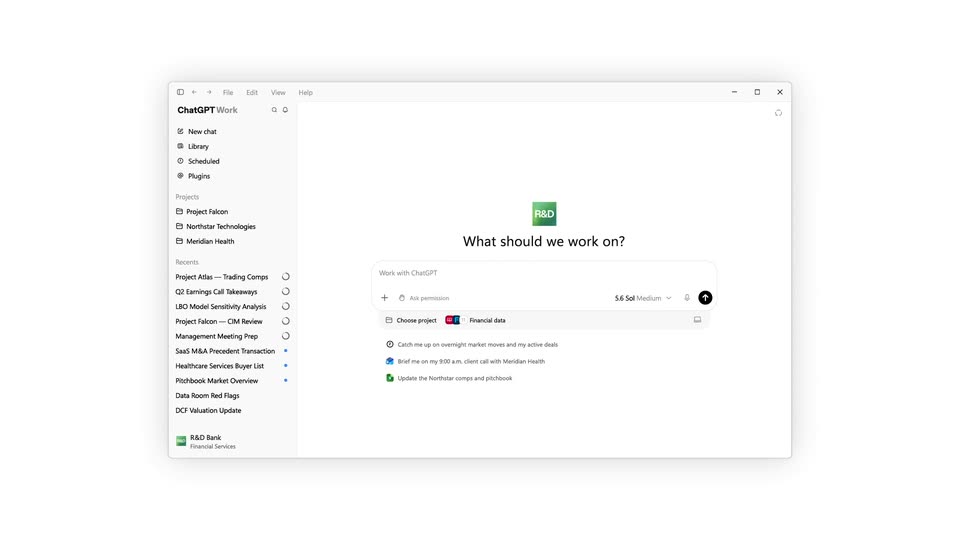
OpenAI - Now available: ChatGPT for Financial Services. This is a tailored Ch
ChatGPT for Financial Services · Sep 2026
Harvey · Jun 2025 · 0:30 · AI-annotated
Harvey’s 0:30 launch film runs 15 scenes, about 2.0 s each. The product is on screen from the first frame and 1 feature is revealed. There is no explicit call to action. The video alternates locked-off serif title cards with flat interface demos, each demo a slow zoom or pull-back on a dotted grid that grows a single node into a branching patent workflow. Signature moves are the letter-spacing type reveals, the cursor-driven card additions, and the hard flip between pale and black fields.
Is this your launch? to your site or press kit.
ChatGPT for Financial Services · Sep 2026
OpenAI · AI · Sep 2026
The white wordmark Harvey holds centered on a plain black background. The frame stays locked and the type remains static for the full shot.
On-screen text: “Harvey”
Camera: Static
On a plain off-white background, the Harvey wordmark dissolves into the centered serif title Workflow Builder. The title then holds still for the rest of the shot.
On-screen text: “Harvey”, “Workflow Builder”
Techniques: Morph
Camera: Static
A flat product interface shows a workflow builder: a left navigation sidebar, an empty canvas with a small placeholder box, and a right details panel. A large serif “Workflow Builder” headline sits centered in the canvas while the right panel slides in.
On-screen text: “Workflow Builder”
Camera: Pull out
A light workflow editor interface zooms from a soft, wide framing to a sharp close-up, the Workflow details panel sliding in on the right while a cursor hovers over the Access field.
Techniques: UI zoom, Cursor demo
Camera: Push in
A centered white card reads 'Set the first event of your workflow' on a dotted grid. A dropdown menu opens below it with File upload, Text input, Prompt and Response rows, each with a small icon. A cursor glides up and hovers the File upload row, which highlights.
Techniques: Cursor demo
Camera: Static
A File upload workflow card with a User input tag sits on a dotted grid. A cursor glides from the card down to the lower right as the Add step button fades in below the connector node.
Techniques: Cursor demo
Camera: Static
A dark serif headline reading “Start Simple” sits centered on a pale gray field with a faint dot grid. The text scales up smoothly from a small size to a large one, growing to fill the frame by the end of the clip.
On-screen text: “Start Simple”
Techniques: Kinetic type
Camera: Static
A flat white workflow builder shows a File upload card on a dotted grid. A cursor clicks the Add step button, a Text input card fades in below it, the stack reflows upward, and the cursor drops to the new Add step button.
Techniques: Cursor demo
Camera: Static
On a plain white background, a single line of dark serif type starts with its letters overlapping and crowded, then the characters slide apart until the phrase reads clearly and holds in the center of the frame.
On-screen text: “Or Add Complexity”
Techniques: Kinetic type
Camera: Static
A cursor clicks Add step beneath a Text Input card, splitting it into No and Yes branches. The view then zooms out to reveal Prompt and Response cards filling each path of the patent workflow diagram.
On-screen text: “Or Add Complexity”
Techniques: Cursor demo, UI zoom
Camera: Pull out
A node-based workflow diagram on a light dotted grid. Two columns of white cards titled Prompt, File upload and Response connect through No and Yes branches. The frame slowly pulls back to reveal a Text Input card at the top of the flow.
Techniques: UI zoom
Camera: Pull out
A flowchart of connected node cards (File upload, Text Input, Prompt, Response) zooms out to reveal its full branching layout, then fades out as a large light-gray word 'Every' fades in on the left.
On-screen text: “Every”
Techniques: UI zoom, Kinetic type
Camera: Pull out
A centered black serif line reads “Every workflow is yours to” on a plain off-white background, then swaps to “shape, scale, and share.” The frame stays locked off with no camera movement.
On-screen text: “Every workflow is yours to”, “shape, scale, and share.”
Camera: Static
A centered black serif sentence sits on a plain off-white background. The text remains static in the middle of the frame.
On-screen text: “shape, scale, and share.”
Camera: Static
A black frame holds white serif text. “Built by You.” appears left of center, then “Powered by Harvey.” extends from it, and the full line recenters to the middle before holding still on a locked-off frame.
On-screen text: “Built by You. Powered by Harvey.”
Techniques: Kinetic type
Camera: Static