
4:09
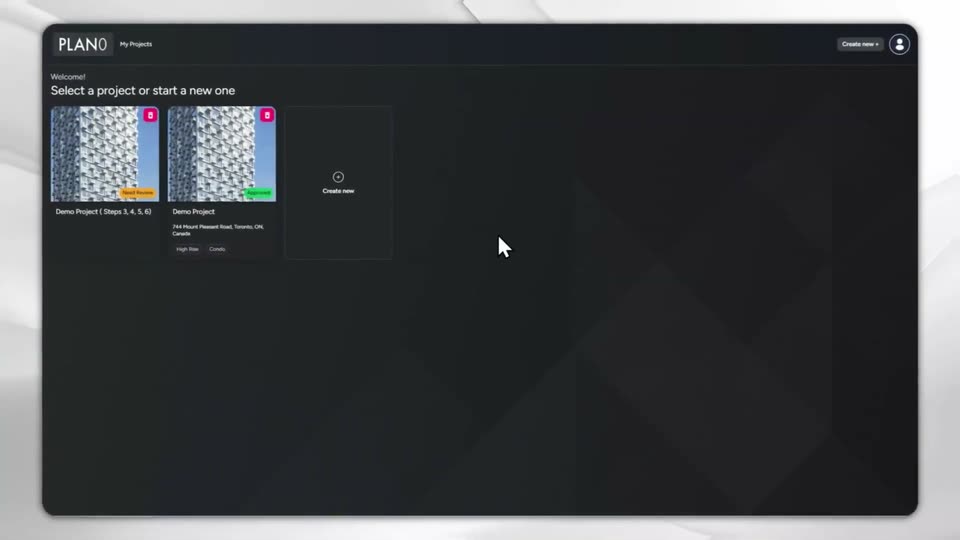

PLAN0 Demo Video
PLAN0 AI · Real Estate and Construction · Apr 2026
Harbor’s 2:00 launch film runs 52 scenes, about 2.3 s each. The product shows up at 0:05 and 2 features are revealed. The call to action lands at 1:57 (97% in), over a voiceover. The video chains a myth-busting hook, two feature demos, and two character vignettes, each separated by horizontal whip-blur transitions and black caption pills that carry the voiceover. Interface shots are tilted in 3D over dark backdrops while the live action stays bright and warm, keeping the pace brisk at 128 bpm.
Is this your launch? to your site or press kit.
PLAN0 AI · Real Estate and Construction · Apr 2026
Odin Robotics · Industrials
Bambu Lab · Nov 2026
Films whose music sounds like this one, voice left out
DJI · Electronic, Rock
Rodeo Robotics · Promotional / Corporate
HyperFrames · Modern electronic
A journal article page fills the frame as the view zooms steadily into the bold headline, the words growing until they crop the edges. A black pill caption reading Clinical trials stays fixed at the bottom center throughout.
On-screen text: “Clinical trials”
Techniques: UI zoom
Camera: Push in
A news article on clinical trials fills the frame, opening on a tight crop of the headline and pulling back to reveal the full page. A black caption box with white text reading 'are getting slower' stays centered at the bottom throughout.
On-screen text: “are getting slower”
Techniques: UI zoom
Camera: Static
A blurred article page scrolls behind a sharp white headline and paragraph that drift upward. A dark caption box at the bottom swaps its line as the page reframes onto a second story.
On-screen text: “How can pharma manage rising trial costs?”, “With trial costs rising over the past decade and concerns they'll keep climbing, companies are seeking ways to manage expenses.”, “are getting slower.”, “and more expensive.”
Techniques: Parallax, Kinetic type
Camera: Push in
A bar chart of blue bars with two rising dashed trend lines sits over large dark copy about rising trial costs. The copy drops away and the chart fills the frame, bars and trend lines intact.
On-screen text: “espite from rising trial costs is a”, “stant dream in 2025”, “uncertain regulatory environment and ongoing geopolitical conflicts ar”
Camera: Push in
The word WRONG sits centered in white on a black background, holding a locked-off frame for the full clip. No motion or animation; the type remains static and unchanged from start to finish.
On-screen text: “WRONG”
Camera: Static
A plain black background holds the single word WRONG in large type, locked off and static for the full shot.
On-screen text: “WRONG”
Camera: Static
On a plain white background, the black word Meet sits centered, then Harbor appears beside it and a black whale icon drops in to the left, completing the Meet Harbor title.
On-screen text: “Meet Harbor”
Techniques: Kinetic type
Camera: Static
A black Harbor wordmark with a stylized C sits centered on a plain white background. The frame is locked off and the logo remains static for the short sign-off.
On-screen text: “CHarbor”
Camera: Static
Tall stacks of paper files fill the frame, then the camera pans right to a woman behind a monitor who rubs her temples in frustration. Cuts to her at a desk ringed by paper piles, then hands flipping through a stack. White captions in black bars track the voiceover.
On-screen text: “The truth is”, “80% of time”, “in clinical trials”, “is spent at the computer.”, “Harbor handles”, “the tedious work”, “searching”, “compiling”, “CHarbor”
Camera: Pull out
A woman in a grey blazer sits at a white desk facing a laptop in a sunlit office, then stands and leans over it. Blue paper sheets drift across the frame. A black caption at the bottom swaps from compiling to extracting.
On-screen text: “compiling”, “extracting”
Camera: Push in
A laptop with a blank white screen sits on an office desk, plants blurred behind. The camera pushes fast into the screen, streaking horizontal motion-blur lines, while the bottom caption swaps from “extracting” to “and organizing.”
On-screen text: “extracting”, “and organizing”
Techniques: UI zoom
Camera: Static
A data-entry form and a scanned PDF sit side by side. As fields fill in on the left, the matching lines highlight on the right, a confetti burst pops over the form, then the whole frame blurs into a horizontal whip.
On-screen text: “so clinical research teams”, “can spend more time”, “on the human parts”
Techniques: Split screen, Particles
Camera: Static
A woman in a gray blazer sits in profile, smiling, against a softly blurred office with a desk and monitor. The frame is locked-off. Two white captions on black bars appear at the bottom, reading her words about clinical trials.
On-screen text: “on the human parts”, “of a clinical trial.”
Camera: Static
A woman in a gray blazer smiles in profile against a soft-focus office. The image defocuses as a black caption bar with white text appears at the bottom center.
On-screen text: “Harbor is a”
Camera: Static
A black FDA logo with the line 21 CFR Part 11 sits centered over a heavily blurred background of people, with a black caption box reading 21 CFR Part 11 at the bottom. The frame is locked off and all elements hold still.
On-screen text: “FDA”, “21 CFR Part 11”, “21 CFR Part 11”
Camera: Static
A defocused office with seated people fills the frame. A dark layered FDA wordmark with 21 CFR Part 11 sits centered above a black caption pill, then both swap to a magenta-and-blue ICH mark and a GCP-compliant EDC pill.
On-screen text: “21 CFR Part 11”, “GCP-compliant EDC”
Camera: Static
A blurred live-action shot of people in an office is the backdrop. The ICH logo, an abstract blue and magenta figure with a gray wordmark and tagline, sits center-left; a black caption box reads GCP-compliant EDC at the bottom. The frame is locked off.
On-screen text: “GCP-compliant EDC”
Camera: Static
A white EDC interface close-up shows a Mobile ECG study card; the frame scrolls up to reveal a Live badge and subject row as a cursor moves. A bottom caption reads GCP-compliant EDC, then built for fast-moving, while a large black headline Capture Data for Subjects at Point Lo appears.
On-screen text: “GCP-compliant EDC”, “built for fast-moving”, “Capture Data for Subjects at Point Lo”
Techniques: Cursor demo, Kinetic type
Camera: Pull out
Close-up of a white interface titled Capture Data for Subjects, with a search field and a subject card. A large black cursor arrow glides down the right side while a dark caption at the bottom swaps from one phrase to the next.
On-screen text: “built for fast-moving”, “clinical teams.”
Techniques: Cursor demo
Camera: Static
The product screen zooms out from a tight crop on the top tab bar to reveal the full clinical data interface with sidebar and event cards. A black caption box reading clinical teams stays fixed at the bottom center.
On-screen text: “clinical teams.”
Techniques: UI zoom
Camera: Static
A clinical-trial dashboard showing event cards (Screening, Study Visit, End of Study) and a left sidebar zooms in and blurs out of focus. As the interface softens, a dark rounded caption bar with white text appears along the bottom edge.
On-screen text: “Link your trial protocol”
Techniques: UI zoom
Camera: Push in
A PDF viewer window displays a clinical trial protocol; the document scrolls down from the title page to the signature page. A dark rounded caption bar with white text remains fixed at the bottom of the frame.
On-screen text: “Link your trial protocol”
Camera: Static
A tilted 3D PDF protocol document flattens into a Finder window where a cursor selects protocol.pdf and drags it toward a cloud upload icon. Caption phrases swap in a black bar at the bottom.
On-screen text: “and Harbor analyzes”, “and compiles”, “a fully-compliant”, “study database”
Techniques: 3D mockup, Morph, Cursor demo
Camera: Push in
A cursor drags protocol.pdf into a drop zone over a macOS file picker, then the view zooms out to reveal the full Magic Build page with the file listed in the jobs table. A black caption reading study database stays at the bottom.
On-screen text: “study database”
Techniques: Cursor demo, UI zoom
Camera: Pull out
A tilted interface panel titled Magic Build Results scrolls up through a list of study forms, while a dark caption bar at the bottom swaps from one phrase to the next. The panel sits in 3D perspective over a dimmed sidebar.
On-screen text: “complete with study events”, “forms and fields.”
Techniques: 3D mockup, Kinetic type
Camera: Pull out
A form builder screen zooms from the full Demographics form into the Date of Birth field, then tracks down the right-hand properties panel. A large black cursor points at help text and validation rows while caption bars swap in at the bottom.
On-screen text: “Harbor creates”, “source worksheets”, “directly from database builds.”, “Ask for data validations”, “and get rules custom”, “for your study.”, “Sponsors will spend”
Techniques: UI zoom, Cursor demo
Camera: Push in
A clinical data tool's settings screen reframes to an Edit Validation dialog showing a date range, as a cursor hovers over a gear icon. A black caption box at the bottom swaps from one phrase to the next while the panel fields stay in place.
On-screen text: “Sponsors will spend”, “more time customizing”
Techniques: Cursor demo, UI zoom
Camera: Pull out
A 3D-tilted form-builder interface with an open Edit Validation modal sits on a dark stage. The camera zooms into the modal, scrolls its date fields, then pulls back as the whole screen blurs out, while white caption bars read across the bottom.
On-screen text: “more time customizing”, “to their specific needs”, “versus doing admin work.”, “Now watch how Harbor”
Techniques: 3D mockup, UI zoom
Camera: Push in
A clinician in navy scrubs walks toward a locked-off camera holding a blue folder in a bright, plant-filled lobby, then hands it to a colleague seen over the shoulder and stands talking. White caption lines swap in a black box at the bottom.
On-screen text: “Now watch how Harbor”, “helps clinical research sites.”, “Ann enrolled four subjects”, “this morning and uploaded”, “the documents into Harbor.”, “The worst part of Ann's job”
Camera: Pull out
A woman in a gray cardigan sits at a desk stacked with binders and papers, rubbing her temples in frustration, then drops her hands and stares at the monitor. White captions in a black box swap at the bottom, ending on a blur wipe.
On-screen text: “The worst part of Ann's job”, “is spending two hours”, “after every visit transcribing”, “the data from source”, “documents”
Camera: Static
A demographic PDF form scrolls upward in a document viewer, exposing race, height and weight fields. At the bottom, a white caption on a black rounded box reveals word by word. A blurred figure fills the dark background.
On-screen text: “into the study database.”
Techniques: Kinetic type
Camera: Pan
A macOS Finder window titled Trial Documents tilts in 3D perspective, a second ghosted copy of the same window layered behind it. A cursor hovers over the highlighted demographics.pdf file. A black caption bar at the bottom reads Now, it takes ten minutes.
On-screen text: “Now, it takes ten minutes.”
Techniques: 3D mockup, Parallax
Camera: Push in
A white upload screen with a dashed drop zone; a Finder window holding two PDF files is dragged over it, then vanishes as a file row appears in the Selected Files list. A caption at the bottom reads Now, it takes ten minutes.
On-screen text: “Now, it takes ten minutes.”
Techniques: Cursor demo
Camera: Pull out
A split view shows a demographics form on the left and an extraction panel with confidence scores on the right, a cursor hovering over the form. The frame then zooms into the form, highlighting the screening date in purple. A caption sits at the bottom.
On-screen text: “Ann can use the extra time”, “to focus on her patients”
Techniques: Split screen, Cursor demo, UI zoom
Camera: Push in
A person in navy scrubs stands behind a white table, setting down a gray tablet and spreading printed papers. The locked-off camera holds on the tabletop as the hands arrange the documents. A black caption box at the bottom switches text.
On-screen text: “to focus on her patients”, “or getting study supplies”
Camera: Static
A person in navy scrubs stands behind a white table, placing small colored vials, cotton swabs, gloves and printed sheets into a tidy grid. The locked-off high angle holds steady as the hands finish the layout, then the frame dissolves into a horizontal motion blur.
On-screen text: “or getting study supplies”, “ready for her next visits”, “instead of being rushed.”, “When Colin, our monitor”
Camera: Pull out
A smiling man in a blue shirt sits at a table in a sunlit cafe and lifts a laptop toward the camera, then looks down at the screen. The shot ends in a heavy blur. White captions on a black bar track the narration at the bottom.
On-screen text: “When Colin, our monitor”, “opens the study database”, “he gets to see”
Camera: Static
A white form interface tilts in 3D perspective against a dark gray background, its purple-outlined field highlighted while a black cursor hovers over the No option. A matching panel sits to the right. A black caption bar reads the database values at the bottom.
On-screen text: “the database values”
Techniques: 3D mockup, Cursor demo
Camera: Static
A tilted intake form floats in 3D perspective on a dark backdrop. The view pans right across the document, settling on a field flagged with a yellow confidence-score label. A cursor hovers over a field while black caption boxes read at the bottom.
On-screen text: “the database values”, “and source documents”
Techniques: 3D mockup, UI zoom
Camera: Push in
A medical form fills the frame as a yellow highlight grows over ETHNIC to expose a confidence score, with a purple pencil tag and the letter N beside it. A black cursor hovers below while captions swap from and source documents to in the same platform.
On-screen text: “and source documents”, “in the same platform”
Techniques: Cursor demo
Camera: Pan
A tilted 3D card of a clinical form-monitoring interface floats on a dark background. The view pans from the Demographics form to the Screening header as a cursor rests on an orange confidence-score pill. A black caption bar at the bottom carries the narration.
On-screen text: “with confidence scores”, “highlighting potential issues.”
Techniques: 3D mockup, Cursor demo, UI zoom
Camera: Pull out
A close-up of a thick paper binder with rows of colored tabs fills the frame, a blurred person in a blue shirt behind it. The camera pans right across the tabs as the person's hand reaches in. White captions in a black box appear phrase by phrase at the bottom.
On-screen text: “Instead of spending”, “the afternoon comparing”, “values from a paper binder”
Camera: Push in
Desk-level close-up of a thick paper binder with orange and blue tabs, a man in a blue shirt blurred behind. The binder opens to a spreadsheet and his hand points at the numbers as the frame shifts. A white caption on a black bar sits at the bottom.
On-screen text: “values from a paper binder”, “Colin spends his afternoon”
Camera: Static
A man in a blue shirt and grey trousers walks away down a bright office corridor, the camera tracking behind him. Three captions appear in sequence at the bottom of the frame. The shot ends in a fast horizontal motion blur.
On-screen text: “Colin spends his time”, “in the clinic”, “visiting with the PI”
Techniques: Speed ramp
Camera: Push in
In a bright clinic corridor, a man in a blue shirt holds a tablet while a doctor in a white coat and stethoscope looks at it, both smiling. The doctor rests a hand on the man's shoulder. White captions on a dark bar cycle at the bottom of the locked-off frame.
On-screen text: “visiting with the PI”, “and site staff”, “answering questions”, “fostering relationships”, “and keeping things”, “running smoothly.”
Camera: Static
A smiling man in a blue shirt holds a tablet while a doctor in a white coat and stethoscope rests a hand on his shoulder in a bright clinic hallway. The locked-off shot holds on the two as a caption sits at the bottom of the frame.
On-screen text: “running smoothly.”
Camera: Static
A woman in dark scrubs walks across a bright, modern office toward an older man seated on a sofa, smiling as she approaches. A black caption bar with white text sits at the bottom of the frame while the camera tracks her movement.
On-screen text: “Harbor doesn't replace”
Camera: Pan
Soft-focus office interior, a wall of blue interface screens behind a glass partition. A woman in a gray blazer and a man in a blue shirt walk past the glass. White captions in black boxes appear at the bottom center.
On-screen text: “Harbor doesn't replace”, “clinical research staff.”
Camera: Pan
A man in a blue shirt and a woman in a gray blazer walk toward camera down a bright glass-walled corridor, talking, then pass out of frame as the camera glides down the empty hallway. Subtitle lines swap at the bottom.
On-screen text: “clinical research staff.”, “It gives them more space”, “for care”, “so subjects stay enrolled.”, “So coordinators stay engaged.”, “So trials move faster.”
Camera: Pull out
The Harbor logo, a black bird mark beside the wordmark, sits centered on a plain white background. A light gray rounded bar with white text, “The new system of record”, appears at the bottom edge.
On-screen text: “The new system of record”
Camera: Static
The Harbor logo sits centered and static on a plain off-white background. A dark gray rounded caption box at the bottom holds white text that cuts from “The new system of record” to “for clinical trials.”
On-screen text: “The new system of record”, “for clinical trials.”
Camera: Static
The Harbor whale logo with a gray pill caption reading 'for clinical trials.' holds centered on a white background, then cuts to a static card with 'Learn more at' above 'runharbor.com'.
On-screen text: “Harbor”, “for clinical trials.”, “Learn more at”, “runharbor.com”
Camera: Static