0:40
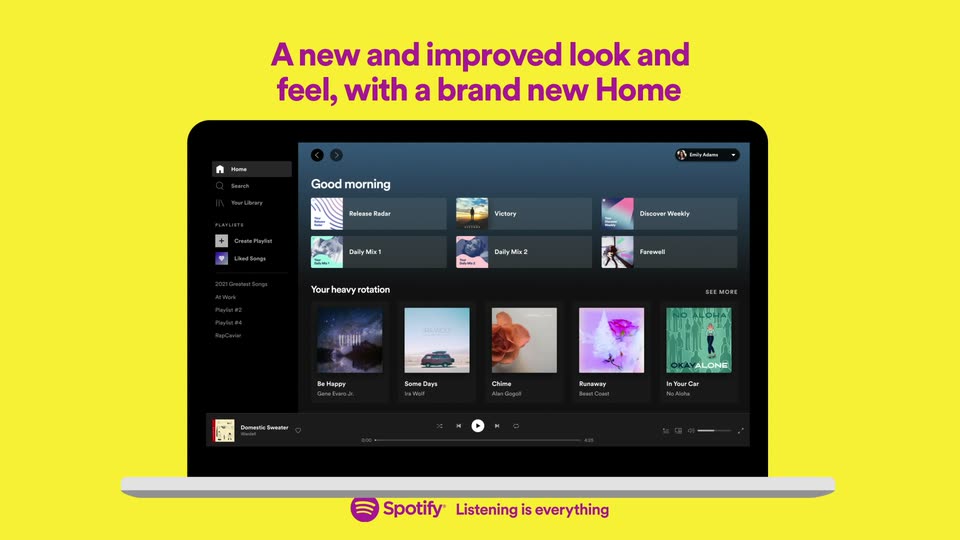

Introducing a New Spotify Experience Across Desktop App and Web Player — Spotify
Spotify · Consumer · Mar 2021
Google’s 0:30 launch film runs 21 scenes, about 1.4 s each. The product is on screen from the first frame and 3 features are revealed. There is no explicit call to action; a voiceover carries the film. The video is built as a rapid montage of three short feature vignettes, each pairing a live-action setup with a close-up of the phone demonstrating the edit, bookended by a named product open and a clean logo close. Its signature moves are the forced-perspective pinch, centered captions that scale in over the footage, and hard cuts at roughly 42 per minute over a 109 bpm track.
Is this your launch? to your site or press kit.
Spotify · Consumer · Mar 2021
ego · Consumer · Mar 2024
Films whose music sounds like this one, voice left out
Magic Patterns · Modern electronic, lo-fi hip-hop
ElevenLabs · Upbeat electronic dance music
Pitch · Upbeat electronic
Two people hold a blue phone in landscape against a clear blue sky, their faces softly blurred. A third hand enters from the top right and a finger points down toward the screen. The white title holds fixed across the center.
On-screen text: “Google Pixel 8”
Camera: Static
A woman and a child hold a phone in landscape, filming a person who raises their arms on a rock against a blue sky. Large centered text swaps through the shots, then the frame fades to black.
On-screen text: “with”, “Google Pixel 8”, “Google AI”
Camera: Pull out
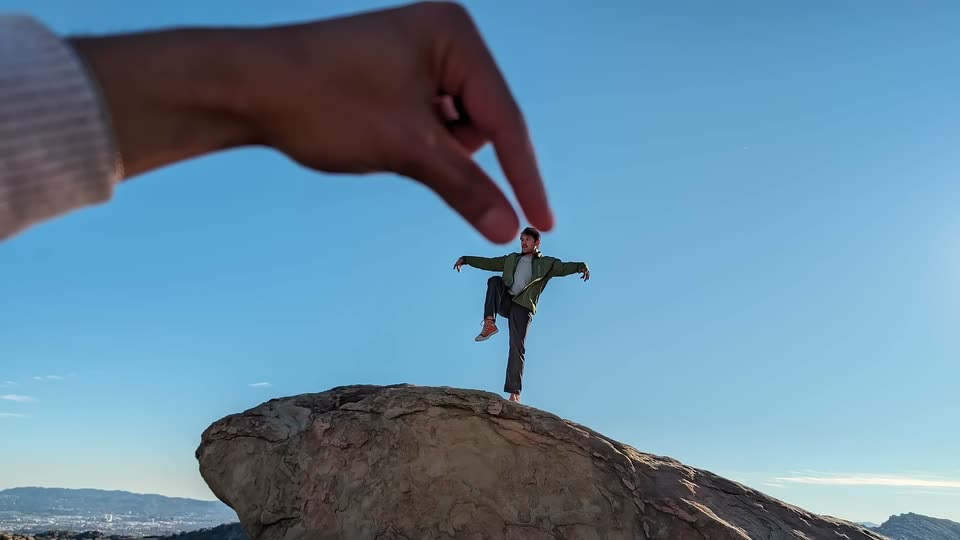
Fades in from black to a forced perspective shot: a hand in the foreground reaches down toward a person holding a yoga tree pose on a large rock, making the person appear tiny against a clear blue sky. The camera stays locked off.
On-screen text: “Google Al”
Camera: Static
A large hand in the foreground pinches a tiny figure balancing on a rock, forced perspective against a clear blue sky. The figure shifts its pose while the centered caption stays still.
On-screen text: “to make it fun”
Camera: Static
A close-up of two hands holding a phone outdoors, the screen showing a photo of a rocky cliff above a dark editing panel. A finger taps the purple Magic Editor icon, which then lights up as the finger lifts away.
Techniques: Cursor demo
Camera: Static
Macro close-up of a phone screen held at an angle, showing a man in a green jacket hanging from a rock against a blue sky. An out-of-focus thumb swipes across the display and a pink outline traces the man's silhouette.
Camera: Static
A hand holds a phone against a soft-focus rocky hillside. On the screen, a man in a green jacket and dark trousers hangs from a fingertip. A second finger taps his side, then lifts away, leaving him suspended.
Camera: Pull out
A tight close-up of a woman with short dark hair and a green corduroy jacket, gazing downward. The background blurs into red and blue bokeh lights at night. The camera drifts slightly, holding her face in frame.
Camera: Static
A hand holds a blue smartphone at an angle, playing a vertical video of a person in a patterned coat. White text 'make it yours' scales in over the screen, then a finger swipes and the display switches to a Google search view with a colorful swirl.
On-screen text: “make it yours”
Techniques: Kinetic type
Camera: Static
A hand holds a blue phone in a dim room; a finger swipes up and the Google search result scrolls to a card showing a patchwork jacket and an Add to your search prompt.
Camera: Static
A hand grips a blue-framed phone at a tilt, its screen showing an e-commerce listing: a dust coat built from a grid of small photos, titled DENIM TEARS PRINTED DUST COAT at $52.60. Fingers shift the grip while the camera holds a tight, shallow-focus shot over a dark, blurred interior.
Camera: Static
A woman with dark hair and an orange shirt looks down at a phone and smiles inside a train car. Cool blue light fills the space, and blurred station lights sit behind her. An out-of-focus device rests in the lower right foreground.
Camera: Static
A red-haired woman holds a blue smartphone horizontally, its back with the vertical camera strip facing the camera, and taps the device with her index finger. Focus settles on the phone against a warm, soft-focus background.
Camera: Pull out
A fisheye, mirrored view of a convenience store brightens from black as four young people pose for a selfie. One holds a blue phone at arm's length while another flashes a peace sign, shelves and neon signs filling the circular frame.
On-screen text: “JJA”
Camera: Static
Four people stand in a brightly stocked corner store, one holding a blue phone toward the camera. Huge white letters overlay the frame and pop away, leaving the word make it to scale up at center while a yellow hand-drawn loop wiggles over a face.
On-screen text: “AJAJ”, “make it”
Techniques: Kinetic type
Camera: Static
A hand holds a phone at an angle over a blurred room. A finger taps the circular Best Take icon on the dark editing screen, and the icon fills with a purple gradient to mark it selected.
Camera: Static
A hand holds a phone showing a group selfie of four friends in a convenience store; a finger swipes across circular face thumbnails below the image, then the frame zooms into the photo as a faint purple glow traces the left person's neck.
Techniques: Cursor demo, UI zoom
Camera: Push in
Four people crowd a wide-angle lens, smiling and looking down at the camera from a low angle. The person on the left points a finger toward the viewer. A street clock and warm sunset light are visible in the background.
On-screen text: “IK2”
Camera: Static
A blue Pixel 8 phone floats centered in 3D, back to camera, turning slowly on its vertical axis. The words Google and Pixel 8 hold still on the left and right against a pale blue field.
On-screen text: “Google”, “Pixel 8”
Techniques: 3D mockup
Camera: Pull out
A plain light blue background holds one centered line of black text. The line reads “The only phone engineered by Google” and remains static in a locked-off frame.
On-screen text: “The only phone engineered by Google”
Camera: Static
The Google G logo, centered on a white background, shifts from a soft pastel gradient to the standard red, yellow, green, blue colors while scaling up, then the tagline 'The only phone engineered by Google' appears.
On-screen text: “The only phone engineered by Google”
Camera: Static