0:34

Pulse Local: reel connected
Pulse Local · Finance · Nov 2026
Google · Aug 2008 · 0:20 · AI-annotated
Google’s 0:20 launch film runs 5 scenes, about 4.0 s each. The product is on screen from the first frame and 1 feature is revealed. There is no explicit call to action; a voiceover carries the film. A single-feature screen-capture explainer: a title card cross-dissolves into the live browser, the cursor opens a new tab, and the sidebar panels light up one by one before the brand card closes. Pacing is slow and even at about six cuts per minute, with cross-dissolves, a dim-and-brighten panel highlight, and a logo fade as its signature moves.
Is this your launch? to your site or press kit.
Pulse Local · Finance · Nov 2026
Pulse Local · Finance · Nov 2026
Runway · AI · Nov 2023
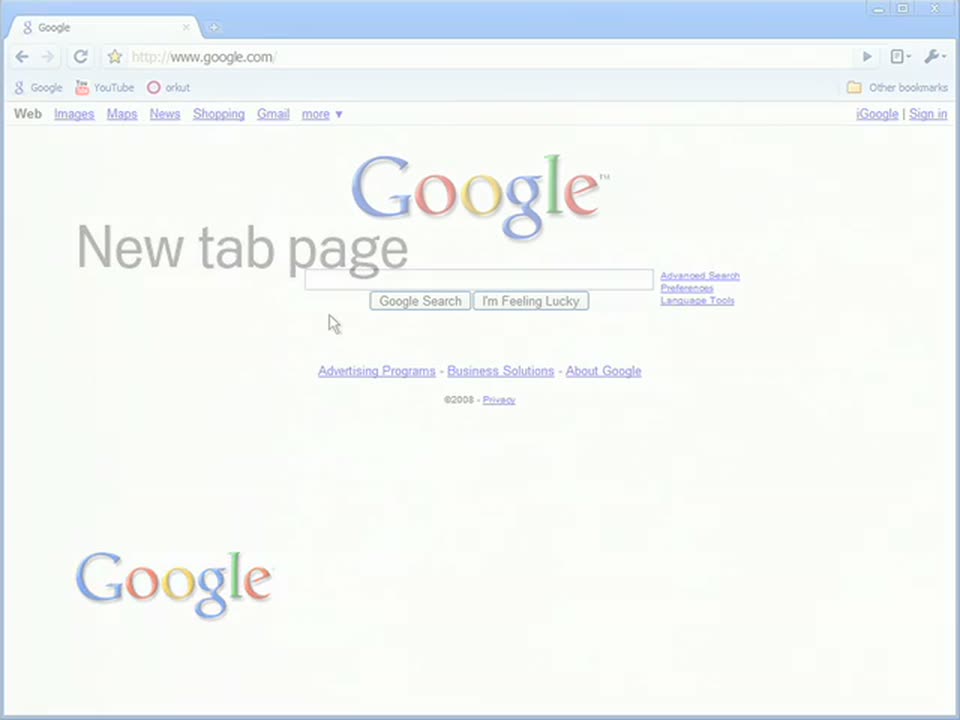
A white card shows the gray text New tab page above the colored Google logo. It cross-dissolves into a browser window on the Google homepage, the text and logo fading out as the interface fills the frame.
On-screen text: “New tab page”
Camera: Static
A browser window shows the Google homepage. A faint “New tab page” label and a Google watermark fade out at the start. The cursor then moves up to the new tab button at the top of the window.
On-screen text: “New tab page”
Techniques: Cursor demo
Camera: Static
A full-screen Chrome window shows the New Tab page: a grid of most-visited site thumbnails on the left and a sidebar listing searches, recent bookmarks and recently closed tabs on the right. A mouse cursor rests on the New Tab tab, and the window dims slightly toward the end.
Camera: Static
A dimmed Chrome new-tab page lights up panel by panel on the right, the Searches, Recent bookmarks and Recently closed tabs boxes brightening in turn, then the whole page returns to full color as a multicolored Google logo fades in at the bottom left.
Techniques: Masking
Camera: Static
A Chrome new-tab page with site thumbnails slowly fades to white, leaving the multicolor Google logo settled in the lower-left corner.
Camera: Static