

0:13
Explore
00:00:00 / 01:37:25
- Length
- 1:37
- Scenes
- 37 · 2.6 s avg
- Product on screen
- 0:00
- Features shown
- 11
- Call to action
- 1:29 · 91%
- Voiceover
- Yes
- Views
- 1.3M on YouTube
as of November 22, 2026
Frevana’s 1:37 launch film runs 37 scenes, about 2.6 s each. The product is on screen from the first frame and 11 features are revealed, with social proof. The call to action lands at 1:29 (91% in), over a voiceover. A clean, flat design system built on solid color fields (teal, orange, green, periwinkle) that swap per section, with a left-anchored sans-serif label and a right-anchored browser mockup for every demo. Capability beats open on full-screen verb cards (It Reads, It Analyzes) that type out a subline, then cut to UI that scrolls, expands and 3D-tilts to face the camera, closing on a serif brand card with a green URL pill.
Footage neededEstimated needs: 12 capture groups — your screens or recordings · 1 official logo — reused across the film · 1 filmed passage — shoot, supply or replace · 6 3D passages — build or supply
Is this your launch? to your site or press kit.
More like this

0:32

Higgsfield AI 🧩 - You can now make a mobile game from a single prompt. Introducing Hig
Higgsfield AI · Oct 2026
0:33
Similar soundtrack
Films whose music sounds like this one, voice left out
0:26


Leonardo.Ai - Realtime Gen is now LIVE for all users ⏱️ Type and watch your prompt
Leonardo AI · Indie rock / Pop-punk
1:20

Flowith - introducing Flowith 3.0. the ultimate canvas for human-ai creation.
Flowith · High-energy instrumental rock
2:12
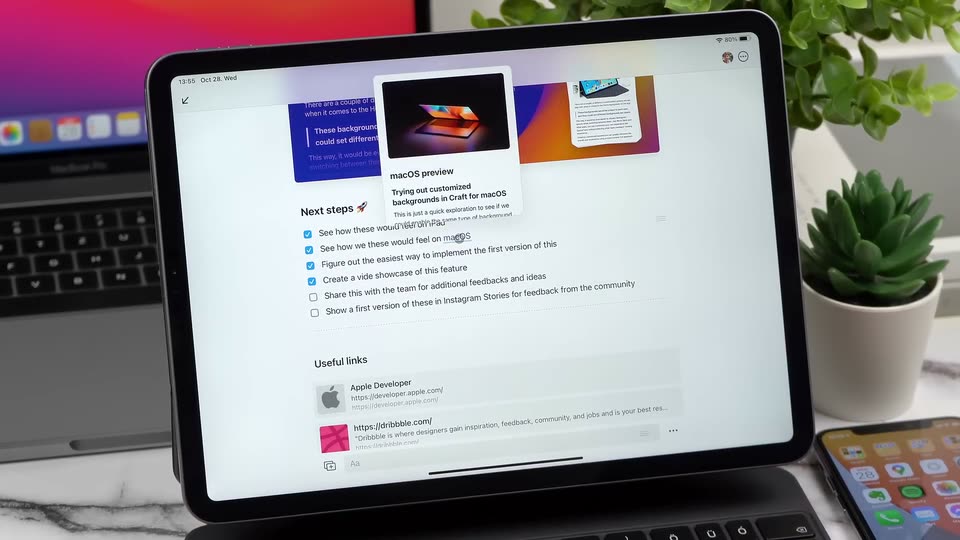

Introducing Craft for iPhone, iPad, and Mac
Craft · Indie rock / Alternative rock
Frevana AEO Agent Team Launched 🎉, scene by scene
· 37 scenes as text
01 · Product intro · 0:00–0:00
A white background holds a green dot logo in the top left corner. A centered black serif headline reveals left to right, the trailing words fading in from light gray to solid black.
On-screen text: “Win Traffic from AI Answers”
Techniques: Kinetic type
Camera: Static
02 · Product intro · 0:00–0:03
A white card holds a black serif headline centered. A gray sans subtitle with a party popper emoji scales in beneath it. A green dot logo sits in the top left corner. The card fades to black at the end.
On-screen text: “Win Traffic from AI Answers”, “Meet Frevana AEO Agent Team”
Techniques: Kinetic type
Camera: Static
03 · Product intro · 0:03–0:15
A man in a black graphic T-shirt sits in a bright room, talking to the camera and gesturing with his right hand. The shot opens through a thin vertical slit from black, a white lower-third names him on the left, and the scene fades to black.
On-screen text: “Win Traffic from AI Answers”, “Meet Frevana AEO Agent Team”, “Leo Liu”, “CEO & Founder”
Techniques: Masking
Camera: Static
04 · Demo · 0:15–0:16
A flat browser window of the Frevana app sits on a solid teal background, showing a welcome screen with two cards. A black headline reads on the left while a cursor drifts in to hover over the first card.
On-screen text: “Quick Start”
Techniques: Cursor demo
Camera: Static
05 · Demo · 0:16–0:20
A teal backdrop holds a static 'Quick Start' headline at left and a browser window at right. Inside, a modal form is typed with a brand name and product link, then switches to a content-creation panel where a cursor sets frequency dropdowns and hovers the Launch AI Team button.
On-screen text: “Quick Start”
Techniques: Cursor demo
Camera: Static
06 · Demo · 0:20–0:21
A blurred app interface on a blue background features a central progress bar filling with the text 'Creating AEO Team...'. The words 'Quick Start' sit on the left.
On-screen text: “Quick Start”, “Creating AEO Team...”
Camera: Static
07 · Feature reveal · 0:21–0:24
A black headline reads “It Reads” on a flat teal field while a smaller white line types out beneath it, completing “Takes in information from your content, data and the Web”.
On-screen text: “It Reads”, “Takes in information from your content, data and the Web”, “Creating AEO Team...”
Techniques: Kinetic type
Camera: Static
08 · Feature reveal · 0:24–0:28
A ChatGPT browser window sits on a flat blue field with a large black word on the left. The answer pane updates in place, swapping the long list for a short summary with a map and a Citations panel sliding in from the right, then the frame wipes to solid orange.
On-screen text: “Reading”
Techniques: UI zoom
Camera: Static
09 · Feature reveal · 0:28–0:32
On a solid orange field, the black headline “It Analyzes” builds word by word at left, then a white subline types out below it reading “Creates dashboards and finds what matters most”. The frame stays locked and static.
On-screen text: “It Analyzes”, “Creates dashboards and finds what matters most”
Techniques: Kinetic type
Camera: Static
10 · Feature reveal · 0:32–0:33
A gray browser window mockup in 3D perspective sits on a blue background beside the black headline “Website Audit.” Inside, a white audit report scrolls rapidly upward, sections blurring and overlapping as it moves.
On-screen text: “Website Audit”
Techniques: 3D mockup, Speed ramp
Camera: Static
11 · Feature reveal · 0:33–0:37
A flat browser window on a blue background displays an audit report that scrolls upward through its sections, while the static black headline “Website Audit” holds on the left.
On-screen text: “Website Audit”
Camera: Static
12 · Feature reveal · 0:37–0:41
A product dashboard floats in 3D perspective on a teal gradient, labeled Dashboard on the left. A cursor clicks competitor rows to add them to the chart, stars a favorite, hovers the line chart to reveal a value tooltip, then the page scrolls down to the question log table.
On-screen text: “Dashboard”
Techniques: 3D mockup, Cursor demo
Camera: Static
13 · Feature reveal · 0:41–0:42
A blue field holds a 3D-tilted product window whose AEO table of EV questions scrolls and one row expands to show an answer; large black text 'Citation Analysis' anchors the left.
On-screen text: “Citation Analysis”
Techniques: 3D mockup
Camera: Static
14 · Feature reveal · 0:42–0:43
A flat browser window on a blue background shows the Frevana interface; the main panel shifts from a paragraph of EV market text into a dashboard with a line chart, a question log table and a favorites list, while a black Citation Analysis label sits to the left.
On-screen text: “Citation Analysis”
Camera: Static
15 · Feature reveal · 0:43–0:45
A teal backdrop frames a flat dashboard mockup. A reference-list modal overlays it; its category rows expand to show domain entries, then the modal closes to reveal a competitor line chart and a favorites panel. A cursor clicks through the steps. A black 'Citation Analysis' label holds the left side.
On-screen text: “Citation Analysis”
Techniques: Cursor demo
Camera: Static
16 · Feature reveal · 0:45–0:46
A teal background holds a flat product interface window on the right and a black three-line headline on the left. The window settles upward slightly while a hand cursor moves in to hover over an Execute Agent button in the top card.
On-screen text: “Content Technical Analysis”
Techniques: Cursor demo
Camera: Static
17 · Feature reveal · 0:46–0:50
A teal backdrop holds a static black headline on the left. On the right, a flat browser window shows a document report that scrolls vertically through body text, code and a colored bar chart, then returns to the top as a cursor drifts up to the toolbar.
On-screen text: “Content Technical Analysis”
Techniques: Cursor demo
Camera: Static
18 · Feature reveal · 0:50–0:51
A flat Frevana dashboard sits on a blue field, its left margin holding a bold black headline. Agent cards fill the main panel as a cursor hovers; a Document Preview sheet then opens on the right, revealing a scored E-E-A-T report while the headline shortens.
On-screen text: “Content E-E-A-T Technical Analysis”, “E-E-A-T Anaysis”
Camera: Static
19 · Feature reveal · 0:51–0:53
On a teal field, a flat browser window holds a Document Preview panel whose body text scrolls upward, ending on an improvement checklist. A bold black two-line title sits static on the left.
On-screen text: “E-E-A-T”, “Anaysis”
Camera: Static
20 · Feature reveal · 0:53–0:56
On a flat green background, the black heading 'It Creates' builds word by word at the left. Below it, white body text types out: 'Creates landing pages, articles, research reports, guides, and more'. The frame stays locked off throughout.
On-screen text: “It Creates”, “Creates landing pages, articles, research reports, guides, and more”
Techniques: Kinetic type
Camera: Static
21 · Feature reveal · 0:56–0:57
A teal backdrop holds a large black FAQ caption at left while a browser mockup of the Frevana dashboard shows the Contents list. The window then cuts to a Document Preview of the Frequently asked questions page with its question list.
On-screen text: “FAQ”
Camera: Static
22 · Feature reveal · 0:57–0:59
A flat browser window on a teal field shows a Document Preview of an FAQ page. A large black FAQ label sits at left and fades out as the page content scrolls down, settling on a list of questions with one answer expanded.
On-screen text: “FAQ”
Camera: Static
23 · Feature reveal · 0:59–0:59
A product dashboard, tilted in 3D perspective on a blue field, rotates to face the camera and flattens. A bold black 'Articles' headline sits at the left edge, static throughout the short clip.
On-screen text: “Articles”
Techniques: 3D mockup
Camera: Static
24 · Feature reveal · 0:59–1:00
A black 'Articles' label holds on the left against a flat blue field. At right, a browser window shows a document preview; the article body inside scrolls quickly upward, lines blurring past the top toolbar with Edit and Publish buttons.
On-screen text: “Articles”
Camera: Static
25 · Feature reveal · 1:00–1:02
A flat product window with a sidebar and a reports list sits on a teal field, beside a large black two-line headline. The window eases slightly larger and to the right while a cursor hovers above the first report row.
On-screen text: “Research Report”
Camera: Static
26 · Feature reveal · 1:02–1:04
A centered browser window shows a document preview over a teal and blurred backdrop, with the static black headline Research Report on the left. The document scrolls upward through product sections on battery storage systems.
On-screen text: “Research Report”
Camera: Static
27 · Feature reveal · 1:04–1:08
A flat browser window mockup sits on a teal field beside the static black caption “Publish to Frevana CMS”. Inside, a grid of illustrated article cards scrolls upward, revealing new rows, while a cursor hovers over the cards.
On-screen text: “Publish to Frevana CMS”
Camera: Pan
28 · Feature reveal · 1:08–1:11
On a flat periwinkle background, the black headline 'It Remembers' fades in, then a white line builds in beneath it: 'Learns from past work so it gets better over time.' The frame stays locked off.
On-screen text: “It Remembers”, “Learns from past work so it gets better over time.”
Techniques: Kinetic type
Camera: Static
29 · Feature reveal · 1:11–1:13
A Frevana app window sits on a teal field while its contexts table blurs and scrolls to new rows. The left headline swaps from Team Memory to It Remembers as the subline Learns from past work so it gets better over time. slides in, and a report preview card pops open inside the table.
On-screen text: “Team Memory”, “It Remembers”, “Learns from past work so it gets better”, “over time.”
Techniques: Kinetic type, Masking
Camera: Static
30 · Feature reveal · 1:13–1:15
A tilted browser window mockup floats on a flat blue field while a long document preview scrolls upward inside it. A bold black headline reading Team Memory sits at left, static throughout.
On-screen text: “Team Memory”
Techniques: 3D mockup
Camera: Static
31 · Feature reveal · 1:15–1:16
On a blue background, a tilted 3D browser window shows a product interface; the view reframes from a document list to an open Tesla scenario document, a cursor hovering. A static black 'Team Memory' headline sits at left.
On-screen text: “Team Memory”
Techniques: 3D mockup, UI zoom, Cursor demo
Camera: Static
32 · Feature reveal · 1:16–1:19
A browser window on a teal field shows a document preview scrolling up through numbered Tesla customer scenarios, while the static black headline Team Memory sits to the left.
On-screen text: “Team Memory”
Camera: Static
33 · Social proof · 1:19–1:22
On a flat teal field, the black headline It Delivers scales in left of center, then a white sentence builds word by word beneath it, finishing with achieve real results.
On-screen text: “It Delivers”, “Helps you gain visibility, build trust, and achieve real results”
Techniques: Kinetic type
Camera: Static
34 · Social proof · 1:22–1:24
A flat browser window on a teal field shows a Frevana article. The page scrolls down through its sections, then back up to the headline. A black two-line caption, 4x Organic Traffic, sits static on the left.
On-screen text: “4x Organic Traffic”
Camera: Static
35 · Social proof · 1:24–1:26
A flat browser window on a blue background cycles through a Frevana article footer, the article body, then the homepage testimonials. A large black label on the left swaps between stat captions as the page content changes.
On-screen text: “4x Organic Traffic”, “Lockin Increased AI Visibility 266% in One Month with F”, “+266% visibility”, “Testimonials”
Camera: Static
36 · Social proof · 1:26–1:29
A flat browser window on a teal background shows a testimonials section. A cursor taps the right arrow and the row of review cards slides to the next set, text overlapping mid-transition. The word Testimonials sits in black on the left.
On-screen text: “Testimonials”
Techniques: Cursor demo
Camera: Static
37 · CTA · 1:29–1:37
On a light background, the black wordmark “Frevana” fades in at center, followed by the gray tagline and a green pill with the underlined “frevana.com”. The green dot logo sits in the top-left corner. The frame holds locked off for the rest of the scene.
On-screen text: “Frevana”, “The AI that does expert-level work”, “frevana.com”
Camera: Static