2:05
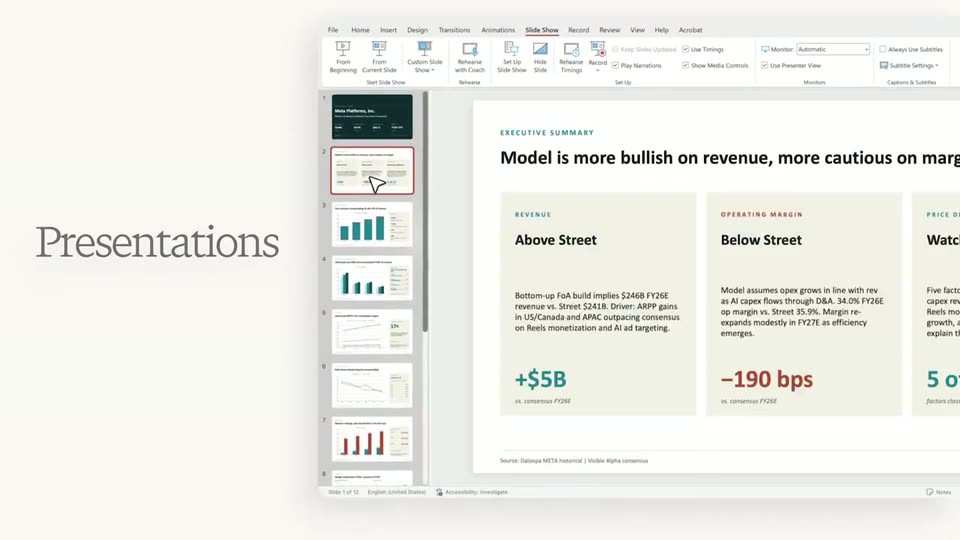

Perplexity - Today we're launching Perplexity Computer for Professional Finance.
Perplexity · AI · May 2026
Freewrite · Apr 2025 · 0:22 · AI-annotated
Freewrite’s 0:22 launch film runs 21 scenes, about 1.1 s each. The product shows up at 0:01 and 1 feature is revealed. There is no explicit call to action. The video opens on a warm office shot of the laptop opening, then cuts rapidly between macro UI close-ups and live-action typing to tour the journaling app, isolates the Random font feature with animated type cards, and ends on the user shutting the laptop into a black frame. Signature moves: shallow-focus screen macros, character-by-character typing, and chromatic-aberration type animations.
Is this your launch? to your site or press kit.
Perplexity · AI · May 2026
Apollo · Sep 2026
A hand in a plaid sleeve lifts the lid of a closed laptop on a wooden office desk, the dark screen tilting up from flat. A potted plant and wooden workstation dividers sit soft and blurred in the background.
Camera: Static
A hand tilts the screen of a MacBook Pro on a wooden desk, showing a blank white window over a sunset wallpaper in a blurred office background.
Camera: Static
A close-up of a pale green screen starts at its top edge, then slowly zooms in on a text field. A thin teal cursor sits left of faint gray placeholder text reading Type your first thought, which enlarges to fill the frame.
Techniques: UI zoom
Camera: Static
A shallow-focus close-up of a monitor at a diagonal angle shows a pale video-call window over a dark floral wallpaper. A cursor drifts rightward across the bottom control bar, from the timestamp toward the Fullscreen label.
Techniques: Cursor demo
Camera: Static
A hand types on a laptop keyboard, then pulls away as the focus racks from the fingers to the bright, blank screen on the wooden desk.
Camera: Static
A low-angle close-up follows two hands typing on a laptop keyboard, fingers striking the keys in quick succession. The laptop screen glows teal at the right edge while a wooden desk and a blurred green plant fill the warm background.
Camera: Static
Tight close-up on a pale display beneath a dark bezel, the room behind it softly blurred. A lowercase sentence types itself out character by character in a thin gray sans, a slim caret blinking at the end, camera locked off.
Techniques: Kinetic type
Camera: Static
A locked-off close-up of a pale screen holds the italic line Had a rough morning. with a blinking text cursor. In the final beat the frame tilts to a dark top bar carrying a clock and two menu labels.
Camera: Static
A locked-off macro crop of a tablet screen shows a journaling app on a pale green-tinted background, the large dark word 'Not' top left and a smaller teal metadata line with the time and entry type below, the device's black bezel along the bottom.
Camera: Static
A close-up of a laptop screen at a low angle shows a pale interface, its cursor drifting down the right side while a blurred hand hovers in the foreground. The bottom bar lists Chat, Minimize and New Entry beside a small smiley icon.
Techniques: Cursor demo
Camera: Static
A soft-focus close-up of a tablet screen tilted at an angle against a warm orange backdrop. On the pale screen, a New Entry label sits beside a small icon that shifts from a circular arrow to a hand tap symbol. The camera stays locked off.
Camera: Static
A tablet tilted in 3D perspective on a white surface displays a notes app, a story about a boy named Azraf on the left and a dated history list on the right. A finger rests at the bottom edge. The locked-off frame holds the static text.
Techniques: 3D mockup
Camera: Static
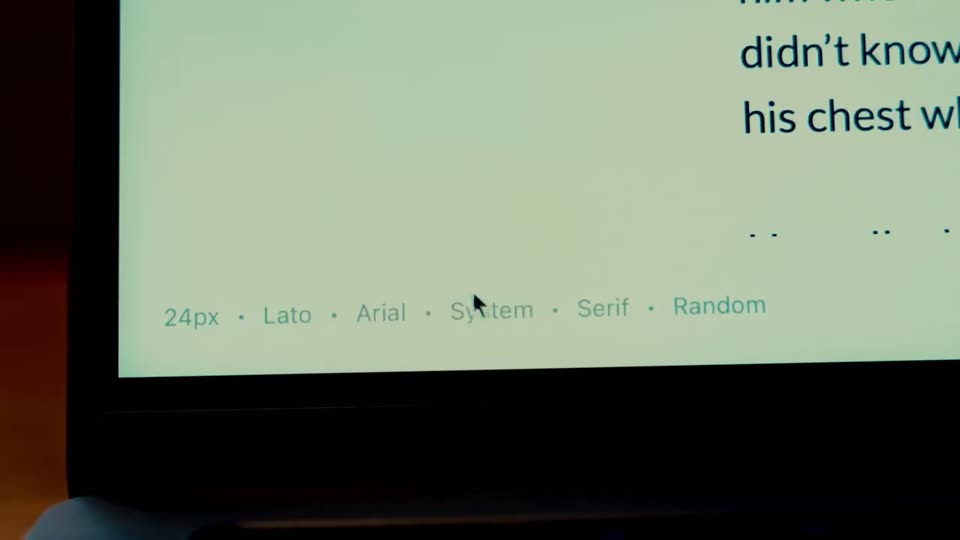
A close-up of a laptop screen shows a light text editor with a row of font options along the bottom. A cursor glides across the row from Lato to Arial, then leaves the frame as the shot holds.
Techniques: Cursor demo
Camera: Static
A close-up of a pale screen lists font options with dotted separators. A cursor arrow hovers near Serif, then moves to Random, which darkens and grows larger as a tap hand presses it.
Techniques: Cursor demo, UI zoom
Camera: Static
A short story sits on a pale mint background. The lines “Once upon a time,” and “There was a boy named Azraf.” scale up from a small block, the other lines hold still, and the heading ends as a soft, oversized close-up.
On-screen text: “Once upon a time,”, “There was a boy named Azraf.”, “Azraf was not like the other boys in”, “faster, or stronger. But he had a way”, “world want to speak to him”
Techniques: Kinetic type
Camera: Static
A locked-off close-up of the phrase “Once upon a time,” in black sans-serif on a pale green field. The text scales into place, its edges fringed with red and cyan chromatic aberration.
On-screen text: “Once upon a time,”
Techniques: Kinetic type
Camera: Static
A dark lowercase line, “Once upon a time,” scrolls leftward across a flat mint-green background. The frame stays locked while the words drift out of view, the type scaling slightly as it moves.
On-screen text: “Once upon a time,”
Techniques: Kinetic type
Camera: Static
Bold black text reading “a time.” with red and cyan color fringing sits on a pale green background. The line slides left and its weight thins to a light face as the clip ends.
On-screen text: “a time.”
Techniques: Kinetic type, Morph
Camera: Static
A tight crop of a pale green screen reading “a time,” cuts to a man with round glasses and a red plaid shirt seated at a laptop in a sunlit office.
Camera: Static
A man with round glasses and a red plaid shirt sits at a desk in a warm-lit office, looks at his laptop, then closes the lid with one hand and turns his head to the side. Locked-off medium shot, shallow depth of field.
On-screen text: “F”
Camera: Pan
A solid black frame holds for the full duration, with no visible elements, text, or motion.
Camera: Static