
2:37
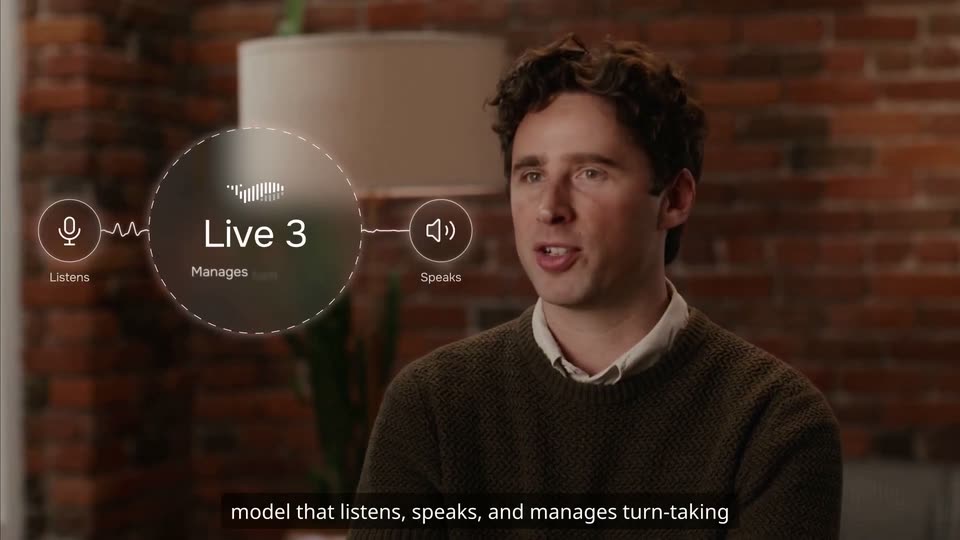

Introducing Fish Agent
Fish Audio · Nov 2026
Freesolo · May 2025 · 0:52 · Full motion · AI-annotated
Freesolo’s 0:52 launch film runs 25 scenes, about 2.1 s each. The product shows up at 0:10 and 1 feature is revealed. The call to action lands at 0:48 (91% in). The video opens by showing familiar search tools, then introduces the clado interface and moves into a black screen feature sequence for Deep Research. Its pacing is brisk and typographic, using quick wipes, zooms, centered numbers, and a 3D prospect list to carry the story.
Is this your launch? to your site or press kit.
Films whose music sounds like this one, voice left out
Sketch · Electronic dance music
Pika · Electronic dance music
The Google homepage fills the frame, then the view zooms into the search bar as a query about upenn alumni in investment is typed, with autocomplete suggestions appearing below the field.
On-screen text: “clado”
Techniques: UI zoom
Camera: Pan
A dark chat interface fills the frame: the prompt line sits at top while a text field types out a query with a blinking caret, auto-scrolling left. A row of thin circular icons (globe, bulb, telescope, tag, ellipsis) sits below, and the clado logo anchors the bottom-left corner.
Techniques: Cursor demo
Camera: Pan
A dark Perplexity search screen fills the frame. The query types into the input box, New York highlights and pops into a small tag with an ×, then underlines. The view reframes tighter on the field as the Research button slides out.
On-screen text: “clado”
Techniques: UI zoom
Camera: Pan
A Google results list scrolls upward inside a white panel while a black mask slides in from the right, closing the panel to a thin sliver. The list keeps moving as the reveal narrows, ending on near-black with a small white wordmark at the bottom left.
On-screen text: “clado”, “plexity”
Techniques: Masking
Camera: Pan
Split screen: a Google search results list on the left, a dark AI chat answer on the right. The left column scrolls down into a ChatGPT screen while a large white heading fades in on the right, then a fast blur wipe streaks both panels into a white frame.
On-screen text: “clado”
Techniques: Split screen
Camera: Pan
The clado web interface fills the frame. A cursor clicks the school selector in the top right, a dropdown list of universities opens, and a selection updates the large centered headline to the chosen school. The search bar and suggestion pills stay fixed below.
Techniques: Cursor demo
Camera: Push in
A light hero view of the clado search page. The headline reads “The People Search Engine for” above a second line that types out “Brown University” behind a blinking cursor, the previous text ghosting as it fades. A rounded search field and four suggestion pills sit below.
On-screen text: “clado”
Camera: Push in
A flat product screen shows a dark red headline typing out to read 'The People Search Engine for University of Pennsylvania' above a search field that fills with a query, while suggestion pills reflow below. The clado logo sits in the corner.
On-screen text: “The People Search Engine for University of Pennsylvania”
Techniques: Kinetic type
Camera: Pull out
A white search bar with a query sits above a row of text pills. The view reframes to show the search bar at the top, with a dropdown and icons appearing below.
On-screen text: “clado”
Techniques: UI zoom
Camera: Static
A light gray product panel titled Researching & Analysing sits at the top of a white screen. The frame zooms in as the search criteria line updates from a loading state to specific tags, and a SQL query field appears below.
Techniques: UI zoom
Camera: Static
A light interface shows a SQL query above a status line with a layers icon. The view zooms into the code while a faint field of small colored dots drifts, then horizontal streak lines sweep across as the content lifts.
Techniques: UI zoom, Particles
Camera: Push in
A light search-results screen: a query bar sits above a ranked list of alumni profile cards with avatars, scores and Message buttons. A cursor glides from the second card's Message button to its detail text as the list scrolls up slightly.
On-screen text: “clado”
Techniques: Cursor demo
Camera: Static
A profile card on a contact list blurs into a fast radial zoom as the word NOW slams in large at center, then the blur clears to reveal the interface again. A small clado wordmark sits in the lower left corner.
On-screen text: “NOW”
Techniques: Kinetic type, UI zoom, Speed ramp
Camera: Static
A black headline 'Now imagine that...' builds word by word on a cream field, then the view cuts to a tight crop of a search card with a Deep Research row and a people list below.
On-screen text: “Now imagine that...”
Techniques: Kinetic type, UI zoom
Camera: Pull out
Close-up of a search interface. An arrow cursor slides up to the Deep Research row and clicks it; the row morphs into a glowing purple pill button while the surrounding interface darkens and dims.
On-screen text: “clado”
Techniques: Cursor demo, Morph
Camera: Pull out
Black screen with the clado mark in the bottom-left corner. The large white figure x10,000 fades in at center, then a small caption reading started companies in Web3 or crypto scales in. The frame stays locked off on the number.
On-screen text: “x10,000”, “started companies in Web3 or crypto”
Techniques: Kinetic type
Camera: Static
On black, the white Clado arc mark shrinks and slides right into a dark rounded search bar that appears, the magnifying glass icon at the bar's left edge. The small Clado wordmark stays fixed in the bottom-left corner.
On-screen text: “x10,000”
Camera: Static
A dark search pill on a black background types out a query letter by letter behind a blinking cursor, then the whole bar scales down to a small centered pill. The clado logo stays fixed in the bottom left corner.
On-screen text: “Find me every partner at a big 4 accounting firm”
Techniques: Kinetic type, UI zoom
Camera: Pull out
A dark field of small repeated logo icons brightens around the center, where a white logo mark and a pill search bar scale in. The bar holds a magnifier icon and the prompt text, while the Clado wordmark sits in the bottom left.
On-screen text: “Find me every partner at a big 4 accounting firm”
Camera: Static
White words appear one after another on a black field: “We” scales up, gives way to “Deploy”, then “100,000+ AI Agents” settles center as small ring icons scatter around it. A search query line then scales in. The clado wordmark sits static in the lower left corner.
On-screen text: “We”, “Deploy”, “100,000+ AI Agents”, “Q Find me every partner at a big 4 accounting firm”
Techniques: Kinetic type, Particles
Camera: Static
On a black field, the white line 100,000+ sits centered while two arcs of small circular call icons drift outward on either side. The line then extends as AI Agents slides in to read 100,000+ AI Agents, the clado mark holding in the lower left.
On-screen text: “100,000+ AI Agents”
Techniques: Kinetic type
Camera: Push in
A dotted black globe with thin orbital rings rotates slowly on a black background. Two candidate profile cards float at the left and right edges and swap places, while the headline fades in above them and fades out again.
On-screen text: “To find the right people at the right time”
Techniques: 3D mockup
Camera: Push in
Two profile cards float on black, then a dark prospect list tilts into 3D perspective and scrolls. A floating toolbar with an Export CSV button appears, a cursor clicks it, and the scene cuts to the white logo mark on black.
Techniques: 3D mockup, Cursor demo
Camera: Pan
A white logo mark centered on a black background expands into a grid of repeating circular icons. The text 'Deep Research for People' fades in below the mark, followed by a smaller caption line.
On-screen text: “Deep Research for People”, “Q. Find me every partner at a big 4 accounting firm”
Techniques: Particles
Camera: Static
A white clado mark and the headline 'Deep Research for People' fade in over a dark field of faint repeating logo icons, above a search pill whose text changes from a demo query to 'visit clado.ai to get started'.
On-screen text: “Deep Research for People”, “Find me every partner at a big 4 accounting firm”, “visit clado.ai to get started”
Techniques: Kinetic type
Camera: Static