1:07

Lottielab - Interactivity is now live on Lottielab. 📣
Lottielab · Aug 2024
Figma · Apr 2021 · 1:05 · Full motion · AI-annotated
Figma’s 1:05 launch film runs 25 scenes, about 2.6 s each. The product is on screen from the first frame and 2 features are revealed. There is no explicit call to action; a voiceover carries the film. The video opens on the FigJam wordmark, then runs a fast montage of whiteboard actions before isolating the templates and stickers features and a Figma publishing workflow. Its style is built on 127 bpm cuts, hand-drawn doodles, bouncing cursors and pop-in speech bubbles over a dotted grid, closed by a slow zoom-out logo and a dark 'Audio coming soon' teaser.
Is this your launch? to your site or press kit.
Lottielab · Aug 2024
Slack · Productivity · Sep 2023
iPhone 17e · Mar 2026
Films whose music sounds like this one, voice left out
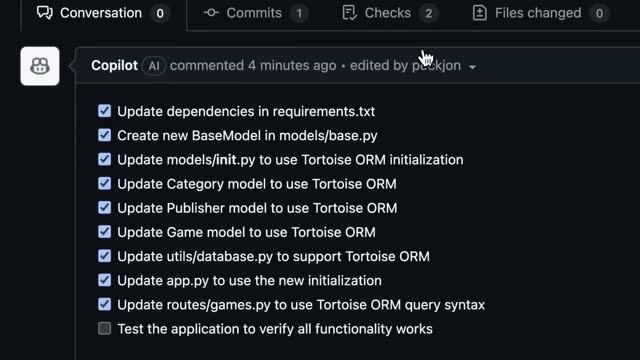
GitHub · Electronic dance music
Knock · Electronic dance music, with elements of trance, house, and tech house
Skydive · Electronic dance music
A FigJam canvas on a dotted grid: a yellow sticky slides in beside a pink one to spell WELCOME, purple marker strokes draw TO, and large black FigJam text sits below. Several colored cursors drift across the canvas above a bottom toolbar.
On-screen text: “WELCOME”, “TO”, “FigJam”
Techniques: Kinetic type, Cursor demo
Camera: Static
A white dot-grid canvas frames a centered FigJam toolbar. A purple cursor glides onto the orange shape icon and clicks it, the half-circle expanding into a full circle beneath the pointer.
Techniques: Cursor demo, Morph
Camera: Static
On a dotted white canvas, a scientific-method flowchart assembles: colored boxes slide from scattered spots into a horizontal row, then line icons pop into each node. A cursor hovers over the boxes as they settle.
Techniques: Cursor demo
Camera: Static
A white floating toolbar of design tool icons rests on a dotted grid canvas. A purple arrow cursor glides left from an orange semicircle shape to the pen tool icon.
Techniques: Cursor demo
Camera: Static
A flat collage of plant photos and monstera leaf illustrations sits on a dotted white background. Hand-drawn doodles, an orange circle around a face, purple and yellow checkmarks and pencil icons, are sketched in over the still images.
On-screen text: “Green?”
Camera: Static
A flat horizontal toolbar of tool icons sits on a white dotted-grid canvas. A purple cursor glides from the pen tool to the yellow stacked-square icon and hovers over it.
Techniques: Cursor demo
Camera: Static
A menu interface displays three columns of colored notes. A cursor moves across the board, hovering over various items.
Techniques: Cursor demo
Camera: Static
Flat whiteboard of yellow and purple sticky notes. A red bubble 'Lets make it vegan' pops in at right; the black cursor lands on the central note as its text re-types to 'vegan crema', a blue selection box snaps on, and a purple 'Good call!!' bubble drops below.
Techniques: Cursor demo
Camera: Static
A dotted white canvas holds a plant-photo collage with doodles, four color dots and handwritten “Green?”. A cursor drops a heart sticker on the top-left photo, then a sticker panel appears on the right as a thumbs-up lands on the top-right photo.
On-screen text: “Green?”, “What do you think of these leaves?”, “Love their pattern!”
Techniques: Cursor demo
Camera: Static
A collaborative flowchart on a dotted white canvas pans slowly right as four colored cursors (purple, red, black, yellow) move between the purple and yellow nodes, hovering over the decision diamond and the result boxes.
On-screen text: “Green?”, “What do you think of these leaves?”, “Love their pattern!”
Techniques: Cursor demo
Camera: Static
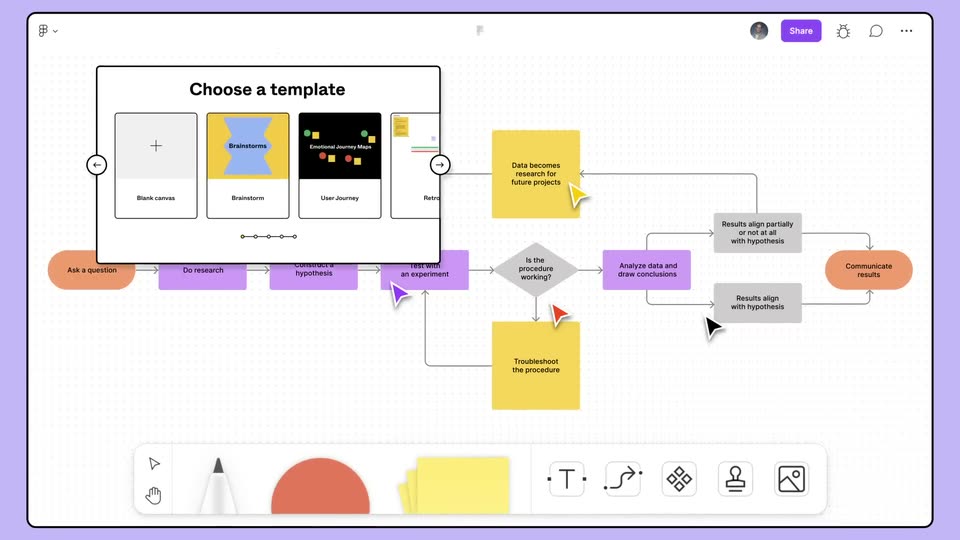
A whiteboard app shows a science-method flowchart of colored nodes with several user cursors. A Choose a template dialog scales in over the top left, listing template cards such as Blank canvas, Brainstorm and User Journey.
Camera: Static
A whiteboard interface shows a 'Choose a template' dialog over a dotted canvas. A purple cursor taps the carousel's right arrow, scrolling cards left to reveal User Journey and Emotional Journey Map. The background shifts to a journey-map layout while the toolbar stays fixed.
Techniques: Cursor demo
Camera: Static
A white Components panel on a dotted background cycles its emoji grid through four sets: colorful Totem Emotes, line-art Doodles, hand-drawn Emotes, and 3D Candy Bytes. A purple cursor hovers at the right edge throughout.
Techniques: Cursor demo
Camera: Push in
A hand-drawn doodle fills a dotted-grid canvas. A cursor drags stickers onto a central dog-headed figure, coloring its second boot and dropping a WOOF badge on the chest. A purple selection box briefly frames the sun.
Techniques: Cursor demo
Camera: Static
A doodle character with flame hair and hands over its eyes sits on dotted paper while a swarm of cursor arrows bounces around it; a blue pill caption 'A masterpiece' pops in, then a hard cut reveals a design-tool window holding four phone screens of a pet app.
On-screen text: “MAGIC”, “IT.”, “A masterpiece.”
Techniques: Particles
Camera: Static
A locked-off view of a design tool canvas holding four phone mockups of a pet app, framed by a blue selection box. A caption reading A masterpiece. sits still over the static interface.
On-screen text: “A masterpiece.”
Camera: Push in
A tight view of four phone mockups on a white canvas zooms out to reveal the full user flow, with yellow step cards and arrows linking the screens and a toolbar along the bottom.
Techniques: UI zoom
Camera: Pull out
Two flat interface panels sit side by side on a lavender background. Left shows a doodle canvas with a publish dialog; a purple cursor glides to the Publish button. Right shows a mobile app layout, then a component search panel slides in over it.
Techniques: Split screen, Cursor demo
Camera: Static
Two laptop screens sit side by side on a lavender field, the left open on a publish-library dialog over a hand-drawn canvas, the right on a component search box with a cursor. The frame pulls back to reveal full design canvases with sticky notes, phone mockups and a bottom toolbar.
Techniques: UI zoom
Camera: Static
A white design canvas holds four phone mockups in a row, connected by yellow flow boxes and colored sticky notes. Purple and black cursors move across the layout while a floating panel and circular badge fade out.
Techniques: Cursor demo
Camera: Push in
A locked-off view of the FigJam canvas shows the black FigJam wordmark centered on a dotted grid, with a bottom toolbar of tool icons and a top bar holding a purple Share button.
Camera: Pull out
A white FigJam canvas with a dotted grid fills the frame, the black FigJam wordmark and pencil icon centered, a toolbar of tool icons along the bottom and a Share button top right. The whole interface slowly zooms out on a light purple background.
Camera: Static
A thin gray ring holds a white line-art headphone glyph, centered on a dark gray gradient field. The icon and circle stay locked in place for the full shot, with no movement.
Camera: Static
A green-outlined call pill holds a white headphone icon and a man's circular avatar, with a purple bar above. The pill widens as the avatar centers and a second avatar of a woman slides in from the right, gaining a yellow bar.
Techniques: Morph
Camera: Static
A dark gray background holds three centered white lines reading Audio coming soon. At the start a large blurred white glyph slides quickly across behind the text, then the frame locks off on the static type.
On-screen text: “Audio coming soon”
Camera: Static