
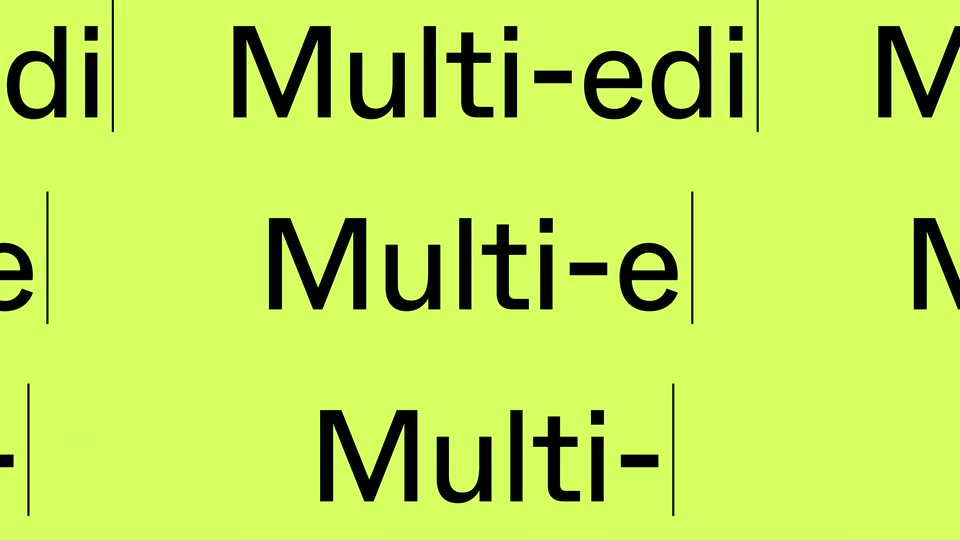
0:25
Explore
Meet Multi-edit | Figma
Figma · Mar 2024 · 0:50 · Full motion · AI-annotated
- Length
- 0:50
- Scenes
- 20 · 2.5 s avg
- Product on screen
- 0:00
- Features shown
- 1
- Voiceover
- No
- Views
- 59K on YouTube
as of November 27, 2026
00:00:00 / 00:50:04
- Length
- 0:50
- Scenes
- 20 · 2.5 s avg
- Product on screen
- 0:00
- Features shown
- 1
- Voiceover
- No
- Views
- 59K on YouTube
as of November 27, 2026
Figma’s 0:50 launch film runs 20 scenes, about 2.5 s each. The product is on screen from the first frame and 1 feature is revealed. There is no explicit call to action. A feature reel built around one named capability: a scrolling Multi-edit wordmark opens, four UI demos follow where blue selection frames and dimension tags snap across grids of tilted phone screens, and the wordmark plus a cursor-assembled logo close it. Cuts run about 8 per minute on a steady 83 bpm pulse, with hard flips between black, lime and light gray fields and the cursor as the constant agent driving every edit.
No filming indicatedEstimated needs: 1 capture group — your screens or recordings · 1 official logo — reused across the film · 2 graphic passages — draw or supply · 2 3D passages — build or supply
Is this your launch? to your site or press kit.
More like this

1:21
All the launches at Config 2025 | Figma
Figma · Design · May 2025
0:41

Introducing 3D Shape Blend with Spline - SDF Volumes
Spline · Design · Dec 2024
Similar soundtrack
Films whose music sounds like this one, voice left out
0:47

October 2026 Launch: Governance
Airtable · Funk-rock / Indie rock / Electronic dance
1:01

1:09
Introducing DRAMA | The AI Emotion Expression Editor
SyncMonster.AI · High-energy instrumental rock with funk and new wave influences
Meet Multi-edit | Figma, scene by scene
· 20 scenes as text
01 · Feature reveal · 0:00–0:02
A lime green background with thin black vertical lines transitions to rows of large black text reading 'Multi-edit' that slide continuously from right to left across the screen.
On-screen text: “Multi-edit”
Techniques: Kinetic type
Camera: Pan
02 · Feature reveal · 0:02–0:03
A white word reads Multi-edit, centered on a black background. It scales up from a smaller size to fill the frame width, carrying a faint gray offset shadow behind the letters. The frame stays locked off throughout the brief clip.
On-screen text: “Multi-edit”
Techniques: Kinetic type
Camera: Static
03 · Feature reveal · 0:03–0:04
A smartphone mockup of a lamp shopping app tilts in 3D perspective against a black background, its screen showing a featured product photo, an Extrude light title, and a blue Table lamps card. A headline scales in over the frame.
On-screen text: “Multi-edit”
Techniques: 3D mockup
Camera: Static
04 · Feature reveal · 0:04–0:12
Three phone screens of a lamp shopping app stand tilted in 3D on black. A large white cursor glides across them, and blue selection boxes with size labels appear around each logo and resize. The screens then rotate and fade to blank.
Techniques: 3D mockup, Cursor demo
Camera: Push in
05 · Feature reveal · 0:12–0:13
Blank white rounded rectangles on a black background slide horizontally across the frame. The cards shift left, so a full card sits centered between partial cards at the frame edges.
Camera: Static
06 · Feature reveal · 0:13–0:15
Opens on a tight crop of two card corners on black, then pulls back to three gray cards on white. A cursor arrow moves to a black ring-plus on the middle card, and a second ring with a star plus slides out to the right.
On-screen text: “+”
Techniques: Cursor demo
Camera: Pull out
07 · Feature reveal · 0:15–0:17
On a light gray field, a dashed purple panel stacks pill buttons labeled Button. A black cursor with a plus badge drifts down from the tag to the blue button as the list scrolls to reveal an outline variant.
Techniques: Cursor demo
Camera: Pull out
08 · Feature reveal · 0:17–0:21
A flat design canvas shows four stacked full-width buttons in blue, gray, outline and ghost styles. A black cursor hovers across them as purple selection boxes with size tags flash on and off, nudging the Button labels left.
On-screen text: “button-full-width”
Techniques: Cursor demo
Camera: Static
09 · Feature reveal · 0:21–0:22
A light gray panel lists four button components, each framed by a dashed purple selection box. The view zooms and pans down the stack as a black cursor glides to hover the outlined button's plus icon.
Techniques: UI zoom, Cursor demo
Camera: Push in
10 · Feature reveal · 0:22–0:23
On a black field, a horizontal light-blue bar wipes across the middle as a blue disc rises from below. The disc settles into a centered circle holding a magenta inner circle with a white S, completing the logo reveal.
Techniques: Masking
Camera: Static
11 · Feature reveal · 0:23–0:27
A blue chat bubble with a pink S avatar expands from a small icon into a message card, while a white outlined cursor drifts beneath it on a black background. The frame then pulls back to reveal an LED lights product grid, the bubble docked at the card's top right.
Techniques: Morph, Cursor demo, UI zoom
Camera: Pan
12 · Feature reveal · 0:27–0:29
A flat search results screen titled LED lights fills the frame, a black cursor taps Filter and sort, then the view pulls back to a 3D grid of phone screens, one showing a blue dimension readout.
Techniques: Cursor demo, UI zoom, 3D mockup
Camera: Pull out
13 · Feature reveal · 0:29–0:30
Eight phone screens of an LED lights product list sit on black, scaling from a loose overlapping layout into a neat two-by-four grid. Headers vary in color, and one screen shows a blue size tag with a white cursor.
Camera: Pull out
14 · Feature reveal · 0:30–0:31
A grid of eight phone screens showing an LED lights shop sits on black. A blue selection frame draws around the grid and blue 100 x 20 tags pop onto each screen as a cursor moves to the corner.
On-screen text: “100 x 20”
Techniques: Split screen, Cursor demo
Camera: Static
15 · Feature reveal · 0:31–0:38
Four LED lights screens fill a 2x2 grid. A blue selection box frames the Filter and sort button, tagged 100 × 20; the tag drops to 40 × 20 as the label reads Sort, then 50 × 20 as Refine, while a white cursor moves between quadrants.
On-screen text: “100 × 20”, “40 × 20”, “50 × 20”
Techniques: Split screen, Cursor demo
Camera: Static
16 · Feature reveal · 0:38–0:39
Eight phone screens of an LED lights shopping app settle into a two-by-four grid on black, each carrying a blue 50 x 20 badge and a Refine or Filter and sort pill over the header.
On-screen text: “50 x 20”, “Refine”, “Filter and sort T”
Camera: Push in
17 · Feature reveal · 0:39–0:40
A grid of eight mobile app screens shows an LED lights search interface in various color themes. A white cursor points to the top right screen while the grid shifts slightly down.
Camera: Static
18 · Outro · 0:40–0:42
A flat lime-green background holds the word Multi-edit in large black sans-serif type, centered vertically as it slides horizontally from left to right across the frame.
On-screen text: “Multi-edit”
Techniques: Kinetic type
Camera: Static
19 · Outro · 0:42–0:44
On a plain black card, a large word slides in, then the centered line builds from the first word to the full sentence and holds. The remaining words fill in from left to right before the line locks off.
On-screen text: “Multi-edit”, “Editing as it should be.”
Techniques: Kinetic type
Camera: Static
20 · Outro · 0:44–0:50
On a black background, a multicolored geometric logo mark assembles as two cursor arrows with selection handles drag and resize its orange, purple, blue and green shapes, which snap into the final mark. A static caption 'Editing as it should be.' holds in frame.
On-screen text: “Editing as it should be.”, “1”
Techniques: Cursor demo, Morph
Camera: Static