0:43
Explore
Expo - 🥓Expo Router v5 is here and it's packed with powerful new features to
Expo · May 2025 · 0:29 · AI-annotated
- Length
- 0:29
- Scenes
- 15 · 2.0 s avg
- Product on screen
- 0:00
- Features shown
- 4
- Call to action
- 0:24 · 84%
- Voiceover
- No
00:00:00 / 00:29:16
Expo’s 0:29 launch film runs 15 scenes, about 2.0 s each. The product is on screen from the first frame and 4 features are revealed. The call to action lands at 0:24 (84% in). The video is a feature montage: each block pairs a bold headline that letter-spaces in on the left with a 3D device mockup that tilts, rotates or opens on a dashed grid, and a diagonal light beam sweeps the screen at every beat. Pacing is steady at about eight cuts a minute, with black-to-white frame flips and the closing laptop lid doing the work of the transitions.
No filming indicatedEstimated needs: 1 capture group — your screens or recordings · 14 3D passages — build or supply
Is this your launch? to your site or press kit.
More like this
Expo - 🥓Expo Router v5 is here and it's packed with powerful new features to, scene by scene
· 15 scenes as text
01 · Product intro · 0:00–0:00
A dark 3D phone tilts in the center of a black grid while the white title Expo Router and the gray caption Spotify Template slide in from the left.
On-screen text: “Expo Router”, “Spotify Template”
Techniques: 3D mockup
Camera: Static
02 · Product intro · 0:00–0:03
A dark phone mockup tilts from an edge-on angle to upright in 3D on a black background, its screen showing a Spotify playlist search list. The white title Expo Router and gray Spotify Template hold on the left, with an Expo mark in the corner.
On-screen text: “Expo Router”, “Spotify Template”
Techniques: 3D mockup
Camera: Pull out
03 · Feature reveal · 0:03–0:07
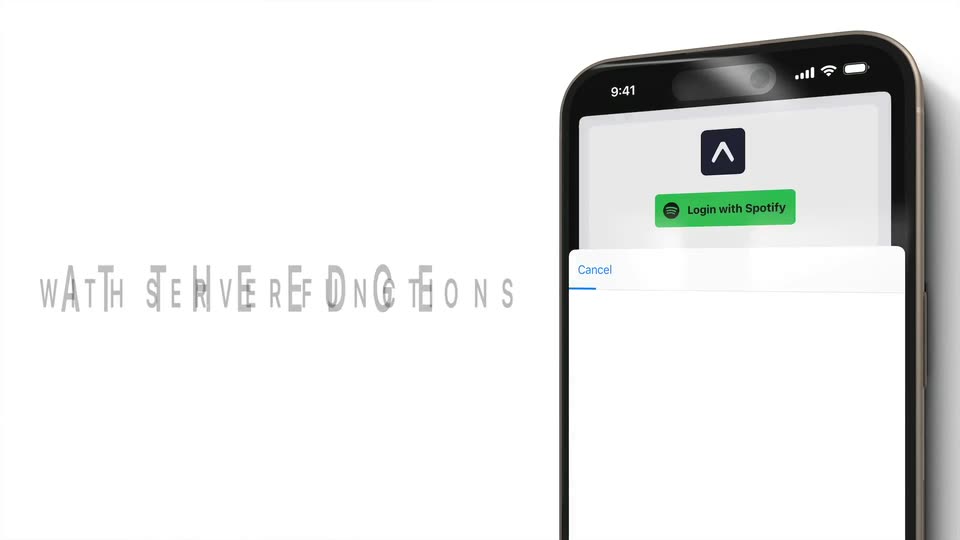
A blurred close-up pulls back to a 3D iPhone mockup angled on the right, its screen showing a Spotify sign-in card sliding up, then a search screen. Large black headlines swap on the left: SECURE AUTH, AT THE EDGE, WITH SERVER FUNCTIONS.
On-screen text: “SECURE AUTH”, “AT THE EDGE”, “WITH SERVER FUNCTIONS”
Techniques: Speed ramp, 3D mockup, Kinetic type
Camera: Push in
04 · Feature reveal · 0:07–0:08
A plain white frame places a tilted 3D iPhone on the right, its screen showing a Spotify-style playlist list, while the all-caps black headline on the left eases down in opacity; the phone holds still.
On-screen text: “WITH SERVER FUNCTIONS”
Techniques: 3D mockup
Camera: Static
05 · Feature reveal · 0:08–0:10
A 3D smartphone mockup on a black grid background turns from an edge-on view to a front angle, exposing a dark streaming screen with a search field and a list of playlists. The white title and subtitle fade in above the device.
On-screen text: “Streaming UI”, “Native and web”
Techniques: 3D mockup, Light sweep
Camera: Pull out
06 · Feature reveal · 0:10–0:12
A 3D iPhone mockup tilts upright on a black dashed grid as a diagonal light beam sweeps across its screen; the music search list fills in with album art and a song row slides into view beneath the static title.
On-screen text: “Streaming UI”, “Native and web”
Techniques: 3D mockup, Light sweep
Camera: Pull out
07 · Feature reveal · 0:12–0:14
A 3D phone mockup sits on a black grid beneath the white title “Streaming UI”. In the dark music app, a cursor types “Lab” in the search bar while the song list scrolls up past artist names.
On-screen text: “Streaming UI”
Techniques: 3D mockup, Cursor demo
Camera: Static
08 · Feature reveal · 0:14–0:15
A silver laptop lies nearly closed on a white surface, its lid rotating open toward the camera to reveal a dark browser window, while a phone showing a music app rests at the right edge.
Techniques: 3D mockup
Camera: Push in
09 · Feature reveal · 0:15–0:16
A silver laptop sits at a 3D angle on a white background, its screen showing a dark Spotify playlist list with a cursor at the right. The camera dollies in to a frontal close-up of the screen, cropping the keyboard.
Techniques: 3D mockup
Camera: Push in
10 · Feature reveal · 0:16–0:17
A silver laptop in 3D perspective displays a dark browser window on a white background. The playlist list switches to a Deploy to panel with a monitor icon and grey skeleton rows, while a white cursor hovers near the top right.
Techniques: 3D mockup, Cursor demo
Camera: Static
11 · Feature reveal · 0:17–0:20
A flat laptop mockup on white holds a dark Spotify web app. The playlist view scrolls upward, sliding the album header off-screen to expose the track list, as a cursor moves right and rests on the search box. A centered white caption stays fixed.
On-screen text: “Deploy to the web”
Techniques: Cursor demo
Camera: Static
12 · Feature reveal · 0:20–0:21
A 3D iPhone mockup sits on a black grid. On the left, the headline Native Navigation snaps from faded, wide letter-spacing to solid bold white. The phone screen cuts from a playlist list to a track detail view with a back arrow and a song list.
On-screen text: “Native Navigation”
Techniques: 3D mockup, Kinetic type
Camera: Static
13 · Feature reveal · 0:21–0:24
A 3D phone mockup tilts and rotates on a black dashed grid, a light beam sweeps across its screen, and white headlines on the left cycle through feature names, each lettering in with wide tracking that tightens.
On-screen text: “Native Navigation”, “Scroll Effects”, “Cached Requests”
Techniques: 3D mockup, Light sweep, Kinetic type
Camera: Pull out
14 · Feature reveal · 0:24–0:24
A tilted phone mockup in 3D perspective slides right and turns translucent over a laptop mockup showing a web app, both floating on black. Large white letter-spaced text on the left swaps from “Cached Requests” to “Down”.
On-screen text: “Cached Requests”, “Down”
Techniques: 3D mockup
Camera: Pull out
15 · CTA · 0:24–0:29
A silver laptop mockup sits open in 3D over a black grid, its lid occluding a white headline. The lid closes flat to reveal the headline and a gray URL, then a left-to-right wipe erases the text, leaving the closed laptop.
On-screen text: “Download on GitHub”, “github.com/evanbacon/expo-router-spotify”
Techniques: 3D mockup, Masking
Camera: Static