1:35

Let Claude handle work in your browser
Claude · Dec 2025
Evokoa’s 0:24 launch film runs 14 scenes, about 1.7 s each. The product shows up at 0:04 and 5 features are revealed. The call to action lands at 0:19 (80% in), over a voiceover. A fast montage of short 3D scenes, each pairing a bold one-line headline with a floating UI mockup that racks from blur into sharp focus. Signature moves include word-by-word headline builds, depth-of-field pushes through grids of file cards, and the gradient folder mark that bookends the piece.
Is this your launch? to your site or press kit.
Claude · Dec 2025
Noodle Seed · Oct 2026
Films whose music sounds like this one, voice left out
FlashDrive · Hip-hop and electronic dance music fusion
Remotion · Latin urban (dembow, reggaeton, Latin trap)
Atoms · Electronic, Trap
A gradient-outlined folder draws itself at center, then fills into a dark folder holding a pixel equalizer grid as confetti bits pop around it. A bold black headline holds above on a soft pastel gradient background.
On-screen text: “Where do your agents work?”
Techniques: Morph, Particles
Camera: Static
A dark folder with a pixel yellow-to-magenta gradient holds center in a soft 3D space. Blurred file cards, checkmarks, and agent badges drift at different depths around it as the black headline fades in above and out.
On-screen text: “One drive. Every agent.”
Techniques: Kinetic type, 3D mockup, Parallax
Camera: Push in
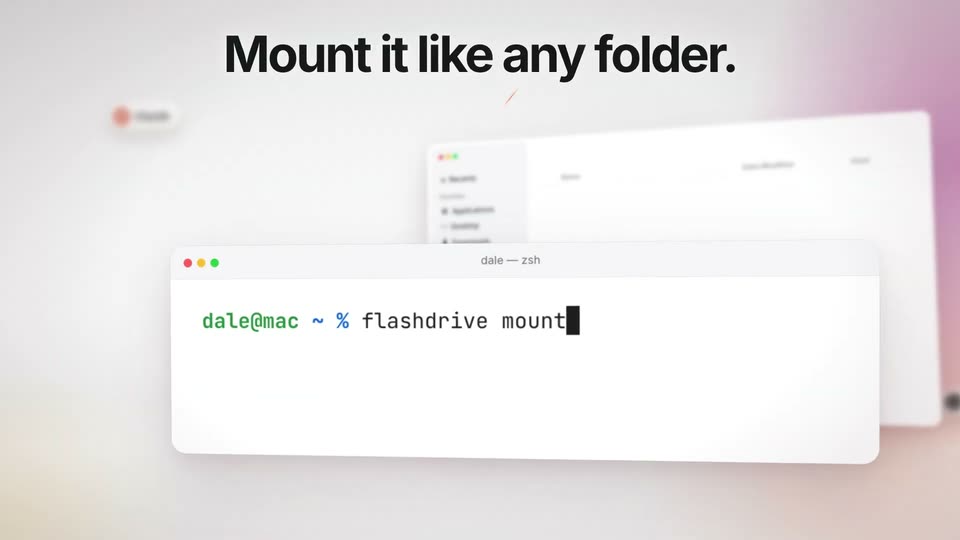
A tilted terminal window floats in front of a blurred Finder window on a soft gradient. The terminal types a command letter by letter while the headline “Mount it like any folder.” fills in at the top.
On-screen text: “Mount it like any folder.”
Techniques: 3D mockup, Kinetic type
Camera: Static
A tilted Terminal window shows the flashdrive mount command and its output, then the focus racks to a Finder window behind it, which scales into sharp view as its file list fills in with a README row.
On-screen text: “Mount it like any folder.”
Techniques: 3D mockup
Camera: Push in
A 3D grid of white file cards recedes into soft white space, the view pushing forward so the rows blur past. Orange folder and document icons slide by while small Claude and Codex badges pop onto the cards. The black headline builds word by word at the top.
On-screen text: “Claude. Codex. Cursor.”
Techniques: 3D mockup, Parallax, Kinetic type
Camera: Push in
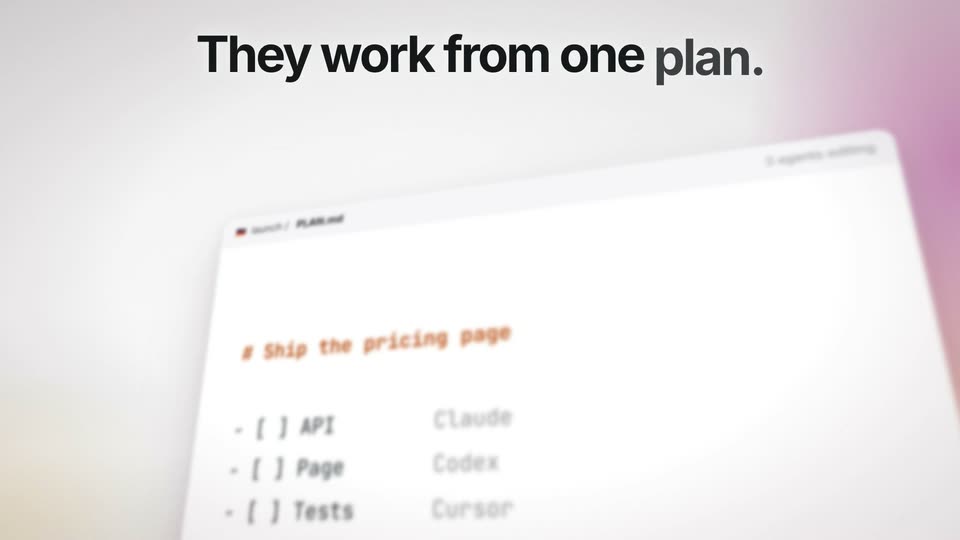
A tilted PLAN.md document sharpens in 3D over a soft pink gradient beneath the black headline. Checkboxes tick and rows flash green as the camera zooms in, dropping the headline out of frame.
On-screen text: “They work from one plan.”
Techniques: 3D mockup, UI zoom
Camera: Pull out
Two tilted app-window mockups sit on a pink gradient beneath the black headline reading Your team's agents too. A purple DA avatar and Dalton pill float over the left window. The camera drifts down, the headline exits, and the windows enlarge to show a chat thread with a checkmark.
On-screen text: “Your team's agents too.”
Techniques: 3D mockup
Camera: Push in
A light gradient stage holds a row of white file tiles and a tilted 3D folder card. The black headline types out at the top, the floating web card rises and empties, a red deleted tag pops in, and the web tile vanishes from the row.
On-screen text: “Wrong folder?”, “43 files deleted”
Techniques: Kinetic type, 3D mockup
Camera: Static
Five white file cards sit in a row on a soft pink-white gradient. The tilted web card drops back into line, then a green Restored badge pops above it. The headline Undo it. holds at top center.
On-screen text: “Undo it.”
Techniques: 3D mockup
Camera: Static
A Finder window, tilted in 3D on a blurred desk, rotates upright as a bold headline builds word by word above it. A green check badge and an orange dot pop in on the window's right edge.
On-screen text: “One shared drive for all your agents to work”
Techniques: 3D mockup, Kinetic type
Camera: Static
A tilted Finder-style window listing a launch folder sits centered on a soft pink gradient. Folder cards, file chips and small colored dots drift around it at different depths, while the black headline holds fixed at the top.
On-screen text: “One shared drive for all your agents to work in.”
Techniques: 3D mockup, Parallax
Camera: Pull out
A Finder window listing a launch folder rests on a soft pink and cream gradient under a bold black headline. Two Claude agent tags and a few small colored squares float above the window, then fade out as the window settles into a clean frame.
On-screen text: “One shared drive for all your agents to work in.”
Camera: Static
A folder icon with a dark-to-yellow gradient body, centered on a light gray background, rotates from a tilted 3D angle to a flat front view. Its inner gradient shifts from a jagged skyline edge to smooth horizontal bands.
Camera: Static
A folder icon with dark, magenta, red and yellow stripes sits left of the bold black wordmark FlashDrive, centered on a plain light gray background. The URL flashdrive.space then appears below in black and orange.
On-screen text: “FlashDrive”, “flashdrive.space”
Camera: Static