0:43
Explore
Okara - Today we're introducing Okara AI CMO v2. Drop in your website and it
Okara · Aug 2026 · 1:06 · AI-annotated
- Length
- 1:06
- Scenes
- 41 · 1.6 s avg
- Product on screen
- 0:04
- Features shown
- 3
- Call to action
- 0:59 · 88%
- Voiceover
- Yes
00:00:00 / 01:06:28
Okara’s 1:06 launch film runs 41 scenes, about 1.6 s each. The product shows up at 0:04 and 3 features are revealed. The call to action lands at 0:59 (88% in), over a voiceover. The video is built as a rapid chain of centered headline cards that crossfade into 3D-tilted UI mockups, each feature announced by a title card and then shown in a short interface demo. Signature moves include word-by-word headline builds, icon rows popping in left to right, and a recurring pixel robot mascot on a near-white field.
No filming indicatedEstimated needs: 7 capture groups — your screens or recordings · 1 official logo — reused across the film · 7 graphic passages — draw or supply · 7 3D passages — build or supply
Is this your launch? to your site or press kit.
More like this
0:18

AI Shopkeeper Launch Video | Noodle Seed
Noodle Seed · Oct 2026
0:38

Loom - It’s a new year — and it’s easier than ever to embrace new ways of wo
Loom · Productivity · Jan 2024
Okara - Today we're introducing Okara AI CMO v2. Drop in your website and it, scene by scene
· 41 scenes as text
01 · Hook · 0:00–0:01
A beige pixel-art face built from flat squares sits centered on white. The black text “This Agent” fades in over the lower half, then the face dissolves to white, leaving the text alone as it lightens to gray.
On-screen text: “This Agent”
Techniques: Kinetic type
Camera: Static
02 · Hook · 0:01–0:02
The word “Will” scales up at the center of a white frame into the full line “Will replace your” as two beige corner blocks fade out, then a slim toolbar with OpenAI and copy.ai logos slides in below the headline.
On-screen text: “Will replace your”
Techniques: Kinetic type
Camera: Static
03 · Hook · 0:02–0:03
A black headline reads “Will replace your” above a horizontal strip of colorful app icons that scrolls left. A second, larger gray line, “Entire Marketing Stack,” fades in below on a plain off-white background.
On-screen text: “Will replace your”, “Entire Marketing Stack”
Techniques: Kinetic type
Camera: Static
04 · Hook · 0:03–0:04
A horizontal strip of colorful app icons scrolls left inside a rounded window with three traffic-light dots, framed by the static headline above and the larger line below, which gains a gray underline stroke.
On-screen text: “Will replace your”, “Entire Marketing Stack”
Camera: Static
05 · Product intro · 0:04–0:05
Three flat UI cards float on a white field: a browser window with colored dots and a robot glyph, a code panel right, a chat card bottom-left. A huge black 'Meet' scales in at center, 'Will replace your' lands top-left, 'Entire Marketing Stack' fades right.
On-screen text: “Meet”, “Entire Marketing Stack”, “Will replace your”
Techniques: Kinetic type
Camera: Static
06 · Product intro · 0:05–0:06
On a white field, the word Meet sits centered while four app-screen cards hover at the corners. The word scales and fades as a black pixel crab icon pops in at the center, and the cards drift apart at different speeds.
On-screen text: “Meet”
Techniques: Kinetic type, 3D mockup, Parallax
Camera: Push in
07 · Product intro · 0:06–0:08
On a white field, the pixelated Okara icon and wordmark sit centered among tilted 3D product cards. The logo shrinks and rises as the bold tagline scales in below, then a gray word begins to enter at the lower left.
On-screen text: “Your AI CMO”, “Just”
Techniques: 3D mockup, Kinetic type
Camera: Static
08 · Demo · 0:08–0:10
The headline Just drop in your website slides in word by word on a plain off-white background, then a rounded input bar with a pixel robot icon and a black Get started button appears below. The frame zooms into the field as yourwebsite.com types itself with a blinking caret.
On-screen text: “Just drop in your website”, “lokara.ai”
Techniques: Kinetic type, UI zoom, Cursor demo
Camera: Static
09 · Demo · 0:10–0:12
A black Get started pill button with an arrow sits on a cream panel, a hand cursor pointing up below it. A yourwebsite.coml URL slides in. Then four white chips with icons, Company, Analytics, Actions Feed and Talk to AI CMO, scale into a 2x2 grid.
On-screen text: “yourwebsite.coml”
Techniques: Cursor demo
Camera: Static
10 · Demo · 0:12–0:14
Three tilted interface panels slide into a row in 3D space: a Company sidebar, an Analytics dashboard with stat cards and a traffic chart, and an Actions Feed panel. The panels settle into alignment while the frame stays locked.
Techniques: 3D mockup
Camera: Push in
11 · Demo · 0:14–0:16
A flat product dashboard fills the frame, split into an analytics column on the left and an actions feed list on the right. The two columns slide apart horizontally, bringing the AI CMO chat card into full view on the right side.
Camera: Pull out
12 · Demo · 0:16–0:18
A flat product chat window fades in from the left on a white background while a large black headline slides in on the right. Its letters carry a horizontal motion-blur offset that settles into a sharp stop.
On-screen text: “Everything a marketing team does, handled for you.”
Techniques: Kinetic type
Camera: Pan
13 · Feature reveal · 0:18–0:19
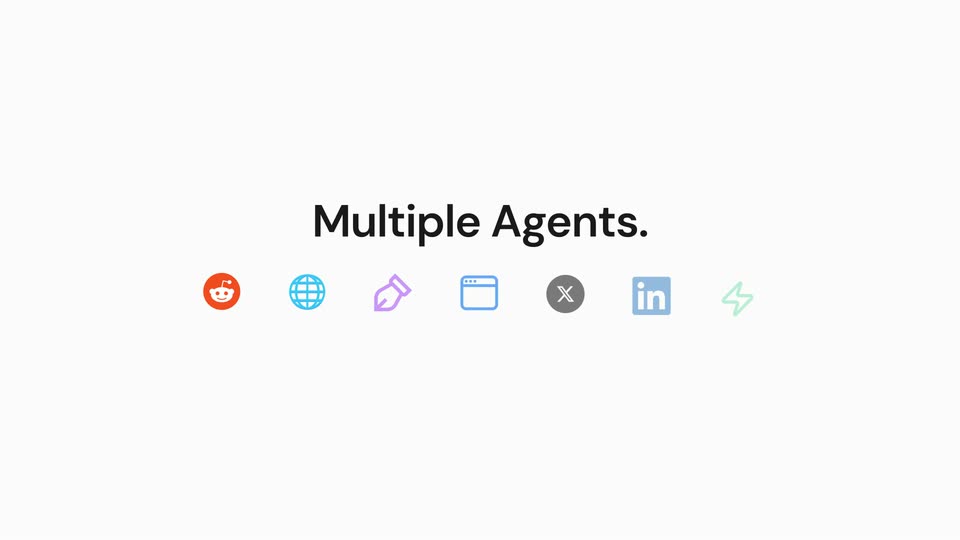
As the interface clears to a plain white field, the centered black headline holds while a row of seven small icons (orange Reddit, blue globe, purple tag, blue browser, gray X, blue LinkedIn, green lightning) pops in one by one from left to right beneath it.
On-screen text: “Multiple Agents.”
Techniques: Kinetic type
Camera: Pan
14 · Feature reveal · 0:19–0:21
On a light gray background, the heading “Multiple Agents.” slides in above a row of seven platform icons (Reddit, globe, pen, browser, X, LinkedIn, lightning), then “One Content Engine.” rises in below the row.
On-screen text: “Multiple Agents.”, “One Content Engine.”
Techniques: Kinetic type
Camera: Static
15 · Feature reveal · 0:21–0:22
A plain off-white field holds the centered black phrase 'Creates and posts content', which builds word by word, each word scaling in. The camera stays locked off.
On-screen text: “Creates and posts content”
Techniques: Kinetic type
Camera: Static
16 · Feature reveal · 0:22–0:23
Black sans-serif headline “Creates and posts content on autopilot.” scales and slides in on a white field, then a tilted 3D card showing a Reddit Opportunities panel rotates forward and the headline fades to gray behind it.
On-screen text: “Creates and posts content”, “on autopilot.”
Techniques: Kinetic type, 3D mockup
Camera: Static
17 · Feature reveal · 0:23–0:24
The orange Reddit logo and gray Reddit Agent wordmark sit at the top above three overlapping Reddit Opportunities cards. The center card's button flips from Comment Now to Comment Posted, then the two side cards slide outward to separate.
On-screen text: “Reddit Agent”
Camera: Static
18 · Feature reveal · 0:24–0:25
A white title bar with the Reddit logo reads Reddit Agent beside a Comment Posted pill, above three overlapping Reddit post cards. The bar and cards crossfade into an SEO / GEO Agent state with a dark Fix with CMO pill and an SEO task list.
On-screen text: “Reddit Agent”, “Comment Posted”, “SEO / GEO Agent”, “Fix with CMO”
Techniques: Morph
Camera: Push in
19 · Feature reveal · 0:25–0:26
A tilted two-card interface mockup sits beneath the heading SEO/GEO Agent on a light gray field. A hand cursor taps a dark Fix with CMO button that fades to reveal a green PR #163 button, while a green Fixed checkmark badge pops in at the top.
On-screen text: “SEO/GEO Agent”, “Fixed”
Techniques: 3D mockup, Cursor demo
Camera: Static
20 · Feature reveal · 0:26–0:28
A document editor interface displays an article. The view scrolls down the text, and the publish button in the top right corner updates to a published state with a green checkmark.
Techniques: UI zoom
Camera: Static
21 · Feature reveal · 0:28–0:31
Three agent titles fade in on white, each above a stack of flat interface cards that hold for about a second before crossfading: a chat thread of copy suggestions, tweet cards with a terminal screenshot, and LinkedIn posts with a pricing card and video player.
On-screen text: “Copy Agent”, “X Agent”, “LinkedIn Agent”
Camera: Pull out
22 · Feature reveal · 0:31–0:32
Title 'LinkedIn Agent' and a green 'Posted' pill fade out as flat LinkedIn post cards and a video player rotate into 3D perspective and fly off to the right, revealing YouTube and Hacker News logos at the edge.
On-screen text: “LinkedIn Agent”, “Posted”
Techniques: 3D mockup
Camera: Static
23 · Feature reveal · 0:32–0:33
A light gray title card settles into place: the orange Y Combinator circle and the dark “Hacker News Agent” headline center at top, a “Published” pill with a green check slides in at right, and two 3D-tilted Hacker News windows sit angled below.
On-screen text: “Hacker News Agent”, “Published”
Techniques: 3D mockup
Camera: Push in
24 · Feature reveal · 0:33–0:35
A grid of six integration cards (Google Search Console, WordPress, Webflow, Framer, GitHub, Google Analytics) fades in around the centered headline “And even more integrations.” The cards settle from a slight vertical offset, then the whole grid drifts slowly toward the upper left.
On-screen text: “And even more integrations.”
Techniques: Kinetic type
Camera: Static
25 · Feature reveal · 0:35–0:36
The integration screen fades to a white title card. A large light-gray rising arrow drifts upward in the background while the centered headline, top line dark and second line gray, fades in.
On-screen text: “And when you're”, “ready to launch”
Camera: Static
26 · Feature reveal · 0:36–0:37
A large pale arrow with a wavy base sits on a cream background, pointing up to the right. Centered black text reads the headline, held static on a locked-off frame.
On-screen text: “And when you're”, “ready to launch”
Camera: Static
27 · Feature reveal · 0:37–0:38
A white rounded pill with an orange person-plus icon and the gray label Influencer Agent sits centered on a near-white field. Oversized black letterforms at the top and bottom edges exit the frame as the pill's text slides into place.
On-screen text: “And when you're”, “Influencer Agent”
Techniques: Kinetic type
Camera: Static
28 · Feature reveal · 0:38–0:40
A white chat window sits left on a light background while a gray Influencer Agent badge and a black headline, Handles influencer campaigns at scale., build in on the right. The camera then zooms into the typed prompt in the input box.
On-screen text: “Influencer Agent”, “Handles influencer campaigns at scale.”
Techniques: Kinetic type, UI zoom
Camera: Static
29 · Feature reveal · 0:40–0:42
A light-gray prompt card slides up out of frame on a near-white background, revealing a white response card that rises into place. The card, headed by an orange people icon and a bold CAMPAIGN BRIEF title, fills in its fields and a two-item requirements list.
Camera: Static
30 · Feature reveal · 0:42–0:43
A white campaign brief card with two buttons sits above a light gray headline. The frame zooms in on the card, the headline turns black, and a hand cursor glides onto the dark Approve Brief button.
On-screen text: “You just approve.”
Techniques: UI zoom, Cursor demo
Camera: Push in
31 · Feature reveal · 0:43–0:44
A dark gray headline fades in at the center of a light gray field, then shifts up to the top as a white rounded card with a soft shadow and body copy slides into view beneath it.
On-screen text: “Finds the right influencers.”
Techniques: Kinetic type
Camera: Static
32 · Feature reveal · 0:44–0:46
A light UI panel scrolls up past a bold headline and an AI message to reveal a shortlist of influencer rows, each listing a handle, fit and price with a green remove button.
On-screen text: “Finds the right influencers.”
Camera: Pan
33 · Feature reveal · 0:46–0:47
A white card lists three influencer profiles with handles, follower counts, fit and acceptance stats, each paired with a green dismiss icon. A hand cursor hovers over the dark Approve & Send Outreach button at the bottom right as the list scrolls up slightly.
Techniques: Cursor demo
Camera: Static
34 · Feature reveal · 0:47–0:49
A white interface card lists user handles with green Accepted, red Declined and gray Expired tags. The list scrolls upward, then the card collapses into a Continue button that a hand cursor hovers. A bold black caption reads Does the outreach. below.
On-screen text: “Does the outreach.”
Techniques: Morph, Cursor demo
Camera: Pan
35 · Feature reveal · 0:49–0:51
A flat interface shows an Escrow Payment modal over a list of creator handles and statuses. A cursor taps Continue, then the black Fund Escrow button, and a green verified card slides in below. The bottom headline swaps from Does the outreach. to Handles payments.
On-screen text: “Does the outreach.”, “Handles payments.”
Techniques: Cursor demo, Kinetic type
Camera: Push in
36 · Feature reveal · 0:51–0:52
A white rounded notification card with a soft drop shadow floats on a near-white background, with a small gray AI CMO label above it. The two message lines settle from an offset, overlapping position into neat alignment as the label scales into place.
Techniques: Kinetic type
Camera: Static
37 · Feature reveal · 0:52–0:54
A light-mode campaign results card fades in and fills in its metrics and total spend, then the word Everything fades in centered over the dashboard.
On-screen text: “Everything”
Camera: Push in
38 · Demo · 0:54–0:57
A centered charcoal headline fades in on a white field as six circular icon badges, LinkedIn, X, globe, pen, person and robot, drift around it. A second line slides in below, then the whole composition scales up as a faint halo circle grows behind the text.
On-screen text: “Everything you need”, “to crack growth and distribution.”
Techniques: Kinetic type
Camera: Static
39 · Demo · 0:57–0:57
A multi-panel Okara dashboard assembles into four columns: company profile, analytics with a traffic line chart, an actions feed, and an AI chat. The left sidebar fills in with competitor entries while a large “All in” headline fades in at the bottom.
On-screen text: “All in”
Camera: Static
40 · Demo · 0:57–0:59
A flat dashboard interface with four panels is displayed. The headline 'All in one platform.' slides up into view at the bottom.
On-screen text: “All in one platform.”
Techniques: Kinetic type
Camera: Static
41 · CTA · 0:59–1:06
A small black pixel robot icon scales up at center on a plain off-white background. The wordmark Okara in bold black and AI CMO in gray settle beside it, then a black pill button with white text fades in below and holds.
On-screen text: “Okara AI CMO”, “Hire yours → okara.ai”
Camera: Static