2:10
Introducing Raycast Pro
Raycast · Productivity · May 2023
Epicenter’s 2:43 launch film runs 7 scenes, about 23 s each. The product is on screen from the first frame and 1 feature is revealed. The call to action lands at 2:06 (78% in), over a voiceover. The video is one continuous screen-recording take that slowly zooms into UI elements while word-by-word captions with an orange highlight track the voiceover, moving from setup to a parallel-agent workflow to the app's settings. It closes by cutting to a vertical facecam with the same caption treatment, using fast-forward jumps to skip repetitive typing.
Is this your launch? to your site or press kit.
Raycast · Productivity · May 2023
Shift Technology · Feb 2023
Films whose music sounds like this one, voice left out
Dark IDE screen with code, parallel Claude Code terminals, and a Whispering app window. Bottom captions swap word by word with an orange highlight. The view zooms into the app as the cursor clicks Voice Activated; a speech bubble and green started notice replace the mic.
On-screen text: “I have Whispering”, “here and I have Claude”, “Code split, usually”, “around three to five”, “terminals at the bottom.”, “I like running Claude”, “in parallel.”, “I take turns prompting”, “one, moving on to the”, “next one and waiting for each of them to finish. I use Whispering's speech to text along the way. That's the secret sauce. I'm constantly accepting, transcribe,”
Techniques: Kinetic type, Cursor demo, UI zoom
Camera: Pan
A dark code editor fills the screen, split into a terminal file list, a bash command prompt, and a Claude Code panel, with a small webcam bubble in the corner. White caption lines appear at the bottom in sequence, key words highlighted in orange.
On-screen text: “This is a great job.”, “I would now like you”, “to stage all the”, “different files where you”, “renamed it and used”, “RPC instead of notify.”
Techniques: Kinetic type
Camera: Pull out
A screen recording of a code editor fills the frame, showing code, a terminal and several Claude Code panels, with a small webcam feed of the speaker in the corner. The view zooms in on the terminal as white captions with an orange-highlighted word appear at the bottom.
On-screen text: “Review this, paste”, “this in the meantime.”, “Okay.”, “I would like you to help”
Techniques: UI zoom
Camera: Push in
A screen recording of a dark code editor shows a voice-recording dialog and a chat panel where dictated prompts appear as text. Subtitle captions with orange highlights track the speech, and the view zooms into the chat panel during a fast-forwarded segment.
On-screen text: “I would like you to help”, “for doing another API with”, “adding another API to”, “the toast right now.”, “(Fast-forward)”, “Now in the notify, like”, “want notifications,”, “some notifications,”, “so when I do the”, “notify like services. (Fast-forward) All”
Techniques: UI zoom, Cursor demo, Speed ramp
Camera: Push in
A full-screen IDE view: code editor on the left, a Start recording dialog top right, and four terminal panels with agent sessions below. A small webcam feed of the speaker sits bottom right. The view zooms into the terminals, then back out, while word-highlighted captions roll along the bottom.
On-screen text: “right, so now as you can”, “see here, I'm gonna be”, “just looking around, and”, “checking the commits”, “of this first one, and”, “then in the second one”, “I'm gonna be checking”, “its updates too.”, “And this is how I”, “supervise all five of them running in parallel. I'm gonna be checking back with them in a few seconds once they're done, and then we're gonna keep coding.”
Techniques: Kinetic type, UI zoom
Camera: Pull out
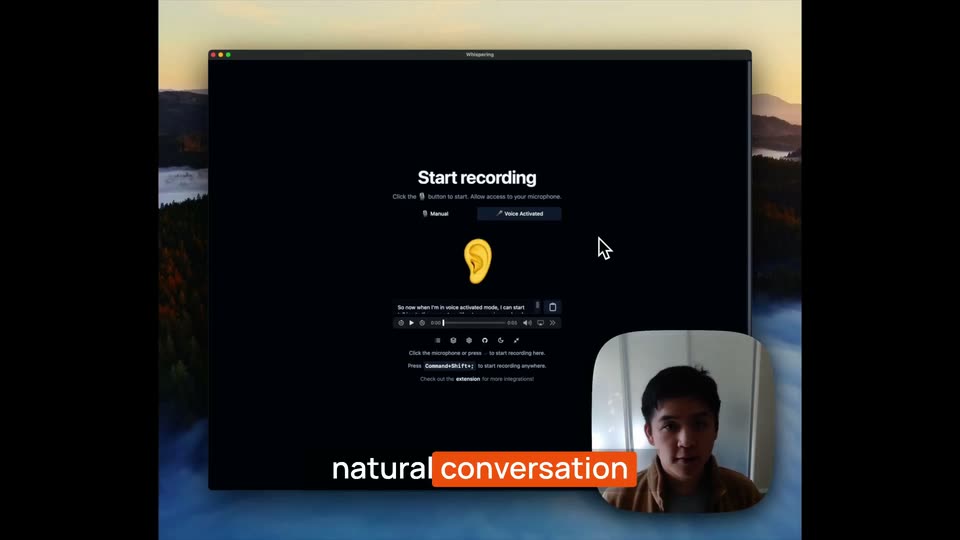
A dark Whispering web app window sits on a mountain wallpaper with a rounded facecam inset bottom right. The view zooms into the UI as the cursor picks Voice Activated and opens a transcription-service dropdown, then zooms back out as the mic icon swaps to an ear and a face.
On-screen text: “So for transcription,”, “actually use my own app.”, “free, open source”, “trustworthy and”, “any model provider.”, “Voice-activated mode.”, “distil-whisper which”, “only cents an hour,”, “I'm gonna use a”, “custom prompt I made”
Techniques: UI zoom, Cursor demo
Camera: Pull out
A young man in a tan fleece jacket speaks to the camera in a vertical close-up, a code editor on a monitor behind him. He gestures with one hand as he talks. White subtitles with a sliding orange highlight run along the bottom of the frame.
On-screen text: “So if you notice”, “I'm wearing one of”, “Sometimes I'll just leave”, “a session running on”, “just thinking my own”, “out loud, sit down”, “phone and then just”, “record stuff on the go.”, “my desk, I'll process”, “all of the audio and”
Camera: Pull out