2:01
ElevenLabs - Introducing Scribe v3 and Scribe v3 Live: our most accurate Speech to
ElevenLabs · AI · Nov 2026
ElevenLabs · Nov 2026 · 2:01 · AI-annotated
ElevenLabs’s 2:01 launch film runs 35 scenes, about 3.5 s each. The product is on screen from the first frame and 7 features are revealed. The call to action lands at 1:52 (92% in), over a voiceover. The video is built as a feature-by-feature march: each claim opens with a title card, lands a counting stat, then proves itself in a short UI demo, all cut at a steady 10 cuts per minute. Signature moves are the expanding circle mask, the grid of rounded squares, and word-by-word typing of transcripts over blurred gradients.
Is this your launch? to your site or press kit.
ElevenLabs · AI · Nov 2026
Anthropic · AI · Oct 2026
Claude · Oct 2026
A black two-bar logo mark sits centered on a plain light gray background, scaling up slightly in a locked-off frame.
Camera: Static
A blue gradient panel with rounded corners on a light gray field. Center: the two-bar mark scales in beside Scribe, a pill badge reads V3 then widens to V3 Live. The corners then round into a squircle as the logo clears to the word The and a small icon.
On-screen text: “IIScribe”, “V3 Live”, “The”
Techniques: Kinetic type, Morph
Camera: Static
A blurred blue image sits inside a circle on a pale gray field, thin arcs at the edges. White text types out word by word at the center with a blinking cursor, and the circle slowly expands until it fills the frame.
On-screen text: “The most accurate Speech to Text models”, “V3 Live”
Techniques: Kinetic type, Masking
Camera: Pull out
A soft blue circle sits centered on a light gray field, acting as a mask for white text that scrolls across it: “The most accurate Speech to Text models.” The circle shrinks to a pinprick while two thin gray arcs ripple outward.
On-screen text: “The most accurate Speech to Text models”
Techniques: Kinetic type, Masking
Camera: Static
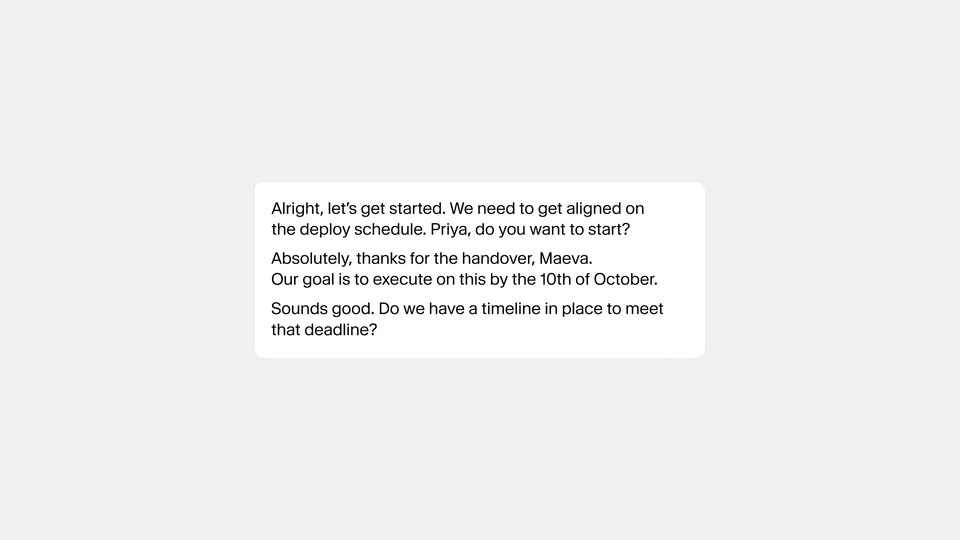
A white rounded card sits centered on a light gray field. Inside, a short conversation types in line by line, the lines stacking and overlapping until the card fills with dense black text.
Techniques: Kinetic type
Camera: Static
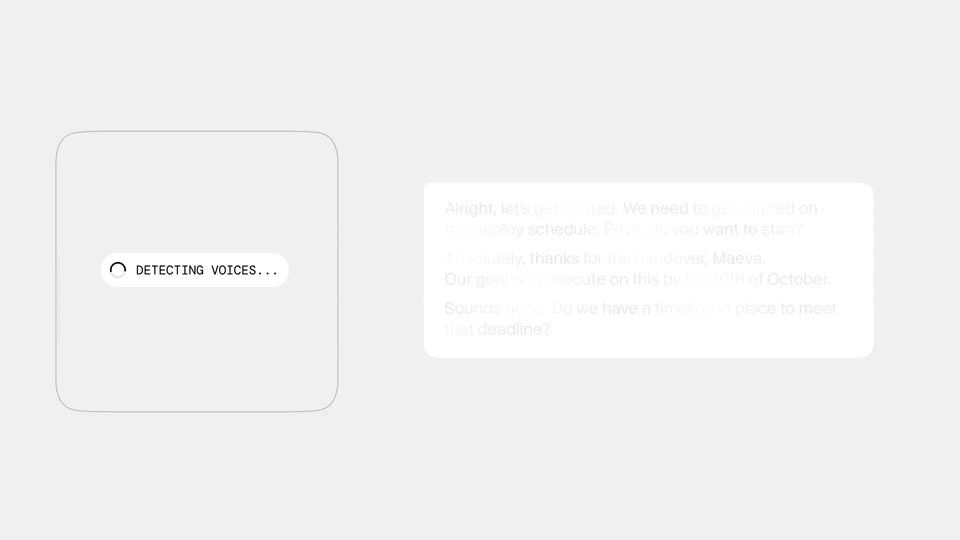
On a light gray field of faint wavy outlines that fade to plain, a white transcript card on the right reorganizes into three speaker cards labeled Jason, Priya and Jason. A small pill with a spinner reads DETECTING VOICES... on the left.
Techniques: Morph
Camera: Static
A white percentage figure is centered on a plain black background and counts up from 16% to 17%, then holds on the final value.
On-screen text: “16%”, “17%”
Techniques: Kinetic type
Camera: Static
A black card floats on a soft blue blurred backdrop. A white headline reads 3 Speakers Audio with 17% below it, and two vertical bars compare Scribe V2 in gray to a taller white Scribe V3. The word Improvement fades in under the headline, then the card dissolves out.
On-screen text: “3 Speakers Audio”, “17%”, “Scribe V2”, “Scribe V3”, “Improvement”
Camera: Static
A white data card sits over a soft blue cloud background, holding a two-bar chart that compares Scribe V2 and Scribe V3 word error rates. A large light-weight percentage counts up from 24 to 27 percent in the lower left.
On-screen text: “All FLEURS languages”, “Word error rate”, “27%”, “Scribe V2”, “Scribe V3”
Techniques: Kinetic type
Camera: Static
A white transcript view with a Transcript heading and a Numbers, Digits, Words toggle at the top, and two timestamped speaker lines below. The interface eases up in scale, then holds still.
Techniques: UI zoom
Camera: Static
A pale gray rounded bar labeled RULE slides in from the right on a white field and scales up as it settles. The sentence Write all dates as YYYY-MM-DD types out in dark gray, letter by letter, behind a blinking caret.
Techniques: Kinetic type
Camera: Static
A transcript view on a white background. The date phrase is highlighted in black, then converts to 2026-03-04. The toggle switches from Words to Digits, and the number phrases flash gray before converting to 1790, 4,200, and 3. A rule chip at the bottom stays marked Applied.
Techniques: Kinetic type
Camera: Static
The Scribe v3 Live wordmark sits centered over a dark field of faint wavy rounded-rectangle outlines. It slides left as the white headline Diarization Support appears on the right, settling into a two-part title card.
On-screen text: “Diarization Support”
Techniques: Kinetic type
Camera: Static
A faint grid of rounded squares fills a near-black frame. White text Scribe V3 Live slides in at left while Diarization Support holds still at right, then both fade out with the grid, leaving two small dots at the line ends.
On-screen text: “Scribe V3 Live”, “Diarization Support”
Techniques: Kinetic type
Camera: Static
A plain light gray field holds a small centered caption. “Scribe v3 Live” slides in, then the still line “Diarization Support” holds; the text shrinks down to a single tiny dark square dot at the center of the frame.
On-screen text: “Scribe v3 Live”, “Diarization Support”
Techniques: Kinetic type
Camera: Static
On a light gray field, a single thin gray line capped by two dark squares multiplies downward into a vertical stack of thirteen identical lines, each ending in dark squares, forming an abstract list. A small white square sits at the center of the first line before the stack forms.
Camera: Static
A dark field of horizontal slats, edged with small squares at left and right, holds a centered caption. The line “Of the whole conversation” fades in mid-clip in light gray, holds briefly, then fades out. The frame stays locked off throughout.
On-screen text: “Of the whole conversation”
Camera: Static
A tight cluster of muted sage, gray and tan dots bursts outward across a pale gray field, thinning to a sparse ring as the figure 43% settles in the center.
On-screen text: “43%”
Techniques: Particles
Camera: Static
A ring of muted sage and gray dots surrounds a centered black percentage figure on a pale gray field. The figure counts up from 38 to 43 while the dots hold their circular arrangement in a locked-off frame.
On-screen text: “43%”
Techniques: Kinetic type
Camera: Static
A white card on a soft green-lavender gradient. Gray skeleton bars with scattered colored dots resolve into a five-row bar chart under the heading Transcription accuracy, Scribe's black bar longest. The card collapses to a dark frame with a small white dash.
On-screen text: “Scribe V3 Live”, “Transcription accuracy”, “Grok Voice Transcribe 2.0”, “Gemini 3.5 Transcribe Live”, “GPT-Live-Transcribe”, “Deepgram Nova-3”
Techniques: Masking
Camera: Push in
On a dark gray field, thin crosshair lines extend from a small white square at the center, then expand into a rectangular frame with corner handles. Inside the frame, thin white sine waves are drawn and multiply, overlapping and oscillating in a slow, precise rhythm.
Camera: Static
Left panel: a blurred magenta gradient behind chat bubbles that fade in and type out a call transcript word by word. Right panel: a white grid of rounded squares with a circle holding a shifting pink blur. The two panels sit side by side for the full shot.
Techniques: Split screen, Kinetic type
Camera: Pan
A pink and white marbled circle sits at the center over a faint grid of rounded squares. The grid dissolves into a field of small gray letters as the circle blurs and the headline Built for global teams appears behind it.
On-screen text: “Built for global teams”
Camera: Push in
A centered black headline sits on a near-white field of small gray letters. The letter field eases from a curved dome into a flat plane, then holds still behind the static text.
On-screen text: “Built for global teams”
Techniques: Morph
Camera: Push in
On a soft-focus green leaf background, the white word Greek sits centered, then Arabic fades in beside it and the pair scales up to fill the middle of the frame. A static caption, Built for global teams, accompanies the line.
On-screen text: “Greek”, “Arabic”, “Built for global teams”
Techniques: Kinetic type
Camera: Static
A blurred backdrop shifts from pink to blue sky while a single line of white language names scrolls left across the center of the frame.
On-screen text: “Czech Arabic Hindi German Dutch Pol”
Techniques: Kinetic type
Camera: Static
A soft, blurred blue sky holds a line of white sans-serif text that scrolls left across the frame. A list of languages (Hindi, German, Dutch) passes first, then the phrase Without missing a beat arrives at a larger size, words entering from the right.
On-screen text: “abic Hindi German Dutch Pol”, “Without missing a beat”
Techniques: Kinetic type
Camera: Static
A soft-focus blue sky with streaky white clouds fills the frame. A single line of white text, Without missing a beat, sits centered and static over the backdrop. The camera holds still throughout the shot.
On-screen text: “Without missing a beat”
Camera: Static
White chat cards for Speaker A and Speaker B stack on a blurred lavender-green gradient. Each English line types out word by word, then a Korean translation appears below. The list scrolls up for a third card, and the frame ends in a blur with three dots.
On-screen text: “Without missing a beat”
Techniques: Kinetic type
Camera: Static
A white audio waveform sits centered on a dark gray field. It begins as a tight cluster of vertical bars and dots, then expands horizontally into a long, dense waveform strip that oscillates in place.
Techniques: Morph
Camera: Static
A horizontal row of thin vertical bars of varying heights sits centered on a pale gray field, pulsing like an audio waveform. Groups of bars flash from light gray to black, then to blue, as if marking the words being captured.
Camera: Static
Three vertical panels sit side by side, each filled with a soft blurred blue and teal gradient that drifts and shifts. Centered white labels read Note, Word, Number, held still while the light moves behind them.
On-screen text: “Note”, “Word”, “Number”
Techniques: Split screen
Camera: Static
A white rounded note card floats over a blurred magenta gradient, with a small gray “Recording...” label above it. Black text fills the card word by word as a live voice transcription, building the full note line by line.
Techniques: Kinetic type
Camera: Static
A white card with a faint grid of concentric rounded squares; the headline sits centered as the last word fades in, then a light blue rounded rectangle expands behind the line and shrinks away.
On-screen text: “Try both models today”
Techniques: Kinetic type
Camera: Static
A soft blue gradient fills the frame with a white pause icon centered. The icon morphs into the IIScribe wordmark, and a V3 Live pill badge forms beside it. The lockup holds still as the gradient drifts.
On-screen text: “V3 Live”
Techniques: Morph
Camera: Static