0:54
Introducing Speech Engine
ElevenLabs · AI · May 2026
ElevenLabs · Nov 2025 · 0:48 · AI-annotated
ElevenLabs’s 0:48 launch film runs 25 scenes, about 1.9 s each. The product is on screen from the first frame and 4 features are revealed. The call to action lands at 0:42 (87% in), over a voiceover. The video is a straight feature walk-through: the wordmark and a scrolling model list open it, then four features (image generation, video generation, upscaling, Studio) each get a tight UI animation on a flat gray field, closing with an output montage and a URL card. Signature moves are the staggered diagonal frame cascade, the crossfading thumbnail grid, the dashed selection frame with live pixel labels, and the three-disc brand morph, all cut to a steady pulse near 124 bpm.
Is this your launch? to your site or press kit.
ElevenLabs · AI · May 2026
OpenAI · AI · May 2026
ElevenLabs · AI · May 2026
Films whose music sounds like this one, voice left out
Humain · Modern electronic
AIR · House / Tech House
Garmin · Modern electronic dance music
On a plain light gray background, the black ElevenLabs wordmark holds centered, then the headline Image & Video scales in with a brief motion blur and holds. Locked-off frame throughout.
On-screen text: “IIElevenLabs”, “Image & Video”
Techniques: Kinetic type
Camera: Static
Bold black “Image & Video” scales in at center on a light gray field, then yields to a left column of model names fading in from top to bottom, while “Kling 2.5.1” with a small cube icon lands on the right beside a play glyph and a thin horizontal line.
On-screen text: “Image & Video”, “Kling 2.5.1”, “Kling 2.5”, “Wan 2.5”, “OmniHuman 1.5”, “Topaz Upscale”, “Sora 2”
Techniques: Kinetic type
Camera: Static
A vertical list of gray model names scrolls upward past a fixed horizontal rule with a small triangle marker. The name aligned with the rule appears in bold black on the right with a small cube outline icon.
On-screen text: “Kling 2.5”, “Veo 3.1”, “Wan 2.5”, “OmniHuman 1.5”, “Topaz Upscale”, “Sora Pro 2”, “Veed Lipsync”, “Seedance 2 Pro”, “Sync Lipsync 2 Pro”, “Seedance 1 Pro”
Techniques: Kinetic type
Camera: Static
A column of gray model names on the left scrolls vertically past a static bold black 'Seedance 1 Pro' row on the right, which carries a small cube icon, a play triangle, and a thin horizontal underline.
Camera: Static
A soft gradient circle sits centered on a pale gray field, then duplicates into two overlapping discs, and a third joins to form a triangular cluster with a white glow at the overlap. The background warms to a pastel gradient.
Techniques: Morph
Camera: Pan
Three translucent circles in blue, orange and pink overlap at the center of a soft pink-to-blue gradient, their intersection glowing white. They then collapse into a single white rounded square, holding on the same gradient.
Techniques: Morph
Camera: Static
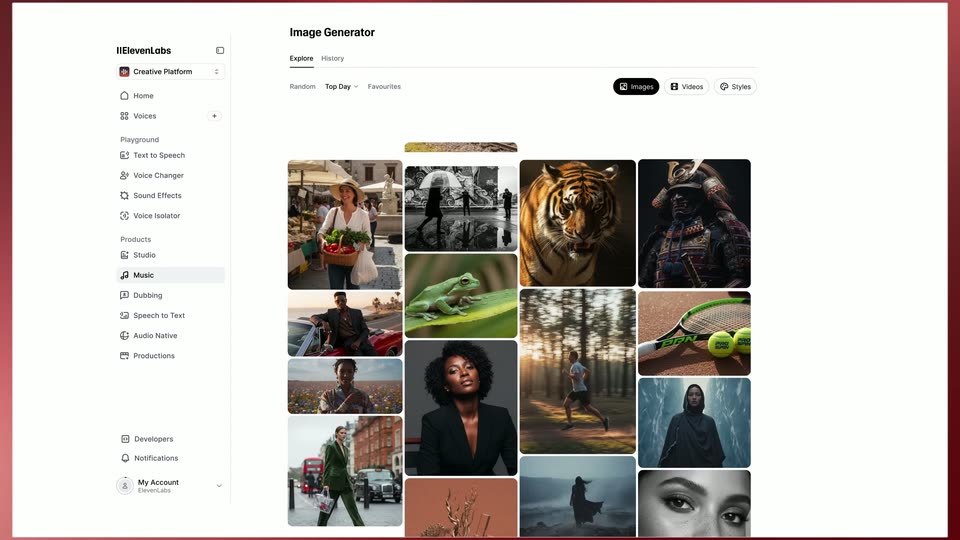
A white rounded app window floats on a red gradient background, showing the ElevenLabs Image Generator screen with a left sidebar and a grid of generated photos. The sidebar labels and image grid glide down and settle into place over the shot.
Camera: Static
A light gray field holds a multi-column grid of photo thumbnails that fly in from a scattered, blurred arrangement and snap into place. A left sidebar panel with menu labels is briefly visible at the start, then clears as the images settle.
Camera: Push in
A staggered grid of rounded image thumbnails floats on a light gray field. Each tile crossfades between generated styles: a man by a red car, a coastal runner, a train shifting from blue to silver, a cat in a flower field changing fur color. Soft drop shadows, slow gentle transitions.
Techniques: Morph
Camera: Static
A staggered grid of rounded photo cards floats on a light gray background. The images cross-fade between artistic styles, a sketched man in a car becoming photorealistic and a red bouquet turning blue, while the layout holds still.
Techniques: Morph
Camera: Pull out
A wide rounded panel filled with a mosaic of sample photos collapses into a compact two-segment toggle, the left image icon lit white and the right film icon gray.
Techniques: Morph
Camera: Static
A pale rounded toggle bar sits centered on a light gray field, holding an image icon and a filmstrip icon. The dark highlight slides from the image icon to the filmstrip icon, where a faint duplicate filmstrip icon fades in to its right.
Camera: Static
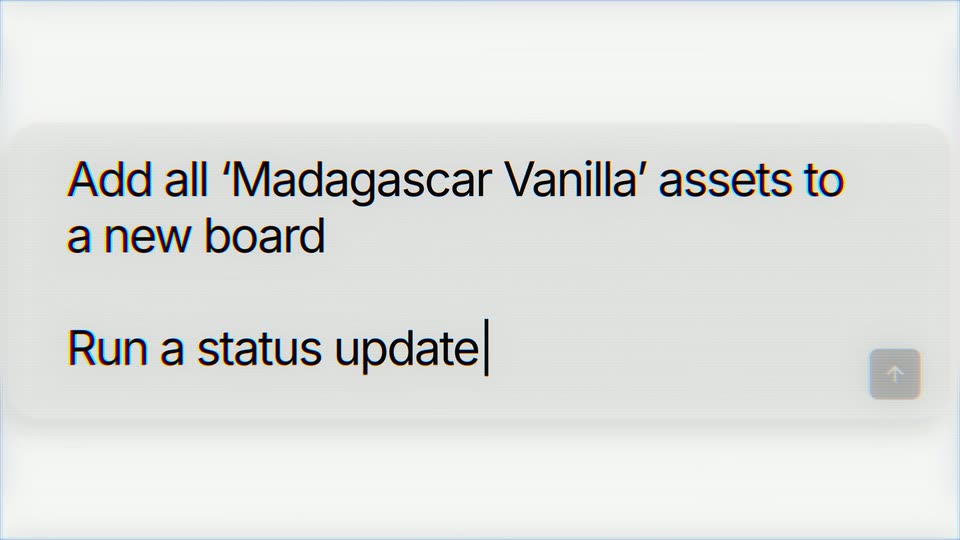
On a light gray interface, the prompt text “Describe your video...” is typed out letter by letter above a row of control chips and a dark circular send button. The frame stays locked off.
Techniques: Kinetic type
Camera: Static
A man in a red suit walks toward camera through red smoke inside a centered rectangle on a light gray field. The rectangle shrinks and a thin border frame draws around it.
Techniques: Masking
Camera: Pull out
Two red video frames of a man in a suit sit diagonally on a light gray background, joined by thin lines. A third red frame slides in between them as the outer two turn black and white, then a dashed rectangle outlines the center frame.
Techniques: Split screen
Camera: Push in
A portrait of a man in a red suit expands from a small centered thumbnail to fill the frame, a pixel dimension label appearing top left. The view then settles into a UI panel: prompt text and action buttons on the left, the enlarged image on the right.
Techniques: UI zoom
Camera: Pull out
A chat panel with a prompt sits left of a red image preview. The view zooms in as the panel slides off left, leaving the red portrait centered in a 16:9 frame.
Techniques: UI zoom
Camera: Pull out
On a light gray background, three stills of a model in red, amber, and blue lighting slide in from the right in a diagonal cascade, overlapping. A white interface panel slides in from the right edge.
Camera: Pull out
Two overlapping Studio 3.0 windows display a script and a red video preview, then the camera zooms into the timeline, where blue, amber and red video clips sit above audio tracks, then pans right to a small square thumbnail of a seated person in the center of a grid.
Techniques: UI zoom
Camera: Push in
On a light gray grid canvas, a generated photo of a helmeted rider sits centered and scales up step by step, passing through square and wide aspect ratios. A dashed selection frame draws itself around the image as it grows.
Techniques: UI zoom
Camera: Static
A light gray design canvas with faint grid lines holds a centered media frame. A square photo of a person with flowers in their hair sits in a dashed selection box with pixel labels. The frame then widens and the photo becomes a dark clip of a woman walking through mist.
Techniques: Morph
Camera: Static
A generated image sits centered on a light gray canvas with faint grid lines and a small dimension label at the top left. The artwork switches from a dim still-life of stringed instruments to a grayscale pencil sketch of a hooded woman.
Camera: Static
A light gray grid canvas frames a central image placeholder that crossfades from a stained-glass window to a golf club on grass. The white title Image & Video stays fixed in the center, with a small 1920x1080px dimension label at the top left of the frame.
On-screen text: “Image & Video”
Camera: Static
A light gray design canvas with faint grid lines holds a centered photo frame. The frame's image dissolves from a blurred black-and-white portrait to a blurred color flower field while the white title stays overlaid, and the size label above the frame updates from 1920x1080px to 1920x904px.
On-screen text: “1920x1080px”, “Image & Video”, “1920x904px”
Camera: Static
The ElevenLabs wordmark sits centered on a flat light gray field. Its letters open scrambled and snap into the correct spelling within the first second, then the URL elevenlabs.io/image-video appears below. The frame stays locked off.
On-screen text: “elevenlabs.io/image-video”
Techniques: Kinetic type
Camera: Static