
1:04
Explore
00:00:00 / 04:46:21
- Length
- 4:46
- Scenes
- 70 · 4.1 s avg
- Product on screen
- 0:31
- Features shown
- 9
- Call to action
- 4:22 · 92%
- Voiceover
- Yes
- Views
- 4.2K on YouTube
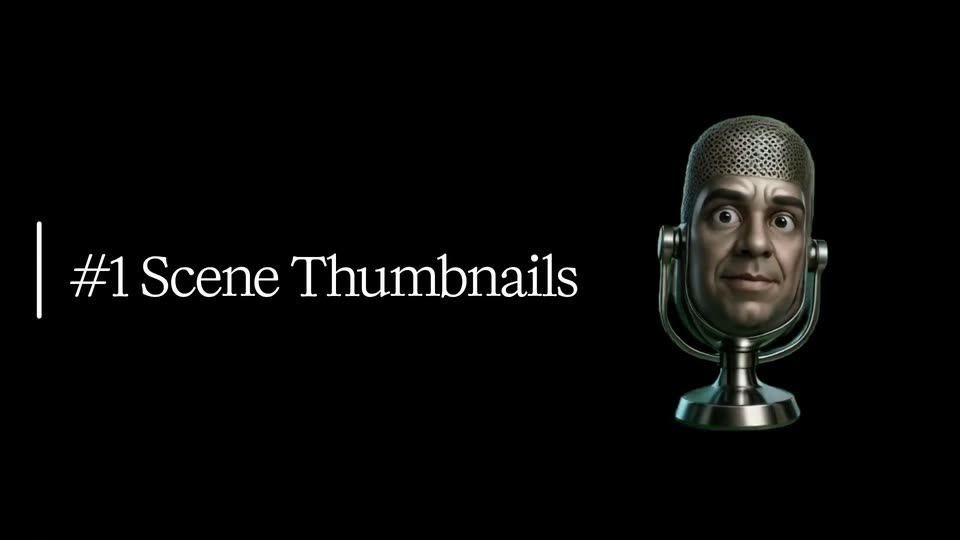
as of November 27, 2026
Descript’s 4:46 launch film runs 70 scenes, about 4.1 s each. The product shows up at 0:31 and 9 features are revealed. The call to action lands at 4:22 (92% in), over a voiceover. The video is built as a host led walkthrough: a sunlit room intro, a before and after UI comparison, then a numbered feature list where each item opens on a black serif title card with the 3D microphone mascot and is followed by a screen recording demo that keeps the mascot pinned in a corner. Pacing is steady at roughly seven cuts per minute, with signature moves of the mascot sliding across black, red highlight boxes and arrows marking UI changes, and split screen panels for the new timeline.
Footage neededEstimated needs: 11 capture groups — your screens or recordings · 9 filmed passages — shoot, supply or replace · 14 3D passages — build or supply
Is this your launch? to your site or press kit.
More like this
1:15


Screenpipe YC Launch Video
Screenpipe · Sep 2026
1:01

Polar Browser - In the past 90 days, Polar took 1 million actions on LinkedIn for its
Polar Browser · Oct 2026
Introducing the New Descript Timeline: Faster, Smarter, Cleaner Video Editing, scene by scene
· 70 scenes as text
01 · Hook · 0:00–0:00
A man in a gray t-shirt sits centered in a sunlit room, bright windows and green foliage behind him. He speaks directly to the camera, addressing existing customers. The static medium close-up opens from a black frame.
Camera: Static
02 · Hook · 0:00–0:04
A man in a gray t-shirt sits centered in a sunlit room, speaking directly to the camera. Soft-focus windows and greenery fill the background, with a framed photo and a metal globe at the edges. The camera holds a static medium close-up as he talks.
Camera: Static
03 · Hook · 0:04–0:05
A man in a gray shirt speaks to the camera in a sunlit room with windows and a globe. A 3D-tilted mockup of a feedback board interface rotates in from the left, overlapping his face.
Techniques: 3D mockup
Camera: Pull out
04 · Hook · 0:05–0:25
A split screen pairs a Descript feedback board on the left with a man in a gray tee talking on the right. The board zooms into its feature-request list, then the screen drops away to a full-frame shot of the man gesturing in a sunlit room.
Techniques: Split screen, UI zoom
Camera: Push in
05 · Hook · 0:25–0:30
A man in a gray t-shirt talks to camera in a sunlit room before a window of green foliage. He gestures with both hands, then drops them, his expression shifting from neutral to a smile. A framed photo and a metal globe sit on the desk behind him.
Camera: Push in
06 · Hook · 0:30–0:31
A man in a gray t-shirt speaks directly to camera, gesturing with both hands, in a sunlit room with white-framed windows and green foliage behind him.
Camera: Static
07 · Demo · 0:31–0:31
A man in a blue shirt talks in a sunlit room, then the shot shrinks into a rounded card on the left as a browser window with a transcript and a video preview scales in on the right.
Techniques: Split screen
Camera: Pull out
08 · Demo · 0:31–0:35
A man in a gray t-shirt talks in a rounded left panel, while a browser window on the right holds the Descript editor: a transcript column beside a video preview of a man in a blue-lit room. The panels sit on a blurred green backdrop and stay static as he speaks.
Techniques: Split screen
Camera: Static
09 · Demo · 0:35–0:39
A split screen holds a live close-up of a man on the left and the Descript editor on the right, its document and video preview static. The cursor drifts across the browser, then the right panel cuts to a new three-column layout with a thumbnail rail.
Techniques: Split screen
Camera: Static
10 · Demo · 0:39–0:40
A locked-off split screen holds a man in a gray shirt speaking in profile on the left and the Descript web app on the right, showing the clip timeline, script text, and a video preview of a man with glasses. The layout stays static throughout the shot.
Techniques: Split screen
Camera: Static
11 · Demo · 0:40–0:44
Split screen: a man in a gray T-shirt talks in a rounded panel on the left, while a browser window on the right shows the Descript editor with a script document, a video preview, and a timeline. Near the end, the frame reframes onto the interface, dropping the browser chrome.
Techniques: Split screen, UI zoom
Camera: Push in
12 · Demo · 0:44–0:48
The Descript editor fills the frame: a script panel on the left, a video preview of a man speaking on the right, and a clip timeline below. The view zooms in as the timeline toggles between expanded and collapsed, and a second row of scene clips appears underneath.
Techniques: UI zoom
Camera: Static
13 · Demo · 0:48–0:50
A Descript editing screen fills the frame, with a transcript on the left and a man in a blue room in the preview. A small collapsed-timeline panel hovers over the center, then merges downward into the expanded multi-track timeline below.
Techniques: Morph
Camera: Static
14 · Demo · 0:50–0:52
A flat screen capture of the Descript editor shows a transcript panel on the left, a video preview of a man speaking on the right, and a clip timeline below. A mouse cursor drifts across the window as the preview plays.
Techniques: Cursor demo
Camera: Static
15 · Demo · 0:52–0:56
The interface of a video editor fills the frame, split into three columns: numbered clip thumbnails on the left, a transcript in the middle, and a video preview of a man speaking on the right. A cursor drifts down the left thumbnail list while the preview plays.
Techniques: Cursor demo
Camera: Static
16 · Other · 0:56–1:07
A man in a gray t-shirt sits in a sunlit room, framed in medium close-up against bright windows with green foliage. He speaks to the camera, raising and spreading his hands to gesture, while a framed photo and a metallic sphere sit blurred on the desk behind him.
Camera: Static
17 · Feature reveal · 1:07–1:10
A 3D microphone with an animated human face sits on the right of a black frame while white serif text holds on the left. The microphone slides left as a script page with red arrows fades in on the right.
On-screen text: “#1 Scene Thumbnails”
Techniques: 3D mockup
Camera: Static
18 · Feature reveal · 1:10–1:13
A split screen pairs a 3D microphone with a human face on black at left with a script document at right, where red arrows point at slash icons. The face blinks and moves its mouth while the document stays still.
Techniques: Split screen
Camera: Static
19 · Feature reveal · 1:13–1:18
The Descript editor fills the frame: a transcript scrolls up in the left column while a talking-head video plays in the right preview. A small C-3PO head overlay sits in the bottom-left corner, and the view slowly zooms into the interface.
Techniques: UI zoom
Camera: Push in
20 · Feature reveal · 1:18–1:22
A two-pane interface shows a script scrolling up on the left beside a video preview of a man at a desk on the right. A 3D face avatar on a microphone sits in the bottom-left corner throughout.
Camera: Pan
21 · Feature reveal · 1:22–1:27
Descript Staging interface fills the screen: a transcript scrolls up on the left in sync with the video, while a man in a black shirt talks on the right against an orange gradient. A small mesh-head avatar with headphones sits in the bottom-left corner.
Camera: Static
22 · Feature reveal · 1:27–1:29
A 3D metallic microphone head with a human face holds on a black background beside the static white serif title, then a hard cut reveals the app's editing screen with transcript, speaker preview and timeline.
On-screen text: “#2 The split button”
Techniques: 3D mockup
Camera: Static
23 · Feature reveal · 1:29–1:42
A video editor fills the frame: transcript on the left, speaker preview on the right, thumbnail timeline below. A cursor clicks Split, a 'Scene split at playhead' tooltip appears, then a layout picker panel opens over the transcript.
Techniques: Cursor demo
Camera: Static
24 · Feature reveal · 1:42–1:43
A video editor interface fills the frame: a transcript panel on the left, a preview on the right with a Speaker Name title and a man, and a timeline below. A dark tooltip reads Scene split at playhead. The whole screen fades to black.
Camera: Static
25 · Feature reveal · 1:43–2:02
A black title card holds a white serif headline and two gray list lines that fade in, beside a talking 3D microphone mascot with a human face. At 15s it cuts to the Descript editor, where a red box outlines the timeline toolbar icons.
On-screen text: “Why the split button is a truly remarkable innovation”, “1. Scene discoverability”, “2. Old timeline toolbar was lame, sorry”
Techniques: Kinetic type, 3D mockup
Camera: Static
26 · Feature reveal · 2:02–2:02
A red box highlights a row of editing tool icons, then the view zooms out to reveal the full Descript interface with a script panel on the left and a thumbnail timeline below. A 3D cartoon head sits in the lower right corner.
Techniques: UI zoom
Camera: Static
27 · Feature reveal · 2:02–2:17
A screen recording of the Descript editor reframes onto its timeline as a cursor opens the tool menu and drags a purple range across the audio waveform. A 3D mic-headed mascot sits in the bottom right corner.
Techniques: Cursor demo, UI zoom
Camera: Push in
28 · Feature reveal · 2:17–2:28
A silver vintage microphone with an animated human face in its body blinks and talks at center on black. It slides right as a white serif title with a vertical bar fades in at left, then the frame cuts to a desktop app with a script editor and video player.
On-screen text: “#3 Scene insertion”
Techniques: 3D mockup
Camera: Static
29 · Feature reveal · 2:28–2:34
The Descript web editor fills the screen, then the view zooms into the timeline strip at the bottom. A red arrow points to the plus button beside the play control. A 3D microphone mascot with a talking face sits in the lower right corner.
Techniques: UI zoom
Camera: Push in
30 · Feature reveal · 2:34–2:34
A black frame with a small 3D microphone character in the corner cuts to the editor interface: a man on camera, a timeline strip below, and a right-side menu. The microphone stays in the corner.
Camera: Static
31 · Feature reveal · 2:34–2:36
A video editor interface fills the frame, with a preview window showing a man in a blue-lit room, a timeline of thumbnails and caption clips below, and a sidebar of menu items. A 3D microphone mascot sits in the corner while a cursor hovers over a clip.
Techniques: Cursor demo
Camera: Static
32 · Feature reveal · 2:36–2:36
A locked-off screen recording of a video editor: black preview canvas, thumbnail timeline with a playhead at 3:24, and a right-hand menu panel. A 3D metallic microphone with a human face sits in the bottom right corner.
Camera: Static
33 · Feature reveal · 2:36–2:37
A locked-off screen capture of the editor shows a preview frame of a man with glasses, a right-hand toolbar, and a thumbnail timeline below. A 3D microphone head with a cartoon face sits in the lower right corner, its mouth opening and closing as it talks.
Camera: Static
34 · Feature reveal · 2:37–2:39
A locked-off view of a video editor shows a black preview and a captioned timeline. A Descript panel opens at the bottom center listing layout options, while a metallic 3D head animates in the lower right corner.
Camera: Static
35 · Feature reveal · 2:39–2:40
The editing interface fills the frame, a white serif headline and gray subtitle centered over the preview window, which fades from a man on camera to black. A thumbnail timeline runs along the bottom with a playhead, and a 3D microphone mascot sits in the lower right corner.
On-screen text: “AI-Powered Clip Creation”, “Effortlessly generate social-ready clips from your videos”
Camera: Static
36 · Feature reveal · 2:40–2:40
A locked-off view of a video editing app: a man in glasses speaks in the preview panel above a thumbnail timeline, with a vertical menu of items on the right. A cursor hovers at the playhead, and a 3D mascot head on a mic stand sits in the bottom right corner.
Techniques: Cursor demo
Camera: Static
37 · Feature reveal · 2:40–2:41
A video editor interface fills the frame. The preview window fades from black to a man at a desk against a blue wall. A timeline of clips and captions runs below. A 3D head avatar in a microphone sits at the bottom right, beside a white sidebar with menu icons.
Camera: Static
38 · Feature reveal · 2:41–2:41
A video editor screen with a clip timeline and a right-side icon panel fills the frame, a 3D microphone mascot with a human face sitting in the lower right. The interface fades to black, leaving the mascot alone.
Techniques: 3D mockup
Camera: Static
39 · Feature reveal · 2:41–2:46
A black frame holds a 3D microphone with a talking human face on the right while the white title fades in on the left. The face blinks and moves its mouth; the title stays locked.
On-screen text: “#4 Wordbar”
Camera: Static
40 · Feature reveal · 2:46–2:57
A video editor interface shows a transcript, a preview of a man speaking, a microphone icon with a face, and a timeline. A cursor hovers over timeline segments, then the timeline zooms out as the man waves.
Techniques: Cursor demo, UI zoom
Camera: Static
41 · Feature reveal · 2:57–2:59
A 3D microphone with a human face inside the grille sits on the right against a black background. White serif text reading '#5 Active layer' is positioned on the left.
On-screen text: “#5 Active layer”
Techniques: 3D mockup
Camera: Static
42 · Feature reveal · 2:59–3:00
On black, a white serif headline '#5 Active layer' holds left of a thin vertical rule. Right of center, a 3D studio microphone with a human face inside its mesh grille stays still while the face blinks and its mouth moves.
On-screen text: “#5 Active layer”
Techniques: 3D mockup
Camera: Static
43 · Feature reveal · 3:00–3:01
A 3D vintage microphone with a man's face in its grille sits on the right against black, beside a white serif title. The title vanishes and a browser window with the editing interface fills the center as the mic recedes to the right edge.
On-screen text: “#5 Active layer”
Techniques: 3D mockup
Camera: Static
44 · Feature reveal · 3:01–3:06
A close-up of the Underlord editor zooms into the canvas, where a gorilla holding red balloons sits beside a man's portrait. A clip is selected and lands on the timeline below, while a metallic microphone with a human face floats on the right against black.
Techniques: UI zoom
Camera: Push in
45 · Feature reveal · 3:06–3:07
The Descript editor fills the frame; the canvas flips from a side-by-side clip of a gorilla with red balloons and the presenter to a script page where the presenter is tagged Content Creator, while the timeline below reflows. A 3D microphone with a human face hovers at the right edge.
Camera: Static
46 · Feature reveal · 3:07–3:13
The editing interface is tilted in 3D on a black field, with a 3D microphone mascot and an animated face in the corner. A cursor selects a subtitle clip on the timeline while the preview shows the man and his title text being edited.
Techniques: 3D mockup, Cursor demo
Camera: Static
47 · Feature reveal · 3:13–3:17
A slightly tilted 3D view of a video editor: transcript on the left, video preview in the center, caption style list on the right. A karaoke caption pops in over the speaker, a cursor drags the caption clip on the timeline, then the caption clears.
Techniques: 3D mockup, Cursor demo
Camera: Static
48 · Feature reveal · 3:17–3:18
A video editing interface fills the frame, with a transcript panel on the left, a caption-style menu on the right, and a timeline of thumbnails along the bottom. The center preview window shifts from a blue placeholder to a talking-head clip, where a lower-third caption fades in.
Camera: Static
49 · Feature reveal · 3:18–3:20
A video editor interface fills the frame, with a text panel left, a black preview center, and a caption-style menu right. A 3D man's head on a microphone bobs in the bottom right as the highlighted caption style shifts.
Camera: Static
50 · Feature reveal · 3:20–3:28
A vintage microphone with a man's face inside it sits on the right on a black background, speaking with animated expressions. The white serif text #6 Slipping fades in on the left beside a thin vertical line, then holds static.
On-screen text: “#6 Slipping”
Techniques: 3D mockup
Camera: Static
51 · Feature reveal · 3:28–3:30
A 3D vintage microphone holding an animated human face sits on the right of a black frame, the face shifting as it speaks. The white serif title #6 Slipping with a thin vertical bar stays locked on the left.
On-screen text: “#6 Slipping”
Techniques: 3D mockup
Camera: Static
52 · Feature reveal · 3:30–3:42
A video editor screen with transcript, preview and asset panels; a 3D microphone face in the corner talks while the cursor drags a clip on the timeline, showing time tooltips. The interface fades to black, leaving the microphone.
Techniques: 3D mockup, Cursor demo
Camera: Static
53 · Feature reveal · 3:42–3:45
A chrome vintage microphone with a talking man's face in its grille sits on the right of a black background, the face animating as it speaks. On the left, white text reads #8 Transitions, fading in beside a thin vertical bar.
On-screen text: “#8 Transitions”
Camera: Static
54 · Feature reveal · 3:45–3:45
A 3D microphone with a human face sits on a black background next to the text '#8 Transitions'. The microphone slides left as the screen transitions into a split view of a white interface with text and a timeline.
On-screen text: “#8 Transitions”
Techniques: 3D mockup, Split screen
Camera: Static
55 · Feature reveal · 3:45–3:53
A split screen shows two views of a video editor. On the left, a document lists features beside a Transition modal; on the right, a cursor opens a transition dropdown above a thumbnail timeline. A 3D microphone with a human face sits between the panels, rotating slightly.
Techniques: Split screen, 3D mockup, Cursor demo
Camera: Static
56 · Feature reveal · 3:53–3:58
A 3D microphone with a man's face in its mesh head sits on the right against black, the face blinking and shifting expression. On the left, a white serif title with a vertical bar fades in, holds, then fades out. The frame stays locked.
On-screen text: “#9: Filmstrip”
Techniques: 3D mockup
Camera: Static
57 · Feature reveal · 3:58–4:02
A screen capture of a video editor. A static text panel sits above a toolbar with Record and Split controls. Below, a timeline of video thumbnails and transcript lines scrolls rightward, advancing from 0:10 to 1:30.
Camera: Static
58 · Feature reveal · 4:02–4:07
On a black background, a 3D vintage microphone with an animated man's face inside its grille sits on the right, blinking and moving his mouth. White serif text reads on the left beside a thin vertical bar. The scene fades in from black and holds.
On-screen text: “#10: Descriptless”
Techniques: 3D mockup
Camera: Static
59 · Feature reveal · 4:07–4:08
On a black background, the caption #10: Descriptless appears in white serif type beside a thin vertical rule, next to a 3D-rendered vintage microphone with a man's face as its head. The caption fades out as the microphone slides down and to the right, exiting the frame.
On-screen text: “#10: Descriptless”
Techniques: 3D mockup
Camera: Static
60 · Feature reveal · 4:08–4:09
A static screen capture of a video editor shows a baseball game in the preview pane with an audio-recording dialog, while a 3D mesh microphone with a human face in the lower right corner moves its mouth as if speaking.
Camera: Static
61 · Feature reveal · 4:09–4:09
A screen-recording app interface fills the frame, showing a baseball clip in the center and a tool sidebar on the right, with a 3D presenter head on a mic stand in the corner. A system dialog pops into the clip warning that computer audio cannot be captured.
Camera: Static
62 · Feature reveal · 4:09–4:10
A video editor screen with a black canvas and a timeline along the bottom. A right sidebar lists menu items. A 3D mesh head on a mic stand sits in the lower right corner, its mouth moving as it speaks.
Camera: Static
63 · Feature reveal · 4:10–4:10
A video editor interface fills the frame: a baseball game clip plays in the central canvas while the playhead advances along the bottom timeline. A 3D head wearing a metal cap sits in the bottom right corner, its mouth moving as it speaks.
Camera: Static
64 · Feature reveal · 4:10–4:14
A video editor interface fills the screen, showing a baseball at-bat in the preview pane and a thumbnail timeline below. A cursor drags the playhead along the timeline while a right-side menu lists tools. A 3D microphone with a mesh face sits in the corner, its expression shifting.
Techniques: Cursor demo
Camera: Static
65 · Feature reveal · 4:14–4:15
A video editing interface displays a football match in the preview window, which brightens to show players on the pitch. A timeline of clips runs along the bottom. A 3D rendered head of a man on a microphone stand sits in the lower right corner.
Camera: Static
66 · Feature reveal · 4:15–4:21
A video editor screen with a black canvas and a 3D man's head on a mic in the corner. A template panel pops up at the bottom; the cursor scrolls it and picks a chapter template, then a white serif title box appears on the canvas and is typed over.
Techniques: Cursor demo
Camera: Static
67 · Feature reveal · 4:21–4:22
A dark editing interface holds a black canvas with an outlined text box reading 'n2#2 Ground out' in white serif type. A right icon sidebar and bottom timeline frame it, while a 3D mesh-textured head on a mic stand sits in the lower right corner. The frame cuts to black.
Techniques: 3D mockup
Camera: Static
68 · CTA · 4:22–4:27
A man in a gray t-shirt talks to camera in a sunlit room, gesturing with both hands. The shot cuts to a split screen: the app settings panel on the left with the New timeline row boxed in red, and a smaller rounded clip of the man on the right.
Techniques: Split screen
Camera: Pull out
69 · CTA · 4:27–4:33
Split screen, locked off: a settings panel on the left with a red box around the New timeline toggle, and a man in a gray shirt talking to camera on the right. No motion except the presenter's head and mouth.
Techniques: Split screen
Camera: Static
70 · CTA · 4:33–4:46
A man in a gray t-shirt speaks to the camera in a bright room, gesticulating with both hands. Behind him, windows show green trees, a framed photo sits left and a chrome sphere right. He ends with a smile.
Camera: Push in