0:53

LTX.io - Introducing Dubbing and Captions in LTX Studio. Now available for en
Lightricks · Mar 2026
Composio’s 0:45 launch film runs 18 scenes, about 2.5 s each. The product shows up at 0:10 and 1 feature is revealed. The call to action lands at 0:38 (83% in), over a voiceover. The video cuts between a live-action desk conversation and clean UI close-ups at a brisk 136 bpm, using a split screen to pair the permission panel with a host. Signature moves: the frame shrinking into a bordered card, big white captions that pop or type in, and color-tinted keywords that summarize each permission tier.
Is this your launch? to your site or press kit.
Lightricks · Mar 2026
Google · AI · May 2016
Anything · Sep 2025
Films whose music sounds like this one, voice left out
Tenera · Corporate electronic
Gradon · Modern corporate electronic
Warp · Modern electronic
A man and a woman sit at a desk with a laptop, plants behind a window. Large white words appear in sequence over the shot, then the frame shrinks into a blue field with a pink asterisk and a gray knot icon at the sides.
On-screen text: “We made it”, “stupidly”, “to keep your agent”, “from doing things”, “it shouldn't.”
Techniques: Kinetic type
Camera: Pull out
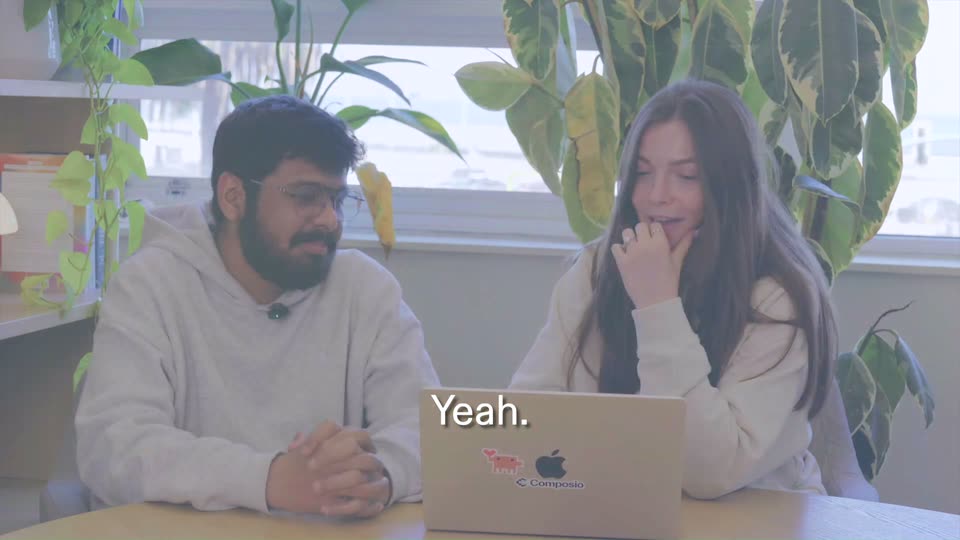
Two people sit at a desk with a laptop, a woman in a cream sweater gestures then rests her chin on her hand while a man in a gray hoodie listens. A white caption reads “Here's what I mean.” over the lower third, plants and a window fill the background.
On-screen text: “Here's what I mean.”
Camera: Static
A white dashboard shows the Gmail integration panel with a blue Connect button. A hand cursor slides from the sidebar menu to the button as the frame zooms in on it. White captions run along the bottom.
On-screen text: “Let's say I want to give Claude access to my email. I hit Connect.”
Techniques: Cursor demo, UI zoom
Camera: Push in
A light settings panel with a blue Connect button and a hand cursor dissolves out, revealing a bearded man in a gray hoodie and a woman in cream seated at a table with a laptop between them.
On-screen text: “And normally, this is where”
Camera: Static
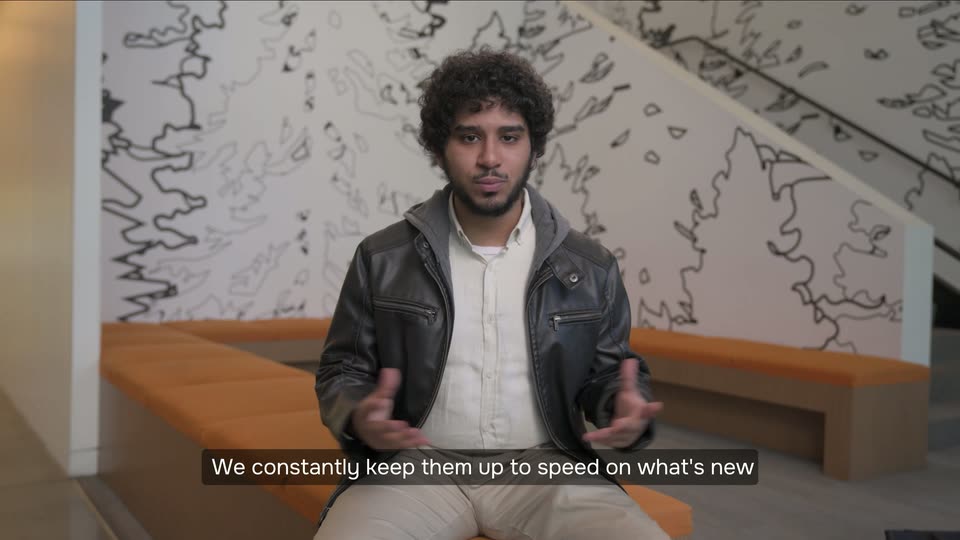
A bearded man in a gray hoodie talks and gestures toward a smiling woman in a cream sweatshirt, seated at a table with a sticker-covered laptop between them in a plant-filled office. The frame stays locked off while white captions cut in at the bottom in sync with the voiceover.
On-screen text: “you click Allow”, “and just hope for the best.”
Camera: Static
A bearded man in a gray hoodie and glasses speaks in a bright office, green plants and a window behind him, a second person's shoulder at the right edge. The locked-off medium shot holds as he talks, with a white subtitle line fixed at the bottom.
On-screen text: “and just hope for the best.”
Camera: Static
A man and a woman sit at a laptop in a plant-filled room, the lid showing a Composio sticker. A settings panel fades in over them with an Enhanced Control row and a blue Connect button, while a cursor hovers over the button.
On-screen text: “Yeah.”, “But not here.”
Techniques: Cursor demo
Camera: Static
A light app interface shows a Gmail page; a hand cursor taps the blue Connect button, a permission modal pops up, and the frame pulls back to reveal the full window and left sidebar. White caption lines swap at the bottom.
On-screen text: “But not here.”, “Cause everything Claude could do”
Techniques: Cursor demo, UI zoom
Camera: Pull out
A white Gmail permission dialog sits centered on a blue gradient while the blurred app window behind it fades out. White caption lines swap at the bottom, and a red bracket with the word DAMAGE pops in at the right edge.
On-screen text: “Causes everything I think they'd do”, “gets started by one thing:”, “how much damage it could cause.”, “DAMAGE”
Techniques: Kinetic type
Camera: Static
Split screen: left, the Composio permission panel with a cursor opening the Read Tools dropdown; right, a woman points at a cardboard box marked DAMAGE. Bottom captions swap between two lines.
On-screen text: “how much damage it could cause.”, “Read tools just look at things”
Techniques: Split screen, Cursor demo
Camera: Static
A split screen pairs the Composio Gmail permission panel on the left, where a cursor opens the Read Tools dropdown and selects Always Allow, then opens the Write Tools dropdown, with a woman in a cream sweater gesturing and talking at a laptop on the right.
On-screen text: “So I'm not worried about reading,”, “so I'll just always allow here.”, “They act as me. They send, they reply.”, “So before it does any of that”, “I want it to ask me first.”
Techniques: Split screen, Cursor demo
Camera: Static
Split screen: a Gmail permission panel on the left, a bearded presenter in a grey hoodie on the right. A cursor opens the Destructive Tools dropdown, picks Deny, then clicks Continue as the panel switches to a permissions list.
On-screen text: “And destructive tools,”, “Those permanently delete your emails.”, “So, never allow.”
Techniques: Split screen, Cursor demo
Camera: Static
A blue-washed Gmail connect panel dissolves over a man at a desk, then the frame settles on a man and a woman at a table with a laptop as a caption scales in at center.
On-screen text: “And that's it.”
Techniques: Kinetic type
Camera: Static
A man in a gray hoodie and a woman in a cream sweater sit at a desk facing a laptop, framed by leafy plants. The man talks while centered captions build line by line over the static shot, key phrases tinted green, orange and pink.
On-screen text: “And that's it.”, “Claude can read all day, ✅”, “check with me before it sends, ✋”, “and can never delete anything 🚫”
Techniques: Kinetic type
Camera: Static
A man and a woman sit at a desk with a laptop bearing a pink pig sticker and an Apple logo, plants behind them. A large white title fades in over them while the footage shrinks into a card framed by a light blue border.
On-screen text: “Enhanced control.”, “Enhanced Controls”
Techniques: Kinetic type
Camera: Pull out
Two people sit at a desk with a laptop, framed as a centered rectangle on a soft blue gradient. The headline Enhanced Controls stays fixed while the caption below cycles through short lines and the URL types itself out character by character with a blinking cursor.
On-screen text: “Enhanced Controls”, “Enhanced control.”, “It's in beta now.”, “Go try it at composio.dev/for-you.”, “composio.dev/for-you”
Techniques: Kinetic type
Camera: Static
On a black field, white binary digits condense into a rounded cloud that expands from the center while the dark Composio mark reveals itself at the left with a building white glow.
On-screen text: “Enhanced Controls”, “Go try it at composio.dev/for-you.”
Techniques: Masking
Camera: Static
A black layered logomark sits left of center on a plain white background. The wordmark Composio types in beside it, letter by letter, completing the centered logo lockup. The frame stays locked-off.
On-screen text: “Composio”
Techniques: Kinetic type
Camera: Static