
0:48
Explore
00:00:00 / 00:52:03
- Length
- 0:52
- Scenes
- 18 · 2.9 s avg
- Product on screen
- 0:14
- Features shown
- 2
- Call to action
- 0:46 · 89%
- Voiceover
- Yes
- Views
- 128K on YouTube
as of November 27, 2026
Collato’s 0:52 launch film runs 18 scenes, about 2.9 s each. The product shows up at 0:14 and 2 features are revealed. The call to action lands at 0:46 (89% in), over a voiceover. The arc moves from a 3D persona cold open, through a logo intro with a neon speed countdown, into two feature beats (connect tools, then ask and get sourced answers), a benefit recap, and a closing URL card. The visual signature is deep purple gradients, floating 3D panels with slow perspective camera moves, self-drawing lines and arrows, and the recurring wireframe brain and gradient orb, all cut at a brisk seven cuts per minute.
No filming indicatedEstimated needs: 3 capture groups — your screens or recordings · 1 official logo — reused across the film · 4 graphic passages — draw or supply · 4 3D passages — build or supply
Is this your launch? to your site or press kit.
More like this
1:05

Palisade: Personalized sales agents for online marketplaces
Palisade · B2B · Aug 2026
1:21

Introducing Le Chat Enterprise
Mistral AI · AI · May 2025
Similar soundtrack
Films whose music sounds like this one, voice left out
0:42

Seijin Jung - Today, we’re introducing Helena on iMessage & SMS. Your persona
Enrich Labs · Upbeat electronic
1:30
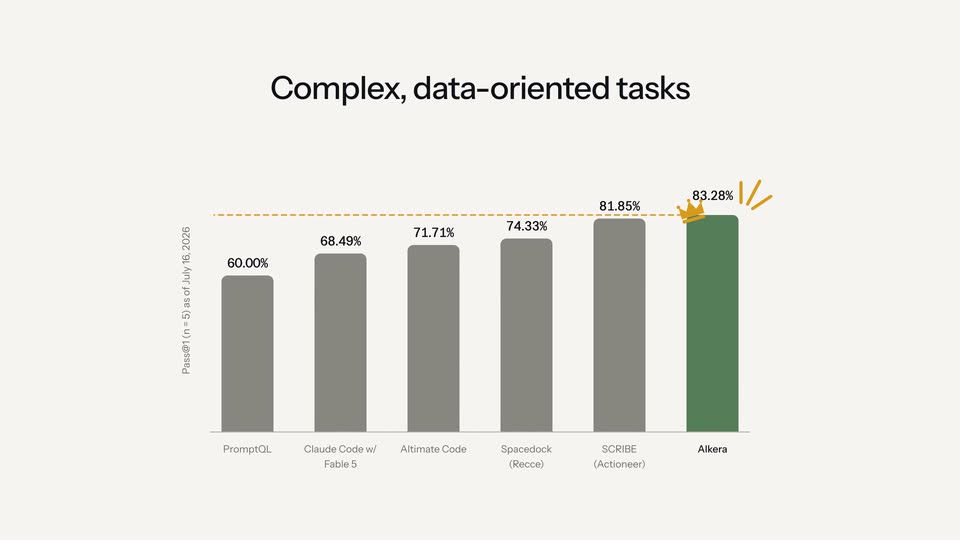

Alkera AI (S26) | Launch Video
Alkera AI · Upbeat, modern electronic promotional music
1:04

HR, Payroll & Time Tracking… Automated in Minutes with AI 🤯
Sira · Electronic
Motion Graphics Explainer Video for Product Hunt | Collato, scene by scene
· 18 scenes as text
01 · Hook · 0:00–0:00
A purple 3D scene shows a laptop with hands typing on the keyboard, surrounded by floating interface cards: a message thread, a documentation list, a small calendar, and a Product Manager profile pill. The cards pop in around the device.
Techniques: 3D mockup
Camera: Static
02 · Hook · 0:00–0:03
A purple 3D scene shows a laptop in perspective with hands typing, surrounded by floating UI panels: a chat thread, notifications, and a calendar. Orange arrows draw themselves between the panels, a photo badge reads Product Manager, and a large white headline Make an impact appears on the right.
On-screen text: “Product Manager”, “Make an impact”
Techniques: 3D mockup, Kinetic type
Camera: Static
03 · Hook · 0:03–0:08
Floating 3D panels of a calendar, notifications, chat thread and file icons drift in perspective over a purple field. A large white headline reads Make an impact on the right, then slides off as the camera pans slowly left. An orange light beam sweeps across the middle.
On-screen text: “Make an impact”
Techniques: Kinetic type, 3D mockup, Parallax, Light sweep
Camera: Push in
04 · Hook · 0:08–0:14
A purple line graph draws itself left to right, filling the area beneath the curve. Four circular headshots with orange star ratings pop in along the rising line as a soft blue-to-pink gradient orb drifts across, swelling in front of the chart.
Camera: Static
05 · Product intro · 0:14–0:18
A gradient logo mark scales up at center as the wordmark fades in beside it. The heading and a search bar with an Ask button appear below while a cursor drifts across, then a purple wavy panel wipes in from the right edge.
On-screen text: “The AI assistant for product teams”
Techniques: Masking
Camera: Static
06 · Product intro · 0:18–0:20
A neon purple rounded box on a violet background holds a white countdown that ticks from 4 hr 57 sec down to 0 hr 04 sec, while a pink wand and small star sparkles pop in and rotate below it.
On-screen text: “collato”, “The AI assistant for”, “product teams”, “Ask anything”, “36 min”, “sec”, “min”
Techniques: Kinetic type, Light sweep
Camera: Static
07 · Feature reveal · 0:20–0:21
A cursor clicks the Notion icon in a vertical app rail. A glowing purple bar flashes a 03 sec countdown, then a popup appears listing Team spaces, Product, Analytics, Personal, Notes & Insights with a Connect button. A white wireframe brain sits in a circle at right.
Techniques: Cursor demo, Kinetic type
Camera: Static
08 · Feature reveal · 0:21–0:22
A purple settings panel lists checked options and a Connect button; a white cursor clicks it and the panel collapses. On the right, a low-poly wireframe brain sits in a ring as a Notion logo fades into its center with a pink glow.
Techniques: Cursor demo
Camera: Static
09 · Feature reveal · 0:22–0:23
A purple gradient backdrop frames a vertical stack of five tool icons on the left and a wireframe brain of linked nodes on the right, with matching icons embedded in the nodes. The icons fade in, a white wave lifts along the bottom edge, and a cursor drifts at the lower right.
Techniques: Cursor demo
Camera: Static
10 · Feature reveal · 0:23–0:27
A prompt bar sits under the headline “Need to draft release notes?”. A query types into the field, the headline swaps to “a requirements doc, or a help article?”, the frame zooms to the purple Ask button, and “Just ask Collato” scales in as the cursor hovers it.
On-screen text: “Need to draft release notes?”, “a requirements doc, or a help article?”, “Just ask Collato”
Techniques: Kinetic type, UI zoom, Cursor demo
Camera: Push in
11 · Feature reveal · 0:27–0:28
On a white background, the bold headline 'Just ask Collato' sits above a UI row labeled 'Interest Tags' with a purple button. A cursor hovers the button as the frame zooms in, enlarging the button and the headline.
On-screen text: “Just ask Collato”
Techniques: Cursor demo, UI zoom
Camera: Static
12 · Feature reveal · 0:28–0:31
A white chat card on a purple gradient fades in, showing a prompt and a generated release note with a sources list. A cursor glides left and hovers the first source link, which turns blue and underlined. A follow-up input bar sits below.
On-screen text: “Just ask Collato”
Techniques: Cursor demo
Camera: Pan
13 · Feature reveal · 0:31–0:33
A purple backdrop holds a white release-note card on the left with a source list and an ask field below. On the right, a smaller card flips between two document previews as a cursor clicks it, while dimmed cards float in the background.
Techniques: Cursor demo, Morph
Camera: Static
14 · Feature reveal · 0:33–0:34
On a purple gradient, a white product card on the left crossfades into a release-note draft with a sources list, while a card on the right swaps its document icon and title for a blue diamond icon reading Epic: Tagging feature, with faint ghost cards stacked behind it.
Camera: Static
15 · Feature reveal · 0:34–0:37
White document cards with app icons and titles float in a purple 3D field. The camera dollies sideways, bringing each card forward in turn, while a cursor drifts and hovers over them.
Techniques: 3D mockup, Parallax, Cursor demo
Camera: Pan
16 · Other · 0:37–0:41
A purple gradient field holds a small glowing orb that scales up to reveal a white logo mark, then the lockup shifts left while the tagline slides in from the right and holds.
On-screen text: “Focus on what matters most”
Techniques: Kinetic type
Camera: Static
17 · Other · 0:41–0:46
A purple gradient holds a dark disc with a wireframe brain of pink nodes, wired to a cloud-check icon below. Circular avatar photos with arrows orbit the brain while the white headline slides through four phrases, starting with “Focus on what matters most.”
On-screen text: “Focus on what matters most”, “Shaping your product”, “Guiding your team”, “Making an impact”
Techniques: Kinetic type
Camera: Static
18 · CTA · 0:46–0:52
A 'Making an impact' caption slides in as a purple gradient sphere with a white mark resolves into the collato wordmark in a purple-to-peach gradient. 'collato.com' types into a browser bar below, then a purple 'Start for free today' button slides in.
On-screen text: “Making an impact”, “collato.com”, “Start for free today”
Techniques: Kinetic type
Camera: Static