1:20
Atai Barkai - Introducing OpenBot 1.0 🚀 The customizable, open source AI coworker
CopilotKit · Nov 2026
Claude · Jun 2026 · 1:15 · Full motion · AI-annotated
Claude’s 1:15 launch film runs 21 scenes, about 3.6 s each. The product is on screen from the first frame and 2 features are revealed, with social proof. The call to action lands at 1:12 (96% in), over a voiceover. A single soft pink gradient stage hosts white UI cards that zoom, tilt and morph between states, with the camera pushing in on each cursor interaction. The story alternates locked-off 'Fastlane is...' caption cards with 3D interface flythroughs, building from a URL input to a filling calendar, a heatmap punchline and a black URL end card.
Is this your launch? to your site or press kit.
CopilotKit · Nov 2026
RightNow · B2B · Oct 2026
Jitter · Feb 2025
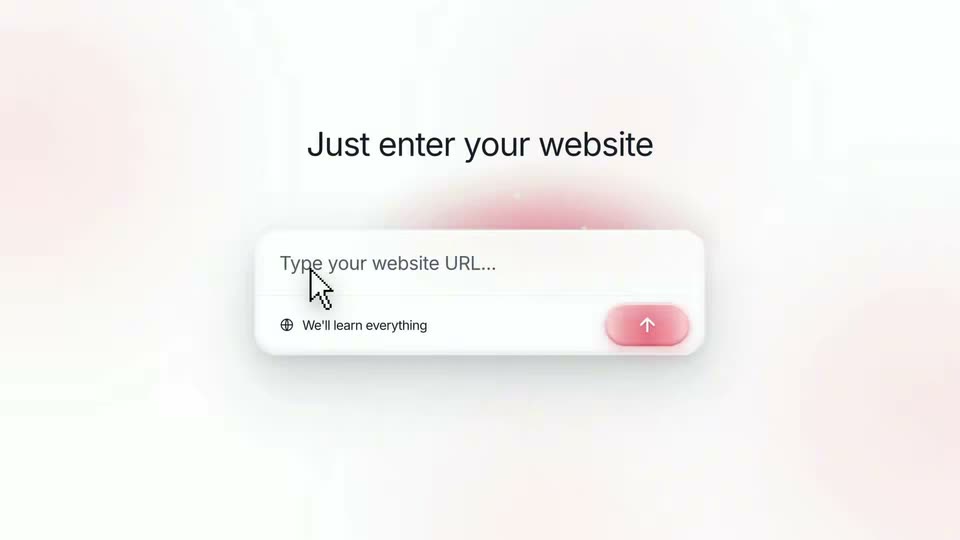
A soft peach gradient holds the centered headline as “Meet Claude” sharpens and the white Claude icon with a coral starburst pops in beside “for Marketing”. The line then gives way to a white URL-input card with a pink arrow button at center, captioned “Just enter your website”.
On-screen text: “Meet Claude”, “for Marketing”, “Just enter your website”
Techniques: Kinetic type
Camera: Static
A white URL input card sits centered on a soft pink-white background under the headline Just enter your website. A mouse cursor moves up, clicks the field, and a blinking caret appears while a faint tagline fades out.
On-screen text: “for Marketing”, “Just enter your website”
Techniques: Cursor demo
Camera: Static
A white rounded input card on a pale pink gradient with sparkles. The URL CalAI.com types itself into the field above the line We'll learn everything as the view zooms in, then a pixel cursor glides in and clicks the pink up-arrow button.
On-screen text: “Just enter your website”, “We'll learn everything”, “CalAI.c”, “CalAl.com”
Techniques: Kinetic type, UI zoom, Cursor demo
Camera: Pan
A white rounded card with a pink pill button and up arrow exits left as a pixel cursor hovers it, then a light gray caption fades in at center over a soft pink gradient with sparkles.
On-screen text: “We'll learn everything”
Techniques: Kinetic type
Camera: Static
Centered on a white field with soft pink blurs, the caption “Fastlane is... learning your brand” holds with the Fastlane mark. A dark apple icon in focus brackets pops in, then the caption swaps to “finding viral content” and three vertical video clips fan out above it.
On-screen text: “Fastlane is... learning your brand”, “Fastlane is... finding viral content”
Camera: Static
On a pale pink gradient, three fanned vertical video clips of women sit above a black Fastlane logo and the black headline. The composition holds still as a locked-off frame.
On-screen text: “Fastlane is... finding viral content”
Camera: Static
Three tilted photo cards of a woman in gym wear fan out from a soft blur in the top right, settling into a clear row. A black Fastlane logo and the line 'Fastlane is... creating your AI influencer' hold static on a plain off-white background.
On-screen text: “Fastlane is... creating your AI influencer”
Camera: Static
On a plain cream background, the black Fastlane wing mark and the line “Fastlane is...” stay fixed while the phrase after it cycles: “creating content angles” types in as three white pill tags with green dots pop in above, then the line swaps to “ready” with a red race-car emoji. The frame stays locked off throughout.
On-screen text: “Fastlane is... creating content angles”, “cutting hacks”, “myfitnesspal haters rise up”, “not losing weight when dieting”, “Fastlane is... ready”
Techniques: Kinetic type, Morph
Camera: Static
A white July 2026 calendar strip sits on a pale pink background under a bottom caption reading “Fastlane is... ready” with a race car emoji. The camera pushes in as a cursor flips the Generate toggle green, day cells fill with TikTok, Instagram and YouTube icons, then with fitness post thumbnails. The strip morphs into a single day detail card showing caption, song and scheduled time, then swaps to Friday’s post.
On-screen text: “Fastlane is... ready”, “Fastlane is... finding viral content”
Techniques: UI zoom, Cursor demo
Camera: Push in
A flat scheduling panel sits on a blurred pink backdrop. A week strip marks Fri 3 over a vertical preview of a dancing 3D character, with caption, song and schedule cards at right. The panel swaps to the next post, Tue 7, with a food clip and a cursor.
Techniques: Cursor demo
Camera: Static
A white scheduling card floats in 3D perspective over a blurred pink background. A cursor clicks the right arrow of a video carousel, advancing through food clips while caption, song and post-time fields stay fixed on the right.
Techniques: 3D mockup, Cursor demo
Camera: Static
A white planner card floats over a blurred backdrop, opening on one day's post: a phone preview, caption, song and schedule. The view zooms out to reveal the full July 2026 month and a row of six numbered content cards.
Techniques: UI zoom
Camera: Pull out
A white calendar card titled July 2026 floats in a slight 3D tilt over a pink gradient. The first week of image tiles is filled, then four more rows of day tiles pop in one after another to complete the month, the Generate toggle on.
Techniques: 3D mockup
Camera: Pull out
A 2026 content calendar of twelve month cards fades in on a soft pink background, the July tile outlined in red. A small photo-collage window sits over July at the start and clears, revealing red marker dots on selected dates across all months.
On-screen text: “2026 Content Calendar”
Camera: Static
A 4x3 grid of white monthly calendar cards for 2027, with red date dots and a red outline on July, sits under the title on a pink background. The grid slides off right, leaving a small dark logo and the caption “Your coding looks like this” on a cream field.
On-screen text: “2027 Content Calendar”, “Your coding looks like this”
Camera: Pull out
On a soft pink gradient, a small black logo sits above the heading. A green contribution heatmap fills in from left to right across the months, then a second line appears and a pink heatmap fills in below it.
On-screen text: “Your coding looks like this”, “With Fastlane, your marketing now does too”
Techniques: Masking
Camera: Static
A small black square logo sits top center above two GitHub-style contribution heatmaps on a pale background. The upper grid is green under the line Your coding looks like this; the lower grid is red under With Fastlane, your marketing now does too. The frame is locked off and static.
On-screen text: “Your coding looks like this”, “With Fastlane, your marketing now does too”
Camera: Static
A faint dot-matrix code field and two gray captions ghost over a soft pink gradient, then wash out, leaving a large dark 1x that scales up and flips to 2x.
On-screen text: “Your coding looks like this”, “1x”, “With Fastlane, your marketing now does too”, “2x”
Techniques: Kinetic type, Morph
Camera: Static
The centered counter ticks from 98x to 100x with the caption your content output, then the text slides left as a 3D phone mockup appears on the right, its lock screen filling with stacked orange notifications.
On-screen text: “100x”, “your content output”
Techniques: Kinetic type, 3D mockup
Camera: Pan
The white text usefastlane.ai is centered on a solid black background, remaining static throughout the clip.
On-screen text: “usefastlane.ai”
Camera: Static
A plain black background holds the URL usefastlane.ai in white text, static and centered for the full duration of the shot.
On-screen text: “usefastlane.ai”
Camera: Static