
1:17
Explore
00:00:00 / 01:21:15
- Length
- 1:21
- Scenes
- 31 · 2.6 s avg
- Product on screen
- 0:06
- Features shown
- 2
- Call to action
- 1:07 · 83%
- Voiceover
- Yes
- Views
- 12M on X
as of November 22, 2026
Claude’s 1:21 launch film runs 31 scenes, about 2.6 s each. The product shows up at 0:06 and 2 features are revealed. The call to action lands at 1:07 (83% in), over a voiceover. The video is built as one continuous mockup: a flat video-player frame holds every beat, from the 3D cold open to the talking-head presenter to the dashboard and motion demos, so each feature change is a cut inside the same chrome. Its signature moves are hand-drawn cursors dragging timelines and comment cards, serif headlines set on a dotted cream grid, and the recurring low-poly city map and line-art bicycle that carry the story from data to animation.
Footage neededEstimated needs: 5 capture groups — your screens or recordings · 1 official logo — reused across the film · 1 filmed passage — shoot, supply or replace · 8 graphic passages — draw or supply · 6 3D passages — build or supply
Is this your launch? to your site or press kit.
More like this

1:13

Accio - Running a business shouldn’t mean doing 8 jobs alone. Meet Accio Work
Accio Work · Mar 2026
1:21

Introducing Claude Dashboards and Claude Motion
Anthropic · AI · Oct 2026
Claude - Claude Dashboards and Claude Motion are in beta today. Ask Claude to, scene by scene
· 31 scenes as text
01 · Hook · 0:00–0:01
An isometric 3D city map of cream low-poly blocks and green dock markers. A black time badge ticks from 6:05 to 6:10 am while the camera pulls back. Two white callouts, Fernhill and Canal Street, pop in with a scanline glitch.
On-screen text: “6:05 am”, “Typical weekday”, “Fernhill 21 bikes”, “6:10 am”, “Canal Street 6 bikes”
Techniques: 3D mockup, UI zoom
Camera: Static
02 · Hook · 0:01–0:03
A low-poly 3D city map with teal dock markers drifts slowly as the corner time badge counts up from 6:25 to 6:45 am. The Fernhill label's bike count ticks down from 20 to 19 while the camera eases across the blocks.
Techniques: 3D mockup
Camera: Push in
03 · Hook · 0:03–0:04
A flat video player mockup plays an isometric city map with teal bike-share markers and routes. A hand cursor drags the timeline playhead, advancing the map from 6:50 to 7:10 am while the Fernhill station count ticks down.
On-screen text: “Claude-Dashboards-Motion-Announcement.mov”
Techniques: Cursor demo
Camera: Pull out
04 · Hook · 0:04–0:05
A flat browser window plays a bike-share dashboard. A chat card with a prompt to Claude sits over the right, then clears to reveal the System overview panel with six stat blocks and two line charts. A hand cursor rests on the timeline scrubber below.
Camera: Static
05 · Hook · 0:05–0:06
A rounded video player mockup sits on a dotted cream background, showing a man with glasses talking and gesturing. Two illustrated hand cursors grab the scrubber handles below and drag them, shortening the red progress bar.
Techniques: Cursor demo
Camera: Static
06 · Product intro · 0:06–0:10
A talking-head video plays inside a flat player mockup labeled Claude-Dashboards-Motion-Announcement.mov. Three pastel cards with Name, Team and Demos recorded fade in at left, then fade out as the player widens to fill the frame; hand cursors drag the scrubber at the start.
On-screen text: “Claude-Dashboards-Motion-Announcement.mov”, “NAME”, “Nate”, “TEAM”, “Design”, “# DEMOS RECORDED”, “17”
Techniques: Cursor demo
Camera: Static
07 · Product intro · 0:10–0:13
A pink video player panel plays a timeline animation: a bicycle rides over a pink ramp, leaving a trail of ghosted bikes. Side cards hold a bar chart, a line chart, and a pie chart with a growing slice. A serif headline sits below.
On-screen text: “Introducing Claude Dashboards and Claude Motion”, “Now in beta”
Camera: Static
08 · Problem · 0:13–0:14
A flat video-player mockup sits on a dotted cream background. Inside the frame, a woman with glasses appears across the top half while a small bicycle icon slides to the corner, and three pink chart cards on the right fade to blank.
On-screen text: “Introducing Claude Dashboards and Claude Motion”
Camera: Static
09 · Problem · 0:14–0:23
A flat video player mockup on a dotted off-white background plays a talking-head clip of a person in a red shirt. A comment card pops in at the right and stacks three replies as the scrubber advances, then the frame pans up.
Camera: Pan
10 · Feature reveal · 0:23–0:27
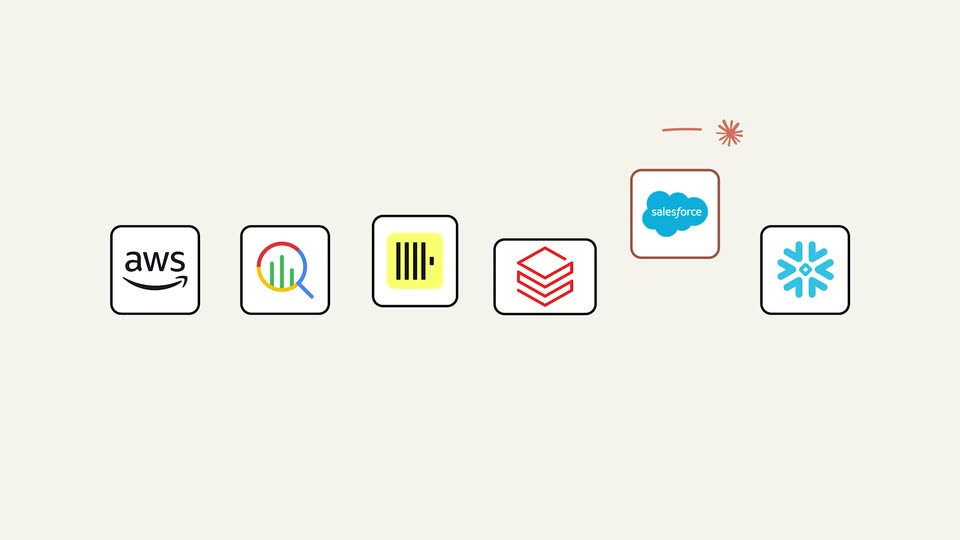
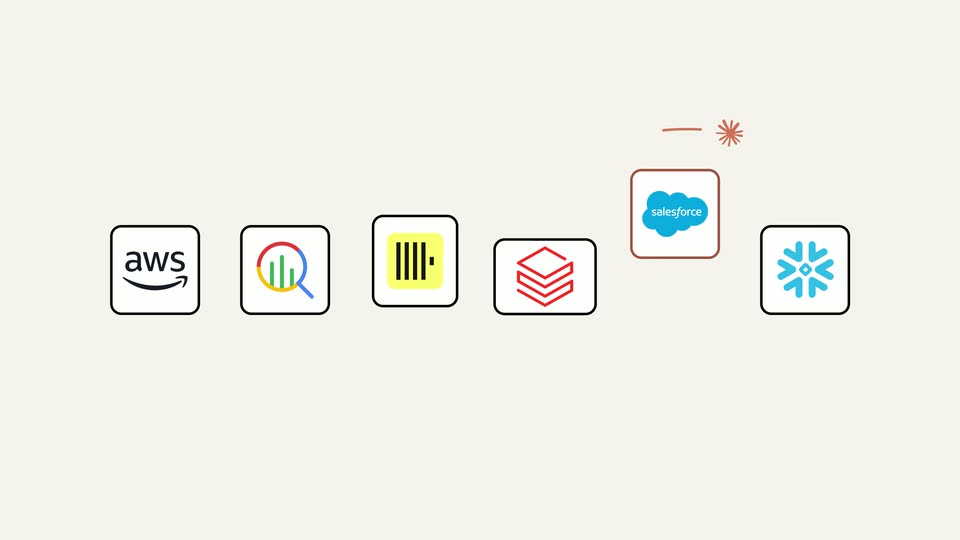
Six rounded tiles (AWS, magnifier, yellow bars, red layers, Salesforce, snowflake) line up on cream. Each stretches tall with a duplicated icon, lifts with a red outline and a hand-drawn arc and starburst, then settles flat as the row slides left.
Techniques: Morph
Camera: Static
11 · Feature reveal · 0:27–0:38
A chat panel on the left asks an AI to build a dashboard; on the right the Bike Share dashboard assembles, KPI cards and charts popping in. The frame zooms into the dashboard, a cursor hovers the line chart for tooltips, then scrolls to the map and bar charts.
On-screen text: “aws”, “salesforce”
Techniques: UI zoom, Cursor demo
Camera: Push in
12 · Feature reveal · 0:38–0:42
A flat map dashboard of morning bike departures sits on the left while a chat card on the right types out a prompt asking @Claude to turn it into an animation. A Send to Claude button and a red arrow button appear below the message.
Techniques: Kinetic type
Camera: Push in
13 · Feature reveal · 0:42–0:43
A light grid on white holds scattered yellow, gray, and teal dots that drift slowly across the frame. A small red starburst icon sits left of a static dark caption line.
On-screen text: “Projecting dashboard coordinates into a 3D city grid”
Camera: Static
14 · Feature reveal · 0:43–0:44
On a white grid scattered with yellow, gray and teal dots, a red asterisk marks a gray caption. It gives way to a line-art bicycle with a pink saddle that rides in from the left, trailing small gray dots, as a curved caption arcs in beside it.
On-screen text: “Projecting dashboard coordinates into a 3D city grid”, “Tracing every morning ride from the hilltop”
Techniques: Kinetic type
Camera: Static
15 · Feature reveal · 0:44–0:45
A dark line-drawn bicycle with a pink saddle rides right along a curved dotted trail on white, leaving two faded ghost copies behind it. Below, a gray sentence follows the same arc from an orange asterisk to the right.
On-screen text: “Tracing every morning ride from the hilltop to downtown”
Camera: Pull out
16 · Feature reveal · 0:45–0:47
A cursor clicks the play button on an embedded chart inside a document pane, beside a chat panel. The empty station map fills with orange, gray and teal dots, then the view zooms into a dark blue city grid crossed by a river.
Techniques: Cursor demo, UI zoom
Camera: Push in
17 · Feature reveal · 0:47–0:48
A muted blue abstract map shows a faint square grid, scattered dots and a wavy river band crossed by thin bridges. Three clusters of solid circles, orange, white and teal, mark locations. The whole layout pans slowly to the right.
Camera: Push in
18 · Feature reveal · 0:48–0:50
A top-down stylized city map in pale blue drifts slowly as scattered glowing dots resolve into cyan ring markers. A black caption box fades in at the top left showing the time and a weekday label.
On-screen text: “5:30 am”, “Typical weekday”
Techniques: Morph
Camera: Push in
19 · Feature reveal · 0:50–0:52
A stylized 3D city map in soft beige tones fills the frame, dotted with pulsing teal markers. A black time badge counts up from 5:30 am to 6:10 am while two white callout cards slide in to label Fernhill and Carl St Street.
On-screen text: “5:30 am”, “Typical weekday”, “5:45 am”, “5:55 am”, “6:10 am”, “Fernhill”, “22 bikes”, “Carl St Street”, “6 bikes”
Techniques: 3D mockup
Camera: Static
20 · Feature reveal · 0:52–0:55
An isometric 3D map of pale blocks and teal station dots pans across. A teal route line extends with a moving dot, a black badge counts from 6:20 to 6:55 am, and a Fernhill pin updates its bike count.
Techniques: 3D mockup
Camera: Push in
21 · Feature reveal · 0:55–0:56
Isometric 3D city of white block buildings with teal route lines and circular station nodes, held on a locked-off frame. A black time badge counts up from 7:09 to 7:11 am over the caption Typical weekday, a white Fernhill callout slides in above a station as its bike count drops from 15 to 12, and small teal dots travel along the routes.
On-screen text: “7:09 am”, “Typical weekday”, “7:10 am”, “7:11 am”
Techniques: 3D mockup
Camera: Static
22 · Feature reveal · 0:56–0:56
A stylized 3D town map with white blocks and green trees. The view zooms onto an orange-ringed parking lot with bike racks and a teal bike icon. A 'Fernhill, Empty at 8:15' callout pops in at left, and a cursor sits in the corner.
Techniques: UI zoom
Camera: Static
23 · Feature reveal · 0:56–0:59
A flat bike-dock illustration with a teal bicycle icon sits behind a white comment card that slides up. The comment text types in beside a highlighted @Claude tag, above a checked Send to Claude row.
Techniques: Kinetic type
Camera: Static
24 · Feature reveal · 0:59–1:01
Two-pane product view: the left chat panel scrolls upward, sliding a comment card addressed to Claude into frame and fading in a gray “Updating artifact” line, while the right pane holds a flat illustration of two green trees beside a pale road.
Techniques: Split screen
Camera: Static
25 · Feature reveal · 1:01–1:03
A cursor clicks the blue comment icon on the top bar; a tooltip pops up and the comment panel expands over a flat park illustration, revealing notes from Sam, Dev and Nate.
Techniques: Cursor demo
Camera: Pan
26 · Feature reveal · 1:03–1:07
A close-up of a comment panel over a slide pulls back to reveal the full video player, with an isometric city map, a counting stat card and a timeline. A cursor clicks the X to dismiss the panel.
Techniques: UI zoom, Cursor demo
Camera: Pull out
27 · CTA · 1:07–1:12
A cartoon hand moves to a coral Export button in the center of a dotted off-white background and clicks it. White rounded-square app icons with colorful logos pop in and arrange themselves in an arc around the button as the hand exits.
Techniques: Cursor demo
Camera: Pan
28 · Outro · 1:12–1:13
On a plain cream background, the italic serif line “Claude makes it.” slides into the center while an outlined cursor icon glides from the lower right to stop just past the final period.
On-screen text: “Claude makes it.”
Techniques: Kinetic type
Camera: Static
29 · Outro · 1:13–1:16
A line-drawn rich-text toolbar hovers over a text box with “Claude makes it.” highlighted in blue. A cursor arrow rests on a corner handle. The box slides left as the text extends to “Claude makes it. You steer it.”, then the frame and toolbar fade, leaving plain black text.
On-screen text: “Claude makes it.”, “Claude makes it. You steer it.”
Techniques: Cursor demo, Kinetic type
Camera: Static
30 · Outro · 1:16–1:17
A cream background holds a centered black serif tagline while two outlined cursor icons drift apart beneath the text, the word Claude fading to gray.
On-screen text: “Claude makes it. You steer it.”
Camera: Static
31 · Outro · 1:17–1:21
On a cream background, the orange asterisk mark scales in at center beside the black serif wordmark “Claude”, forming the static logo lockup. A serif tagline sits to the right at the same height, then the mark and wordmark hold still.
On-screen text: “Claude makes it. You steer it.”, “Claude”
Camera: Static