1:26
Meet Kling Image 4.0
Kling AI · Nov 2026
Captions’s 0:24 launch film runs 20 scenes, about 1.2 s each. The product shows up at 0:00 and 1 feature is revealed. There is no explicit call to action. The video is built as a fast single-feature launch: a 0.75s presenter hook, then one long AI Edit reveal that chains style presets, split-screen before/after demos and a benefit line, ending on a static neon brand card. Its style is defined by a dark indigo grid, neon purple accents, glitch and halftone texture swaps, and heavy geometric type that scales and snaps into place on a 119 bpm cut rhythm.
Is this your launch? to your site or press kit.
Kling AI · Nov 2026
Versine · Nov 2026
Spline · Design · Dec 2024
Films whose music sounds like this one, voice left out
Google · Modern electronic dance music
Moonshot AI · Electronic dance music
Melder · Electronic dance music with UK Garage and Drum and Bass influences
A bearded man in a dark gray button-up shirt sits on a gray couch against a blue wall with a palm plant, speaking to camera. His hands are clasped, then he opens them outward to gesture as he talks.
Camera: Static
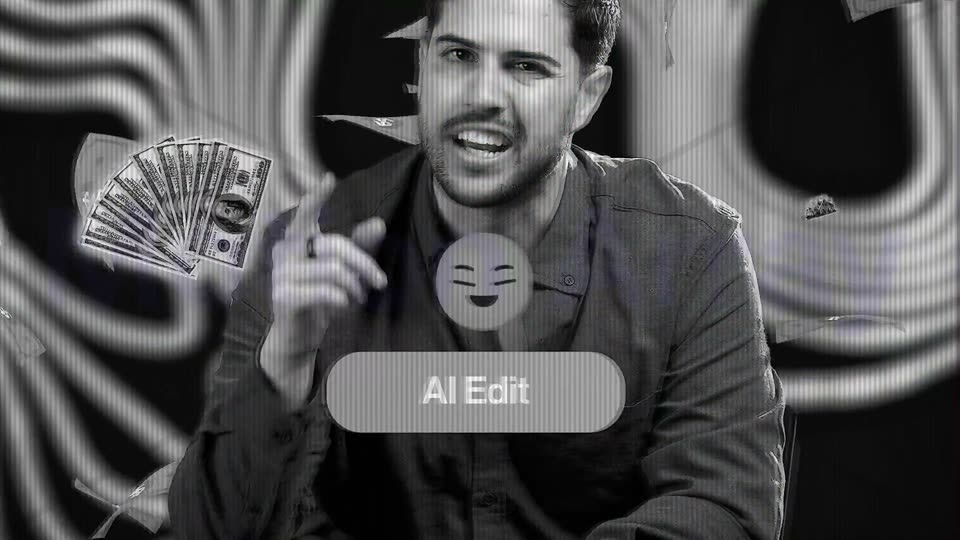
A man on a couch gestures with open hands, then points as the room behind him warps into a swirling vortex and money graphics burst in: flying bills, a fan of cash, a house photo, and a money-face emoji. The purple AI Edit pill stays at the bottom.
On-screen text: “AI Edit”
Techniques: Particles
Camera: Static
A man in a gray shirt points at the camera against a dark red swirl backdrop. A fan of $100 bills, a house, and a money-face emoji float around him, with a purple AI Edit button on his chest as green bills drift down.
On-screen text: “AI Edit”
Techniques: Particles
Camera: Static
A man in a gray shirt gestures at the camera as a glitch distortion clears into a halftone backdrop. A purple pill labeled AI Edit sits at his chest, a tilted black banner reveals MASTERING THE, and a crumpled paper icon with a green cube floats left.
On-screen text: “AI Edit”, “$”, “MASTERING THE”
Techniques: Kinetic type
Camera: Pull out
A man in a dark shirt sits center, gesturing, against a torn-paper halftone backdrop. A green circle on the left reveals a vintage camera, while an angled black banner on the right expands to show the title; a purple pill reads AI Edit below him.
On-screen text: “AI Edit”, “MASTERING THE ART”
Techniques: Masking
Camera: Static
A man in a dark shirt talks on a sofa, the shot heavy with chromatic-aberration glitch before it snaps into a sharp portrait inside a white rounded-rectangle mask. A purple pill button reading AI Edit pops in over his chest and holds.
On-screen text: “AI Edit”, “MASTERING”, “THE”
Techniques: Masking
Camera: Pull out
Blurred video thumbnails drift around the edges of a dark purple grid while a large headline scales in at center: “What if AI”, then it swaps to “could edit videos for you?”.
On-screen text: “AI Edit”, “What if AI”, “could edit videos for you?”
Techniques: Kinetic type
Camera: Pan
A diagonal grid of phone mockups fills the frame, some showing video clips of people, others purple tiles. White words NOW, IT and CAN sit on the purple tiles as CAN scales up, with a small line of text in the center.
On-screen text: “could edit”, “videos for you?”, “NOW”, “IT”, “CAN”
Techniques: Kinetic type, 3D mockup, Light sweep
Camera: Pan
A dark indigo field with a faint grid holds a centered headline. The words enter with horizontal motion blur, then settle into a sharp white line with the final word tinted lavender.
On-screen text: “Select your style”
Techniques: Kinetic type
Camera: Static
A man in a dark shirt sits on a couch, gesturing with his hands, while the word IMPACT in huge white letters sits across the frame. Cutout athletes with yellow glows flank the text, a cyclist on the left and runners on the right, with green leaf shapes drifting around.
On-screen text: “IMPACT”
Camera: Pull out
A red card bearing the word IMPACT holds center while the backdrop flips from a flat red field with two torn cutout portraits to a halftone collage of two photos, the card shrinking slightly in the swap.
On-screen text: “IMPACT”
Camera: Pull out
A woman in a dark coat appears in three side-by-side vertical panels against a pink blurred background. The white word CINEMATIC scales up across the panels while the red color grade shifts to neutral.
On-screen text: “CINEMATIC”
Techniques: Split screen, Kinetic type
Camera: Static
A hand holds a tilted smartphone with a dark purple screen on a near-black grid background while the headline “Sit back” sits left. The camera pushes in on the screen, which shows a rounded card and a vertical purple progress line, then a large “CINEMATIC” label scales in.
On-screen text: “Sit”, “back”, “CINEMATIC”
Techniques: UI zoom, Kinetic type
Camera: Static
A purple phone with a glowing neon rim sits centered on a dark background as the headline sharpens from blur into focus and a light sweeps the top edge, then a hard cut to a man in glasses holding a phone against a purple patterned backdrop with “Graphics?” below.
On-screen text: “watch AI do the rest”, “Graphics?”
Techniques: Light sweep
Camera: Static
A man at a microphone sits in a split frame, the left half dimmed and the right half bright with added illustrations. A small logo icon sits center as bold white words cycle below it, each with a soft blurred echo.
On-screen text: “Graphics?”, “Added.”, “Backgrounds?”, “Done.”
Techniques: Split screen, Kinetic type
Camera: Static
A man appears twice in a side-by-side split screen, pointing and gesturing as he talks. Centered graphics swap from two app icons over the word Done. to one icon over the word Transitions?
On-screen text: “Done.”, “Transitions?”
Techniques: Split screen
Camera: Static
A bespectacled man at a studio microphone appears in two side-by-side versions, left in a neon-lit room, right against a pixelated blue sky. A vertical stack of white outline icons rotates in the center while bold captions cycle beneath him.
On-screen text: “Transitions?”, “Zooms?”, “Boom.”
Techniques: Split screen, Kinetic type
Camera: Static
A tight cluster of glowing white line icons at the center falls down and merges into a horizontal row of purple editing icons along the bottom. A blurred purple headline, Get right to the, slides in across the middle of the dark field.
On-screen text: “Get right to the”
Camera: Static
A gradient headline reads 'Get right to the' above a scrolling strip of line icons on dark purple. The text swaps to 'finish line' as a small rounded 'AI Edit' toggle card with a mouse cursor fades in behind it.
On-screen text: “Get right to the”, “finish line”
Techniques: Kinetic type, Cursor demo
Camera: Push in
A dark purple field holds a neon-outlined rounded box. Inside, the headline AI Edit sits in white and purple, with the subline only on captions in purple below. The frame is locked off; the neon border glows without moving.
On-screen text: “AI Edit”, “only on captions”
Camera: Static