0:31

Arc for Students | Everything in its right place
The Browser Company · Productivity · Sep 2023
Butter’s 2:10 launch film runs 33 scenes, about 4.0 s each. The product is on screen from the first frame and 5 features are revealed. The call to action lands at 2:05 (96% in), over a voiceover. Presenter-led launch that alternates talking-head shots in a bright office with full-screen screen recordings, bridged by split screens and 3D window tilts. Signature moves: white serif words stamped over the presenter, pig mascots on the green hill desktop, and rapid screen-capture cuts at about 13 cuts per minute over a steady 83 bpm bed.
Is this your launch? to your site or press kit.
The Browser Company · Productivity · Sep 2023
Films whose music sounds like this one, voice left out
Fabraix · Electronic
Kaelio · Corporate tech launch
A man in a dark shirt talks to camera, framed inside a Windows XP My Computer window on the green-hill desktop. The window, menu bar and taskbar stay static while he moves his head and gestures.
Camera: Static
A bearded man in a blue shirt speaks to the camera in a bright office, a small mic clipped to his collar. Large white serif letters A and I fade in on the left and right of his head, spelling AI, while a colleague walks past the glass wall behind him.
On-screen text: “A”, “I”
Camera: Static
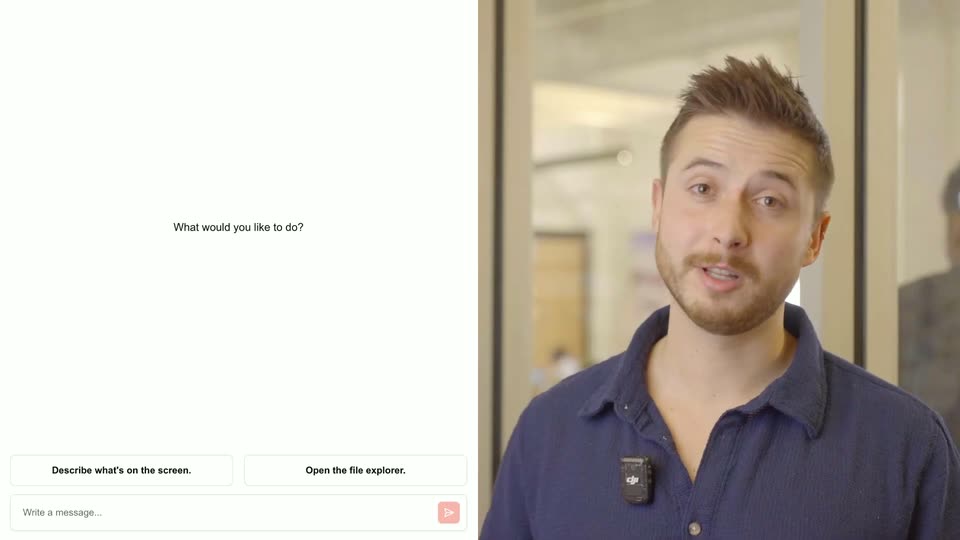
A locked-off split frame: a white interface panel on the left holds the prompt 'What would you like to do?' with two buttons and a message field, while a man in a blue shirt talks to camera on the right.
Techniques: Split screen
Camera: Static
A chat interface scrolls as a command is typed into the input bar and sent, revealing an agent tool call. The scene then cuts to a split screen of the Excel start screen and a presenter.
Techniques: Cursor demo, Split screen
Camera: Static
Split screen: a Windows desktop on the left, a presenter in a blue shirt on the right. A cursor clicks the Blank workbook tile, the Excel window opens into an empty grid, and the man talks to camera.
Techniques: Split screen, Cursor demo
Camera: Static
A man in a dark blue collared shirt, wearing a small black lavalier mic, speaks to camera in a medium close-up. He stands centered in a bright office with glass partitions and white pillars behind him, softly blurred. He blinks and moves his head slightly as he talks.
Camera: Static
A screen capture of the Epic website holds on the Primary Care section: three cards show an illness icon, a man speaking in an embedded video, and a head-with-gears icon. A gray band below lists clinic and physician counts. The page stays static while the man talks.
Camera: Static
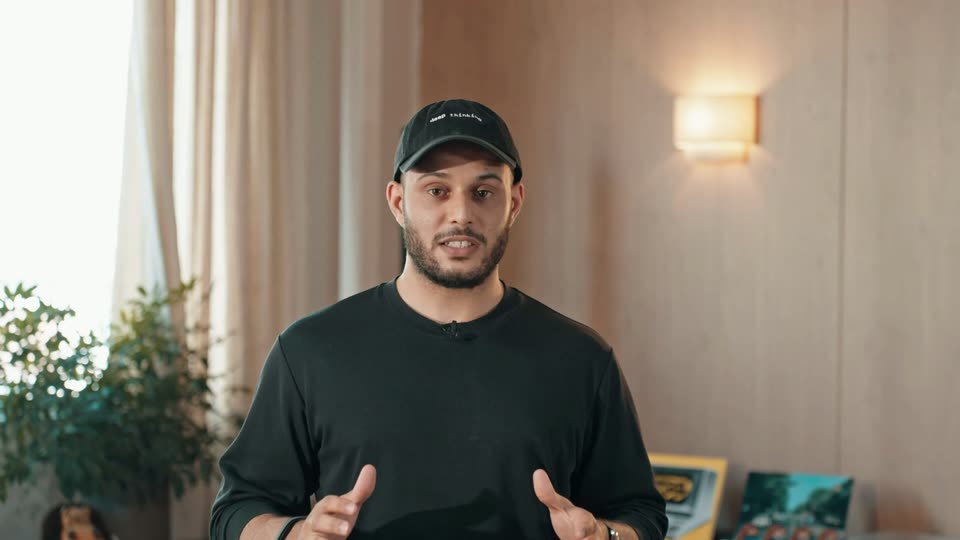
A man in a blue polo shirt, wearing a small clip-on microphone, stands before a glass office wall and speaks to the camera, gesturing with his hands. The softly blurred office behind him shows coworkers moving past.
Camera: Static
A bearded man in a blue shirt stands in a bright office and speaks to the camera, gesturing with one hand. Three large white words stack in the center of the frame, appearing one after another over his chest.
On-screen text: “Fastest”, “Cheapest”, “Most Robust”
Techniques: Kinetic type
Camera: Static
A Windows desktop with the green-hill wallpaper shows three small pig figures on the grass and a dark pig on the ridge. A white cursor drifts down from the sky and stops on a taskbar icon.
Techniques: Cursor demo
Camera: Static
A Chrome browser window on a Windows desktop shows the Pig landing page with a large dark and orange headline, then cuts to the app dashboard with a left sidebar and an Add New Machine card. The mouse cursor moves across the screen.
Techniques: Cursor demo
Camera: Static
A browser window shows the Pig app with a centered modal offering two machine options. The cursor glides from the left edge to rest on the Self-host with Piglet row, which highlights as a link tooltip appears at the bottom left.
Techniques: Cursor demo
Camera: Static
A dark GitHub repository page for piglet fills the browser window. The view scrolls down past the file list to the README, where code blocks and a directory tree appear. A cursor hovers over the page.
Camera: Static
A dark GitHub README fills a browser window as a Windows search panel opens over it with power typed in. The list highlights Windows PowerShell, then the panel expands to a detail card with the PowerShell icon and run options, a cursor resting on the taskbar search field.
Techniques: Cursor demo
Camera: Static
A dark Windows PowerShell window fills the screen as the command piglet is typed at the prompt. The view cuts to a browser tab showing the Piglet README on GitHub, with a code block reading piglet start.
Camera: Static
A browser window shows the Pig web app, opening on the Machines page with a modal offering self-host or cloud options. It cuts to the API Keys page where the cursor clicks the copy button and an orange Copied to clipboard! toast pops up beside the masked key.
Techniques: Cursor demo
Camera: Static
A dark Windows PowerShell terminal sits over a browser window. The command piglet join with a long secret key types in, then output lines for display dimensions and a local server appear. A pink cursor drifts across the terminal and to the window's corner.
Techniques: Cursor demo
Camera: Static
A browser window shows the Pig dashboard, switching from the API Keys page to the Machines page with a Piglet Machine card. The cursor moves, then the window shrinks and tilts into a 3D perspective on a gradient desktop.
Techniques: Cursor demo, 3D mockup
Camera: Static
A browser window shows the Pig app machine list. The cursor clicks the Piglet Machine card, and the detail page loads with a Controls panel. The view zooms onto the sidebar as the cursor picks Chat, revealing a chat screen with a prompt and action buttons.
Techniques: Cursor demo, UI zoom
Camera: Pull out
A chat screen shows a user prompt bubble, then the assistant types a reply. A tool card labeled pig_agent with a JSON task line appears below and expands to a Thinking section. The frame zooms out to the full app in a browser window over a colorful gradient.
Camera: Pull out
Static shot of a browser window showing an AI chat interface. The agent streams a long, scrolling response that itemizes the visible screen elements, from browser tabs to the taskbar.
Techniques: Kinetic type
Camera: Static
A white background displays a list of text items that scroll upwards. The text begins blurred and sharpens as it moves, revealing a numbered list describing a computer screen's contents.
On-screen text: “The screen currently shows:”, “1. A Windows PowerShell window with a black background and white text, displaying copyright information from Microsoft and a command prompt showing 'PS C:Users>”, “ with a 'piglet join --secret' command and what appears to be a security token.”, “2. A web browser with at least two tabs open - one labeled 'Pig' and another 'pig-dot-dev/piglet'”, “3. The Windows taskbar at the bottom with the Start menu, search icon, and various application shortcuts.”, “4. A navigation panel on the left side with icons and a 'Sign Out' option.”, “5. The Windows clock in the bottom-right showing 10:32 PM and the date 2/26/2025 in the bottom-right corner.”, “6. The system time panel showing 10:32 PM on 2/26/2025 in the bottom-right corner.”
Camera: Push in
A white page of black body text fills the frame, then a dark browser window for the Pig app slides in from the left, its left nav and a Machines list with two cards covering the text. A Windows taskbar with a weather widget sits at the bottom.
Camera: Static
A Chrome browser window shows the Pig app's Machines page: a left sidebar and two cards, Piglet Machine and Add New Machine. A pink hand cursor sits idle. The view then slides left, revealing a page with partially visible text about weather and a dark theme on the right.
Camera: Static
A desktop screen shows a browser on the left with the Pig Machines page and a chat panel on the right. A command is typed, the agent replies with a tool call, then the right window minimizes and the browser fills the screen, a pink cursor appearing.
Techniques: Split screen, Cursor demo
Camera: Pull out
A browser window displays the Pig app's Machines page on a white background, with a Piglet Machine card and an Add New Machine card. A pink cursor with a white arrow hovers in the empty area to the right, drifting a few pixels between frames.
Techniques: Cursor demo
Camera: Static
A browser window on a Windows desktop shows the Pig app's Machines page. A red cursor slides from the Add New Machine card up to the minimize button, hovers to reveal a tooltip, then clicks it.
Techniques: Cursor demo
Camera: Static
A locked-off Windows desktop shows the green-hill wallpaper, three icons stacked at the left, and a cursor with a red hand pointer in the upper right. The bottom-left notification cycles from a weather readout to a finance headline.
Camera: Static
A Windows 11 desktop shows the open Start menu over the default sky-and-hill wallpaper. A cursor glides down from the search bar to the Excel tile, which brightens on hover, while the taskbar clock ticks from 10:34 to 10:35 PM.
Techniques: Cursor demo
Camera: Static
A locked-off Windows desktop shows the green-hill wallpaper with a cursor hovering in the blue sky, desktop icons stacked on the left, and a taskbar at the bottom carrying a news notification. Small pig figures sit on the hill.
Camera: Static
The Excel start screen sits on a Windows desktop. A Run dialog appears at the lower left; the cursor clicks Cancel to close it, then moves to the Blank workbook card and hovers, highlighting it.
Techniques: Cursor demo
Camera: Static
A Windows desktop shows an open Excel window. A pink cursor types 1, 2, 3 down column A, then jumps to the red close button and clicks it, fading in a save-location dialog before the frame cuts to black.
Techniques: Cursor demo
Camera: Static
A PowerPoint window in edit mode fills the screen. The selected title box on the slide reads BASIC PRESENTATION, then is replaced by PIG.DEV, after which a pink-and-orange pig illustration drops into the slide with an alt-text bar at the bottom.
On-screen text: “BASIC PRESENTATION”, “PIG.DEV”
Camera: Static