2:01
Explore
00:00:00 / 01:12:18
- Length
- 1:12
- Scenes
- 29 · 2.5 s avg
- Product on screen
- 0:13
- Call to action
- 1:07 · 93%
- Voiceover
- Yes
- Views
- 120K on X
as of November 18, 2026
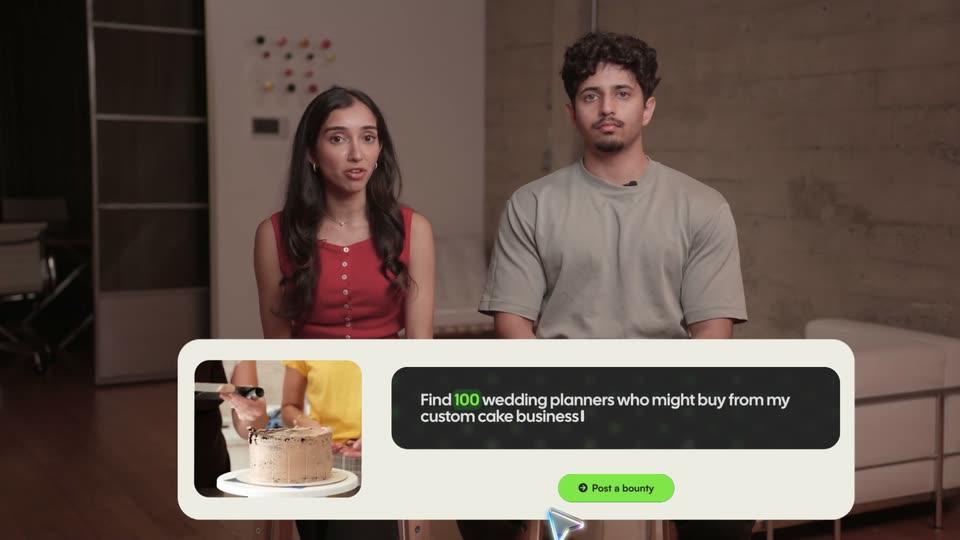
Bounty’s 1:12 launch film runs 29 scenes, about 2.5 s each. The product shows up at 0:13. The call to action lands at 1:07 (93% in), over a voiceover. The video alternates live-action founder interviews in a warm concrete loft with flat lime-green and near-black graphic cards, cutting on a steady 115 BPM pulse. Its signature moves are floating frosted-glass icon tiles, a glowing neon cursor that clicks through the UI, and heavy white type that scales in word by word over the footage.
Footage neededEstimated needs: 2 capture groups — your screens or recordings · 1 official logo — reused across the film · 17 filmed passages — shoot, supply or replace · 3 3D passages — build or supply
Is this your launch? to your site or press kit.
More like this
Similar soundtrack
Films whose music sounds like this one, voice left out
1:14

SaaS Explainer Video for Recruitment Platforms 2026 | JobWriter
JobWriter · Upbeat electronic
0:55
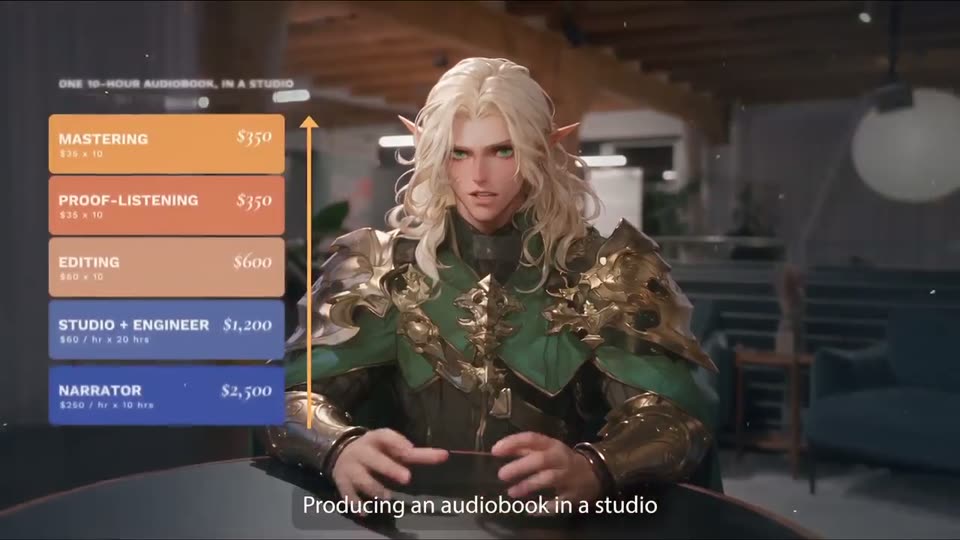

Audora is out now! | Audora (YC F26)
Audora · Electronic
0:40

SaaS Explainer Video for Eduface (Motion Graphics)
Eduface · Upbeat electronic
Aashna Doshi - today, we’re officially launching @trybountyai, backed by a16z @speed, scene by scene
· 29 scenes as text
01 · Problem · 0:00–0:13
A woman in a red top sits on a bench before bookshelves, speaking to camera after a glitchy cut. A lower-third names her; 'ANOTHER TOOL' flashes large over her; frosted-glass tiles with neon line icons pop in around her; 'I'm still doing all the work' fills the frame.
On-screen text: “Aashna Doshi”, “Co-Founder, Bounty”, “ANOTHER TOOL”, “I'm still doing”, “all the work”
Techniques: Kinetic type
Camera: Pull out
02 · Product intro · 0:13–0:15
A man in a grey t-shirt walks through a doorway into a study lined with bookshelves, pauses at the center of the frame, then steps out to the left. A white lower-third caption with his name and title holds in the bottom-left corner.
On-screen text: “Shivam Patel”, “Co-Founder, Bounty”
Camera: Pan
03 · Product intro · 0:15–0:16
A woman in a red top types on a laptop at a wooden table in a concrete-walled room. Rounded app icon tiles with neon gradient symbols float and drift around her at varying depths as the shot sharpens from a blur.
On-screen text: “Shivam Patel”, “Co-Founder, Bounty”
Techniques: Parallax
Camera: Pull out
04 · Product intro · 0:16–0:16
A woman in a red top types on a laptop at a wooden table, framed by a concrete wall and a wall map, while six gradient app icons float around her. The shot then washes green and a dark red asterisk pops in at center.
Camera: Push in
05 · Product intro · 0:16–0:20
On a flat green field, the black bounty wordmark settles from staggered letters into a straight line, then a green tagline appears beside a rounded pill that highlights the words CHEAPER, FASTER and BETTER in turn.
On-screen text: “Get work done”, “CHEAPER”, “FASTER”, “BETTER”
Techniques: Kinetic type
Camera: Static
06 · Demo · 0:20–0:24
A woman and a man stand in a loft room while a white bounty card slides up at the bottom of frame. The card shows a cake-frosting thumbnail and a prompt that types itself out, then a cursor moves to and clicks the green Post a bounty button.
On-screen text: “Get work done”, “BETTER”
Techniques: Cursor demo, Kinetic type
Camera: Pull out
07 · Demo · 0:24–0:26
A dark chat panel titled ASK TEDDY, with a green robot icon at left, fills in as green message bubbles fade in sequence, ending with an edited draft block, while two glowing neon triangles drift on the right.
Camera: Static
08 · Demo · 0:26–0:27
A dark tablet mockup in 3D perspective displays the bounty task card with a cake icon and a column of icons, while a rounded video inset shows a woman in a red top speaking to a man. The tablet tilts and the inset drifts as the blur resolves.
Techniques: 3D mockup, Parallax
Camera: Pull out
09 · Demo · 0:27–0:31
A tilted black bounty app card floats on a cream background, a live-action inset of a woman talking sits top right. A green panel wipes in over the card, revealing “Bounty claimed,” “Verified,” “Work in progress” with checkmarks, then the card shrinks and blurs to a “DONE!” state with $1,000.00.
Techniques: 3D mockup, Masking
Camera: Pull out
10 · Demo · 0:31–0:34
A curly-haired man in a gray tee talks to camera on a plain tan backdrop; the frame racks from soft to sharp as white caption lines appear at right and bottom in step with his speech.
On-screen text: “close”, “real clients”, “that needed cakes”
Techniques: Kinetic type
Camera: Push in
11 · Demo · 0:34–0:37
A man in a gray T-shirt walks down a concrete stairwell toward a handheld camera, talking. A dark chat bubble with white text and a green Post a bounty pill overlay the left side, then a glowing cursor moves in and clicks the button.
On-screen text: “Turn my raw videos into viral reels for next week”
Techniques: Cursor demo
Camera: Push in
12 · Demo · 0:37–0:41
A woman in a red top steps into a concrete studio as app icons of editing tools pop and float around her. The icons clear, and large white words finished and reels slide and scale in while she lifts a small gimbal.
On-screen text: “finished”, “reels”
Techniques: Kinetic type
Camera: Pull out
13 · Demo · 0:41–0:41
A woman in a red top stands in a concrete-walled room holding a small black device, then the frame cuts to a closer two-shot of her holding a phone beside a talking man. The word finished slides across the top left while reels scales in the bottom right.
On-screen text: “finished”, “reels”
Techniques: Kinetic type
Camera: Pull out
14 · Demo · 0:41–0:43
A man types on a laptop at a desk as three small captioned clips of a woman speaking pop in at the top left. A green progress bar fills, a glowing cursor taps the Aa icon, and the words added captions appear below.
On-screen text: “added captions”
Techniques: Cursor demo
Camera: Pull out
15 · Demo · 0:43–0:46
A man types on a laptop at an office desk. On the left, three captioned clips of a woman shrink to one, then fade. Large white text reads “added captions” and swaps to “ready to post” above three green icons. A glowing cursor arrow drifts down to the laptop.
On-screen text: “added captions”, “ready to post”
Techniques: Split screen
Camera: Push in
16 · Other · 0:46–0:49
A woman in a red top types at a white keyboard as the headline builds word by word across the top. 'sold access' scales in below, 'access' in green, then the camera pans right to a man working at a laptop.
On-screen text: “The last era of software”, “sold access”
Techniques: Kinetic type
Camera: Pan
17 · Other · 0:49–0:51
A man in a grey t-shirt types on a laptop and speaks at an office desk, a woman in red works behind him. The shot cuts to a profile of the woman as the words deliver and outcomes fade in over the frame.
On-screen text: “deliver”, “outcomes”
Camera: Push in
18 · Other · 0:51–0:54
A woman in a red dress sits at a desk and speaks. A white dotted disc hovers over the monitor as green line icons, an alien, briefcase, compass, headphones, camera, network node and arrows, pop in around it, linked by green spokes.
Camera: Static
19 · Other · 0:54–0:55
A green asterisk logo scales up on a dark background until it fills the frame, wiping to a solid green field, then the black text “and that place is” scales in at center. Locked-off frame.
On-screen text: “and that place is”
Techniques: Masking, Kinetic type
Camera: Static
20 · Other · 0:55–0:57
A green bounty wordmark with an asterisk mark holds dead center on a near-black field. The caption “and that place is” scales in near the logo while the lockup stays locked off.
On-screen text: “and that place is”
Techniques: Kinetic type
Camera: Static
21 · Demo · 0:57–0:59
A man at a desk with a laptop turns to face the camera in an office while large colorful question marks pop up and drift around him. A woman in a red top sits blurred in the foreground as the marks multiply.
On-screen text: “bounty”, “?”
Techniques: Kinetic type
Camera: Push in
22 · Demo · 0:59–1:00
A close-up shows two hands typing on a silver laptop keyboard, fingers pressing keys in a steady rhythm. The background stays soft and out of focus, with a desk and monitor stand blurred behind.
On-screen text: “?”
Camera: Static
23 · Demo · 1:00–1:00
A close-up of two hands typing on a black laptop keyboard, fingers pressing keys in a steady rhythm. The laptop screen sits blurred in the background, showing a light dashboard with dark and white cards. The frame is locked off with shallow depth of field.
Camera: Static
24 · Demo · 1:00–1:02
A 3D-angled view of the Bounty landing page sits on a dotted grid. The headline 'Cheaper, faster, better' anchors the top while the input field types 'Make Bounty's launch video' letter by letter, the green Post a bounty button and stat cards held still below.
Techniques: 3D mockup
Camera: Static
25 · Demo · 1:02–1:02
A close-up of an angled web interface shows a green button labeled 'Post a bounty' sliding and changing to a darker green state.
On-screen text: “Post a bounty”
Techniques: 3D mockup
Camera: Static
26 · Demo · 1:02–1:04
A lime-green notification card with the bounty logo and the line “Bounty launch video, DONE!” sits on a dark background, wobbling briefly before settling into a clean rounded rectangle. A white cursor with a glow then clicks at the card’s lower right, spawning a green ripple dot.
Techniques: Morph, Cursor demo
Camera: Static
27 · Demo · 1:04–1:07
A locked-off video editor UI: a preview window shows a woman in a red top speaking before bookshelves, with an Effect Controls panel at right and a clip timeline below. A glowing cursor glides across the timeline as a lower-third caption naming the speaker appears over the footage.
On-screen text: “Aashna Doshi”, “Co-Founder, Bounty”
Techniques: Cursor demo
Camera: Pull out
28 · CTA · 1:07–1:09
On a flat green field, a black asterisk mark pops in at center, the word bounty settles in beside it to form the lockup, which then swaps to the URL trybounty.ai.
On-screen text: “bounty”, “trybounty.ai”
Techniques: Kinetic type
Camera: Static
29 · CTA · 1:09–1:12
A flat lime-green field holds the URL “trybounty.ai” centered in bold black type. A smaller italic line “al6z/speedrun” appears below it near the end. The frame stays locked-off and still throughout.
On-screen text: “trybounty.ai”, “al6z/speedrun”
Camera: Static