1:05

Arcade - Introducing Arcade Growth:
Arcade · Apr 2023
Augment Inc. · Jun 2025 · 0:35 · Code only · AI-annotated
Augment Inc.’s 0:35 launch film runs 19 scenes, about 1.8 s each. The product shows up at 0:02 and 6 features are revealed. The call to action lands at 0:31 (90% in). The film alternates locked-off headline cards with 3D-tilted UI mockups, each feature announced by a bold centered sentence before the interface spins or blurs into view. Signature moves include blur-to-focus transitions, headlines that fade from gray to black word by word, and comic props like a 3D magnifying glass and a Gmail badge counting up.
Is this your launch? to your site or press kit.
Arcade · Apr 2023
Pletor · Sep 2026
Films whose music sounds like this one, voice left out
NVIDIA · Funk, Disco, Nu-funk
Simplex · Funk, hip-hop, and electronic dance music
Topaz Labs · Upbeat pop-funk and electronic dance music
On a pale background, the black phrase “Finding leads” begins oversized and blurred, then scales down to center as it sharpens. Below it, the line “shouldn't drain your day.” fades in word by word.
On-screen text: “Finding leads”, “shouldn't drain your day.”
Techniques: Kinetic type
Camera: Pull out
A 3D magnifying glass slides left to right across a white frame, passing in front of the centered black headline, then tilts and scales up toward the camera on the right.
On-screen text: “Finding leads”, “shouldn't drain your day.”
Techniques: 3D mockup
Camera: Static
On a plain white background, the black headline “Meet Roger” sits centered, then gives way to the Roger lockup: a black square and wordmark scale in above the smaller gray tagline “Your AI sales sidekick.” The frame stays locked off throughout.
On-screen text: “Meet Roger”, “Your AI sales sidekick.”
Camera: Static
On a black field, the white Roger wordmark and square mark sit centered and scale up slightly while a small white tagline holds still beneath them.
On-screen text: “Your AI sales sidekick.”
Camera: Static
A black square and the bold black word Roger sit centered on a white background, scaling slightly in a locked-off frame.
Techniques: Kinetic type
Camera: Static
A white square icon and the word Roger in white sans-serif sit centered on a black background. The lockup scales up gently while the frame stays locked off.
Techniques: Kinetic type
Camera: Static
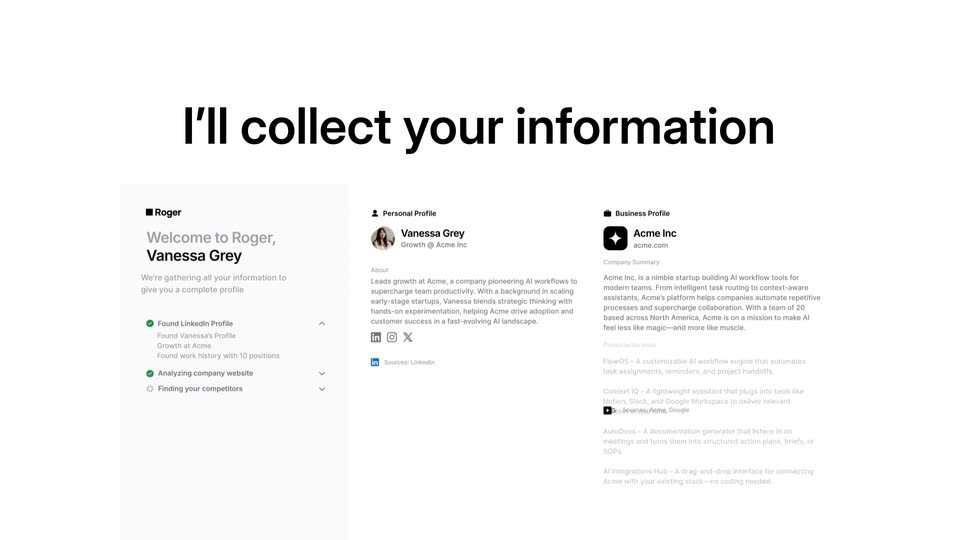
Three columns of a profile dashboard on white: the left assistant panel ticks off tasks with green checkmarks, and the right business card loads extra product lines one by one. The big headline 'I'll collect your information' fades from light gray to black at the top.
On-screen text: “I'll collect your information”
Camera: Static
A zoomed-in targeting form types out a company description, then pulls back to the full campaign builder with a cursor hovering the fields. The interface panel then spins in 3D and blurs away beneath the static headline “Tell me who to target”.
On-screen text: “Tell me who to target”
Techniques: UI zoom, Cursor demo, 3D mockup
Camera: Pull out
A campaign settings screen fills the frame as the view zooms in and a bold headline appears on the left. A cursor clicks through four toggle switches, turning on email and LinkedIn outreach plus open and link tracking.
On-screen text: “Set your campaign goals”
Techniques: UI zoom, Kinetic type, Cursor demo
Camera: Push in
A bold black headline sits centered on a white background while a faint email interface ghosted behind it fades in and sharpens. The text holds static in a locked-off frame as the backdrop UI becomes slightly more legible.
On-screen text: “I'll draft personalized email and LinkedIn sequences”
Camera: Static
On a pale gray background, a centered column of email template cards scrolls downward. The top card, Initial Email, slides out of frame as the First follow up, Second follow up and LinkedIn Message rows enter from below, each header row expanded to show its body copy.
Camera: Push in
A black rounded button reading “Publish Campaign” is centered on a plain white background. A hand cursor rises from the bottom edge and stops on the button, overlapping the label.
Techniques: Cursor demo
Camera: Static
A heavily blurred product dashboard sharpens into focus, revealing a sidebar, contact list, and metrics, while large text appears on the left.
On-screen text: “I'll find new”
Camera: Pull out
A bold headline reads across the top as its trailing words fade from gray to black. Below, a flat dashboard mockup tilts into 3D perspective and shrinks to center, while a cursor glides from the metrics row to the Publish button.
On-screen text: “I'll find new leads for you every day”
Techniques: Kinetic type, Cursor demo, 3D mockup
Camera: Pan
A blurred Gmail inbox with a cursor clicking an email fills the left. The black Arc airplane flies in, the Gmail icon pops in with a red 7 badge, and the airplane passes in front of it. The headline Watch your inbox fades in above, the word inbox arriving last.
On-screen text: “Watch your inbox”
Techniques: Cursor demo, Kinetic type
Camera: Pan
A bold black two-line headline sits on a plain white background. Below it, a Gmail app icon carries a red badge that counts up from 0 to 20, while a small cursor arrow appears at the right edge and fades out.
On-screen text: “Watch your inbox”, “fill up quicker tha-”
Camera: Static
On a black background, the white lines “Watch your inbox” and “fill up quicker tha-” appear and cut off mid-word, then “Yeah, thats right.” fades in centered and fades out. The white Roger logo, a square plus wordmark, fades in centered as the sign-off.
On-screen text: “Watch your inbox”, “fill up quicker tha-”, “Yeah, thats right.”
Techniques: Kinetic type
Camera: Static
A locked-off black card holds a centered white Warning headline over a paragraph of fine print. A larger white URL, hiteroger.com, fades in across the middle of the paragraph, overlapping the body text.
On-screen text: “Warning”, “Using Roger may cause increased productivity, happier clients, and an irrational love for beautifully organized pipelines. Side effects include closing deals更快,”, “hiteroger.com”
Camera: Static
A solid black frame holds the URL centered in small white type. The text stays locked and still for the full duration, serving as the closing card.
On-screen text: “hireroger.com”
Camera: Static