0:30

NFTs are Officially Live on Uniswap!
Uniswap · Feb 2023
Ashr’s 2:38 launch film runs 34 scenes, about 4.7 s each. The product shows up at 0:34. The call to action lands at 2:09 (82% in), over a voiceover. The video alternates live-action founder talking heads with a long dark-navy motion-graphics demo, opening on the manual-testing problem and closing on a brand manifesto, a book-a-call CTA, and a logo card. Its signature moves are glassy 3D cards that tilt and rotate, monospace type-on text, a glowing cyan light streak, and a recurring glowing orb that resolves into the ashr mark.
Is this your launch? to your site or press kit.
Uniswap · Feb 2023
Arden · Oct 2026
Films whose music sounds like this one, voice left out
Fish Audio · Electronic
Lamina Labs · Electronic
Adobe · Upbeat electronic
A young man in a black puffer jacket talks to camera before a glass wall with handwritten notes. Two tilted dark-blue chat panels slide in with prompts 'Refund the last charge' and 'Find bugs in the checkout process'. A cursor and pixel hand point at them, then they fade out.
Techniques: Cursor demo
Camera: Static
A young man in a black puffer jacket sits at a desk beside a curved monitor filled with code, talking to camera and gesturing, then glances at the screen. A whiteboard with handwritten notes hangs behind him. The shot slowly pushes in on his face.
Camera: Push in
A young man in a black puffer jacket talks to camera in front of a glass café wall, gesturing. Three dark rounded cards with quoted prompts and GOT/IDEAL code lines slide in from the sides around 6s, float beside him, and fade out by 12s.
On-screen text: “What's my account balance?”, “GOT I don't have access to that.”, “IDEAL call get_balance(user_id) -> $2,340.50”, “Cancel order #4821”, “GOT Order cancelled. (no confirmation)”, “IDEAL confirm_cancel(4821) -> refund $89.00”, “Transfer $500 to savings”, “GOT Transferred $500. (wrong account)”, “IDEAL verify_acct() -> transfer(savings, 500)”
Camera: Push in
Two founders in puffer jackets sit on red cushioned benches against a light wood wall, speaking to camera. White lower-third pills slide in to name each as co-founder, then a Y Combinator badge fades in at the bottom center.
On-screen text: “Shreyas Kaps”, “Co-Founder @ashr”, “Rohan Kulkarni”, “Co-Founder @ashr”, “Y Combinator”
Camera: Static
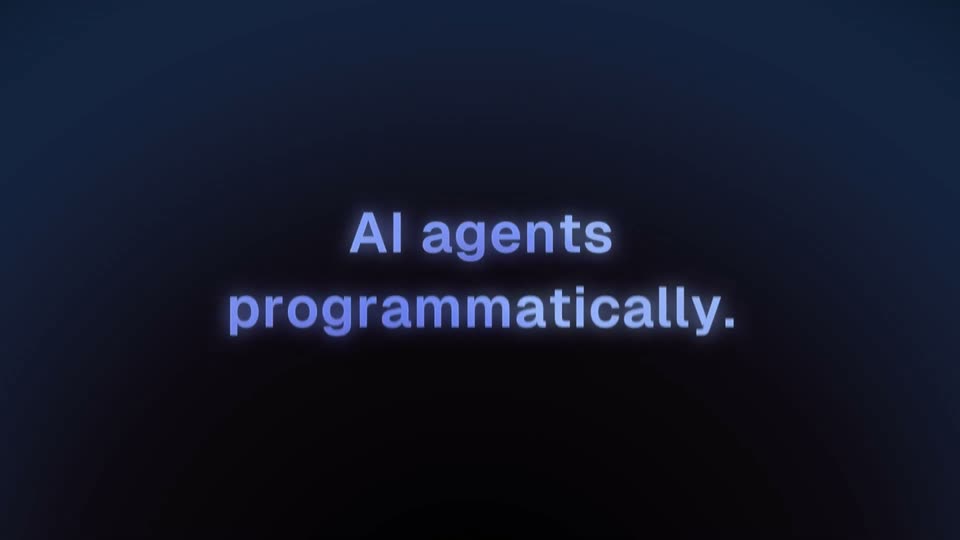
Glowing blue text pulses at the center of a dark navy field: “ashr tests”, then “AI agents”, with “programmatically.” fading in below. A dark rounded card with a bright blue edge slides up from the bottom edge.
On-screen text: “ashr tests”, “AI agents”, “programmatically.”
Techniques: Kinetic type
Camera: Static
On a dark navy backdrop, a rounded card with a glowing blue border holds a Description heading and a monospace line that types out, then a System prompt section slides in below and types its own text, stretching the card taller.
Techniques: Kinetic type
Camera: Static
A dark, stylized product interface fades up from black. A row of four toggle switches labeled Audio Input, Conversation, Image Input and Video Input appears above a purple select_best button, set over a blurred grid of empty fields, while a faint caption slides across the top edge.
On-screen text: “Description”, “sceduling agent capabilities with simulation”
Camera: Static
A dark field of dim rounded tiles slowly scales behind a centered row of glowing blue input toggles. Purple and teal function pills fade in beneath the toggles while the foreground stays fixed in size.
Techniques: Parallax
Camera: Static
A dim grid of pill tags, including Audio Input and search_flights, surrounds a center pill that glows blue as a purple person icon and the label Location Manager fade in.
Camera: Push in
A glowing blue persona badge with a purple avatar icon and the label Location Manager sits over a dark background that shifts from dim tiles to a code editor. The badge drifts left and grows as the code scrolls behind it.
Techniques: Parallax
Camera: Static
A centered purple pill card with a glowing blue edge holds a blue person icon and the white title Location Manager, with a second line Manager below. The card floats over a dark wall of code editor windows showing C code and a Scenario Context panel.
On-screen text: “Location Manager”, “Manager”
Techniques: Kinetic type
Camera: Static
A dark field of overlapping code editor windows stays static while a glowing purple card floats in the center. The card cycles its content: a person icon with the text Location Manager, then Sample data, then an empty outline.
On-screen text: “Location Manager”, “Sample data”
Camera: Static
A glowing Sample data drop-zone card floats in 3D space between angled dashboard panels. A gradient 3D file icon flies in and drops into the zone, then the camera pushes in on the card as the background panels blur and drift.
Techniques: 3D mockup, Parallax, UI zoom
Camera: Push in
A dark blue drop-zone card labeled Sample data, with a document icon and the line Drop to import your sample data, holds center, then a chat bubble scales in at the center carrying the question What's my account balance? on a plain dark background.
Techniques: Kinetic type
Camera: Static
A glassy chat card with a balance question and the agent's reply tilts into 3D perspective, then rotates left to reveal a second glass card titled Text scenarios. Dark blue vignetted background, locked-off frame.
On-screen text: “Text scenarios”
Techniques: 3D mockup
Camera: Pan
Three glassy cards float in 3D perspective on a dark blue gradient. The center card holds a speaker icon with a pulsing blue waveform, labeled Audio inputs. The right card shows a chat pair labeled Text scenarios. The left card stays empty as the trio rotates into frame.
Techniques: 3D mockup
Camera: Static
Three glass cards rotate from a curved 3D arc into a flat horizontal row, each holding an interface mockup: a chat exchange, a terminal window, and an audio waveform. They hold, then blur out. White captions label each card.
On-screen text: “Audio inputs”, “Text scenarios”, “Simulated environments”
Techniques: 3D mockup
Camera: Pan
A dark 3D void holds a ribbed pale-blue fin and a dark diagonal blade. A bright cyan beam with a rounded tip streaks left to right across the frame, trailing a faint glow, then the scene fades to black.
Techniques: Light sweep
Camera: Static
A glowing cyan horizontal bar with a rounded right edge moves from left to right across a dark background.
Camera: Static
A glowing cyan light streak sweeps across a dark field and resolves into a rounded panel holding a progress bar. The bar fills to 100% as the monospace label and percentage fade in, then the panel settles with a soft glow.
On-screen text: “Installing SDK in your Codebase”, “100%”
Techniques: Light sweep
Camera: Static
A code editor window sits at a slight 3D angle on a dark blue field, its left rim edged with a cyan glow. Lines of Python code scroll upward and sharpen from blur to focus.
Techniques: 3D mockup
Camera: Pull out
A dark blue code editor window with traffic-light dots sits in 3D perspective, tilted against a black background. It spins and flies past the camera, the lines of code streaking into horizontal motion blur as a glowing cyan edge catches the light.
Techniques: 3D mockup
Camera: Pan
A dark rounded card with a glowing purple border scales up from a small centered pill, revealing a chart title and a three-dot legend. Then green, purple and blue lines draw themselves left to right across a faint grid with percentage and run labels.
Camera: Static
A dark dashboard assembles: a line chart card with three trend lines slides in on the left, three red cards with quoted prompts and GOT/IDEAL lines slide in from the right, and four stat cards (pass rate, avg score, failed cases, tool accuracy) pop into a top row.
Camera: Pull out
A young man in a gray tee and black puffer jacket stands before glass doors marked with whiteboard writing, talking to camera and gesturing with his hands while the shot slowly pushes in.
Camera: Static
A glowing sphere with a pink, blue and purple gradient sits centered on a dark field. Its colors shift and the soft halo pulses as the background warms from dark blue to purple.
Camera: Static
A glowing purple-blue orb sits at the center of a dark field, linked by thin lines to seven rounded square tiles with code-bracket icons. The tiles and lines draw in around the orb, the glow pulses, then the whole network fades out.
Camera: Push in
A small purple 3D sphere with a soft blue highlight sits centered on a dark blue-to-black gradient. The sphere rotates slowly, shifting its highlight, while the background stays still.
Camera: Static
A small glowing orb sits centered on a dark purple gradient. A bright white-blue triangular arrow ignites inside it, then the orb dims and contracts back to a faint circle.
Camera: Static
A white rounded-triangle mark with two diagonal slits glows at center inside a thin circular ring. The ring line brightens while the purple background darkens into a vignette, and a soft halo pulses around the mark.
Camera: Static
A curly-haired man in a gray puffer jacket sits in an office chair, speaking to camera, with a glass wall of handwritten notes behind him and a curved monitor showing a blue dashboard to his right. The camera slowly pushes in and pulls back.
Camera: Push in
Two young men in puffer jackets stand side by side before a glass office wall. The man on the right speaks, pointing down then to his chest, then the man on the left speaks as his partner turns to look at him.
On-screen text: “$HELLA BANDS”
Camera: Push in
A dark dot-grid background holds the glowing purple ashr. wordmark centered. The white tagline Automated testing for AI agents. fades in beneath it, the pair holds, then the card fades to black.
On-screen text: “ashr.”, “Automated testing for AI agents.”
Techniques: Kinetic type
Camera: Static
The frame stays solid black for the full clip. No content, text, or motion appears; it reads as a blank background or a fade point between scenes.
Camera: Static