1:29
wei-wei - Introducing Mo, the world's first AI QA engineer Point it at your ap
Momentic AI · Sep 2026
Alkera AI’s 1:30 launch film runs 26 scenes, about 3.5 s each. The product is on screen from the first frame and 4 features are revealed, with social proof. There is no explicit call to action; a voiceover carries the film. Built as a tight problem-to-proof arc: a one-second logo bumper, a four-beat pain montage under a fixed headline, a founder pitch backed by a benchmark chart, then three titled feature blocks each opened by a word-by-word headline card and closed by a UI demo, ending on a logo lockup and founder sign-off. The style is a flat cream canvas with a single dark sans headline, a recurring black highlight box that wipes behind the stressed word, monospace UI in white cards, and a muted green reserved只为
Is this your launch? to your site or press kit.
Momentic AI · Sep 2026
Sila · B2B · Sep 2026
The Alkera logo and wordmark appear centered on a plain off-white background, then hold in a locked-off frame.
On-screen text: “Alkera”
Camera: Static
A tired man sits at a desk with his hand on his forehead, facing a laptop. A white rounded text box fades in over him reading “Data work is broken.” with “broken.” highlighted inside a black box.
On-screen text: “Data work is broken.”
Camera: Static
A group of five colleagues stands and sits around a white table, hands raised in animated discussion. A light gray rounded caption card sits centered over them, holding the statement with the last word set in white on a black chip.
On-screen text: “Data work is broken.”
Camera: Static
A dashboard of metric cards and a line chart sits behind a centered card reading “Data work is broken.”; the background then swaps to a spreadsheet grid full of #VALUE! and #REF! errors while the card holds still.
On-screen text: “Data work is broken.”
Camera: Static
A grid of white pipeline cards with monospace labels connects by thin lines on a light background. Status icons flip from green checks to red crosses, lines tint red, and a Run failed badge slides in bottom right; the central headline stays fixed.
On-screen text: “Data work is broken.”
Camera: Static
On a light gray field, a black-boxed headline reads Data work is broken, ringed by four floating chat cards. The cards drift away and the line swaps to But it doesn't, the word doesn't kept in the black box.
On-screen text: “Data work is broken.”, “But it doesn't”
Camera: Static
A cream background holds the black line “But it” beside a dark green pill; the white phrase “doesn't have to be.” wipes in left to right inside the pill, then the frame holds still.
On-screen text: “But it”, “doesn't have to be.”
Techniques: Kinetic type, Masking
Camera: Static
A man in a striped short-sleeve shirt sits at a wooden table in a study lined with wooden bookshelves, holding a small black microphone to his mouth and speaking to a locked-off camera. Two short caption lines sit still on screen.
On-screen text: “But it”, “doesn't have to be.”
Camera: Static
A bar chart grows from the baseline on a cream background, percentages counting up; the top bar turns green with a crown and sparkles. The headline 'Ranked number one on DataAgentBench' fades in, then swaps word by word to 'Complex, data-oriented tasks'; a dashed orange line draws across the top.
On-screen text: “Ranked number one on DataAgentBench”, “Complex, data-oriented tasks”
Techniques: Kinetic type
Camera: Static
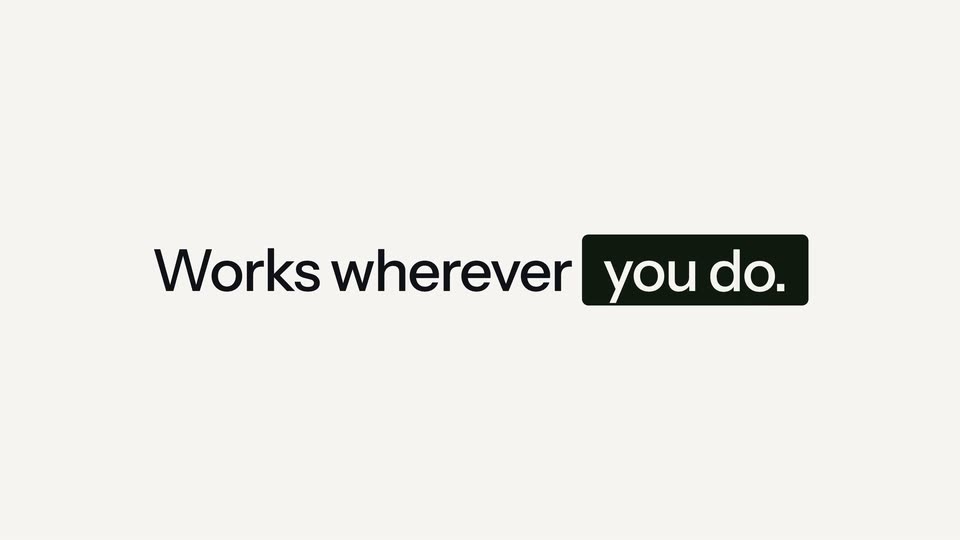
On a plain off-white background, the headline builds word by word. 'Works' fades in light gray, then turns black as 'wherever' joins it, and 'you do.' lands in white inside a dark gray rounded box. The frame stays locked-off.
On-screen text: “Works wherever you do.”
Techniques: Kinetic type
Camera: Static
On a light gray field, a flat chat window holds a typed message while the headline 'Works wherever you do.' sits to its right. The headline clears and a second window, a terminal with a pixelated ALKERA mark, slides in over the chat.
On-screen text: “Works wherever you do.”
Camera: Static
Three product windows, an extension chat, a terminal with the blocky green ALKERA wordmark, and a web portal node graph, slide into a diagonal stack. The portal shows a connected data diagram beside a left sidebar listing workspace items.
Camera: Static
Three overlapping product windows sit stacked on a cream background: a terminal with the ALKERA pixel logo, a chat panel with a half-typed prompt, and a web portal showing a node graph of data tables. The whole composition fades to a blank frame.
Camera: Static
A dense graph of task cards linked by lines fills the frame, each status line cycling from Queued to Running to a green checkmark as jobs complete. A corner panel shows CPU and GPU progress bars filling while the view drifts slowly across the network.
Camera: Static
On a white field, the headline builds word by word: “Connects to” in dark gray, then a black rounded box appears over “your whole” in white, then “stack.” lands. Behind it, a faint grid of white rounded cards fades in across two offset rows.
On-screen text: “Connects to your whole stack.”
Techniques: Kinetic type
Camera: Static
A white canvas assembles a lineage graph: file and table cards with monospace schema rows fade in one by one at the left, linked by thin lines to dashed placeholder nodes scattered across the frame, with a static headline on screen.
On-screen text: “Connects to your whole stack.”
Camera: Static
A data-lineage graph of white cards assembles left to right, curved connectors drawing between them. A gray row highlight travels the chain, the view pans to add a red-flagged model, then a cursor hovers it as a status tag pops and downstream cards tint red.
Techniques: Cursor demo
Camera: Push in
A data lineage graph of table and dashboard nodes fills the frame, the failed revenue model glowing red with red lines tracing the blast radius to downstream dashboards. The view zooms out to reveal source files at left, then the map settles inside a framed browser window.
Techniques: UI zoom
Camera: Pull out
A flat knowledge-base UI in a browser window. A cursor clicks the Add entry button and new rows slide in at the top of the list one after another. A detail panel then slides in from the right, and its status badge flips from amber Agent-set to green Verified.
Techniques: Cursor demo
Camera: Static
A light three-column knowledge base window is shown; the right note panel closes, leaving an empty column, while a cursor labeled You hovers at the bottom of the entry list.
Techniques: Cursor demo
Camera: Static
On a plain cream background, the word Fine-grained fades in gray at left, then turns black as a dark rounded box holding the white word permissions. slides in beside it.
On-screen text: “Fine-grained”, “permissions.”
Techniques: Kinetic type
Camera: Static
Three approval cards sit in a row on a light background, the center one in focus. Its content resolves in place: a write badge, an explanation line, and two action buttons fade in beneath the command, while the side cards stay static.
On-screen text: “Fine-grained”
Camera: Static
A horizontal row of approval request cards sits on a light gray background, the center card in focus showing a SQL TRUNCATE command with a red REJECTED stamp. The row slides left while the center card's text crossfades between two states, adjacent cards showing APPROVED and queued labels.
Camera: Static
A row of review cards drifts slowly across a light background, the center card holding a command prompt with a highlighted code line, then the frame cuts to a small gray triangle logo centered on the plain background.
Techniques: Parallax
Camera: Static
A dark angular triangle logo holds center on a plain off-white background. The tagline 'The agent for' fades in below it, then 'real data work.' appears in a black highlight box. The locked-off frame holds on the lockup.
On-screen text: “The agent for”, “real data work.”
Techniques: Kinetic type
Camera: Static
A man in a striped shirt sits centered at a table in a book-lined room, holding a small black device near his mouth and speaking to camera. The frame is locked off and static while a short caption stays in place.
On-screen text: “The agent for”, “real data work.”
Camera: Static