0:32


Hemut launch film
Hemut · B2B
Alai’s 0:47 launch film runs 22 scenes, about 2.2 s each. The product shows up at 0:01 and 5 features are revealed. The call to action lands at 0:38 (80% in). The video chains five feature blocks, each opened by a single-line title card over a gradient and demonstrated inside a floating white card, bookended by a logo intro and a free-CTA end card. Word-by-word text reveals, fast 117 bpm cuts, and warm gradient washes define its clean, high-tempo style.
Is this your launch? to your site or press kit.
Hemut · B2B
fixa · B2B · Nov 2024
GitHub · Developer tools · Apr 2024
Films whose music sounds like this one, voice left out
The Context Company · Electronic dance music
Convexia · Electronic, Funk, Disco
Robinhood · Electronic dance music (EDM, future house/future bass)
A dark blue radial gradient fills the frame as two centered lines of text fade in, the top line in white and the second in gray, building the sentence word by word.
On-screen text: “Create high-quality”, “presentations with”
Techniques: Kinetic type
Camera: Static
A white lockup of two overlapping chat-bubble shapes and the lowercase word alai sits centered on a soft gradient that shifts from pink and blue to a warm orange glow. The wordmark scales gently while the central glow warms, holding a locked-off frame.
On-screen text: “Create high-quality”, “presentations with”
Camera: Pull out
The white alai wordmark and speech-bubble icon sit centered on a pink-to-orange gradient, glowing softly, then scale and fade out to leave the empty gradient.
On-screen text: “alai”
Camera: Static
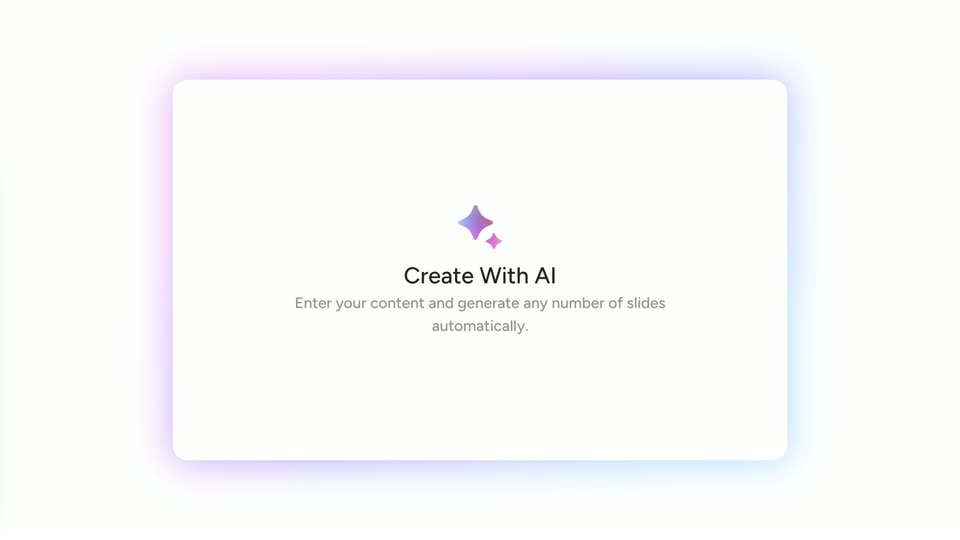
A white rounded card with a soft violet glow scales up from the center on a pale background. A purple four-point star icon sits above the headline Create With AI and a gray subline, all scaling into place.
On-screen text: “Create With AI”, “Enter your content and generate any number of slides automatically.”
Techniques: Kinetic type
Camera: Static
A white card on a warm gradient holds a text field as body copy fades in, then scrolls up to reveal a row of e-bike photos beside an upload button. The background shifts to green and the card centers, showing a sparkle icon with the words Generating slides.
On-screen text: “Create With AI”, “Enter your content and generate any number of slides automatically.”
Camera: Pan
A white rounded card holding a pink four-point sparkle and gray loading text scales down and settles into the center of a blue gradient backdrop, then holds in a locked-off frame.
Camera: Static
A rounded slide card fades in over a blue gradient, showing an aerial shot of a cyclist with the AXON mark and headline. As the card settles lower, a dark footer band and a cream data strip with small labels slide in beneath the image.
On-screen text: “Generating slides”, “AXON”, “Reinventing Urban Mobility”
Camera: Static
A bike brand webpage scrolls vertically on a blue gradient background. Feature cards with photos and short blurbs pass upward, and the view settles on a section beside a photo of a cargo bike, ending on a small centered tagline at the bottom.
On-screen text: “AXON”, “Reinventing Urban Mobility”
Camera: Pan
A white headline scales in above a rainbow gradient line as a grid of white diagram cards rises from below. The view then zooms into the Timeline card as the caption '...and plenty of variety' appears at the lower left.
On-screen text: “Visualise anything”, “with pixel perfect elements”, “...and plenty of variety”
Techniques: Kinetic type, UI zoom
Camera: Pan
A timeline of four dated entries sits beside a Change Style panel. The selection in the panel moves from Style #1 to Style #2, and the timeline reflows into a new two-row arrangement. A dark band at the bottom holds the caption ...and plenty of variety.
On-screen text: “...and plenty of variety”
Camera: Static
A flat white timeline holds four date cards with colored tags and short copy. A Change Style selector panel at the left slides down and fades out, while the dark caption band at the bottom loses its text.
On-screen text: “...and plenty of variety”
Camera: Static
A white rounded card on a dark blue gradient holds a headline and a paragraph, centered in frame. The card slowly scales up while the text stays locked in place. A small Trilo logo sits in the lower right corner.
On-screen text: “The problem with the Digital Afterlife.”, “The internet was built to store - not to forget. Our content lives far longer than we anticipate, often detached from its creator, context, or consent. This per”
Camera: Static
A wide horizontal layout pans left across a dark blue field. A white headline block slides out, revealing a rounded white card with body copy beside a rainbow gradient headline, then a red phrase slides in to complete the line.
On-screen text: “Have a new idea?”, “The problem with the Digital Afterlife.”, “models learning from forgotten posts. In this system, deletion is symbolic, not functional. We must start asking: what”, “Just Convert.”, “Trilo”, “idea? Don't Re-build.”
Techniques: Kinetic type, Parallax
Camera: Static
A white article card titled “The problem with the Digital Afterlife.” slides in from the left over a dark navy background, its body text fading in. A “Convert to” panel with layout thumbnails rises at the lower right, the Pyramid option highlighted, while the gradient “Just Convert.” tagline stays fixed on the right.
On-screen text: “Just Convert.”
Camera: Pull out
A white document card on a dark navy background holds a heading and an empty gradient panel. A Convert to menu on the right highlights the Pyramid option, and a faint pyramid diagram with caption text fades into the panel. A large Just Convert. tagline sits at the top right.
On-screen text: “Just Convert.”
Camera: Static
A white document panel on a dark background shows a four-tier pyramid diagram; the tiers and their labels fade in from top to bottom. A Convert to menu hovers at the right with the Pyramid option highlighted. The Just Convert. wordmark sits top right.
On-screen text: “Just Convert.”
Camera: Pull out
On a dark blue radial gradient, the line begins as a blurred word at the left edge, then sharpens and slides to the center as the full sentence forms. The frame stays locked-off.
On-screen text: “Change Layouts Hassle-free.”
Techniques: Kinetic type
Camera: Static
A dark navy screen holds a white page card beneath the headline Change Layouts Hassle-free. The three-column content grid reflows into a stacked list on the left while a bar chart drops in on the right, then the frame fades to a blank light gray.
On-screen text: “Change Layouts Hassle-free.”
Techniques: Morph, Cursor demo
Camera: Static
A headline fades in above a 3x2 grid of light UI cards showing stats, a pricing table, feature columns, a city photo and a comparison. The cards cycle through color themes, dark green, charcoal, purple, maroon, olive, then fade out one by one.
On-screen text: “Explore a wide range of brilliantly crafted themes”
Camera: Push in
A plain yellow-orange gradient fills the frame while the white word Start sits centered. The title remains locked and still, with no camera movement or additional motion.
On-screen text: “Start”
Camera: Static
A warm yellow-to-pink gradient fills the frame. A white tagline slides in and settles at center, then the glowing white alai logo scales in above it and the URL fades in below. The end card holds, then everything fades out.
On-screen text: “Start Creating Stunning Presentations for FREE”, “getalai.com”
Techniques: Kinetic type
Camera: Static
A dark blue radial gradient fills the frame, with a faint lighter circle at the center and a soft glow in the top right corner. The background holds steady with no visible motion.
Camera: Static