1:19
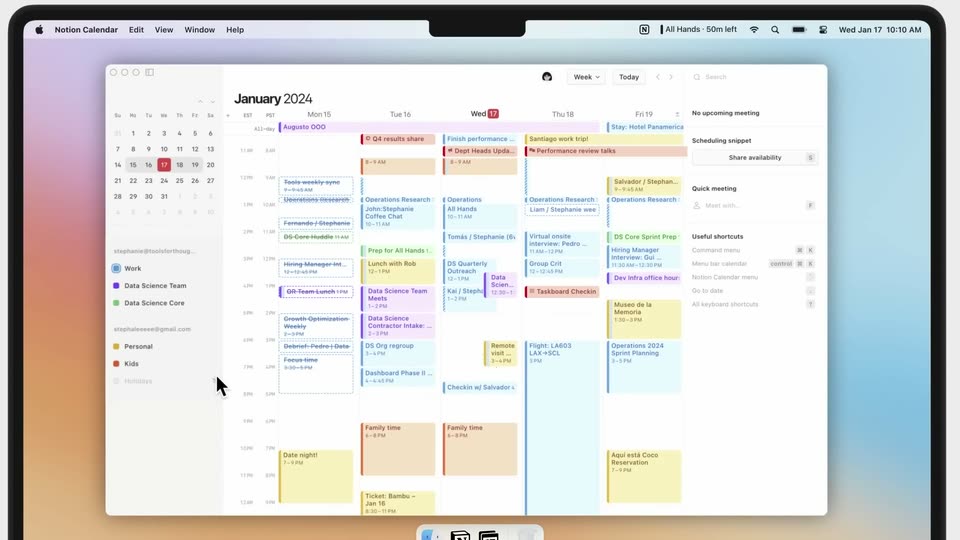

Meet Notion Calendar
Notion · Productivity · Jan 2024
Adobe’s 1:17 launch film runs 48 scenes, about 1.6 s each. The product shows up at 1:13 and 5 features are revealed. There is no explicit call to action; a voiceover carries the film. A live-action and interface hybrid that follows one butterfly artwork from 2D Photoshop through 3D Dimension into augmented reality, ending on the Project Aero title and Adobe logo. The style is defined by slow push-ins and rack-focus on screens, glassy app-tile transitions, and a muted warm palette punctuated by the blue-and-orange butterflies, all cut at a steady ~100 bpm to a lyrical voiceover.
Is this your launch? to your site or press kit.
Notion · Productivity · Jan 2024
Runway · AI · Oct 2026
Gem · Jun 2022
Films whose music sounds like this one, voice left out
iSupplier · Alternative rock
Archer · News broadcast transitioning to rock
OpenAI · Rock
A black frame holds the opening beat, with only a faint dark vignette at the edges. The shot remains static and empty, setting up a clean fade-in.
Camera: Static
A man in a black hoodie and backpack walks past a wall directory listing gallery names, then steps through a doorway into a bright interior, the camera tracking him from behind at a steady pace.
Camera: Static
A bright open-plan office with a long corridor and staircase behind a shared desk. A man peers over the back of an iMac while a woman faces the other, its screen showing a bicycle. The camera pushes in slowly.
Camera: Pull out
A man in a black hoodie works at a desk in a large concrete loft. The shot opens on the back of an iMac with his head above it, then pushes in and racks focus to a tight view of his face as he looks down at the screen.
Camera: Push in
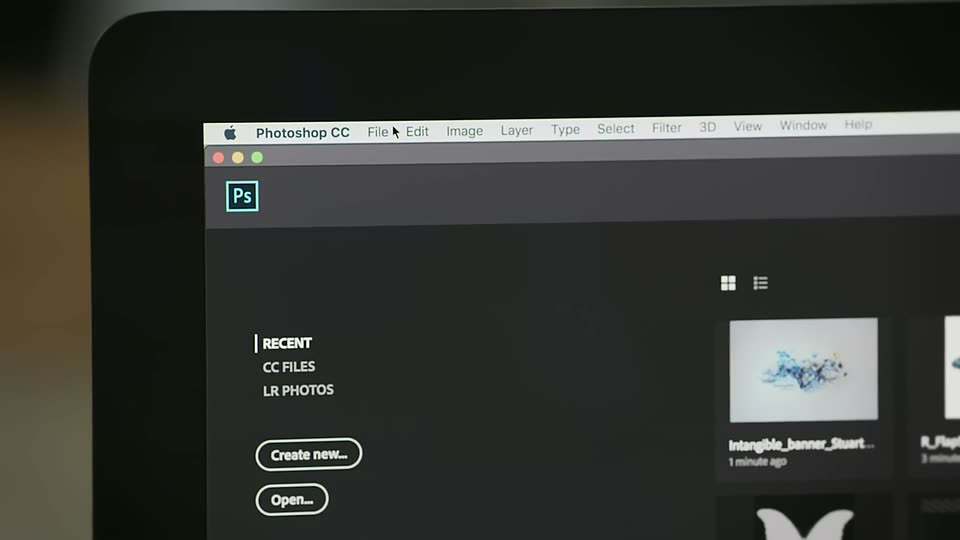
A close-up of a laptop screen at an angle shows the dark Photoshop CC home screen. A cursor moves to the File menu and clicks, opening a dropdown that fades in over the recent files.
Techniques: 3D mockup, Cursor demo
Camera: Static
A tilted laptop screen in 3D perspective shows the Photoshop CC home screen with the File menu open and the Open item highlighted. A cursor glides in to hover over that item. The dark bezel and blurred background frame the interface.
Techniques: 3D mockup, Cursor demo
Camera: Static
A man, blurred in the right foreground, is filmed from behind as he looks at a monitor. The screen shows a Photoshop window with a white canvas holding a blue and white swirl of butterflies and the title 'intangible by Stuart Lynch'.
Camera: Static
A locked-off view of a Photoshop screen shows a poster with the title FESTIVAL OF THE IMPOSSIBLE above a blue ink swirl and scattered butterflies. The frame slowly zooms into the artwork while the color and layers panels stay fixed at the right edge.
Techniques: UI zoom
Camera: Static
A man in a black hoodie types on a keyboard at a long wooden table in a bright industrial office, a large all-in-one monitor standing between him and a woman working on the right. The camera holds a static side profile as his hands move across the keys.
Camera: Pull out
A close-up of a monitor shows a white Photoshop canvas with a blue butterfly artwork and partial text at lower left. A row of three app tiles, Ps, Dn and a smiley, fades and scales into the center over the artwork, with a small grey caption beneath.
On-screen text: “Ps”, “Dn”, “Adobe Dimension CC”
Camera: Static
A white composition of coral flowers, blue butterflies and 3D white ribbons holds two Adobe app icons, Ps and Dn, centered. The icons dissolve into a thin blue wireframe box while the floral elements stay in place.
On-screen text: “Adobe Dimension CC”
Techniques: Morph
Camera: Static
A monitor fills the frame with a digital painting app: a white canvas of blue butterflies, pink and orange blossoms, swirling lines, and a left panel of round brush swatches. The view then widens to an over-the-shoulder shot of a grey-haired man in a dark shirt watching the screen.
Camera: Pull out
A 3D modeling app fills the frame, a column of material swatches on the left and a floral model with blue butterflies and pink blossoms on silver swirls centered over a faint grid.
Camera: Static
A 3D-tilted interface flattens as a blue butterfly fades in on the image panel. A hand cursor taps the pencil icon, the view zooms onto it, and a blue tooltip scales up beside it on a locked-off frame.
Techniques: 3D mockup, Cursor demo, UI zoom
Camera: Push in
A large monitor fills the frame, showing Photoshop with a blue morpho butterfly on a white canvas. The shot starts blurred and tilted, then racks sharp and straightens into a locked-off view; a person's head sits at the right edge.
On-screen text: “Edit in Adobe Photoshop CC...”
Camera: Pull out
A close-up of a photo editor screen shows a butterfly on a white canvas while a Hue/Saturation dialog sits at the right. A cursor drags the Hue slider from 0 to -180, shifting the wings from blue to orange.
Techniques: Cursor demo
Camera: Static
A monarch butterfly photo lies on a light gray canvas beside a dark panel. A glassy 3D tile holding three app icons, Ps, Dn and a blue-and-white mark, hovers over the butterfly with an Adobe Dimension CC label. The locked-off frame holds as a magenta frame line appears at right.
Techniques: 3D mockup
Camera: Static
A monitor at a slight angle shows Adobe Dimension CC, opening zoomed on orange butterflies and red flowers in gray ribbons, then pulling back to the full interface with material swatches left. The 3D scene orbits as ribbons sweep right; a blurred face sits at the right edge.
Techniques: UI zoom, 3D mockup
Camera: Static
A close-up of the Adobe Dimension CC interface zooms in on the open File menu as the cursor moves down the items, then cuts to a man seated at a desk, framed past the back of an iMac.
Techniques: Cursor demo, UI zoom
Camera: Push in
A man sits at a desk, partially obscured by a large dark monitor in the foreground, looking down and typing on a tablet in his hands. The background is a blurred, brightly lit office hallway.
Camera: Static
A close-up of a tablet screen at an angle shows a grid of app icons on a teal wave wallpaper. A finger enters from the right and taps the AR icon, then the screen wipes to a teal splash shape.
Camera: Static
Close-up of two hands holding a tablet. A finger swipes across the screen, spinning a sculpture of dark wire and scattered blue and orange butterflies over a mottled grey surface, above a white dock holding two asset thumbnails.
Camera: Static
Close-up of a tablet held in one hand while the other pinches and rotates a 3D cluster of butterfly shapes in a gray viewport. The model scales up as the fingers drag it, with a thin placement ring on the screen.
Techniques: Cursor demo, UI zoom
Camera: Static
Locked-off close-up of a hand holding a tablet. A finger taps a context menu over a 3D butterfly scene, the menu collapses into a small floating Animate pill, and the finger taps the pill.
Techniques: Cursor demo, Morph
Camera: Static
A pair of hands holds a tablet in landscape, its screen showing an augmented reality scene of orange monarch butterflies and a transparent wireframe tree over a room floor. The hands tilt the tablet slightly as the butterflies drift.
Camera: Static
A man in a black hoodie holds a tablet in a blurred atrium, tapping the screen, then the shot cuts to a close-up of the tablet showing a photo of orange butterflies on a wire sculpture with blue flowers.
Camera: Pull out
Two hands hold a tablet in a blurred room, its screen showing a 3D model of orange butterflies on a wire sculpture that slowly rotates. The camera pushes in on the screen as a side menu with the options Record Video, Publish Experience and Export .glb slides into view.
Techniques: UI zoom
Camera: Static
A tilted close-up of a tablet held in two hands shows a white menu listing Record Video, Publish Experience and Export to usdz. A finger enters from the right and taps the last row, which flashes a gray highlight. The frame stays locked against a dark background.
Camera: Static
A man in a black shirt and a woman sit close together against a white wall, both gazing at a gold tablet the man holds. The locked-off medium shot keeps them in profile, with a laptop corner at the lower left.
Camera: Static
Over-the-shoulder shot of a man and a woman facing a large iMac. The screen shows a 3D illustration of monarch butterflies on a blue sky, slowly rotating, with attribute panels on the right and an app dock below. The camera stays locked off.
Camera: Static
A tilted close-up of a Mac display running Xcode against a black background. The locked-off frame starts soft and racks into sharp focus, revealing the menu bar, window controls, and a blue butterfly image in the editor.
Camera: Static
A code editor shows Swift source with a file navigator on the left. A text caret types the word ARKit on line 10, and a blue autocomplete dropdown pops up below it, highlighting Module ARKit.
Techniques: Cursor demo
Camera: Static
A tight close-up follows two hands typing on a slim black keyboard resting on a wooden desk. The laptop edge sits blurred at the left while the background stays softly out of focus, keeping attention on the moving fingers.
Camera: Static
A blonde woman in a gray top holds a tablet at chest height in a warehouse with wooden stairs and steel columns. The camera arcs from her side to her back. Other people sit and stand with tablets in the soft-focus background.
Camera: Push in
Over-the-shoulder shot of a smiling blonde woman in a gray sweater holding a tablet. On its screen, blue and orange butterflies and blue flowers drift over a live view of an office desk. She tilts the device as the animated elements shift.
Camera: Pull out
A woman in a gallery raises her phone to film a silver branch sculpture as monarch butterflies flutter off its tips and drift through the air. A man sits on a bench with a tablet while another person stands on the wooden stairs behind.
Camera: Pull out
High-angle shot of a blonde woman in a gray sweater holding a tablet up to film a large silver wire sculpture covered in orange monarch butterflies and blue plastic flowers. She stands on a bare concrete floor while the sculpture fills the right side of the frame.
Camera: Static
A high-angle locked-off shot of a smartphone lying flat on a wooden table beside a white mug, an out-of-focus leg in the foreground; the lock screen wallpaper cycles through several colors while the time stays fixed.
Camera: Static
A young man in a grey sweater sits in a blue armchair, reading a tablet on his lap. He closes it and lifts his legs, shifting his posture. A woman sits out of focus on a wooden sofa behind him, lit by soft window light.
Camera: Static
A phone lies diagonally on a wooden table, its lock screen showing a message notification from Rebecca. A second notification banner slides in above it, then a hand reaches in and lifts the phone, blurring the frame.
Camera: Static
Macro close-up of a phone held in a hand, shallow depth of field. A thumb swipes up, scrolling a social post captioned 'Check out this cool AR exhibition!' with a photo grid into a webpage titled 'Intangible AR Experience.' Camera locked off.
Techniques: Cursor demo
Camera: Push in
A hand holds a tilted smartphone against a blurred tabletop; the screen shows an event page for the Festival of the Impossible with a date, address and banner. The right thumb moves in and taps the banner image.
Camera: Static
A man in a gray zip-up sits in a blue chair in a cafe, looking down at a white phone, a woman on a couch behind him also on her phone. The shot cuts to a tight close-up of two hands holding a phone that displays a bicycle photo.
Camera: Pull out
A person holds a phone horizontally over a white cup on a wooden table. The screen shows a grayscale metal structure that gradually colors into an orange butterfly while the framing tightens on the device.
Camera: Push in
A person holds a phone horizontally with both hands in a bright lounge, the screen showing an augmented reality overlay of orange butterflies on a wire mesh. Over-the-shoulder framing with shallow depth of field; the hands tilt the device slightly.
Camera: Push in
A man in a gray sweater holds a white phone in landscape with both hands in a dim room, its back and Apple logo facing the camera. He smiles and taps the screen with his thumbs as the shot holds on him.
Camera: Pull out
A black frame centers a small light-gray square icon carrying the blue letters Ar, with the white title Project Aero set to its right. The lockup stays fixed on a locked-off frame for the whole shot.
On-screen text: “Project Aero”
Camera: Static
The red Adobe A symbol and white wordmark hold centered on a black field, a static locked-off sign-off lockup with no motion.
On-screen text: “Adobe”
Camera: Static