0:41
Introducing Polylane · Polylane
Polylane
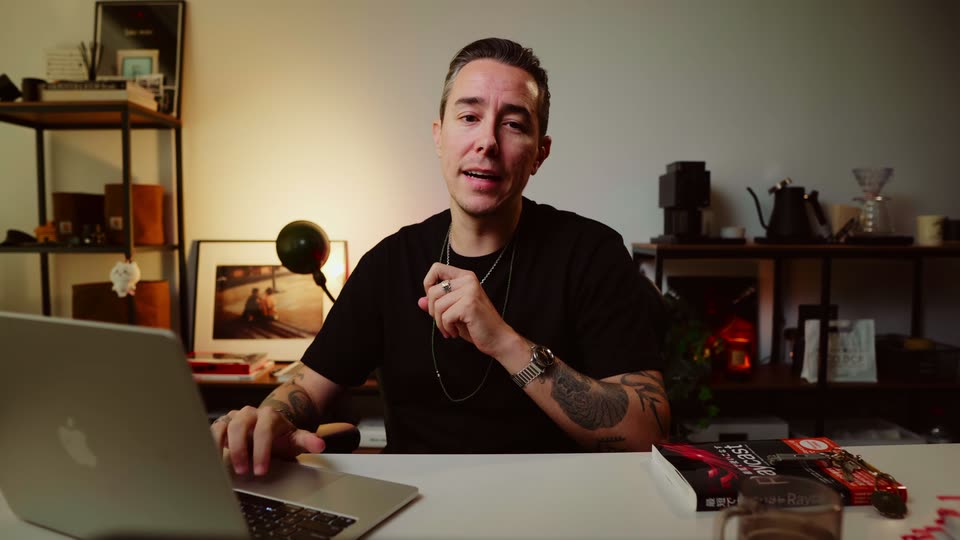
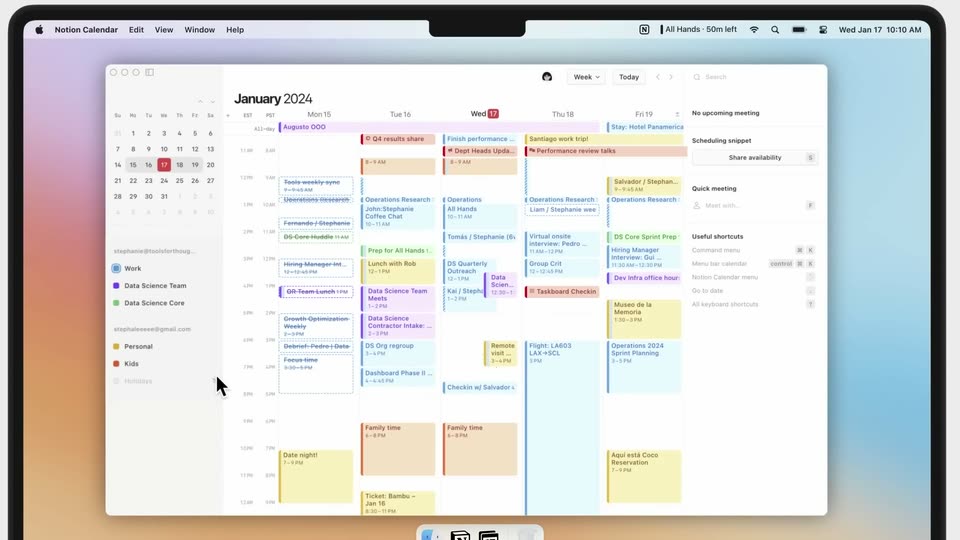
Notion’s 1:19 launch film runs 27 scenes, about 2.9 s each. The product is on screen from the first frame and 5 features are revealed. There is no explicit call to action; a voiceover carries the film. The launch alternates a presenter in a loft with 3D-tilted screen recordings, each feature introduced by one voiceover sentence and proven in a tight UI close-up. Signature moves are the calendar window tilting in 3D before flattening, event blocks fading in per calendar, and the 31 tile clustering into the Notion logo to close.
Is this your launch? to your site or press kit.
Polylane
Cursor · Developer tools · Aug 2026
Films whose music sounds like this one, voice left out
Judgment Labs · Upbeat, modern electronic
Trellis · Upbeat electronic, big-band jazz
Raycast · Electronic
A man in a light blue shirt sits on a tan leather sofa in a loft, speaking to the camera with a laptop on the table ahead. A white name caption fades in at the lower left.
On-screen text: “Raphael Schaad”, “Head of Notion Calendar”
Camera: Static
A macOS dock with Finder, Notion, Calendar, Mail and Safari icons rests on a pale gray field. A cursor moves to the Calendar icon, which scales up, and the Notion Calendar window for January 2024 opens, reframing the view to the full interface.
On-screen text: “Raphael Schaad”, “Head of Notion Calendar”
Techniques: Cursor demo, UI zoom
Camera: Push in
A tilted Mac desktop on a pink-to-blue gradient shows the Notion Calendar week view for January 2024. The interface resolves from a soft blur into a sharp grid of colored event blocks, a left sidebar of calendars, and a right panel of shortcuts, with the dock at the bottom.
Techniques: 3D mockup
Camera: Push in
A man in a light blue shirt sits on a tan leather sofa, speaking to camera with hands clasped. A silver laptop sits on the round wooden table in front of him. The shot is a static medium framing; he gestures lightly as he talks.
Camera: Static
A man in a light blue shirt sits on a tan leather couch with a laptop on his lap. He faces the camera, then looks down and reaches for the laptop with his right hand.
Camera: Static
A pair of hands in a light blue shirt types on a silver laptop set on a woven orange table. The frame stays locked off; the hands shift from a resting pose into a typing rhythm, a stack of cards and a tan sofa blurred behind.
Camera: Static
A Notion Calendar window on a gradient desktop starts with an empty week grid. A cursor ticks each sidebar checkbox in turn, and each tick fades in a new color-coded layer of events across the grid.
Techniques: Cursor demo
Camera: Push in
A week-view calendar of colored event blocks fills the frame beside a shortcuts sidebar. A cursor clicks a yellow Pediatrician block, popping a dark context menu, then a submenu listing calendar names like Work and Kids.
Techniques: Cursor demo
Camera: Static
A week calendar grid fills the frame with multicolored event blocks. A centered dialog offers busy-blocking options; a cursor clicks the blue 'Show as busy' button and the dialog closes, leaving the full schedule visible.
Techniques: Cursor demo
Camera: Static
A man in a light blue shirt sits on a tan leather couch with hands clasped, speaking directly to the camera. A laptop rests on a round wooden table in the foreground. Static medium shot in a bright living room with white pillows and a floor lamp.
Camera: Static
A 3D MacBook shows a Notion roadmap database. The cursor opens a status dropdown and switches a row from Planning to In Progress. The camera then zooms into the top bar, framing the All Hands notification and the page header.
Techniques: 3D mockup, Cursor demo, UI zoom
Camera: Push in
A dark macOS menu dropdown lists calendar events over a blurred Notion page. A white cursor moves down the list and pauses on Join meeting, which highlights in blue. The page behind shows a large Roadmap heading and a row of calendar filters.
Techniques: Cursor demo
Camera: Static
A man in a light blue shirt sits on a brown leather couch, talking to the camera and gesturing with his hands. An open laptop rests on a round table in front of him. The shot is a static medium frame in a living room set.
Camera: Static
A Notion Calendar window tilts in 3D, then flattens to a front view. A cursor flips on Share availability, a side panel fills with an availability snippet, and clicking Create pops a copied-to-clipboard toast.
Techniques: 3D mockup, Cursor demo
Camera: Push in
A man in a light blue shirt sits on a brown leather couch, an open laptop on his lap, speaking to camera and gesturing with his hands. A framed print hangs on the wall behind him in a bright living room.
Camera: Static
A Notion Calendar week view fills a laptop screen. A cursor clicks into the event panel, opens a Create Notion page dropdown, picks a page, and a matching dialog pops up over the calendar.
Techniques: Cursor demo
Camera: Static
A Notion Calendar week view with a 'Create Notion page' dialog centered. The cursor types 'Notes for All Hands' into the Title field and clicks Create. The dialog closes, a confirmation toast slides up at the bottom, and the new page appears in the event panel.
Techniques: Cursor demo
Camera: Static
A man in a light blue shirt sits on a tan leather couch and speaks to the camera, gesturing with his hands. An open laptop rests in front of him. A framed poster hangs on the wall behind. Static medium shot.
Camera: Static
A laptop screen shows a Notion-style roadmap page with a horizontal timeline of colored task bars and a left sidebar. A mouse cursor drifts across the empty lower area of the board.
Techniques: Cursor demo
Camera: Static
A roadmap timeline lists task rows with status pills and progress bars beneath a date header. A cursor slides left onto a button, holding an Open in Calendar tooltip above it.
Techniques: Cursor demo
Camera: Static
A calendar window, angled in 3D, rotates to face the camera and pulls back to show the full app with its sidebar and week grid. A cursor hovers over the highlighted Product Roadmap entry.
Techniques: 3D mockup, Cursor demo, UI zoom
Camera: Static
A macOS calendar app in week view fills the screen. A cursor moves over a yellow all-day event, the right panel switches from a shortcuts list to the event details, then the cursor clicks the Open in Notion button.
Techniques: Cursor demo
Camera: Static
A Notion page on a Mac desktop, set on a blurred gradient wallpaper, scrolls downward; the title and property block blur past the top as the view settles on the project summary and task board. The sidebar and dock stay fixed.
Camera: Static
A man in a light blue shirt sits on a tan leather couch, speaking to the camera with a laptop on the table before him. He clasps and gestures with his hands. A brick wall and framed art fill the background.
Camera: Static
A black square badge with a white numeral sits fixed at center on a plain white field. A loose ring of pastel line-icon tiles, each a small drawing in a colored rounded square, drifts inward and re-clusters around the badge.
On-screen text: “31”, “QQ”
Camera: Pull out
A pastel stacked calendar icon with a black-and-white 31 tile sits centered on white, then shrinks and morphs into the black Notion cube mark as the Notion wordmark appears beside it.
Techniques: Morph
Camera: Static
The Notion wordmark and its black square N icon sit centered on a plain white background. The frame stays locked and still for the full clip, with no animation, no camera move, and no change in composition.
Camera: Static