1:00
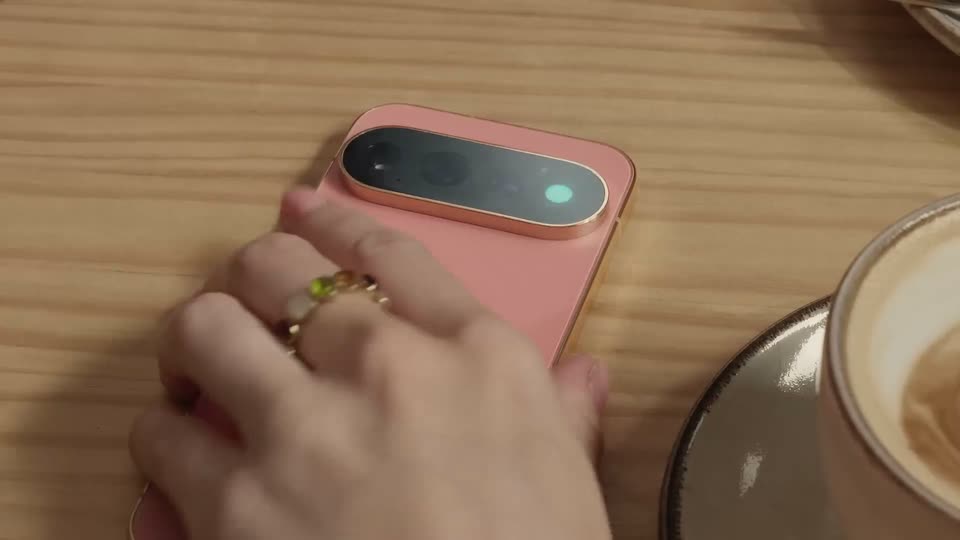
Google Pixel 11 Pro with HiLight | Uninterrupted
Google Pixel 11 Pro · Aug 2026
Wispr Flow · Oct 2026 · 0:57 · AI-annotated
Wispr Flow’s 0:57 launch film runs 62 scenes, about 0.9 s each. The product shows up at 0:51. There is no explicit call to action; a voiceover carries the film. A single continuous voiceover essay that poses a question, then walks through keyboard history with hard-cut archival and top-down desk inserts, landing on the voice reveal. Signature moves are top-down shots where the letter tiles rearrange to spell words, black-and-white archival clips intercut with pastel hardware, and cuts synced to a 125 bpm beat.
Is this your launch? to your site or press kit.
Google Pixel 11 Pro · Aug 2026
OpenAI · AI · Oct 2026
Wispr Flow · Mar 2025
Films whose music sounds like this one, voice left out
monday sidekick · Corporate promotional voiceover with upbeat electronic backing track
Samora AI · Corporate tech advertisement
Apple · Modern electronic, upbeat
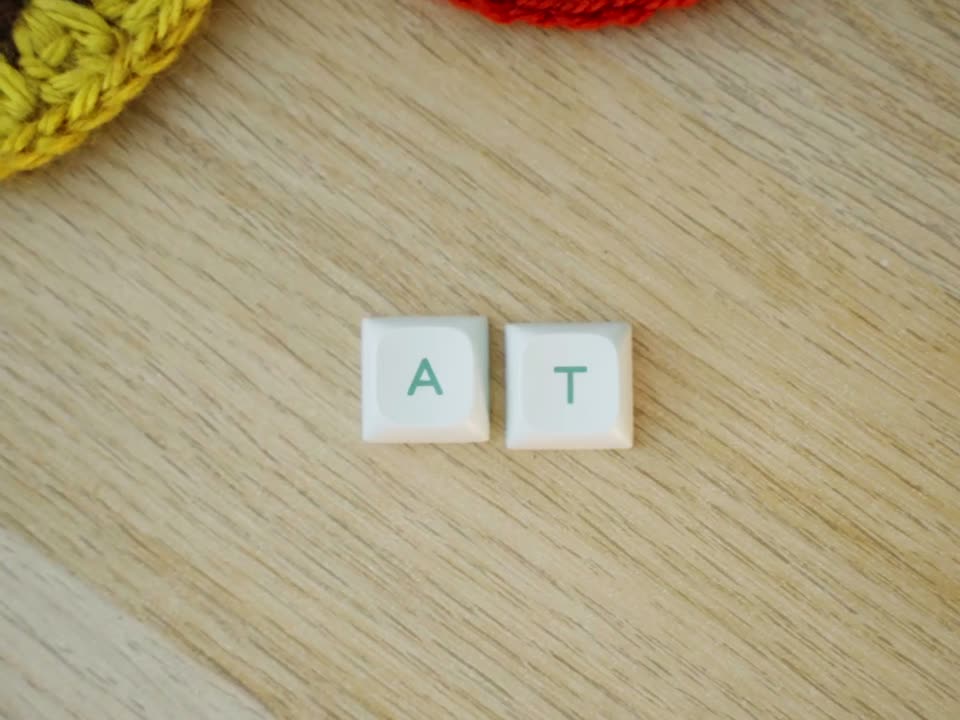
Top-down shot of white square letter tiles with green letters on a light wood table, yellow and red yarn at the top corners. The tiles rearrange from a long row into a shorter row of four tiles.
Camera: Static
Top-down view of a mint and white keyboard on a wooden desk, starting out of focus and sharpening. The caption 'tell me' below the keyboard is swapped for 'why does it' above and 'look like that?' below.
On-screen text: “tell me”, “why does it”, “look like that?”
Camera: Pull out
Top-down shot of a pastel mechanical keyboard on a wooden desk beside a crocheted coaster and scissors. The keycap layout shuffles and the vowel keys turn to blank tan caps as white captions appear in sequence above and below the board.
On-screen text: “it's not”, “split by”, “vowels and”, “consonants,”
Techniques: Kinetic type
Camera: Static
Top-down locked-off close-up of a pastel mint and cream mechanical keyboard on a wooden desk. The home-row keycaps re-letter between frames, the row reading M-A-K-E then S-E-N-S-E, as if the layout is rearranging itself to spell a phrase.
On-screen text: “vowels and”
Techniques: Kinetic type
Camera: Static
On a plain cream background, the bold black word 'So' sits centered with an ellipsis. The 'So' scales up sharply while the dots shrink, a quick kinetic punch synced to the voiceover.
On-screen text: “So...”
Techniques: Kinetic type
Camera: Static
A 3D keyboard with rainbow backlight sits angled, then flattens to a dark top-down view as a cable loops above it. Black bold words build the line why do we on top while still fades in below.
On-screen text: “why do we”, “still”
Techniques: Kinetic type, 3D mockup, Morph
Camera: Static
A flat light keyboard with scattered colored letters sits between the bold words “why do we” and “still” on white. It darkens into a black keyboard whose spacebar reads “STANDIVARIUS” and whose Delete key is circled in red, as “use” appears below.
On-screen text: “why do we”, “still”, “use”
Camera: Static
A black and white archival close-up of a typewriter striking a sheet of paper, locked-off. White overlay text reads “It's 1870” at center, then “and for the” appears to the right, tracking the voiceover. The British Pathé logo sits in the top right corner.
On-screen text: “It's”, “1870”, “and for the”
Techniques: Kinetic type
Camera: Static
Black-and-white archival close-up of hands striking the round keys of an early mechanical keyboard. White captions appear centered, phrase by phrase, over the typing.
On-screen text: “and for the”, “first time”, “ever...”
Techniques: Kinetic type
Camera: Static
Top-down view of a light wooden table. White square letter tiles, initially scattered, slide into a straight row spelling INTRODUCED. A red-and-yellow crocheted sunflower coaster sits at the top left and a white card with a black line at the bottom right.
On-screen text: “INTRODUCED”
Techniques: Kinetic type
Camera: Static
A flat keyboard illustration sits centered on a pale gray field. The word the overlaps a faint QWERTY above it; QWERTY then turns solid black and keyboard. drops in below the keys.
On-screen text: “the”, “QWERTY”, “keyboard.”
Techniques: Kinetic type
Camera: Static
Black-and-white footage of two men in Air Force uniforms; the standing man gestures while the seated man works at a desk. White bold text appears word by word over the voiceover, and white dots pop in beside a sound-wave glyph.
On-screen text: “Listen to this...”, “It sounds”, “exactly”, “like this.”, “But these”
Techniques: Kinetic type
Camera: Static
Top-down locked-off shot of a wooden table. Two white pill cards with black Morse dots lie flat; a hand enters from the right, taps and slides them, blurring in motion. Small round stickers read SE and Z. White captions swap from “different are” to “and Morse”.
On-screen text: “different”, “are”, “and Morse”, “letters,”
Techniques: Kinetic type
Camera: Static
A woman in profile types on a bulky black-and-white machine holding a paper sheet. The white word translator reveals at the center of the locked-off frame.
On-screen text: “translator”
Techniques: Kinetic type
Camera: Static
A dim desk shot of a black LG monitor on a stand between two white speakers. The screen shows a white question mark with a row of dots above it, held static. White subtitle words change at the bottom edge while the camera stays locked off.
On-screen text: “translator”, “figures out”, “which”
Camera: Static
Top-down close-up of a cream mechanical keyboard as a finger taps the X then S key. A white question mark and the letter E with morse dots float over the keys, while a caption cycles at the bottom.
On-screen text: “letter it”, “which”, “they”
Techniques: Kinetic type
Camera: Static
Dim close-up of a hand hovering over a keyboard, shallow depth of field, locked-off frame. A glowing white word ZEBRA types itself letter by letter above the keys while the bottom caption switches from need to to press it.
On-screen text: “ZEBRA”, “need to”, “press it”
Techniques: Kinetic type
Camera: Static
Close-up of a person in glasses and headphones in warm low light, hand resting on the earcup. A large glitchy white word ZEBRA with a dotted line above it flickers into place, and the caption as soon as sits below it.
On-screen text: “ZEBRA”, “press it”, “as soon as”
Techniques: Kinetic type
Camera: Static
A hand taps a keyboard in dim light, locked-off close-up. Over the keys, the word ZEBRA snaps into place in white with a chromatic glitch, a row of morse code dots and dashes above it, while as soon as and possible. stack below.
On-screen text: “ZEBRA”, “possible.”, “as soon as”
Techniques: Kinetic type
Camera: Static
Top-down view of a black typewriter on a white surface. White-gloved hands use tweezers to adjust the typebar assembly. A centered white caption reads “keyboards”, then swaps to “ZEBRA”.
On-screen text: “keyboards”, “ZEBRA”
Camera: Static
Top-down locked-off shot of a black typewriter on a white surface. White-gloved hands enter from the bottom and adjust the paper roller at the top. The word designed sits centered over the machine.
On-screen text: “designed”
Camera: Static
Two rows of black Morse code dots equal the letters SE and Z, with the words to have and similar crossing in the middle. The dots drop out and the letters scatter around the centered phrase Morse code.
On-screen text: “to have”, “similar”, “SE”, “Z”, “Morse code”
Techniques: Kinetic type, Morph
Camera: Static
A top-down close-up of a mint and cream keyboard sharpens in from a washed-out blur while bold black E, S, Z letters sit on their matching keys. The caption reads letters, then switches to right next in white as the keys come into focus.
On-screen text: “E”, “S”, “Z”, “letters”, “right next”
Techniques: Kinetic type
Camera: Static
Locked-off macro of a green and cream mechanical keyboard. A caption reads “right next” over the home row, then swaps to “each other.” as the lit keycap shifts from E to S.
On-screen text: “right next”, “each other.”
Camera: Static
Black-and-white archival footage: a close-up of a hand in a suit adjusting a small wired device on a table. White bold caption text reads “It was the,” then swaps to “layout for.” The camera holds a locked-off frame throughout.
On-screen text: “It was the”, “layout for”
Camera: Push in
Black-and-white close-up of a hand tapping a telegraph key, with a uniformed operator working a second key behind it. A white caption sits centered over the hand while the fingers press the key's lever.
On-screen text: “layout for”, “translators,”
Camera: Static
A man in a dark suit and bolo tie stands in a room, holding a brown jacket and gesturing. A film projector sits on shelves left, a white chair right. The locked-off frame holds as a white caption builds word by word across the center.
On-screen text: “for some reason”
Techniques: Kinetic type
Camera: Static
Top-down locked-off shot of a light wooden table. White keycaps slide and settle into a row to spell the word STUCK, with a red crocheted object at the upper left and a white paper edge at the lower right.
Camera: Static
Top-down shot of a dark keyboard on a white surface, hard cut to a second keyboard with a yellow spacebar and red enter key. Bold black captions 'People' then 'to update' slide in below, continuing the sentence.
On-screen text: “People”, “to update”
Techniques: Kinetic type
Camera: Static
Top-down view of a dark gray keyboard with an orange Esc key on a white surface. The straight keyboard morphs into a split ergonomic layout as black caption text appears below it.
On-screen text: “tried to”, “update the”
Techniques: Morph
Camera: Static
Top-down locked-off shot on a white desk. A dark gray 60 percent keyboard sits centered, then cuts to a black split ergonomic keyboard with red accents and a coiled cable. The black caption design. stays fixed below the device.
On-screen text: “update the”, “design.”
Camera: Static
Three brass mechanical writing machines sit on a white field, the first alone on the left, the other two sliding in to form a row. The caption one-handed holds at the top while writing drops in below the middle device.
On-screen text: “one-handed”, “writing”
Camera: Static
A research paper on Dvorak keyboards fills the frame, soft and blurred, then snaps into focus as the camera pulls back slightly. The bold black caption a scientifically sits centered over the title throughout.
On-screen text: “a scientifically”
Camera: Static
A hand-drawn keyboard layout fills in key by key on a white background under the title Dvorak Simplified Keyboard. The bold caption at the bottom swaps from faster to layout, then a small uhm... pops up over the middle row of keys.
On-screen text: “DVORAK SIMPLIFIED”, “faster”, “KEYBOARD”, “layout”, “uhm...”
Camera: Static
Top-down still of two white typing foot pedals on a black mat over a gray desk. The caption this sits in white between the pedals. The frame is locked off and motionless throughout.
On-screen text: “uhm...”, “this”
Camera: Static
A man in a gray shirt swings a dark jacket overhead and drops it into a green dumpster beside a brick wall with a red no-parking sign. The frame stays locked off. White caption phrases cycle at the bottom of the screen.
On-screen text: “but none of”, “them ever”, “caught on.”
Camera: Push in
Black and white archival footage shows a woman in profile at a vintage typewriter, hands moving across the keys. A white caption sits centered over her, swapping from “caught on.” to “Through the” in time with the voiceover.
On-screen text: “caught on.”, “Through the”
Techniques: Kinetic type
Camera: Static
Grainy archival close-up of two hands typing on a black IBM typewriter in low light, a sheet of paper in the platen. White lowercase words pop in over the keys one after another while the fingers keep striking.
On-screen text: “extinction”, “of”, “typewriters”
Techniques: Kinetic type
Camera: Static
A vintage typewriter fills the frame in close-up, its typebar globe spinning and blurring while a sheet of paper reads 'your reply to' at the left. The white caption 'typewriters' sits still at the bottom center.
On-screen text: “typewriters”
Camera: Static
A locked-off shot of a beige vintage all-in-one computer on a glossy reflective surface, with a keyboard in front and a wired mouse to the right. The screen shows a blue window with the cursive word hello. White lowercase words swap in the center of the frame, one at a time, against the static hardware.
On-screen text: “to”, “computers”, “typewriters”
Techniques: Kinetic type
Camera: Pull out
Two hands hold a vintage Microsoft Windows 95 upgrade box in front of an open cardboard box of retro software. White lowercase words, becoming, parts of, hello., appear in sequence centered over the box.
On-screen text: “becoming”, “parts of”, “hello.”
Techniques: Kinetic type
Camera: Static
Locked-off over-the-shoulder shot of a woman in a white coat typing on a beige 1980s terminal, green characters on the monitor. The white caption 'everyday' appears at lower center and clears again, synced to the voiceover.
On-screen text: “everyday”
Techniques: Kinetic type
Camera: Static
A woman at a desk talks on a corded phone while a man in a dark suit walks behind her holding papers. A red laptop lid and a beige monitor sit in the foreground. The white word work sits centered and still over the locked-off office shot.
On-screen text: “work”
Camera: Static
A young man with dark hair leans over a wooden desk, writing in a notebook with a pen. An iMac, a laptop with a blue screen, a metal mug and a tablet with white earbuds sit on the desk; a plant and posters fill the warm-lit background. The white word “studies” is locked over the center of the frame.
On-screen text: “work”, “studies”, “y!”, “3:41”
Camera: Static
A man in a white tee plays a Novation keyboard in a brick room while a woman with a laptop listens. Centered white words swap over the footage, reading “hobbies” then “are only,” matching the voiceover.
On-screen text: “hobbies”, “are only”
Camera: Static
A Windows XP desktop with the green Bliss wallpaper and blue taskbar fills the frame. The bold white word “accessed” sits over the hill, then a fainter “through a” fades in to its right, while a cursor hovers in the sky.
On-screen text: “accessed”, “through a”
Techniques: Kinetic type
Camera: Static
A tilted, blurred shot of a cluttered desk and monitor tilts down and sharpens onto a white RGB backlit keyboard. A white caption word sits centered at the bottom of the frame throughout.
On-screen text: “accessed”, “plastic”
Camera: Push in
Overhead locked-off shot of a pastel mechanical keyboard with RGB backlight on a dark desk mat. A hand places a yellow sticky note reading 1800s onto the keys, then withdraws. A white caption from the sits at the bottom and fades out as the note lands.
On-screen text: “from the”, “1800s”
Camera: Static
Top-down shot of cream letter tiles on a light wood table, with a red and yellow crocheted piece in the top left. The tiles flip and slide to change the spelling from WHAT to a new word.
On-screen text: “1800s”
Camera: Static
A cartoon sponge character stands center frame with a large blue machine labeled THINKING on its head, black smoke billowing from both sides and a light beam firing from the front. The words your, thoughts, then run appear in sequence on the right as the frame stays locked off.
On-screen text: “your”, “thoughts”, “run”
Techniques: Kinetic type
Camera: Static
Grainy close-up of a hand typing on a white keyboard in a dark room, shot at a low angle. White caption words swap in the center one at a time, faster, then, 40, matching the voiceover about typing speed.
On-screen text: “faster”, “than”, “40”
Techniques: Kinetic type
Camera: Push in
High angle on two hands typing a beige electric typewriter against a black backdrop. White text reads '40 words' then completes to '40 words per minute' across the center of the frame.
On-screen text: “40 words per minute”
Techniques: Kinetic type
Camera: Pull out
A lecturer in a blue shirt stands at a chalkboard in a lecture hall, writing a calculus formula in chalk while students sit in the foreground. White caption words pop in over the lower right as he writes.
On-screen text: “40 words per minute”, “Your”, “speaks”, “quicker”
Techniques: Kinetic type
Camera: Static
A man in a dark shirt sits at a keyboard in a home office, fingers moving over the keys toward a low camera angle. White caption words swap in over his hands, matching the voiceover.
On-screen text: “type,”, “or getting”
Techniques: Kinetic type
Camera: Static
A man in a dark suit sits at a desk with an old CRT computer, gesturing toward the monitor in low-quality footage. White caption words swap in the center over the static shot as he moves his hands.
On-screen text: “words from”, “your head”
Camera: Static
A man in a white shirt sits hunched at a cubicle desk with a beige computer and a coiled phone, seen from a high locked-off angle. The white caption a chore. holds still in the center of the frame.
On-screen text: “a chore.”
Camera: Static
A person in a dark shirt and red headband hunches and shifts quickly in a beige room, captured in a blurry locked-off frame. White caption words swap in the upper right corner, one replacing the other.
On-screen text: “Because the”, “next”, “a chore.”
Techniques: Kinetic type
Camera: Static
A close-up of two hands typing on a beige IBM keyboard pulls back to reveal the full dot-matrix printer. A centered white caption reads “generation”, then switches to “keyboard”.
On-screen text: “generation”, “keyboard”
Camera: Pull out
Top-down shot of a mint mechanical keyboard on a wooden desk beside crochet coasters, scissors and a handwritten note. Cream keycaps lift off the board and reseat with a rearranged letter layout, while white captions appear at the bottom.
On-screen text: “isn't a new”, “layout,”
Camera: Static
Top-down locked-off shot of a light wooden desk with a red and yellow crochet piece in the corner. White keycaps with green letters drop into place one by one, spelling out the phrase IT'S JUST YOUR.
On-screen text: “Why”, “layout,”, “IT'S JUST YOUR”
Techniques: Kinetic type
Camera: Static
Locked-off top-down shot of a wooden desk scattered with cream keycaps bearing green letters. In the center, keycaps spell VOICE as the final letters C and E fade in one by one.
On-screen text: “VOICE”
Techniques: Kinetic type
Camera: Static
On a near-black background, the Wispr Flow wordmark and its five-bar waveform icon assemble from scattered vertical strokes into a centered logo, then hold still for the rest of the clip.
On-screen text: “Wispr Flow”
Camera: Static