1:27

Sona8 (F26) - Launch & Demo
Sona8 · B2B · Nov 2026
Whop · Jun 2026 · 0:27 · AI-annotated
Whop’s 0:27 launch film runs 16 scenes, about 1.7 s each. The product is on screen from the first frame and 1 feature is revealed. There is no explicit call to action. The video opens with two centered text cards that slide and blur into each other, then hands off to one continuous dashboard demo that tilts in 3D, flattens to front-on, and follows a cursor through the Stripe migration step by step, ending on the brand logo. Its signature is the 3D-tilt-to-flat dashboard, the red accent on key words and the chevron mark, and brisk 30-cuts-per-minute pacing that still lets each UI state settle.
Is this your launch? to your site or press kit.
Sona8 · B2B · Nov 2026
Gemini 3 Deep Think · Feb 2026
A plain off-white background holds one centered line of text that slides into place, with “Introducing” in dark gray and “Whop Migrations” in orange. The frame stays locked off as the line settles.
On-screen text: “Introducing Whop Migrations”
Techniques: Kinetic type
Camera: Static
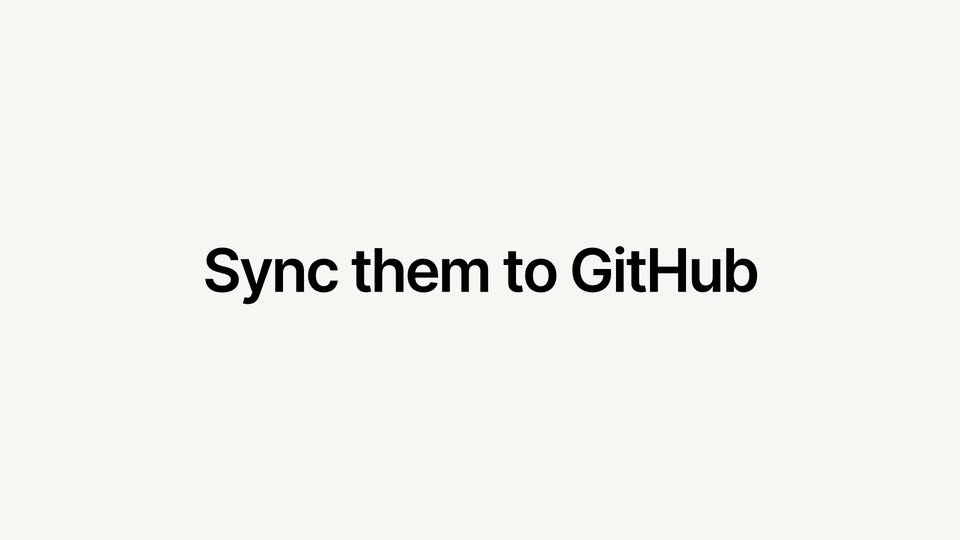
On a plain light background, the line “Introducing Whop Migrations” slides in, with “Introducing” in black and “Whop Migrations” in red. It is replaced by “Move your entire business in one click”, which holds still in the center of the frame.
On-screen text: “Introducing Whop Migrations”, “Move your entire business in one click”
Techniques: Kinetic type
Camera: Static
A centered headline sits on a plain light gray background. The first six words are black and the final phrase is red. The line holds still, then blurs and fades out at the end.
On-screen text: “Move your entire business in one click”
Camera: Static
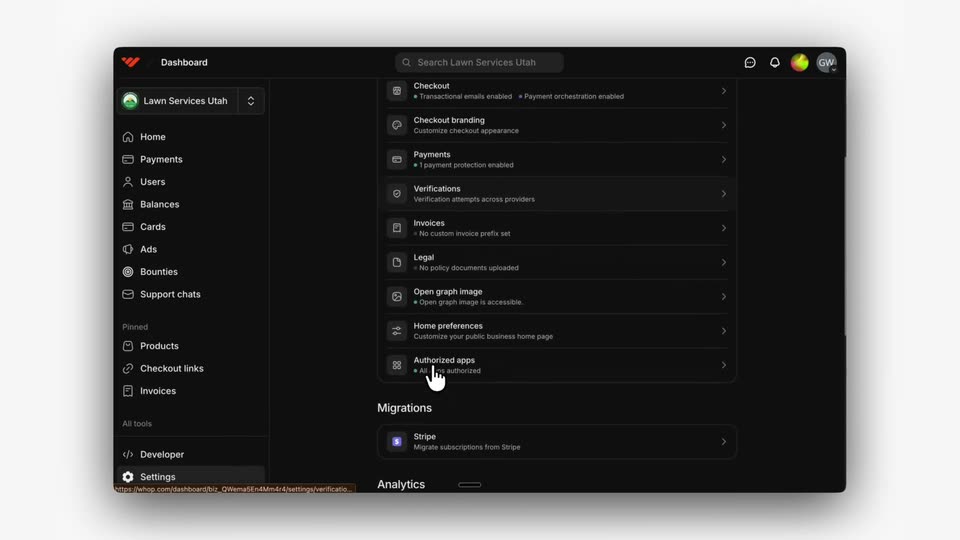
A dark dashboard is held tilted in 3D on a light gray field, a static headline locked off. The settings list scrolls up while a cursor drifts from the sidebar into the list.
On-screen text: “Move your entire business in one click”
Techniques: 3D mockup, Cursor demo
Camera: Static
A dark dashboard interface floats in 3D perspective on a pale background. A cursor moves down the settings list and clicks the Stripe row, and the view switches to a Migrate from Stripe page with two key fields and a blue Start migration button.
Techniques: 3D mockup, Cursor demo
Camera: Static
A dark dashboard settings view shows a Migrate from Stripe form. A cursor moves from the publishable key field to the secret key field, where masked dots type in and the Connect Stripe button switches from grey to blue.
Techniques: Cursor demo
Camera: Static
A dark dashboard window floats on a light gray background. A cursor clicks the blue Connect Stripe button in the Migrate from Stripe panel; the form collapses to a green Done state and a Review and prepare section with a Preview subscriptions button appears.
Techniques: Cursor demo
Camera: Static
A dark Whop dashboard mockup sits tilted in 3D on a light gray field. A cursor clicks the Preview subscriptions button, then the page scrolls down to reveal a table of subscriptions as the cursor moves to the Re-scan button.
Techniques: 3D mockup, Cursor demo
Camera: Static
A dark dashboard screen for Lawn Services Utah shows a Stripe migration panel. A cursor travels down the page, hovers the Copy button beside the import code, then lands on the blue invite button that fades in below.
Techniques: Cursor demo
Camera: Static
A cursor hovers over a blue invite button on a dark dashboard and clicks it. The button is then replaced by a green checkmark and a confirmation line.
Techniques: Cursor demo
Camera: Static
A dark dashboard with a left navigation sidebar holds a locked frame. A cursor moves to a Start migration button and clicks it, opening a centered confirmation dialog titled Are you sure? with Cancel and confirm buttons.
Techniques: Cursor demo
Camera: Static
A dark dashboard UI sits in 3D perspective with a confirmation modal and a cursor on the blue confirm button. The modal closes, the view flattens to front-on, and the cursor moves across the Stripe migration steps.
Techniques: 3D mockup, Cursor demo
Camera: Static
A dark dashboard mockup sits in 3D perspective on a light gray backdrop, angled slightly with a soft shadow. The settings page lists three Stripe migration step cards. A white hand cursor drifts across the panel and the left sidebar.
Techniques: 3D mockup, Cursor demo
Camera: Static
A dark Whop dashboard tilts in 3D perspective on a light gray field. A cursor clicks the Users item in the left sidebar, and the main panel switches from a Stripe migration checklist to a two-row user table.
Techniques: 3D mockup, Cursor demo
Camera: Static
A dark dashboard mockup tilts in 3D on a light gray field, a hand cursor resting on the Payments row. The view zooms flat into the user detail as the cursor slides down to the Memberships list.
Techniques: 3D mockup, UI zoom, Cursor demo
Camera: Push in
The Whop logo, a red chevron mark beside a black wordmark, sits centered on a pale gray field. It eases in with a brief motion blur, then holds still for the rest of the clip.
Camera: Static