1:26
Explore
Whop - Introducing Whop Treasury. Earn 6% yield on all money earned on Whop.
Whop · Mar 2026 · 0:32 · AI-annotated
- Length
- 0:32
- Scenes
- 10 · 3.2 s avg
- Product on screen
- 0:00
- Features shown
- 1
- Voiceover
- No
00:00:00 / 00:32:05
Whop’s 0:32 launch film runs 10 scenes, about 3.2 s each. The product is on screen from the first frame and 1 feature is revealed. There is no explicit call to action. Flat off-white title cards hand off to locked-off UI demos, with each beat driven by a counting figure, a zoomed modal or a re-proportioning balance bar. Signature moves are blur-to-focus text reveals, slice-glitch word resolves, and tumbling 3D red coins that bookend the logo.
No filming indicatedEstimated needs: 2 capture groups — your screens or recordings · 1 official logo — reused across the film · 1 3D passage — build or supply
Is this your launch? to your site or press kit.
More like this
0:47

1:03
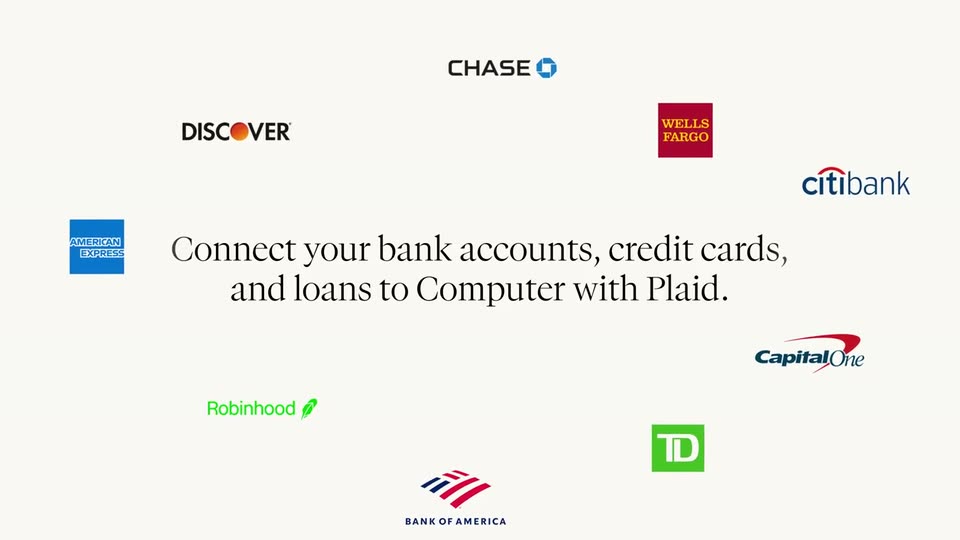

Perplexity - Computer now connects with Plaid to link bank accounts, credit cards,
Perplexity · AI · Apr 2026
Whop - Introducing Whop Treasury. Earn 6% yield on all money earned on Whop., scene by scene
· 10 scenes as text
01 · Product intro · 0:00–0:02
A plain off-white card holds the title Introducing Whop Treasury, which snaps from blur into focus. It then cuts to a second line where the percentage ticks up from 3 to 4 as the words on your slide in beside it.
On-screen text: “Introducing Whop Treasury”, “Earn up to 4% on your”
Techniques: Kinetic type
Camera: Static
02 · Product intro · 0:02–0:04
A locked-off white card holds the headline “Earn up to 6% on your balance” in black sans, the 6% oversized and bold. The word “balance” resolves from a horizontal slice glitch while a red pill labeled “Higher than any bank” expands and shifts from pink beneath the APY tag.
On-screen text: “Earn up to 6% on your balance”, “APY”, “Higher than any bank”
Techniques: Kinetic type
Camera: Static
03 · Demo · 0:04–0:06
A light dashboard card resolves from a doubled, offset layout into a clean view: a gross revenue line chart, a total balance and payments panel, and a stats row of three small charts. The frame stays locked off and static as the elements settle.
Camera: Static
04 · Demo · 0:06–0:08
A light dashboard card shows the total balance, a blue progress bar and action buttons. The view zooms in on the top-right button row as a hand cursor moves to hover the three-dot menu.
Techniques: UI zoom, Cursor demo
Camera: Push in
05 · Demo · 0:08–0:13
A dimmed dashboard sits behind a white Transfer modal that the view zooms into. A cursor types the amount 39,790.92, hovers the blue Review button, and the panel switches to a Review transfer view with a green confirm bar.
Techniques: UI zoom, Cursor demo
Camera: Push in
06 · Demo · 0:13–0:17
A light financial dashboard fades in, then the stacked balance bar re-proportions as the blue cash segment shrinks to a sliver and the green treasury segment fills the bar. The USDT figure counts up and the USD figure counts down to zero while the total balance holds steady.
Camera: Static
07 · Demo · 0:17–0:21
A white savings-chart card floats on a light gray background. Stacked blue and green bars rise across the timeline beneath a green 6% APY pill and a large counting dollar total. The view then zooms to the chart's right end as a red interest figure counts up.
Techniques: UI zoom
Camera: Push in
08 · Feature reveal · 0:21–0:25
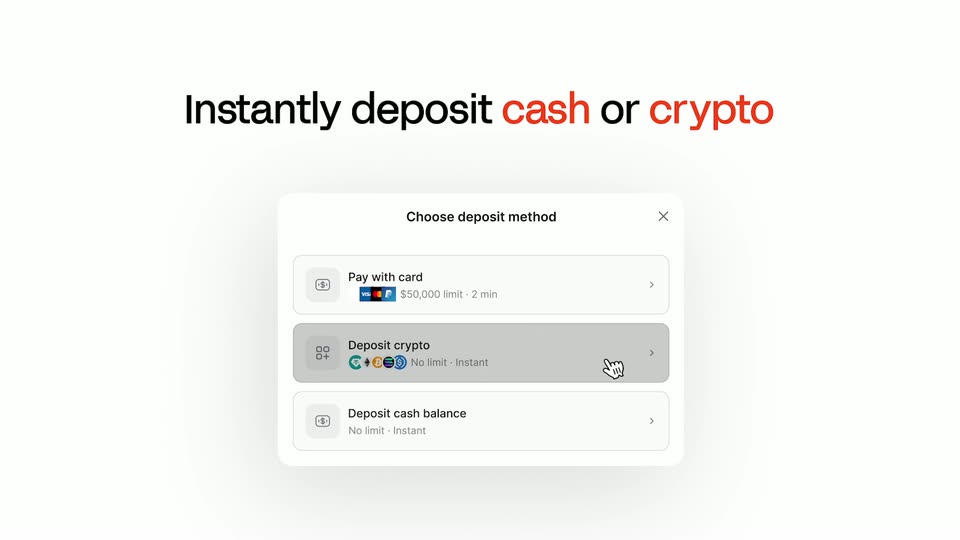
A bold headline and a white deposit-method modal fade in on a light background. A hand cursor hovers over the three options in sequence, each row shading gray as it is selected.
On-screen text: “Instantly deposit cash or crypto”
Techniques: Cursor demo
Camera: Static
09 · Feature reveal · 0:25–0:26
Red 3D coins tumble and fall across a white background as a dark-and-orange headline and a flat deposit-method card slide down out of the bottom edge.
On-screen text: “Instantly deposit cash or crypto”
Camera: Static
10 · Outro · 0:26–0:32
On a white background, the red Whop mark assembles as its strokes rotate in while glossy red discs tumble and fall away. The logo then holds centered as the Plasma, tether, and aave logos fade in beneath it.
Techniques: 3D mockup
Camera: Static