0:36
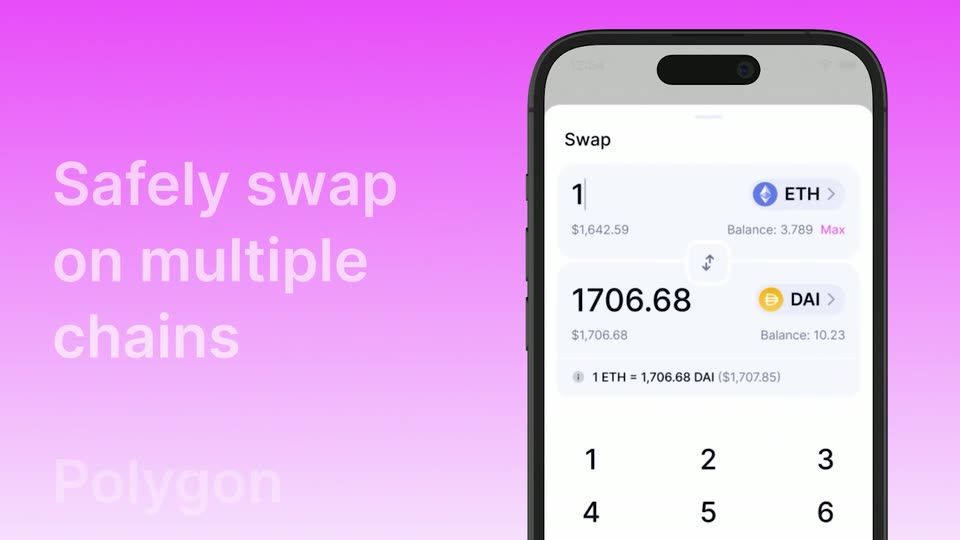
Uniswap App is available now
Uniswap · Apr 2023
Whop · Mar 2026 · 0:32 · AI-annotated
Whop’s 0:32 launch film runs 18 scenes, about 1.8 s each. The product is on screen from the first frame and 4 features are revealed. There is no explicit call to action. The video chains bold two-word tagline cards, each blurring in and handing off to a dark chat or dashboard demo on a cream field. Blur transitions, 3D interface tilts, and red highlights on key words keep the pace snappy at around 92 BPM.
Is this your launch? to your site or press kit.
Uniswap · Apr 2023
Pitch · Productivity · May 2026
On a pale cream field, the centered line “Introducing Whop AI” resolves from a soft blur, the red “AI” settling in last, then the text holds still in a locked-off frame.
On-screen text: “Introducing Whop AI”
Techniques: Kinetic type
Camera: Static
A pale cream background holds the centered 'Introducing Whop AI' headline in black and orange, which blurs and shrinks to a tiny orange dot, then a small gray lowercase sentence scales up at the center.
On-screen text: “Introducing Whop AI”, “im unemployed and I need to get a bag this month”
Techniques: Kinetic type
Camera: Static
A dark rounded input bar on a pale pink background resolves from a soft blur. The white monospace query text scales into place, flanked by a plus icon on the left and a circular up-arrow send button on the right.
Techniques: Kinetic type
Camera: Static
A dark chat panel on a pale background shows a user message, then a Thinking status that resolves into a reply. The view zooms onto a numbered list of four business options as they load, and a cursor hovers over option two, outlining it in orange.
Techniques: UI zoom, Cursor demo
Camera: Pan
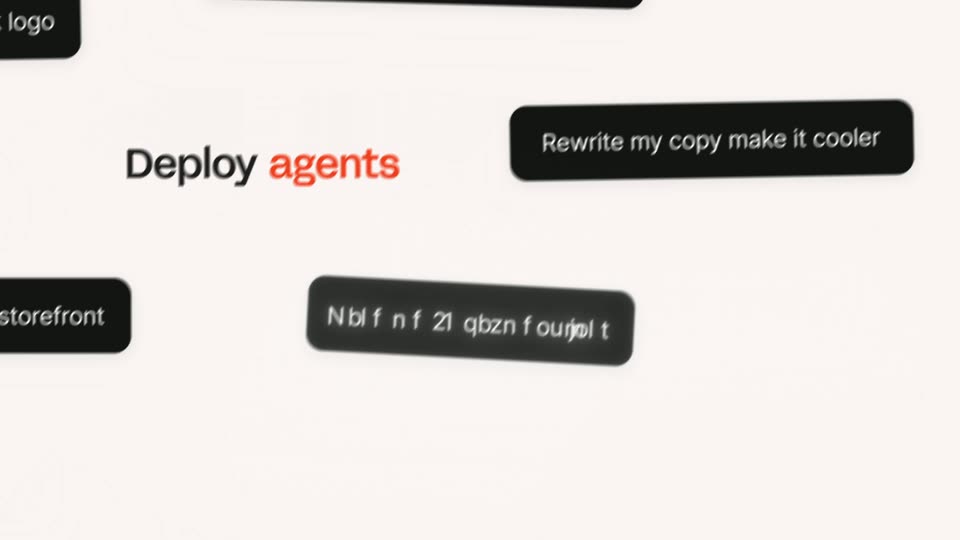
A bold “Deploy agents” headline, with “agents” in orange, sits on a pale pink background while black rounded prompt pills slide in from the edges carrying example requests. The headline and pills drift to new positions, then a dark bar wipes across to close the scene.
On-screen text: “Deploy agents”, “I need a fire storefront”, “Generate a sick logo”, “DM new users a 40% off promo code”, “Rewrite my copy make it cooler”, “Make me 10 payment links”
Techniques: Kinetic type
Camera: Pan
A Discord-style window sits on a gray field, then tilts into 3D perspective and scales up as a blurred duplicate of the same interface slides in behind it on the left. The green terminal banner and chat pane stay in focus.
Techniques: 3D mockup, Parallax
Camera: Push in
Two angled interface panels in 3D perspective: a dark terminal-style dashboard with green labels on the left, and a chat window on the right reporting a created storefront and a product listed at $200, with red-highlighted phrases. The shot starts defocused and racks into sharp focus.
Techniques: 3D mockup
Camera: Push in
A dark chat panel titled Getting you paid fast sits on a cream backdrop beside a green dashboard. The word Start in black serif fades in at center over a blurred red word while the panel text softens.
On-screen text: “Start”
Techniques: Kinetic type
Camera: Static
A soft pink-to-white gradient fills the frame with the centered headline Start scaling. Start is set in black and scaling in orange-red. The letters of scaling drop and settle into their baseline with a quick vertical stagger, then hold still.
On-screen text: “Start scaling”
Techniques: Kinetic type
Camera: Static
A dark Net Revenue dashboard with a blue line chart sits in 3D perspective on a cream backdrop, while three review cards with avatars and five-star ratings float in front of it, drifting gently as the camera eases back.
Techniques: 3D mockup, Parallax
Camera: Static
A centered phrase on a pale pink field: 'Ask' in orange and 'anything' in dark gray. The second word slides up from a blurred offset to join the first on one line, sharpening into focus.
On-screen text: “Ask anything”
Techniques: Kinetic type
Camera: Static
On a pale pink field, the centered line 'Ask anything' holds, 'Ask' in orange and 'anything' in gray. It is then replaced by a question that slides in from the left, 'i just hit' in gray and the rest in orange.
On-screen text: “Ask anything”, “i just hit $5k this month, what do i do next?”
Techniques: Kinetic type
Camera: Static
A single line of lowercase text on a pale pink background slides into place, the final word tinted red while the rest stays dark gray. The frame is locked off.
On-screen text: “i just hit $5k this month, what do i do next?”
Techniques: Kinetic type
Camera: Static
A dark chat card on a cream background starts blurred, racks into focus, then scrolls as the conversation unfolds: user question, AI reply, user confirmation, and a second reply with 'generate creative' in red. The frame pulls back to show the whole card.
Techniques: UI zoom
Camera: Pull out
The word Grow in dark brown sits centered on a pale cream field, then faster in orange slides in to its right as Grow turns black, forming the phrase Grow faster.
On-screen text: “Grow faster”
Techniques: Kinetic type
Camera: Static
A dark chat window sits on a light background, the user bubble 'i wanna hit 20k next month' and a red 'Thinking....' cue. The view zooms into the chat and scrolls up as AI replies type in with red-highlighted phrases, then cuts to a white frame where the tagline 'Grow faster' settles in.
On-screen text: “Grow faster”
Techniques: UI zoom, Kinetic type
Camera: Static
The tagline 'Build smarter' sits centered on a plain white background. 'Build' is dark gray and 'smarter' is red, both in a bold sans-serif. The text stays locked in place for the whole shot.
On-screen text: “Build smarter”
Camera: Static
The red Whop logomark, a heart built from three diagonal strokes, sits beside the lowercase wordmark, centered on a plain white background and held static for the full duration.
Camera: Static