0:34
Fortnite Treasure Hunters – Gameplay Trailer – Nintendo Switch 2
Epic Games · Nov 2026
VideoGen’s 0:14 launch film runs 11 scenes, about 1.3 s each. The product shows up at 0:01. The call to action lands at 0:10 (72% in), over a voiceover. A 14 second prompt to video ad built as a five beat arc: a question card, a one line product promise, a step by step generation demo, a trust and try closer, and a logo card. Flat color fields snap between states at a brisk clip rate, with word by word text builds, a red accent that travels from the corner badge to the generate button, and a hard cut from cream to a dark grid for the generation moment.
Is this your launch? to your site or press kit.
Epic Games · Nov 2026
HeyGen Video Podcast · Jul 2026
A red abstract background with soft curved bands fills the frame. Centered white text, “Need to make a video?”, scales in and holds while the shapes drift slowly.
On-screen text: “Need to make a video?”
Techniques: Kinetic type
Camera: Static
On a pale cream-and-pink gradient, the centered phrase builds word by word into “Just use VideoGen.” and holds. A red circle with a white star outline and a black-outlined pill holding a right arrow sit in the bottom-right corner throughout.
On-screen text: “Need to make a video?”, “Just use VideoGen.”
Techniques: Kinetic type
Camera: Push in
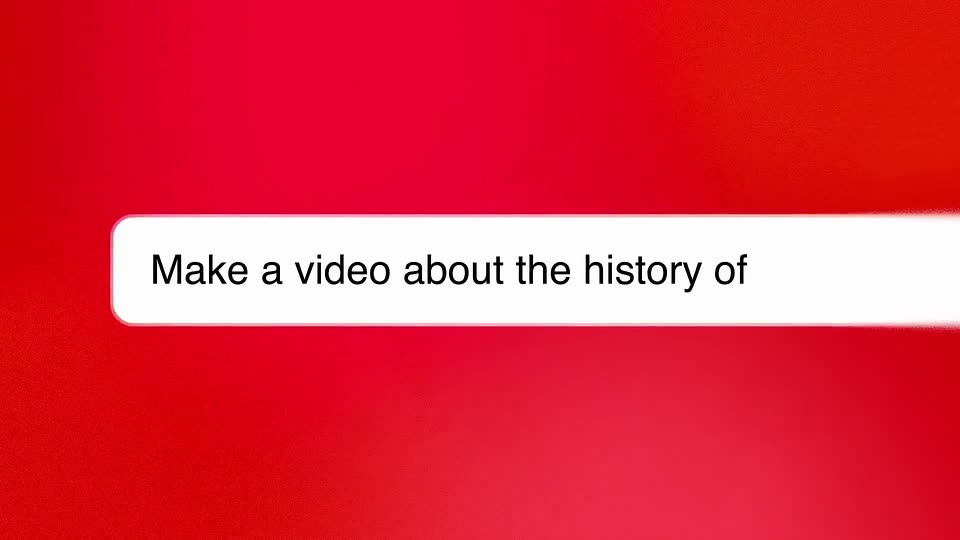
A white rounded input bar sits centered on a red gradient background. Black text types out word by word inside it, ending with the full prompt, while a bright glow sweeps along the right edge of the bar.
On-screen text: “Make a video about the history of Rome”, “Just use VideoGen.”
Techniques: Kinetic type, Light sweep
Camera: Static
A white prompt bar with typed text and a black logo button sits centered on a pale pink gradient. A cursor arrow glides to the button and clicks it, turning it red with a hand icon. A small gray caption stays fixed at the bottom.
On-screen text: “Available in 50+ languages!”
Techniques: Cursor demo
Camera: Static
A white prompt bar shows “Make a video about the history of Rome” beside a red C button, with an outlined cursor drifting near it over a soft pink glow. A small gray caption sits below.
On-screen text: “Available in 50+ languages!”
Techniques: Cursor demo
Camera: Static
A cream loading screen with small red stars holds the word Generating, which sharpens and settles at center, then cuts to a dark grid where a white spinner spins and closes into a solid dot.
On-screen text: “Available in 50+ languages!”
Techniques: Kinetic type, Morph
Camera: Static
A dark grid background frames a centered rounded rectangle. A bright white glow fills the card, then softens to reveal a photo of a stone building and pale sky.
Techniques: Masking
Camera: Static
A rounded card on a dark grid holds a hazy shot of the Colosseum; the haze lifts, then the card expands to full frame, revealing a wide view of the Tiber, a stone bridge, and the Colosseum. A caption bar sits at the bottom.
On-screen text: “Rome began as a small village by the Tiber River.”
Camera: Push in
Wide shot of Rome with the Tiber River in the foreground and a stone arch bridge spanning it, the dome of St. Peter's Basilica rising on the right. The frame drifts slowly as a caption fades in at the bottom.
On-screen text: “Rome began as a small village by the Tiber River.”
Camera: Push in
A washed-out Rome skyline fades to white behind the headline “Trusted by 1,000,000+ users”, the number in a purple-to-pink gradient, with a small caption below. The frame then settles on “Try it yourself!” with a purple underline.
On-screen text: “Rome began as a small village by the Tiber River.”, “Trusted by 1,000,000+ users”, “From over 190 countries!”, “Try it yourself!”
Techniques: Kinetic type
Camera: Pull out
A white robot-camera logo is centered on a near-black background with a faint grid. The word VideoGen fades in below the mark, brightening from dim to full white while the logo and grid stay locked off.
On-screen text: “VideoGen”
Camera: Static