
1:28
Explore
00:00:00 / 02:59:01
- Length
- 2:59
- Scenes
- 66 · 2.7 s avg
- Product on screen
- 0:40
- Features shown
- 6
- Call to action
- 2:49 · 95%
- Voiceover
- Yes
- Views
- 5.5K on YouTube
as of November 28, 2026
Vercel’s 2:59 launch film runs 66 scenes, about 2.7 s each. The product shows up at 0:40 and 6 features are revealed, with social proof. The call to action lands at 2:49 (95% in), over a voiceover. Black canvas, white monospace type, and a fixed top-right webcam inset carry the whole film; every beat is a centered card or a screen recording that fades, blurs, or slides in on a slow 100 BPM pulse. Structure is a tight argument: a two-builds hook, a 19-piece problem grid, then a folder-by-folder tour of the agent directory, an end-to-end refund demo, and a one-command CTA, with text captions doing the narration while the presenter stays in the corner.
Footage neededEstimated needs: 9 capture groups — your screens or recordings · 1 official logo — reused across the film · 2 filmed passages — shoot, supply or replace · 10 graphic passages — draw or supply
Is this your launch? to your site or press kit.
More like this


Similar soundtrack
Films whose music sounds like this one, voice left out
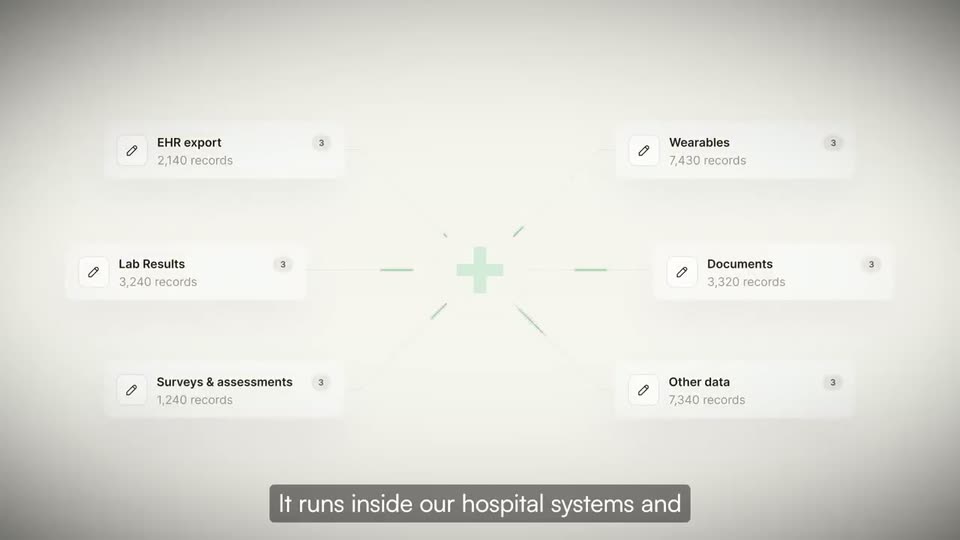
1:55

Replit Desktop | Agent meets your work where it already is
Replit · Upbeat corporate tech
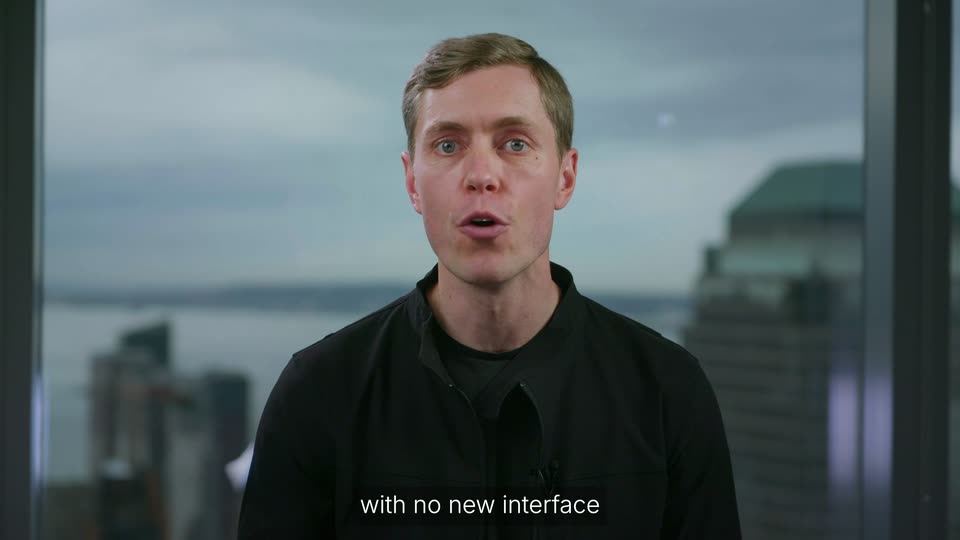
1:00


Lua AI: YC Launch Video
Lua Global Inc · Upbeat electronic
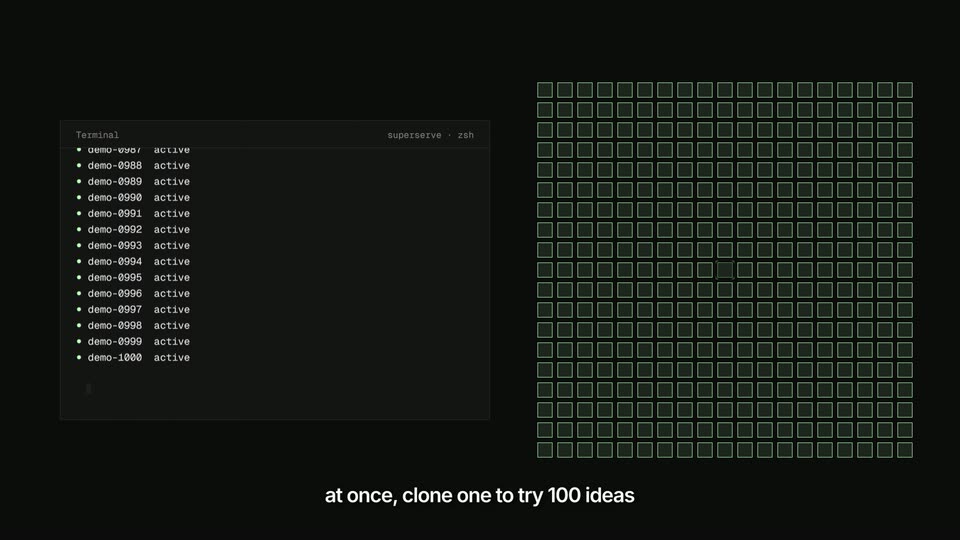
1:52

Cocreate demo video
cocreate · Electronic
eve: AI agents without the plumbing, scene by scene
· 66 scenes as text
01 · Hook · 0:00–0:03
A bearded man in a black t-shirt and white earbuds sits in a black gaming chair against a plain cream wall. He faces the camera and speaks in a static medium close-up, his head and hands moving slightly as he talks.
Camera: Static
02 · Hook · 0:03–0:04
A black frame holds a small webcam inset in the top right corner, where a bearded man in a black shirt and white headphones speaks to the camera. The rest of the screen stays empty and still while he talks.
Camera: Static
03 · Hook · 0:04–0:06
On black, a small white rounded square sits center above the caption “one brief, two builds”. The square fades in, then splits into a pair, one left and one right, as the caption fades out. A webcam feed of a man speaking stays in the top right corner.
On-screen text: “one brief, two builds”
Camera: Push in
04 · Hook · 0:06–0:08
Two white rounded squares sit on a black background. The monospace labels “build one” and “build two” fade in below them in sequence. A man in a small webcam inset at the top right speaks and gestures.
On-screen text: “build one”, “build two”
Techniques: Kinetic type
Camera: Static
05 · Problem · 0:08–0:12
Two rounded-square icon placeholders labeled “build one” and “build two” sit on a black screen beside a small webcam inset of a presenter. The left square turns to an outline, the icons clear, then a title card appears: small “the brief” above large “Nimbus Support.”
On-screen text: “build one”, “build two”, “the brief”, “Nimbus Support”
Camera: Static
06 · Problem · 0:12–0:16
Black card with a small gray monospace kicker 'the brief' above a large white title 'Nimbus Support'. Four feature lines fade in one at a time below. A small webcam inset of the presenter talking sits in the top-right corner.
On-screen text: “the brief”, “Nimbus Support”, “answers customers”, “looks up accounts”, “issues refunds, when they're warranted”, “sends you a summary every morning”
Techniques: Kinetic type
Camera: Static
07 · Problem · 0:16–0:20
A black title card lists the Nimbus Support brief in gray lines while a presenter's webcam sits in the top right. The last line glows white, then a bold white sounds simple fades in at the bottom.
On-screen text: “the brief”, “Nimbus Support”, “answers customers”, “looks up accounts”, “issues refunds, when they're warranted”, “sends you a summary every morning”, “sounds simple”
Techniques: Kinetic type
Camera: Static
08 · Problem · 0:20–0:22
A black card shows a centered gray list under the title Nimbus Support, with the white line sounds simple at the bottom and a small label the brief above. A small talking-head video sits in the top right corner while the text stays static.
On-screen text: “the brief”, “Nimbus Support”, “answers customers”, “looks up accounts”, “issues refunds, when they're warranted”, “sends you a summary every morning”, “sounds simple”
Camera: Static
09 · Problem · 0:22–0:24
A black screen holds a centered rounded box that swaps monospace labels, bot token, signing secret, webhook server, while a counter below steps up. A small webcam feed of a bearded man sits in the top right corner.
On-screen text: “bot token”, “pieces to build: 1”, “signing secret”, “pieces to build: 2”, “webhook server”, “pieces to build: 3”
Techniques: Kinetic type
Camera: Static
10 · Problem · 0:24–0:28
On black, a thin rounded box at center cycles through white monospace labels: webhook server, retry logic, api keys, secrets vault, sandbox, isolation, scheduler. A counter below ticks up from pieces to build: 4 to 19. A small webcam feed of a talking man sits top right.
On-screen text: “webhook server”, “retry logic”, “api keys”, “secrets vault”, “sandbox”, “isolation”, “scheduler”, “pieces to build: 19”
Techniques: Kinetic type
Camera: Static
11 · Problem · 0:28–0:32
Labels appear one at a time in a thin rounded box at the center of a black screen while a bottom counter climbs to 19, then the box shrinks and all nineteen labels fade in as a three-column grid. A webcam inset of the speaker sits top right.
On-screen text: “missed-run alerts”, “resume logic”, “audit log”, “bot token”, “signing secret”, “webhook server”, “retry logic”, “api keys”, “secrets vault”, “key rotation', 'sandbox', 'isolation', 'timeouts', 'scheduler', 'state store', 'checkpoints', 'retries', 'approvals ui', 'notifications', 'pieces to build: 19”
Techniques: Kinetic type
Camera: Static
12 · Problem · 0:32–0:36
Black canvas with three columns of monospace chips (bot token, retry logic, key rotation, etc.) that blur in from dim to crisp. A small webcam inset of a man with earphones sits top right. A gray caption reads pieces to build: 19, then a large white headline 19 pieces, 0 agent slams in with a glow as the caption fades.
On-screen text: “pieces to build: 19”, “19 pieces, 0 agent”
Techniques: Kinetic type
Camera: Static
13 · Problem · 0:36–0:40
On black, a gray rounded-square icon with three lines sits under the label build #1, which counts up to #3. The icon then slides left beside the label team a and multiplies into a row of three identical icons. A man talks in a small inset at top right.
On-screen text: “build #1”, “build #2”, “build #3”, “team a”
Techniques: Morph
Camera: Static
14 · Product intro · 0:40–0:43
On a black canvas, a grid of gray placeholder icons (rounded squares with three lines) fills in row by row, each row tagged team a, team b, team c in small monospace type. A small webcam feed of a man with headphones stays fixed in the top right corner.
On-screen text: “team a”, “team b”, “team c”
Camera: Static
15 · Product intro · 0:43–0:44
A black screen holds a small webcam window of a bearded man in the top right corner. A centered line of text fades up from dark gray to white in the middle of the frame.
On-screen text: “the same 19 pieces, everywhere”
Camera: Static
16 · Product intro · 0:44–0:46
A black screen holds the white line “the same 19 pieces, everywhere” still in the left-center. A small picture-in-picture in the top-right corner shows a bearded man in a dark shirt, seated in a gaming chair, speaking.
On-screen text: “the same 19 pieces, everywhere”
Camera: Static
17 · Feature reveal · 0:46–0:48
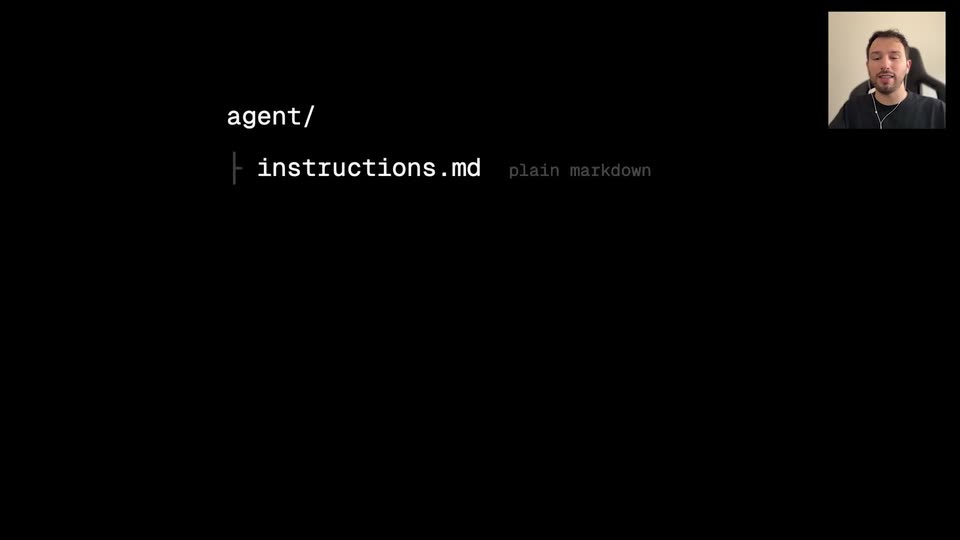
A black screen shows a directory tree in monospaced text, each line fading in from the top: agent/, then instructions.md with a gray plain markdown note, then channels/ with a gray slack.ts note. A small webcam inset of a bearded man in earbuds sits in the top right corner.
On-screen text: “agent/”, “instructions.md”, “plain markdown”, “channels/”, “slack.ts”
Techniques: Kinetic type
Camera: Static
18 · Feature reveal · 0:48–0:52
A monospace file tree builds line by line on black, listing the agent folders with gray file names and comments, while a man in a small top-right webcam inset talks and gives a thumbs up.
Techniques: Kinetic type
Camera: Static
19 · Feature reveal · 0:52–0:56
A monospace file tree on black lists folders and files; instructions.md and 'the only required file' glow white while the rest sit in dim gray. A top-right inset shows a bearded man in a dark shirt gesturing as he speaks.
On-screen text: “the only required file”
Camera: Static
20 · Feature reveal · 0:56–1:00
A code editor window shows a markdown file, with a stylized file-tree overlay listing instructions.md, skills and tools that fades out. The view zooms into the left file tree as a cursor expands the channels folder to reveal two script files.
On-screen text: “instructions.md the only required file”, “skills/ refund-policy.md”, “tools/ lookup_account.ts”
Techniques: UI zoom, Cursor demo
Camera: Push in
21 · Feature reveal · 1:00–1:00
A dark code editor fills the frame, file tree on the left and a markdown doc on the right. A hand cursor hovers over the channel files, popping up their folder paths in a tooltip. A small webcam of the presenter sits in the top right corner.
Techniques: Cursor demo
Camera: Pan
22 · Feature reveal · 1:00–1:04
A dark code editor displays a TypeScript file with colored import lines and a slackChannel export. A small webcam inset of a man in a dark shirt speaks in the top right corner. A text caret blinks on the empty last line.
Camera: Static
23 · Feature reveal · 1:04–1:08
A dark code editor shows a TypeScript file with import lines, a small webcam feed of a man with earphones in the top right corner. A cursor glides to the first line and hovers over the import path, opening a tooltip that names the module.
Techniques: Cursor demo
Camera: Static
24 · Feature reveal · 1:08–1:08
A dark code editor shows a TypeScript file with import statements and a default export, syntax highlighted in pink, blue, and green. A white cursor drifts down the empty lower area while a small webcam of the presenter sits in the top right corner.
Techniques: Cursor demo
Camera: Static
25 · Feature reveal · 1:08–1:12
A dark integration screen shows a Channels tab and header, then eight cards (Slack, Discord, Microsoft Teams, Telegram, Twilio, GitHub, Linear Agent, eve Web Chat) fade in row by row, with a small webcam feed of a man in a black shirt in the top right corner.
Camera: Static
26 · Feature reveal · 1:12–1:14
A dark integration page shows a grid of channel cards, Slack to eve Web Chat, the last card lighting up on hover. The view cuts to a code editor with a slack.ts file and a text cursor. A small webcam of the speaker stays top-right.
Camera: Pull out
27 · Feature reveal · 1:14–1:15
A dark code editor shows a file tree and a TypeScript Slack channel file, with a small webcam inset top right. The view zooms in on the code lines while the presenter remains in the corner.
Techniques: UI zoom
Camera: Push in
28 · Feature reveal · 1:15–1:16
A dark code editor fills the frame, file tree on the left and code on the right, with a small webcam feed of a man in the top right corner. The mouse cursor glides down the tree, pausing on the connections and schedules folders.
Techniques: Cursor demo
Camera: Static
29 · Feature reveal · 1:16–1:20
A dark code editor fills the frame with a small presenter webcam pinned top right. The view starts zoomed on the left file tree, pulls back, then reframes onto the stripe.ts code file as a cursor clicks folders. An Add to Chat tooltip pops in at the right.
Techniques: Cursor demo, UI zoom
Camera: Pull out
30 · Feature reveal · 1:20–1:23
A dark code editor displays a TypeScript file defining a Stripe connection. The I-beam cursor moves from the URL line down to the approval block, a small quick-action popover disappears, and the breadcrumb path updates. A presenter's webcam inset stays fixed in the top right corner.
Techniques: Cursor demo
Camera: Static
31 · Feature reveal · 1:23–1:27
A dark code editor displays a syntax-highlighted TypeScript file; the view zooms out to reveal the project file tree on the left as the cursor hovers over the schedules folder. A presenter's webcam stays in the top right corner.
Techniques: UI zoom, Cursor demo
Camera: Push in
32 · Feature reveal · 1:27–1:31
A dark code editor shows a file tree and TypeScript code, then the view jumps to a markdown file where a pink cron line is highlighted. A man in a top-right webcam frame gestures as he talks.
Techniques: Cursor demo
Camera: Pull out
33 · Feature reveal · 1:31–1:35
A dark code editor opens a markdown schedule file; the cursor jumps from the highlighted cron line to the instruction line below. The view then reframes onto the left file tree, while the presenter gestures in a small corner video.
Techniques: Cursor demo, UI zoom
Camera: Push in
34 · Feature reveal · 1:35–1:36
A dark file tree in a code editor fills the left half. A hand cursor moves to the skills folder and clicks, expanding it to reveal refund-policy.md. A small webcam of a man gesturing sits in the top right corner.
Techniques: Cursor demo
Camera: Static
35 · Feature reveal · 1:36–1:39
A dark code editor shows a refund-policy.md markdown file with a refund policy, while a small webcam feed of a man in a black shirt gestures in the top right corner. A mouse cursor hovers over the description line as the view settles from a quick blur.
Techniques: Cursor demo
Camera: Pull out
36 · Feature reveal · 1:39–1:43
A dark file list under agent/skills/ holds three markdown chips while a context panel and a user chat bubble fade in on the right, then the refund-policy.md chip slides from the list into the panel, leaving the other two files. A presenter's webcam sits in the top-right corner.
Camera: Static
37 · Feature reveal · 1:43–1:44
A dark interface diagram: a skills folder with two markdown chips on the left, a refund request bubble and a context panel with a highlighted refund-policy.md chip on the right, a presenter video inset top-right, and a bottom caption that brightens from gray to white.
On-screen text: “zero tokens, until this moment”
Camera: Pull out
38 · Demo · 1:44–1:55
A presenter's webcam stays top-right as the view zooms into the Slack thread; a cursor types a refund request to the agent, and replies appear one by one until a card with Approve and Deny buttons opens.
Techniques: UI zoom, Cursor demo
Camera: Push in
39 · Demo · 1:55–1:59
A dark chat thread shows an agent card asking to approve a tool call. A cursor clicks the green Allow button, the card updates to a green Allow-by badge, and the view scrolls down to the agent's Working line. A presenter's webcam sits in the top-right corner.
Techniques: Cursor demo
Camera: Pan
40 · Demo · 1:59–2:00
A dark workflows dashboard fills the frame, listing runs with green and orange status dots. The view reframes into one run's detail, revealing a trace timeline of blue and green bars. A presenter gestures in a small webcam box at the top right.
Techniques: Cursor demo, UI zoom
Camera: Pull out
41 · Demo · 2:00–2:03
A dark trace dashboard shows a waterfall of green spans under a blue parent bar. A cursor clicks a span, the timeline zooms in, and a metadata panel slides in from the right. A presenter speaks in a small webcam box at the top right.
Techniques: Cursor demo, UI zoom
Camera: Pull out
42 · Demo · 2:03–2:07
A dark workflow trace view fills the screen, its timeline of blue and green bars scrolling left as a cursor drags the green bar wider. A presenter in a top-right webcam inset talks and gestures, with a metadata panel on the right.
Techniques: Cursor demo
Camera: Static
43 · Demo · 2:07–2:08
A dark workflow trace interface fills the frame, its timeline of blue and green span bars panning left to reveal later events. A small webcam of the presenter in a headset sits fixed in the top right corner while the cursor drifts across the timeline.
Techniques: Cursor demo
Camera: Pull out
44 · Demo · 2:08–2:11
A Stripe dashboard screen recording shows a payment list. A cursor clicks a row, revealing a details page, then clicks an Approve button. A presenter's video is in the top right corner.
Techniques: Cursor demo
Camera: Pull out
45 · Feature reveal · 2:11–2:14
The Vercel dashboard fills the frame with a presenter in a small top-right corner. The cursor moves down the left sidebar to Agent Runs, then a diagonal motion-blur sweep dissolves the view and reveals a list of agent-run entries under Vercel Functions.
Techniques: Cursor demo
Camera: Static
46 · Feature reveal · 2:14–2:15
A dark project dashboard displays a search bar where the text “nimbus” is typed. A small webcam feed of a man in a black shirt is positioned in the top right corner.
Techniques: Cursor demo
Camera: Static
47 · Feature reveal · 2:15–2:16
A dark dashboard screen recording shows a compact project list crossfading into an expanded runs table, with a small webcam feed of a speaking man pinned in the top right corner.
Techniques: Morph
Camera: Pull out
48 · Feature reveal · 2:16–2:18
A dark analytics dashboard with a left sidebar and two charts above a runs table. The view zooms into the table rows listing run prompts, triggers, and token counts while a presenter appears in a webcam box top right.
Techniques: UI zoom
Camera: Push in
49 · Feature reveal · 2:18–2:19
A dark metrics table fills the frame, its columns Trigger, Cost, Tokens In, Tokens Out, Turns, Created, Updated listing Schedule and Slack rows. The view sharpens from a blur. A small webcam of a presenter in a dark shirt sits in the top right corner.
Camera: Pan
50 · Feature reveal · 2:19–2:19
A dark table of trigger runs shows cost and token columns, with a small webcam of a gesturing presenter in the top right. The frame pulls back to reveal line charts and tabs above the list.
Techniques: UI zoom
Camera: Pull out
51 · Feature reveal · 2:19–2:20
A dark dashboard opens on an Agent Runs table with two line charts and a presenter webcam in the top-right corner. The view then cuts to a single run detail: a Slack message block, an orange tool-call approval card, and a refund confirmation. A cursor moves through the rows.
Techniques: Cursor demo
Camera: Push in
52 · Feature reveal · 2:20–2:23
A dark product interface shows a Slack message block, a tool call row, and an orange approval banner. A small webcam inset in the top right shows a man gesturing, while a cursor moves to the cost field.
Techniques: Cursor demo
Camera: Static
53 · Feature reveal · 2:23–2:23
A dark agent interface fills the frame, showing a Slack message block, an orange approve-tool-call bar, and a refund confirmation line. A mouse cursor hovers over the middle row. A small webcam feed of a man in a headset sits in the top right corner. The view holds static.
Techniques: Cursor demo
Camera: Static
54 · Other · 2:23–2:27
On a black background, monospace labels 'without a framework' and 'with eve' sit above an outlined square and a filled white square. Pill chips 'slack app,' 'billing auth,' 'sandbox,' 'etc. jobs,' 'crash recovery' stack in one by one under the left label, while a presenter webcam inset gestures top right.
On-screen text: “without a framework”, “with eve”, “slack app”, “billing auth”, “sandbox”, “etc. jobs”, “crash recovery”
Techniques: Kinetic type
Camera: Static
55 · Other · 2:27–2:31
A dark comparison graphic splits the frame: the left column lists six pill labels under 'without a framework', the right column builds a file tree under 'with eve'. A small live-action inset of the speaker gestures in the top-right corner as the caption 'your code, your pager' fades in.
On-screen text: “without a framework”, “with eve”, “your code, your pager”
Camera: Static
56 · Other · 2:31–2:34
A black comparison graphic splits the frame: left column stacks six pill buttons under 'without a framework', right column shows a filled white square and an 'agent/' file tree under 'with eve'. A small webcam of a gesturing man sits top-right. The layout holds static, then blurs out.
On-screen text: “without a framework”, “with eve”, “your code, your pager”, “secure · fast · reliable”
Camera: Pull out
57 · Demo · 2:34–2:35
A dark interface presents “Your agent/ is a directory” above a file tree and code preview. The right panel switches from instructions.md to channels/slack.ts as a cursor hovers channels/. A webcam inset of a speaker sits top right.
On-screen text: “Your agent/ is a directory”, “An instructions.md file is all you need to run an agent. Skills, tools, channels, and the rest are optional building blocks you add as it grows.”
Techniques: Cursor demo
Camera: Static
58 · Demo · 2:35–2:39
A dark file tree under agent/ sits left of a code pane; a cursor clicks down the list, each highlight swapping the right pane to the matching file. A presenter talks in a small top-right window. A white headline and gray subtitle anchor the top.
On-screen text: “Your agent/ is a directory”, “An instructions.md file is all you need to run an agent. Skills, tools, channels, and the rest are optional building blocks you add as it grows.”
Techniques: Cursor demo
Camera: Static
59 · Demo · 2:39–2:43
A dark slide pairs the headline 'Your agent/ is a directory' with a two-column panel: a file tree left, a syntax-highlighted TypeScript file right, and a presenter webcam inset top right. The panel dissolves in, then a dot grid fades over it.
On-screen text: “Your agent/ is a directory”, “An instructions.md file is all you need to run an agent. Skills, tools, channels, and the rest are optional building blocks you add as it grows.”
Camera: Static
60 · Social proof · 2:43–2:47
A black screen holds a wide grid of small squares that flicker between white and dark gray. A bearded man in a headset gestures in a small inset at the top right. The word support appears below the grid.
On-screen text: “support”
Camera: Static
61 · Social proof · 2:47–2:49
A wide grid of small gray squares flickers on a black background. Below it, the words support, data, sales, and content review fade in one by one, separated by dots. A presenter in a headset appears in a small inset at the top right.
On-screen text: “support · data · sales · content review”
Techniques: Kinetic type
Camera: Static
62 · CTA · 2:49–2:51
On a black terminal screen, the command $ npx eve@latest init types out character by character at center with a blinking block cursor. A small live webcam feed of the presenter sits in the top right corner.
Techniques: Kinetic type
Camera: Static
63 · CTA · 2:51–2:54
A black terminal shows the command “$ npx eve@latest init” with a block cursor; a gray line “✓ your agent is ready” fades in below. A small webcam of a bearded man in a headset sits in the top-right corner. The screen cuts to black, then a white bar logo reveals in the center.
Camera: Static
64 · Outro · 2:54–2:55
A white geometric logo of horizontal bars and a diagonal slash sits centered on black, with the URL below it. A small webcam inset of a bearded man with a headset speaks in the top-right corner. The frame is locked off and still.
On-screen text: “eve.dev”
Camera: Static
65 · Outro · 2:55–2:58
A white geometric EVE wordmark made of horizontal bars and a diagonal sits centered on black, with the URL eve.dev beneath it. A small webcam inset of a man in the top right corner drops out after the first second, then the whole frame fades to black.
On-screen text: “eve.dev”
Camera: Static
66 · Outro · 2:58–2:59
The frame is a solid black screen with no visible content, motion, or text. It holds static for the full duration, reading as a blank transition or gap.
Camera: Static